

 LinkedIn

Giving ChatGPT permission to change an ad account does not make it the only system changing that account. The chat is not the control room. I separate the work into three layers: changes requested through an assistant connected to groas, changes made by groas autopilot if I switch it on, and changes Google or Meta makes through its own automation. A new headline, a tighter crop and the same campaign name do not tell me which layer acted. Before I approve another edit, I want to know who can touch what—and which switches are still on.
1. “If ChatGPT made the edit, it controls everything that runs afterward”
People believe this because the chat is where they see the work happen. ChatGPT says it paused the losers and rewrote the headlines. The change history shows an edit. Job done.
Not quite. An assistant-requested edit is one action through a tool. It does not, by itself, switch off an autopilot or change the platform’s creative settings. Whatever automation was running before the request may still be running afterward. The conversation can end while the account carries on doing things nobody mentioned in the conversation.
That is why I distinguish permission from tool coverage. Permission to access an account does not mean every connector can inspect or change every setting. The useful question is not whether ChatGPT is “connected.” It is what that connection actually lets it read, write and verify.
Connected through groas MCP, ChatGPT can read accounts and make changes across Google, Meta, Bing and the rest from one connection. That gives the assistant a way to act instead of merely recommending another spreadsheet. It does not make the assistant the sole author of everything that happens next.
For ongoing work, groas autopilot stays off until I switch it on. That boundary matters: an edit I request in chat and a routine I authorize to run around the clock are different decisions. I want them treated that way.
Before the first change, I ask for an inventory:
List the changes you made, the automation settings you can inspect and anything you cannot verify. Make no changes.
Then I establish the baseline the next proposal will have to beat:
- Current CPA and ROAS.
- What the last 14 days actually spent.
- Which creative enhancements are enabled.
- Which settings the assistant cannot inspect and need a platform check.
Without that baseline, the next confident explanation of “improvement” has very little to stand on. A plausible story is not a control group, however neatly the chat formats it.
I start with one narrow job: a proposed budget correction, for example, rather than an open invitation to improve everything. I ask for the intended change, its reason and how the assistant will verify it landed. Anything it cannot inspect stays on my platform checklist, not in the column marked “probably fine.”
My rule: authorize a specific class of work, not a vague outcome like “optimize the account.”
2. “Useful AI targeting means I should enable creative automation too”
I get why this one sticks. Advantage-style targeting helps plenty of accounts find buyers an operator would not have assembled by hand. When the platform offers to fix the creative too, it sounds like the same favor.
It is a different job.
Targeting decides who sees the ad. Creative automation changes what they see: rewritten text, reframed video, background swaps. The live ad can look different from what was approved because the platform keeps adjusting the creative for performance. Approval of the input is not necessarily approval of every output.
An advertiser discussion about AI enhancements captures the split: some buyers say the targeting helps while the creative edits hurt. That is a specific complaint worth checking, not proof that every enhancement fails everywhere. Practitioners also describe AI text variations helping in broad and top-of-funnel placements while causing problems when brand voice, compliance or exact visuals matter.
The distinction is practical. A useful audience change does not earn a rewritten headline a free pass. Nor does one awkward headline prove the audience work was bad. Bundle the two together and I lose the ability to approve one without accepting the other.
I split every proposal into audience and budget changes on one side, creative changes on the other. The first list can move forward without dragging the second along.
My prompt is deliberately dull:
Split your next proposal into audience and budget changes versus headline, image and video changes. Hold the creative changes for manual approval. List anything you cannot verify inside the platform.
There is no prize for making an approval request sound strategic. I want to see the decisions separately.
Readers considering overnight automation should also distinguish what genuinely runs unattended from what merely accepts instructions through a chat. Unattended bidding and unattended creative are different risks. I do not grant both permissions because one has earned its keep.
Keep creative on manual approval until there is evidence for automating creative—not merely evidence that targeting works.

3. “The change log proves which creative variation converted”
A change log looks authoritative because it is specific. There is a timestamp, an actor and a setting. Compared with a chat saying “I’ve optimized your campaign,” it is a considerable improvement.
But it answers a narrower question than people ask of it.
Google’s change history records account edits. It can help establish what changed and who made the change. It does not follow that the row identifies the exact creative version served to the person who bought, especially when platform transformations sit between the approved asset and delivery.
That gap is where a lot of confident creative analysis gets manufactured. A headline goes into the account. Conversions follow. The headline gets promoted to “winner,” even though the evidence does not establish which variation the converting audience saw.
A record of the input is not proof of the served output.
I ask ChatGPT to pull the available ad-level evidence, then explain its blind spots in plain language:
- Which creative variations can it see?
- Which variations can it not see?
- Where does attribution stop?
- Can it connect the claimed result to the served version, or only to the ad containing the input?
If it cannot show the served version, the honest answer is: we changed the input and the platform chose the output. That can still tell me something useful about the account. It does not isolate the creative variation well enough to justify the same conclusion.
I also keep the account log and the delivery check separate. For a weekly review, I ask:
List every groas-logged change from the last seven days, with account, timestamp and reason. Make no changes.
Then I open the platform to check what the chat cannot verify: which creative settings remain enabled and what the delivery preview shows against the approved creative. The preview is a check on what I approved, not a substitute for evidence about which version converted.
The companion breakdown of approved copy that still gets rewritten separates the checks that belong to the operator, the assistant and the platform. That separation is more useful than asking one system to certify the behavior of all three.
Name a creative winner only when the evidence supports that claim. Otherwise, name the change and its limits.
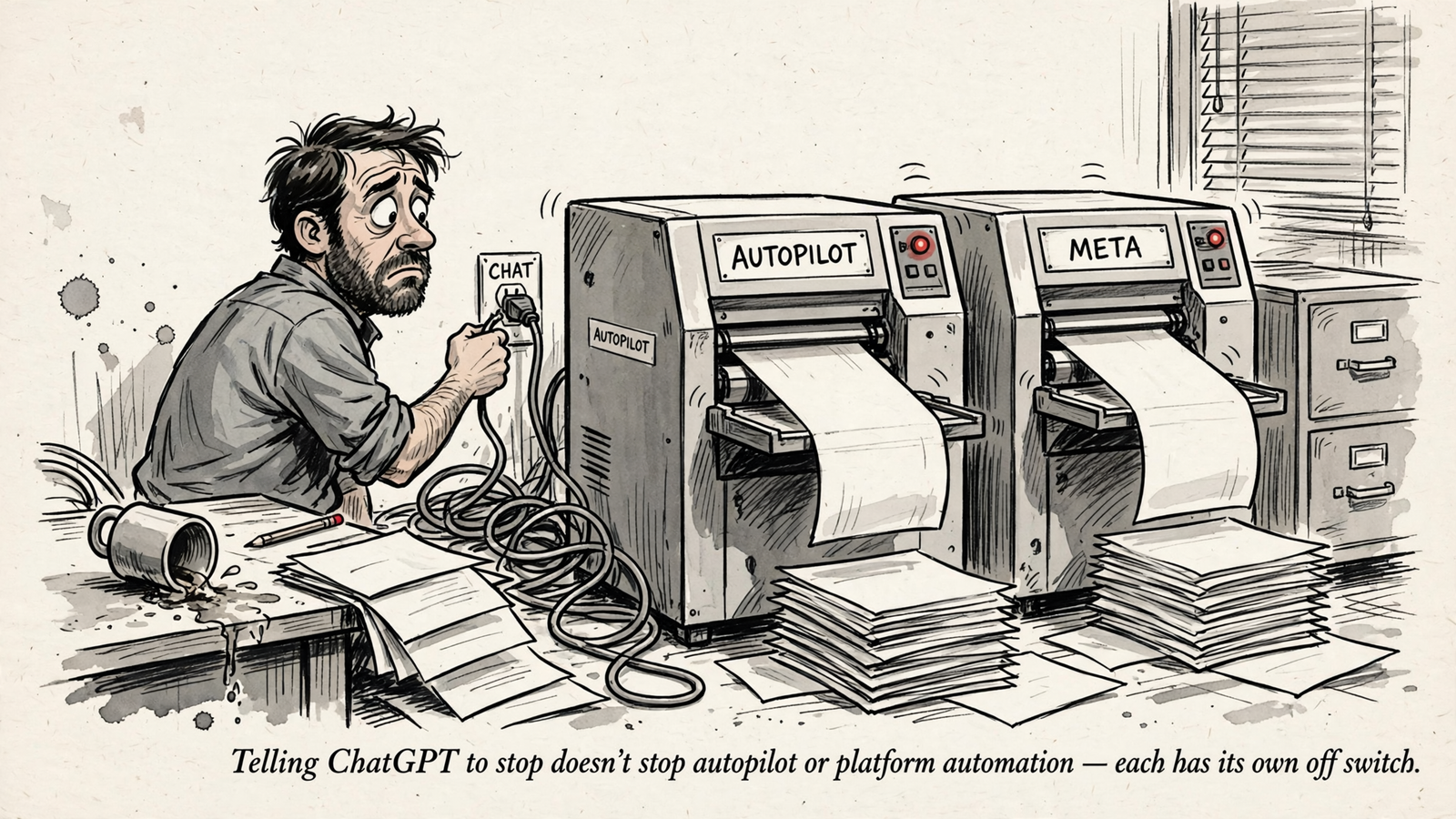
4. “Telling ChatGPT to stop also stops every automation”
This one confuses the conversation with the machinery underneath it. Closing the chat ends the conversation. It does not switch off the other systems changing the account.
Say an account spends $20k a month and I type, “Stop optimizing my Meta ads.” Even if ChatGPT stops sending edits, groas autopilot can keep running if I enabled it, and Meta can keep applying creative enhancements that remain switched on. One instruction does not establish that all three layers have stopped.
Stopping assistant-requested edits, stopping autopilot and changing platform settings are three separate operations. I want confirmation for each, not one reassuring sentence covering the lot.
Before touching anything, I ask for a settings inventory and a shutdown sequence:
List the active automations you can inspect, the ones you cannot verify and the actions needed to stop each. Distinguish assistant-requested changes, groas autopilot and platform automation. Make no changes yet.
That last sentence matters. An inventory should not become an unannounced repair job halfway through the answer.
Then I work through the layers:
- Stop further assistant-requested edits. Make the instruction explicit rather than assuming silence in the chat means the account is frozen.
- Switch off groas autopilot if it is running. It is separately authorized work, so it needs a separate stop.
- Check the platform’s automation settings. Verify any gaps inside Google or Meta instead of treating an unavailable setting as a disabled setting.
I do not assume the assistant can perform every step through the connector. Where it cannot inspect or change a control, that becomes a manual check. “I cannot verify this” is a useful answer. “All sorted” without visibility is not.
The same discipline applies when restarting. I can authorize routine budget work without authorizing headline changes. I can leave autopilot off while using ChatGPT for individual edits. The point of connecting the systems is not to erase those boundaries; it is to make useful work possible within them.
This is where groas’s explicit autopilot boundary earns its place: off until I switch it on, rather than an ongoing routine being confused with a one-time chat request. But the platform’s own settings still need their own inspection.
Ask for three stop confirmations. Do not accept the end of a conversation as proof that the account stopped changing.
5. “Undo restores the experiment as if nothing happened”
This is the myth I find hardest to kill. The button says Undo, which sounds wonderfully complete. It promises the emotional experience of never having made the mistake.
What it can restore is a setting. What it cannot restore is the experiment as if nothing happened.
If an assistant raises budgets for four days before anyone notices, reversing the edit does not unspend those four days. The impressions have already served. Any altered creative has already reached people. Putting the old value back does not remove that exposure from the account’s history.
Undo fixes the switch. It never refunds the test.
Google provides two years of change history, but most change types offer an Undo link only for the last 30 days. Even where the link is available, it reverses the setting, not everything that happened while the setting was active. On Meta, I also separate changing an enhancement setting from verifying the creative now being delivered. Clicking the control is not the final check.
With groas, changes are logged with their reasons and can be undone in one step. That makes account management more useful: I can see the action and reverse it without reconstructing the whole sequence first. The reversible part is the edit, not the money or exposure attached to it. A convenient undo still needs an honest account of the consequences.
Before approving a revert through ChatGPT, I require three things in one reply:
- A before-and-after diff. Which setting changes, and what value returns?
- A reason tied to CPA or ROAS. Not “performance optimization,” which is a label, not an explanation.
- A verification plan. How will the assistant confirm the revert landed, and what will still need checking in the platform?
Then I record the cost of the lesson alongside the fix: the dates, the spend and what the available evidence says was served. Otherwise, next month’s baseline quietly absorbs the mistake, and the next analysis compares against a period nobody has properly described.
That is also why I keep the three layers visible after a revert. Reversing an assistant-requested edit does not establish that groas autopilot has stopped. Switching off autopilot does not establish that platform creative automation is off. Returning the original headline does not, by itself, establish what every served version looked like during the test.
I want one class of routine work automated, the rest held for approval and every change in the log. I still check the platform where the log cannot answer. That is not distrust of automation. It is refusing to ask an edit history to do the job of delivery evidence.
The button will keep saying Undo. The account will keep remembering the spend and the exposure. Everyone wants the revert to include a refund. It never does.


