

 LinkedIn

I wouldn’t replace a Google Ads script that does the same division every morning with a conversation. I’d keep the tripwire scripted and give Claude the work that starts after it fires: work out what happened, decide whether it matters, and propose a change I can approve or reject. If you’re deciding what belongs in a script, a native rule, or a Google Ads MCP connection, here’s how I’d split seven recurring jobs. I use the same test for one account or twenty: does this need arithmetic or judgment?
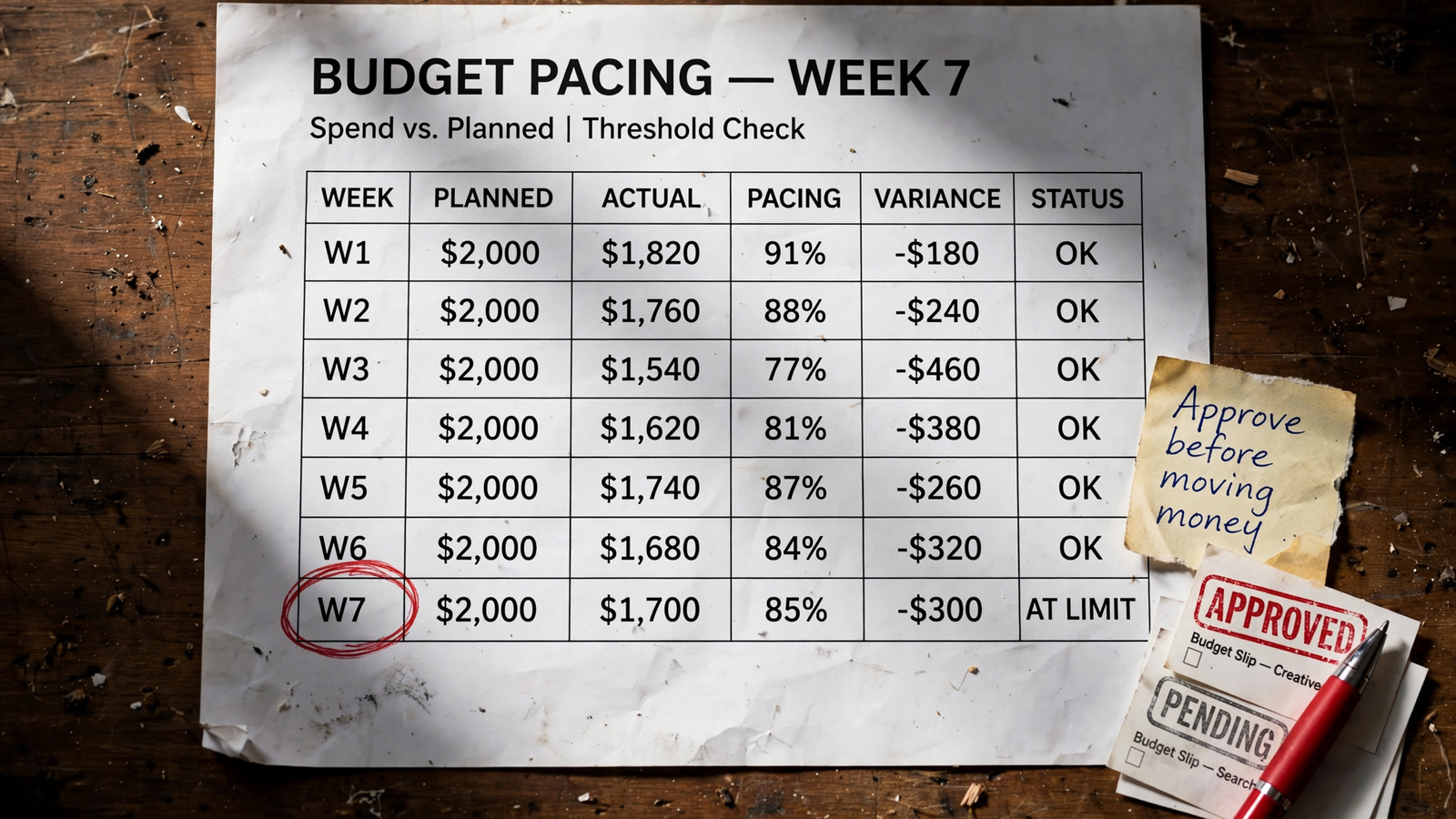
1. Script the pacing check and review reallocations separately
Pacing is arithmetic. Google’s Flexible Budgets template divides what’s left by the days left. It also warns that cost data retrieved after midnight can lag by about three hours. That’s a reason to pay attention to when the check runs, not a reason to ask Claude to do the division.
I used to think a smarter pacing script would beat a simple one. I was wrong about what needed to be smarter. I want the calculation to work the same way every day. What I want to think harder about is whether an underspending campaign should keep its budget or give some of it to another campaign. The pacing report tells me there’s a decision to make. It doesn’t make the case for moving the money. For that, I want to see the conversion history for both campaigns: the one giving up the budget and the one getting it. An underspend is a reason to look, not a reason to move money.
There’s a practical reason to separate the two. A single-account Google Ads script runs inside Google Ads, has a 30-minute execution limit, and has no undo for the changes it makes. A native rule is worth considering if the form covers what I need and I want the option to undo its latest run. The choice between a fixed rule and an account-connected assistant comes down to what I’m asking it to decide. Claude, connected through groas, can read the account and make a recommendation without changing a budget. Autopilot stays off until I explicitly switch it on.
Keep the math scripted and make Claude explain any proposed move. I’d start with the campaign that’s off pace:
Explain why campaign X is over or under budget this week using spend, days remaining, and conversion history. If you recommend moving budget, tell me where you’d move it and what would make that recommendation wrong. Don’t change anything.
2. Let Claude propose negatives before you block anything
A search term can spend $100 with zero conversions last season and still be the exact query my best customer types this season. On a spreadsheet, it looks like an easy exclusion. That’s the problem. The row shows what happened in a date range. It doesn’t tell me whether the search intent fits the offer now or whether conversions are still coming in.
I’m happy to let a script surface the rows. I’d give Claude the next pass, with a narrow brief and no permission to write. I’d start here:
Review the last 30 days of search terms. Account for conversion lag and propose negative keywords with reasons. Flag ambiguous terms for review. Change nothing.
For each candidate, I want the query, campaign, ad group, date range, spend, clicks, and conversions. Then I want one line that tells me why I should block it or leave it alone. If the reason amounts to “zero conversions,” I’m looking at the same spreadsheet with a sentence attached. I want to know what about the query makes it a poor fit for the offer. If that’s unclear, it goes in the review pile, not the block pile. Seasonal terms are the classic trap: last season’s loser isn’t automatically this season’s waste.
Move the review to Claude, not the authority to blacklist. I’d keep the script if it gives me a useful read-only report, then check the ambiguous terms myself before approving any exclusions. A bad negative costs me the query I never see.

3. Keep the conversion alarm and investigate what set it off
A conversion-silence alert is about as good as a script gets: conversions hit zero, it emails someone, and it changes nothing. I want that alarm whether I’m looking at the account or not. I don’t want the alarm deciding that zero reported purchases means the traffic got worse.
I’d start with the window on either side of the drop. I’d ask Claude to compare clicks and impressions, identify which campaigns moved, and look for changes to landing pages or the conversion action. I want it to separate what points to a traffic problem from what points to missing tracking. If clicks and impressions hold up while reported purchases disappear, that’s a reason to check tracking, not proof that it broke. I wouldn’t start adjusting campaigns on the assumption that they’ve stopped converting if I don’t know whether purchases are still being counted.
Keep the scripted alarm, then use Claude to narrow the diagnosis. Account data alone can’t prove that a purchase event fires correctly. If the evidence points to tracking or doesn’t let me tell the two apart, I’d check the tag or checkout before touching the campaigns.
4. Review bids and budgets before acting on a CPA threshold
A pause rule keyed to a $50 target CPA sees reported CPA. It doesn’t see conversions that haven’t arrived yet. That’s how a rule can pause a campaign on ordinary variation, restart it the next day, and call the cycle optimization. The threshold is easy to write. The trade-off with fixed automation is that it fires even when the number needs more time or context.
Smart Bidding already sets bids at auction time using conversion history. In a review, I want to know whether that history is clean enough to use, whether anything changed recently, and whether the target still fits the margin. I don’t want a new target just because I asked for a review. My first pass looks like this:
Show me the current bid strategy, the last three bid or budget changes, and the conversion history behind them. Check for late conversions. Recommend a change only if the history supports it, and tell me what else you’d need to see if it doesn’t. Don’t apply anything.
I’d check what the connection can actually do before counting on it to apply a recommendation. Google’s official MCP server can read account data and handle a narrow set of asset and label writes through propose-and-confirm. It can’t pause campaigns or change budgets or bids. With groas, Claude uses my account connection and my rules. Changes made through groas are logged with their reasons and can be undone. That doesn’t bypass platform restrictions.
Use a threshold to flag a review, not to settle it. I’d keep the read-only flag if it’s useful, give Claude the review, and keep the approval for myself.
5. Read the ad and its landing page together
A script can show me which ads have a low click-through or conversion rate. That’s a shortlist, not a diagnosis. The copy might be vague, the headline might make a promise the page doesn’t deliver, or the offer might have changed without anyone updating the creative. The numbers tell me where to look. I need to read both sides to see what’s wrong.
Claude through groas can put the ad, its account data, and the page in the same review. I’d start with five ads and ask for two revisions, not five rewrites:
For the five weakest ads by conversion rate, show me each ad and the landing page it links to. Point out any gap between what the ad promises and what the page delivers. Propose revisions for two ads and explain the evidence behind each. Don’t publish anything.
groas also collects competitors’ ads and funnels around the clock. I’d use those to see which hooks and offers rivals are running and where ours differs. I wouldn’t use them to declare a winner. A live ad tells me a competitor is running it, not that it converts.
Give Claude the review and keep the script for the shortlist. Before I approve a revision, I’d check that it addresses the gap the review actually found. If the page doesn’t deliver the offer, a slicker version of the same promise isn’t a fix.
6. Ask for the reason behind each change
A budget changes on Friday. On Monday, nobody remembers why, so I’m comparing exports to establish that, yes, a budget changed on Friday. A script can give me a clean record of what moved. It can’t tell me why a colleague made a change if nobody wrote the reason down.
For actions taken through groas, the reason is logged alongside the change, so Claude can summarize the decision from a record instead of guessing from the numbers. I want the Monday review in this order:
- What changed.
- The recorded reason for each change, if there is one.
- What still needs investigating.
Give Claude the summary, but don’t mistake a logged reason for proof of impact. The reason explains why someone made the call. A good week afterward doesn’t prove it was the right one. I’d ask for a comparable period before drawing that conclusion. And if the summary has a blank where the reason should be, that’s the line I’d chase first.
7. Turn the multi-account export into a ranked queue
An exception script can give me twenty rows for twenty accounts. I still have to work out which account to open first, whether the comparison is fair, and what decision is waiting for me when I get there. That’s the export problem wearing a script’s clothes.
I’d keep the accounts separate. A blended average can hide the one account that needs attention. I’d start with a short queue, not another dashboard:
Rank these accounts by exception against the same period last month. For the top three, give me the account ID, the periods you compared, the evidence behind the flag, and the decision you need from me. Keep the accounts separate. Don’t write to any account.
Give Claude the triage and keep the first pass read-only. The export is raw material. The useful output is knowing which account to open first and what to check when I get there. If I manage more than a handful of accounts, I’d make this weekly triage routine the starting point for account reviews.
For the work that needs account context, I’d connect Claude through groas. The team plan is $19 a month flat, with unlimited accounts and websites. I can connect the accounts and site once and run these reviews without turning on autopilot. I wouldn’t buy it on a promise of lower CPA. I’d buy it so I can read and question the reason for a change before I approve it.
If I were picking one job to hand over tomorrow, I’d start with search-term mining. That’s where a tidy rule can quietly block a query I’d pay to get back. For two weeks, I’d run the review read-only, make Claude show the evidence for every proposed negative, and check the ambiguous terms myself. Then I’d approve the exclusions I could defend. The pacing script can keep doing division.





