

 LinkedIn

A $38 Google CPA can look better than a $42 Bing CPA right up until I find out one counts purchases and the other counts form fills. The math is fine. The comparison is broken. That’s what I want a combined report to show me before it tells me which channel won.
This list is for PPC operators who manage multiple accounts and already know how to calculate CPA. Connect Google Ads and Microsoft Advertising through groas in Claude, then give Claude the account IDs, dates, currencies, and time zones. Use the prompts below for reporting only, and tell Claude to flag missing fields rather than fill them in. I cover the setup in How I Use Claude to Monitor Google and Bing Ads Without Another Report.
1. Reconcile the account roster before you calculate totals
Prompt: Reconcile my expected account roster with the accounts you actually included. List each Google Ads and Microsoft Advertising account ID, currency, and time zone. Flag missing accounts or fields before calculating totals. Do not fill gaps.
Every number in the report inherits this check. If a connected account drops out or a paused one disappears without a note, the channel total can still look perfectly reasonable. It just doesn’t describe the whole client anymore. I’ve seen the reporting version of this: a dashboard looks fine on day one, then quietly drifts as its accounts pull from slightly different date ranges and settings. The deck still adds up. That’s not the problem.
Currency belongs on the roster, not in a footnote after the total. Microsoft Advertising sets currency at the account level, and it can’t be changed after setup. If the client uses more than one currency, I want to see which accounts were converted and at what rate before I see a combined spend or CPA figure.
Start with the roster you expect, not the roster Claude finds. Paste it in and ask for expected versus included, account by account. If the lists don’t match, stop there. A clean total doesn’t make up for a missing row.
2. Compare the conversion goals behind each CPA
Prompt: Compare the conversion goals behind each channel’s reported CPA. Separate purchases, qualified leads, and softer actions. List the goal criteria, counting method, conversion window, and which goals enter the reported CPA. Flag anything that needs human verification. Do not treat same-named conversions as equivalent.
This is how a report misleads a client without getting a single number wrong. One platform can count a purchase while the other counts a form fill that sales later rejects. One can count a person once while the other counts every conversion. Both rows still fit under the same neat little CPA heading.
Even on Google, the column matters: All conversions can include view-through conversions that the primary Conversions column excludes. The Google Ads conversion-window defaults are 30 days for clicks, 3 days for engaged views, and 1 day for view-throughs. Changing a window doesn’t recount the past. And Microsoft’s discrepancy checklist goes beyond the goal name: it calls out criteria, counting method (Unique versus All), windows, tag placement, and reporting time zones. It also notes that Microsoft reports conversions on the click date, while other systems may use the conversion date.
Match the business event, not the label. Start by asking Claude for one row per goal and a column that says whether the goal enters the reported CPA. Put anything Claude can’t verify in needs human verification. Until you know what the two numbers count, don’t let Claude blend them or declare a winner.
3. Align reporting hours and state the exchange rate
Prompt: Identify date-boundary, time-zone, and currency differences in the Google Ads and Microsoft Advertising data. State the reporting basis for each account and which comparisons are valid. If you convert currencies, list the accounts and exchange rate. If the basis can’t be verified, keep the totals separate.
Two reports can show the same calendar dates and cover different hours. In Microsoft Advertising’s reporting documentation, the report time zone determines what Yesterday means. If it’s unspecified, the default is Pacific Time in the US and Canada. Microsoft can flag data as incomplete, and campaigns across time zones aren’t complete until every zone has processed.
If Claude reads Google in the account’s time zone and Microsoft in UTC, check where that last day begins and ends. One extra day can account for most of a small Bing account’s conversions in a weekly report. Getting both platforms onto the same clock still doesn’t make the totals interchangeable: separate tags and attribution rules can change which purchases count. A 30-day window and a 7-day window don’t measure the same thing just because the report covers the same week.
Make the comparison reproducible. Start by asking Claude to show the date range and time zone beside each account. Then ask for the exchange rate wherever it combined currencies. If those checks fail, keep the accounts separate. An account-level CPA trend can still be useful if its goal and window haven’t changed. Bing beat Google this week can wait.
4. Put account-level changes next to the channel total
Prompt: Show spend, conversions, CPA, and share of spend for each account in both periods. Where the currencies and conversion goals are comparable, calculate aggregate CPA from total spend divided by total conversions, not by averaging account CPAs. Flag changes in the mix of spend.
Say Account A spends $9,000 for 300 conversions. That’s a $30 CPA. Account B spends $1,000 for 10 conversions, a $100 CPA. Average the two CPAs and you get $65. But the client spent $10,000 for 310 conversions. The blended CPA is $32.26. The $65 figure gives both accounts equal weight, which is not how the client spent the money.
Getting the formula right doesn’t get you off the hook. A channel’s blended CPA can hold steady while one account gets more expensive because more spend goes to a cheaper account. There’s nothing wrong with the total. There’s something wrong with reading it as evidence that every account held steady.
A flat blended CPA can hide a rising account CPA. Start with the account rows, then put the channel total underneath. Ask Claude to call out any account whose CPA rose while its share of spend fell. That’s an exception I want next to the total, not a detail someone has to dig out after the meeting.
5. Match campaigns on evidence, not names
Prompt: Match Google and Bing campaigns using explicit evidence. For each pair, show what supports the match. List campaigns with no match and flag ambiguous pairs. Do not pair campaigns by name alone or assume an imported campaign still has a live counterpart.
I used to treat an imported Bing campaign as the same campaign seen from a second angle. I was wrong. A Google-to-Bing import can leave behind automated rules, IP exclusions, and remarketing lists. Broad-match negatives import as phrase negatives. Display-only ad groups are skipped, and a Search plus Display campaign becomes Search only. That’s enough to make me check what’s actually running before I put two campaigns side by side.
The reporting trap is the name. A Google campaign that’s never been imported can merge into an existing Bing campaign with the same name. And two campaigns with different names can be counterparts someone built by hand. A matching name is not proof of a match.

Start with a match table. Have Claude put each campaign in one of three buckets:
- Matched with evidence: Show the landing page, offer, keyword set, or shared campaign ID you supplied.
- Unmatched: Show which platform has the campaign and which has no confirmed counterpart.
- Ambiguous: Show what still needs a human check.
Leave ambiguous pairs out of the campaign comparison. I’d rather explain an unmatched row than tell a client a confident story about two campaigns that were never counterparts.
6. Check what people searched for before comparing demand
Prompt: For matched campaigns, compare the available search terms. Show relevant examples, match types, and the share of campaign spend represented by the terms shown. State what is missing or truncated. Do not assume an imported campaign buys equivalent demand.
Two campaigns can be a legitimate pair and still buy different search intent. Microsoft’s import mappings help explain why: broad-match modifier keywords serve as broad, and a keyword’s match type is imported once rather than updated on re-import. A scheduled import can keep budgets, bids, and status in sync without making the keyword setups identical.
So Brand Core on Google and Brand Core on Bing can carry the same offer to two different pools of searches. Maybe one still has the broader setup from the import while the other has been restructured. If the queries differ, the cheaper CPA isn’t evidence that the platform can buy the same traffic for less. That distinction matters when the next slide recommends moving budget.
Compare the queries the campaigns actually bought. Start with one matched pair. Ask Claude for a short table with the match types, top search terms for the period, and the share of spend those terms represent. If Claude can’t see the search terms or can only see part of the data, make it say so. A blank cell that passes for zero is how a missing field turns into a finding.
7. Keep provisional weeks out of final comparisons
Prompt: Separate provisional results from mature periods. Use available conversion-delay evidence to estimate how much of each period’s conversion volume would typically be reported by now. If that evidence is missing, label maturity unverified. Do not compare a recent period against a mature one as if both were final.
A recent week can make an unchanged account look broken. In Variafy’s conversion lag example, the same $2,400 week shows 24 conversions at day 7 and 40 at day 28. That’s a $100 CPA at the first reading and $60 at the second. The early CPA looks about 67% worse. Same spend, same week. The only thing that changed was when someone looked.
I don’t use a fixed waiting period. In one analysis of primary conversions, 90.4% occurred within one day of the interaction and 4.4% took seven days or more. In a separate ecommerce example, only 79% of conversion value arrived within one day, and 86% arrived within seven. Those are different measures from different examples. Neither tells me when your account’s week is ready to call.
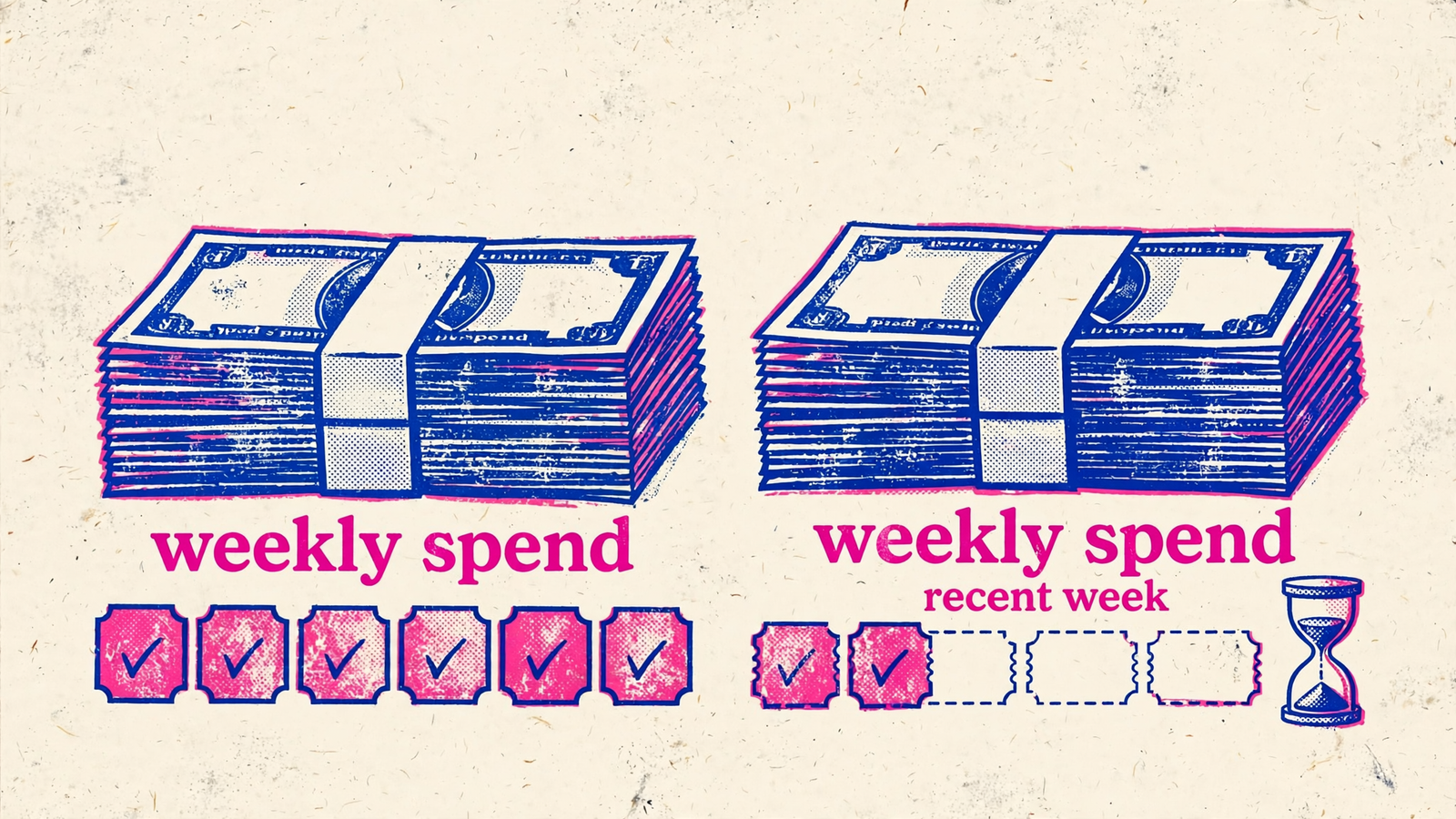
Label the period before you rank the channels. Start with a mature period and use Google Ads’ Days to conversion breakdown to see how conversions accumulate in that account. Ask Claude to label the current period provisional and show the percentage typically expected by now. If it can’t verify the lag, the label is unverified, not Bing won.
When I send the report, I want each exception to have a one-line discrepancy, the account data behind it, and a verification step with a human owner. If an exception points to a campaign change, that’s a separate conversation with its own approval. I wouldn’t sign a reporting request that also authorizes edits.
If I have time for just one check before sending, I start with the account roster. A provisional week can be labeled, and a bad campaign match can be left out. But if I don’t know which accounts made it into the report, I don’t know what any of the totals describe.





