

 LinkedIn

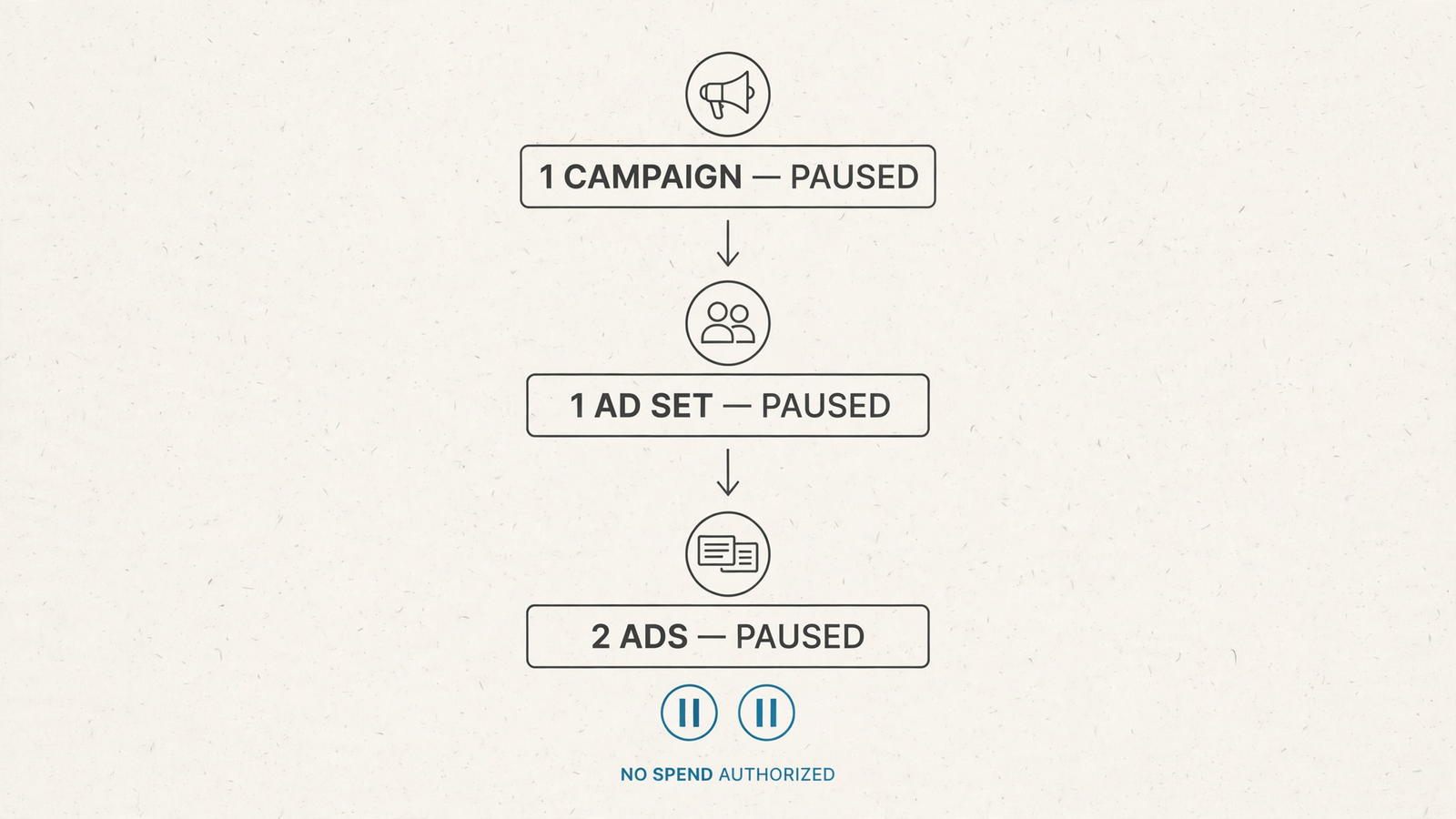
I give ChatGPT 90 minutes to build one paused Facebook Ads campaign from connected account data, with no new spend and no autopilot. The finish line is one campaign, one ad set, and two new ads I can inspect in Ads Manager, not a paragraph of copy I might paste there later.
That’s the test I’d run on any ChatGPT advertising connection, including groas. Recommendations make a tidy demo because nothing has to happen after the chat. A paused campaign is harder to fake. Either ChatGPT can read the right account, show me a configuration I can check, and create what I approve, or it can’t. The 90 minutes are a test budget, not a promise about setup time or campaign performance.
I’m approving creation, not delivery. That cuts the audience research project, the creative brainstorm, the budget increase, and anything that needs new production. Autopilot stays off. If a checkpoint fails, I don’t borrow time from the inspection or loosen permissions to get a prettier result. I stop and record what got in the way.
1. Minutes 0–15: Connect the right Meta account
Cost: 15 minutes. What it buys: a verified account and a list of tools ChatGPT can actually use.
I check the ChatGPT plan first. OpenAI’s help page on custom MCP servers lists full write and modify support on ChatGPT Business and Enterprise/Edu on the web, with admins or owners setting up the connection and users installing it through Plugins. If the plan or permissions don’t support the connection, this run ends here. A sign-in workaround isn’t part of the test.
On its own, ChatGPT can write in the style of an advertiser who has never opened Ads Manager. The connection is what lets it work with the actual account. To connect groas to ChatGPT, I add a custom MCP server, name it groas, paste the groas link, select OAuth for authentication, and sign in. No code. Once it’s connected, I ask for one read and nothing else:
Read this Meta account through groas. Confirm its identity and list the tools you can access. Do not create or change anything.
I want the account ID, currency, and business name, plus a plain list of the available tools. I check those details against the account I meant to connect. A campaign built confidently inside the wrong business is still in the wrong business. If the details don’t match, I stop the run and reconnect before trying again. Minute 10 is a much cheaper time to catch that than minute 80.
2. Minutes 15–30: Make ChatGPT prove it can read
Cost: 15 minutes. What it buys: account evidence I can use to judge the proposed build.
This is the block I wouldn’t skip to make more time for copy. Before ChatGPT gets permission to write, I want to see what it can read. I give it the offer and ask it to show its work:
Summarize the existing campaign objectives, conversion events, destinations, and recent results relevant to this offer. Identify missing inputs and attribution limitations. Do not make changes.
I read the answer like a junior account manager’s first report: I check the parts the decision depends on. The events must match what the pixel or Conversions API is actually recording. The destinations must exist and match the offer. Recent results must come from the account, not from a “typical CPA” that wandered into the report. If ChatGPT can’t verify a working conversion event, I record that as a missing input. A confident summary can’t make the event work.
The connection here runs through MCP, not an App Store button. Meta’s own ads MCP server supports ChatGPT, Claude, and Perplexity and creates new campaigns as drafts or paused by default. It’s also in open beta with a phased rollout, so not every account has access. I’d use groas’s MCP connection for this test because I want more than a connector that shows up in a menu: I want to check the account data, approve a specific write, and inspect a record of what changed.
I cut any detour into broader research and correct unsupported details once. If ChatGPT keeps supplying events, claims, or results it can’t substantiate, it doesn’t get write permission. That’s a useful verdict at minute 30.
3. Minutes 30–50: Put one campaign and one ad set in writing
Cost: 20 minutes. What it buys: a configuration I can compare with the objects Meta actually creates.
Choose the objective before creation
The objective follows the business outcome, not the cheapest result in an old report. The campaign objective and buying type are set at creation and can’t be changed afterward, as the Meta campaign prerequisites documented by Supermetrics explain. I ask ChatGPT to tie the proposed objective to the outcome I care about and to name the working event the ad set will optimize for.
If the outcome is sales, I want a configuration that optimizes for purchases. If it’s qualified leads and the CRM can confirm them, I want the setup to reflect that. I’d rather see a higher cost per result for an outcome I can use than a lower one for an outcome I can’t. If the event from step 2 doesn’t support the proposal, I stop before creation. I don’t swap in an easier metric just to finish the build.
Put the settings ChatGPT would otherwise assume on the page
The written proposal is the approval record. I ask for it before anything gets created:
Draft the complete proposed configuration for one campaign and one ad set. Keep both paused. Show every setting that requires my approval, and flag anything you assumed. Do not create anything yet.
I give the campaign a name that identifies the offer, what it’s for, and the fact that it’s paused. Six weeks from now, I don’t want a teammate guessing whether this was meant to go live. Then I check four groups of settings:
- Audience: The intended countries and, where relevant, the age, interest, or lookalike logic. I don’t accept a broad audience just because the assistant filled one in.
- Placements: A deliberate choice, including whether to use Advantage+ placements. I want to know where the ads are eligible to appear before they ever go live.
- Destination: The exact offer URL and the UTM parameters I intend to use. I open the page and check that it loads and matches the claim.
- Proposed budget: The amount I chose, the level where it’s set, and whether campaign budget optimization is on. Putting a proposed budget in a paused configuration does not authorize spend.
The Meta Marketing API ad set reference is a useful check on how much a tidy proposal can leave out: optimization goal, billing event, targeting, budget or bid settings, and paused status. I go line by line. If ChatGPT assumed a setting I didn’t approve, I make the decision or leave the build unfinished. A default isn’t an approval.
4. Minutes 50–70: Prepare two ads from approved material
Cost: 20 minutes. What it buys: two distinct ads I can review without commissioning anything new.
Two ads aren’t a creative strategy. They’re enough to tell me whether ChatGPT can work with material I’ve approved without slipping “premium quality” into an ad for a product whose page never says it. I hand it claims, images or video, and destination copy I can defend. Nothing needs to leave the chat yet.
Prepare two distinct ads using only these approved claims and assets. Show the copy, creative, and destination for each. Flag unsupported claims or missing inputs. Do not upload anything yet.
Two ads that differ by one word are one ad wearing a costume. I want two angles on the same approved claims: one can lead with the practical problem and the other with the outcome, both pointing to the same page. That doesn’t mean I need a photoshoot, a new landing page, or a customer result nobody can substantiate. If the second angle needs an asset I haven’t approved, I record the gap instead of asking ChatGPT to generate a substitute.
I read the primary text aloud and check each sentence against the product, the price, and the destination page. Then I check the creative against the chosen placements. A square image that cuts off the product in a vertical crop isn’t the ad I approved. If I can’t finish reviewing an ad by minute 70, it stays in the chat as a draft. I don’t make up the time by approving it unread.
5. Minutes 70–85: Authorize creation and nothing else
Cost: 15 minutes. What it buys: the reviewed objects in the account, with delivery still off.
I check the available tools and permissions before I approve a write. Meta’s Ads MCP tool inventory lists separate actions for creating campaigns, ad sets, and ads, and a different action for activation. Meta’s portfolio action rules also let owners allow or block actions and set budget caps. If a rule blocks creation, that’s a control doing its job. It’s not an invitation to find another way in.
I approve only the objects I’ve reviewed:
Create only the reviewed campaign, one ad set, and two ads. Set the campaign, ad set, and both ads to paused. Do not activate anything, authorize spend, modify existing campaigns, or enable autopilot.
If the tools can’t enforce paused creation, I stop before writing. If the write fails partway through, I log the exact failure, check that anything created remains paused, and stop the build. An r/FacebookAds thread on MCP creation failures describes the sort of partial result worth watching for: the campaign gets created, then the ad set fails. A campaign ID is not proof that the rest of the build exists. I don’t relax a rule or quietly finish the build in Ads Manager and call the connection test a pass.
6. Minutes 85–90: Inspect what Meta actually holds
Cost: five minutes. What it buys: a verdict based on the account, not a success message in chat.
I ask ChatGPT for the campaign, ad set, and both ad IDs, the configuration it created, and the delivery states. Then I compare what exists in Ads Manager against the written proposal. “Created and paused” is a summary. I want to see the settings.
- Check every new object. I verify that the campaign, ad set, and both ads are individually set to paused. I also check their effective status. As the Meta ad set reference shows, that’s a separate field. A child object that isn’t delivering because its parent is paused isn’t the same as a child object I’ve explicitly paused.
- Check that nothing existing changed. I compare the changes with what I approved. The groas change log records each change with its reason and lets me undo a change in one step. If something outside the approved build was touched, I investigate rather than wave it through. Undo is useful for a change; it doesn’t bring back money already spent. That’s why I keep delivery off in the first place.
When the clock runs out, leave it paused
At minute 90, I stop, even if the build is unfinished. I write down what’s missing: the conversion event that needs fixing, the asset nobody approved, the budget rule that needs a portfolio owner, or the destination that doesn’t match the claim. That’s the next work list, not a reason to spend tonight.
If I have one reviewable campaign, one ad set, and two ads, all paused, the connection did the job I gave it. If I don’t, I have a specific reason it couldn’t, for 90 minutes at most and zero media spend. The connection isn’t the copy. The connection is the control.
When the constraint lifts, I clear whatever blocked the build and review it again in Ads Manager. Only then, on a separate day, with a budget I chose and a conversion event I trust, do I make the separate decision to authorize delivery.





