

 LinkedIn

If you are the one who still exports the Google Ads report, trims the columns and drags a CSV into ChatGPT, this letter is for you. Your reasonable hack from 2023 has become a recurring tax: stale numbers, missing context and another round of clicking after the answer arrives.
You were right to try it. I did that workflow myself when it was the best option we had. It felt clever because it was clever.
But you no longer have to carry the numbers into the chat and carry the instructions back out. An MCP connection lets your assistant read live data and make the change you approve. The switch takes minutes. The habit is what takes longer.
You solved a real problem with that first export
You were not being lazy. You were routing around a gap.
You opened the report, set the dates, selected cost, conversions and ROAS, then asked ChatGPT which campaigns have the worst ROAS. Instead of wrestling with formulas, you got a ranking and somewhere to start looking.
For a one-off question, that works. A small export and a narrow question can still be a perfectly sensible pairing. You do not need infrastructure for every passing curiosity.
People even built free helpers for exactly that job. One free CSV analyzer asks you to pull an export from Google or Facebook Ads Manager, then calculates CPA, CPC and ROAS and suggests budget shifts. You save yourself some spreadsheet work. Nothing wrong with that.
I used to tell clients to do this for quick audits. Where I went wrong was leaving the recommendation there, as though a useful shortcut for one question automatically made a good operating system for every Monday.
Keep the shortcut. Stop making it your weekly infrastructure.
You pay for the same answer more than once
The first cost is freshness. Your export is a snapshot, not a connection. It reflects the report when you downloaded it, not whatever has happened since.
That matters less when you are reviewing a finished period. It matters more when you ask what changed yesterday, then want to check a campaign by device or inspect its search terms. If those details are not in the file, you go back to Google Ads, change the report and export again.
You become the integration. Not a particularly glamorous promotion.
The second cost is context. Your CSV contains the columns you selected, not necessarily the information your question needs. Spend and clicks alone cannot tell you how campaigns line up with Shopify revenue or Salesforce closes. If that context is missing, asking which campaign drives the highest revenue at the lowest CPA does not put it back.
You can end up answering an easier question instead: which campaign has the highest CTR, or the cheapest conversion, regardless of what happens afterward. The answer looks tidy. Your budget decision is still missing something important.
The third cost is deciding what to leave out. Large accounts push you toward pre-filtering: fewer campaigns, fewer dates, fewer columns. Sometimes that is sensible. But if you remove the device or search-term detail before asking what caused the change, you have also removed part of the answer.
Then there is calculation. When you paste rows as text, you should not assume that a confident answer means every row was calculated correctly. The difference between generating a plausible number and calculating from the data matters rather a lot when that number goes into a budget recommendation.
You do not need to panic about every file. You do need to notice when the preparation has become the job. If each follow-up requires another export, you are not having a conversation with your account. You are delivering parcels.

You can ask the follow-up without fetching another file
With groas connected to ChatGPT over MCP, you ask the same question in plain English and your assistant reads live account data instead of yesterday’s export. The follow-up becomes another query, not another download.
You ask which campaigns weakened. Then you ask for the device breakdown. Then the search terms. You stay with the investigation instead of leaving the chat to assemble its next attachment.
That is the useful part of the live Google Ads audit workflow: data you can query again without rebuilding the handoff. You are not saving a file-transfer step once. You are removing it from every turn of the conversation.
Freshness is only half the change, though. Your assistant also gets hands.
With groas underneath, your AI can use connected ad accounts and websites, prepare a change and carry it out with your approval. Every change is logged with its reason and undoable in one step. You no longer have to translate the recommendation back into a sequence of clicks yourself.
You can also ask about context outside your own account: competitors’ Google and Meta ads, their landing pages and funnels, what customers say on Reddit, and SEO data from Semrush and Ahrefs. groas collects that data around the clock for your AI to query. Your campaign export was never going to contain it.
Say you are spending $20k a month and Monday opens with CPA up 30%. With the old workflow, you pull the campaign report, upload it, ask what moved, then rebuild the filters inside Google Ads to check the answer.
With the connected workflow, you ask: “What drove CPA up since Thursday? Break the two worst campaigns down by device and search term.” Your assistant reads the data, shows what it finds and can ask you to approve a pause or negative keyword.
You still make the decision. You stop doing the clerical work on both sides of it.
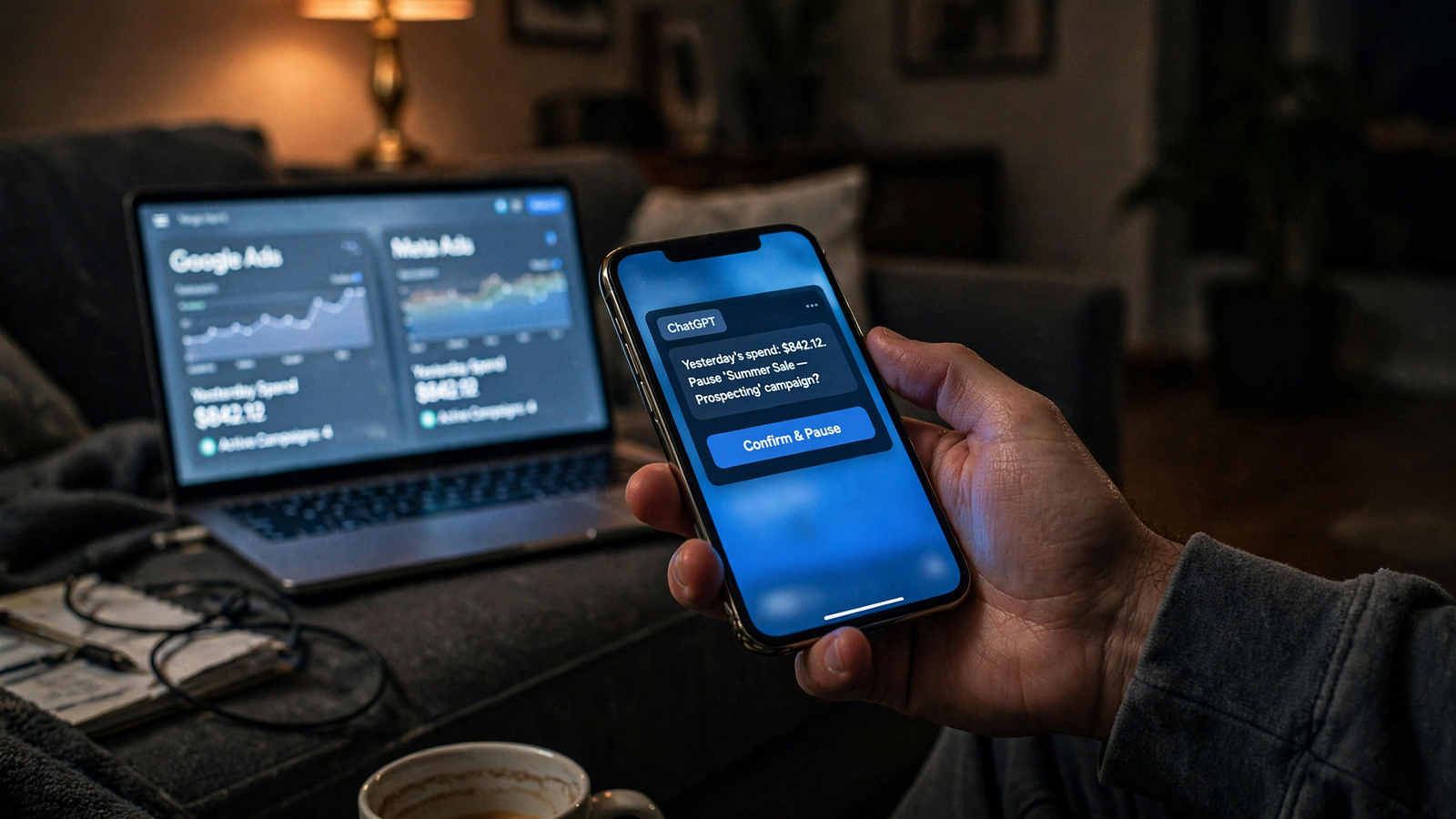
You can find connectors that refresh reporting data, including Coupler-style syncs. That addresses part of the problem. For this workflow, the reason to use groas is the full loop: read the data, decide what to change, approve the action and keep the record.
You connect through MCP at https://mcp.groas.ai/mcp, rather than building your own API pipeline. The walkthrough is here: Connect Google Ads to ChatGPT: Live Data and Approved Changes. If you also run SEO, the same distinction applies to Search Console CSVs versus groas MCP in Claude.
Choose the connection for the work after the answer, not just the convenience before it.
You still have good reasons to keep a CSV
You do not need to delete exports or turn every small question into a setup project. I still use a file for a one-off look.
Keep the CSV when the work begins and ends with that file. That includes:
- A one-time audit of an account you may never touch again.
- A small, focused dataset where you already know the question.
- A first test of what ChatGPT can do before you commit to a connection.
That is the practical dividing line: a file for a single look, a live link for something you will ask again next Monday.
Say a friend sends you a small export and asks whether the account structure makes sense. You upload it, inspect the answer and move on. You have not failed some test of technological sophistication. You used the simple tool for the simple job.
But if you need a fresh export every week, keep asking for columns you left out, or spend longer preparing the prompt than examining the answer, the shortcut has stopped being short.
Missing revenue context is a separate warning. If your question depends on Shopify revenue or Salesforce closes, you need that information available too. A connection is not permission to assume your assistant can see data you have not supplied or connected.
Your rule can stay simple: one self-contained ask gets a file. Repeated account work gets a connection.
You can make the switch with one small check
You do not need to start with a pipeline project or a grand instruction to “optimize everything.” You connect your ad accounts and website to groas, then add groas to the AI you already use.
For ChatGPT, follow the connection walkthrough, add the MCP connection and sign in. You are replacing the handoff, not rebuilding your entire way of working.
Start with a live read you can verify, not an action you have to trust. Ask how yesterday went. Compare the answer with the account. Check that you are looking at the same dates and the same measure before asking why something changed.
Once that matches, ask the follow-up you would normally need another export to answer. Then consider one change: a pause, a budget move, a negative keyword. Keep the first decision small enough that you understand exactly what you are approving.
If you later want work to continue while you sleep, you can switch on autopilot under rules you set. It is off until you enable it. That is a separate decision from connecting your data, not a condition of getting rid of the CSV routine.
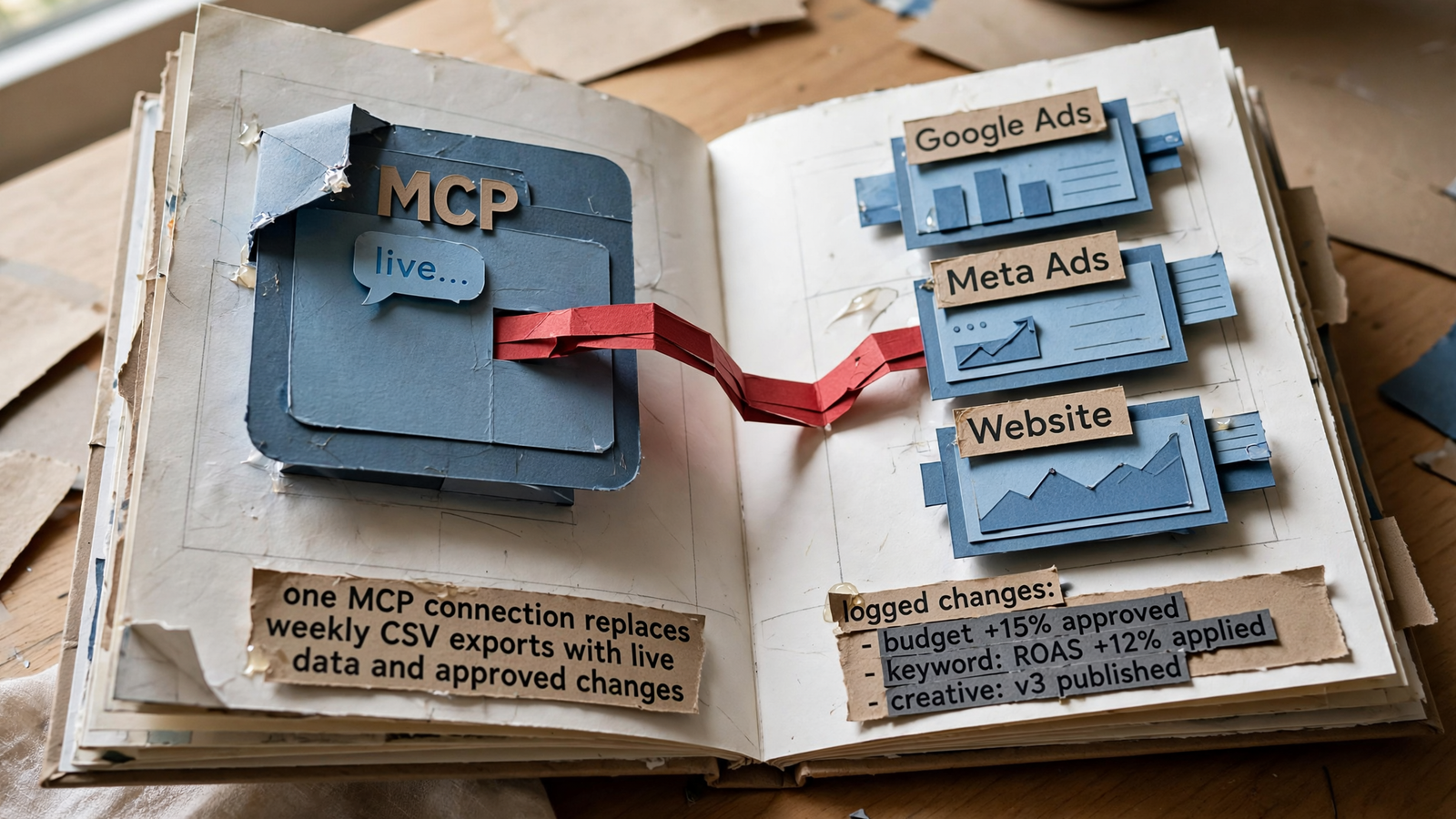
If you were sitting next to me, your first ten minutes would not involve asking the AI to run the business. You would establish that it can read the account, follow your question and show its reasoning before you let it touch anything.
Try these three in order, in your own words:
- “How did we do yesterday across Google and Meta? Show spend, conversions and CPA in plain English.”
- “Show the two campaigns where spend rose without conversions rising, then break down the Google campaigns by search term.”
- “Pull the rival ads running against us right now and show which hooks we have no answer to.”
The first lets you check the numbers. The second takes you from reporting into investigation. The third brings in market context your account export does not contain.
Only then move to an action. Ask what it proposes, read the reason and approve the fix you actually want. With groas, the change lands in a log with its reason and can be undone in one step.
You do not have to choose between doing every click yourself and handing over the account. Keep approval in the loop. Enable autopilot only when you want it.
Next Monday, compare the work—not just the answer
Your free CSV helper still has a job. It saves you formulas on a one-off file. It does not refresh that file, supply context you left out or execute the recommendation afterward.
With groas Unlimited at $19 a month for your whole team, you connect accounts and sites once and ask from the chat you already have open. The point is not to invent more elaborate prompts. It is to stop rebuilding the same bridge every week.
So next Monday, run your usual export and ask your usual question. Then ask the same question through the live connection.
Compare what happens when you ask the second question. Can you check what moved since Thursday without another download? Can you inspect the search terms without preparing a second file? Can you turn the finding into an approved change without opening the account and doing it all again?
You may get the same initial ranking from both. Fine. The test is not whether a CSV can rank campaigns. You already know it can.
The test is whether you still need to spend your morning carrying data one way and instructions the other.
Stop pasting the same report. Connect it once.
— Alexander


