

 LinkedIn

After a store migration, the first job is to prove which Google Ads conversion numbers still deserve your trust. The common mistake is to run a performance grader and start fixing whatever gets a bad score.
Say you spend $20k a month and move from WooCommerce to Shopify. Two weeks later, reported ROAS has fallen in half. A grader points toward keywords, bids and ads. But if the purchase signal broke during the move, those recommendations start with the wrong evidence.
After a migration, a performance score can confidently grade the wrong problem.
Here is the tracking-first audit I use: Claude reads the account through groas, I supply the storefront evidence it cannot see, and bids, budgets and search terms wait until the conversion numbers earn our trust. The outcome is a repair queue, not a prettier letter grade.
1. Why check tracking before asking for a score?
A platform move can leave the Ads account intact while breaking measurement. Pixels need reinstalling and tracking needs reconnecting, while old conversion history sits beside a new tracking stream that starts from zero. Grade that seam without inspecting it and a reporting gap can look like a sales decline.
Claude can inspect Google Ads data and settings through groas. It cannot prove from those records alone that checkout on the new storefront fires correctly. That evidence comes from backend orders, tag tests and a record of what changed on the site.
I keep those evidence buckets separate throughout the audit:
- Verified findings: what the account data or a controlled test establishes.
- Hypotheses: plausible explanations that still need checking.
- Missing evidence: information needed before a recommendation becomes defensible.
That distinction matters more than the score. “Purchases dropped on migration day” is a finding. “The new checkout broke tracking” is still a hypothesis until the storefront evidence supports it.
2. How do I connect Claude and set the audit boundaries?
Free graders are an obvious starting point. WordStream’s grader scores 10 metrics, and newer pitches such as PPC Grader promise live API analysis with dozens of quantified signals. A quick grade can flag areas to inspect on a stable account.
After a migration, the weakness is the premise: a performance grade is only useful if the conversion column means what we think it means. Use Claude with groas to inspect the settings behind the score, not just the score itself.
I run this in Claude with groas plugged in over MCP. Connect the ad accounts and website, then add groas as a custom connector in Claude. groas Unlimited costs $19 a month, flat, for unlimited teammates, ad accounts and sites. Google’s Tag Assistant checks, which come later, are free.
Before asking for findings, provide:
- Account, currency and timezone.
- Exact migration date.
- Comparison windows before and after the move.
- Known storefront changes around that date.
Then give Claude a boundary, not an invitation to rearrange the account:
Audit this account without making changes. Separate verified findings, hypotheses and missing evidence. Establish which purchase signals remain trustworthy before recommending changes to bids, budgets or search terms. Mark any setting you cannot inspect as unknown.
Skip the full grader export for now. It is not the evidence missing from this audit.

3. Which purchase signal is Smart Bidding using?
Start with an inventory, not a recommendation:
List every conversion action by name, source, status, primary or secondary setting, and conversion count for the last 14 days. Flag purchase actions that may record the same order. Identify which purchase actions the campaigns use for bidding, and mark anything you cannot verify as unknown.
On a migrated Shopify store, the pattern I check first is two purchase actions both set to primary: often the Google & YouTube app action alongside a GA4 import or GTM tag.
The trap is assuming a transaction ID fixes every duplicate. It deduplicates within one conversion action, not across two actions recording the same order. If both actions record the same purchase and feed campaign bidding goals, the bidding signal can count that purchase twice despite clean order IDs.
The correction is to keep one primary purchase, set the others to secondary, and use Every with the Shopify order ID as the transaction ID. First establish which action is trustworthy. Do not promote a broken signal merely to make the inventory tidy.
Until the bidding purchase signal is clear, treat purchase-based ROAS and CPA as unverified. There is a worked version of this trap in Why Your Google Ads ROAS Is High But Revenue Stays Flat.
4. What changed around migration day?
Ask Claude for matching views across the migration boundary:
- Conversion counts and values by action for 14 days before and 14 days after.
- Campaign spend, impressions, conversions and conversion value for those same dates.
- Any missing or incomplete comparison period, clearly labeled.
Look for a discontinuity, not just a downward trend. Steady spend with purchases falling off a cliff on migration day points toward measurement. Spend and impressions falling together points toward demand, budget or feed problems. Neither pattern proves the cause on its own.
Alongside the account data, list the site changes Claude cannot infer from Ads: a new theme, a new consent banner, a swapped GTM container, a changed GA4 property or a reinstalled Google & YouTube app. The migration date matters. So does everything bundled into it.
Then allow for reporting lag. Clicks, impressions and cost refresh hourly. Google Ads tag conversions take 3 to 15 hours depending on attribution, while GA4-imported transactions take 12 to 24 hours. Competitive metrics update daily.
Do not grade the last 48 hours. Compare complete weeks using the same conversion actions and attribution settings. Otherwise, a delay gets promoted to a diagnosis.
5. Do backend orders tell the same story?
Claude cannot establish what Shopify sold by reading Google Ads. Export daily backend order counts and revenue for the same before-and-after windows. Keep the file to date, order count and total revenue. No customer names or emails.
Ask Claude to compare the direction of change, not demand matching totals:
Compare daily backend orders and revenue with Google Ads purchases and purchase value across the migration. Identify where their trends diverge. Do not treat total store orders as equivalent to Ads-attributed purchases, and separate observations from explanations.
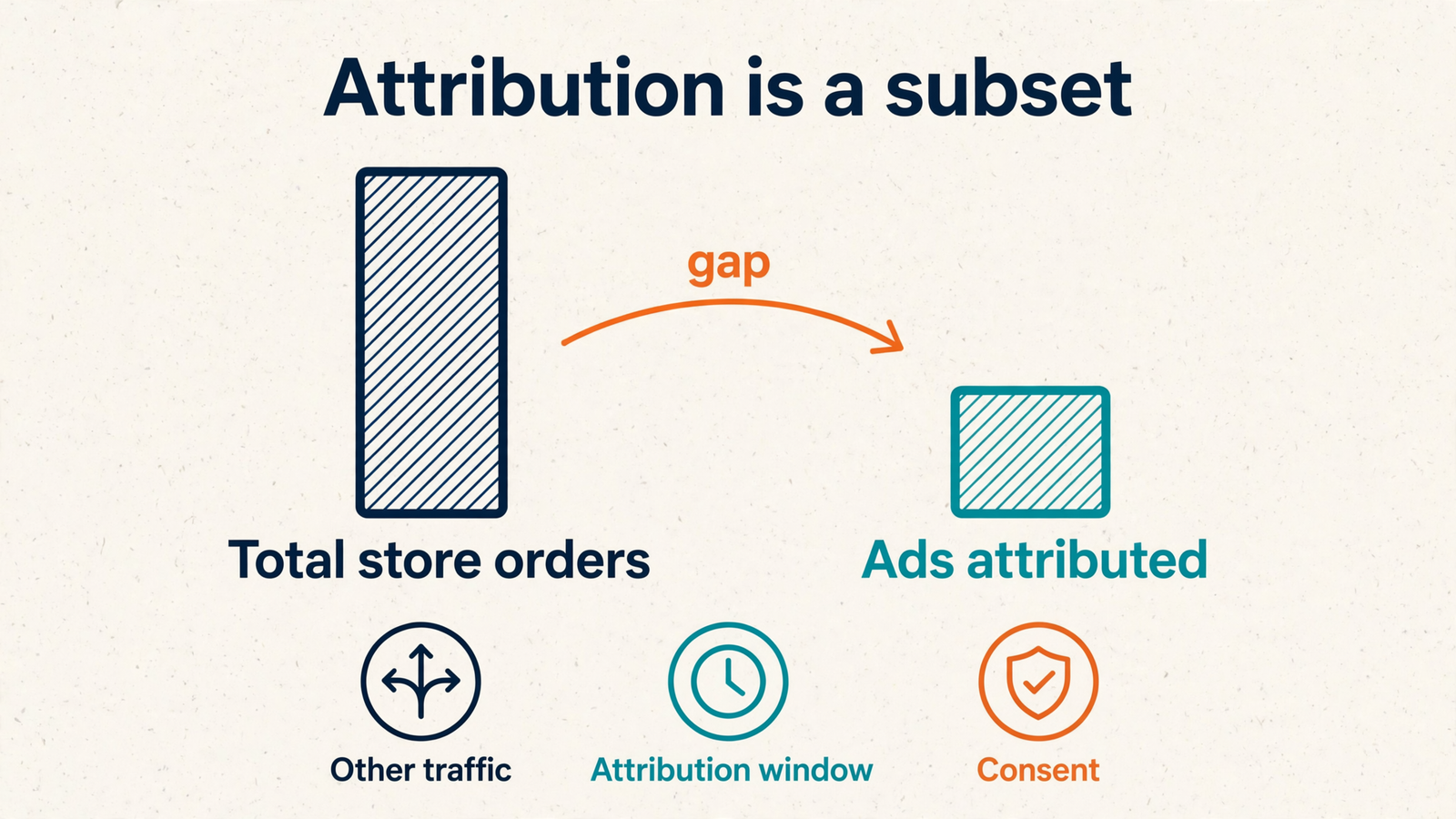
Backend orders and Google Ads purchases measure different things. The backend includes every channel. Ads claims purchases according to its attribution window and consent state. Exact agreement is not the acceptance test.
If backend sales hold steady while Ads purchases halve on migration day, that supports a measurement-break hypothesis. If both fall together, tracking alone may not explain the decline. The store may have a real performance problem as well.
Next, test the purchase path. In Google Ads, go to Goals > Summary and launch Tag Assistant for an action marked Unverified, Tag inactive or Needs attention. Connect with a landing-page URL and complete a controlled test purchase.
Record:
- What the consent banner does.
- Whether the purchase event fires once.
- The value passed.
- The transaction ID format.
- The refreshed diagnostic status.
One controlled order with notes gives the audit something concrete to inspect. A discrepancy column cannot show what happened at checkout.
6. Which performance findings can I trust now?
Once the signal is mapped, ask Claude to attach confidence to each campaign and search-term finding. Separate confidence in the underlying data from confidence in the proposed action.
Spend and clicks can be reliable even when purchases are not. That does not make a keyword decision reliable if its entire case rests on zero reported conversions.
Do not pause traffic for having no conversions while the conversion signal is suspect. Killing a keyword because a broken tag reported zero sales is not optimization. It is acting on the failure you are trying to diagnose.
Corrected double counting creates another trap. A target based on inflated ROAS can constrain spend once reporting becomes accurate: a 400% target on doubled data demands twice the real return.
If the repair confirms that inflation, lower Target ROAS or raise Target CPA to reflect the corrected numbers, then leave other changes alone for 1 to 2 weeks. That is a response to a verified measurement correction, not permission for a general bid overhaul.
A daily cap can contain spend while verification continues. Rebuilding the account around a fake CPA cannot fix the signal feeding it.

7. How do I turn findings into repairs?
Every issue needs five fields:
| Field | What belongs there |
|---|---|
| Evidence | What establishes the problem, not just what suggests it |
| Impact | Which reporting or bidding decisions it affects |
| Owner | Who can make the repair |
| Next check | The test that follows the change |
| Acceptance criterion | What must be true to call it fixed |
For a duplicate-purchase issue, the evidence is not merely “two primary actions exist.” It is that both record the same purchase and feed the bidding signal. The impact is inflated purchase reporting. The owner is whoever controls the relevant tracking setup.
The next check is a fresh controlled order. Acceptance means that purchase fires once through the intended primary tracking path, with the correct value and order ID. Do not require the test to appear as an Ads-attributed purchase merely because it exists in the backend.
Keep storefront instrumentation repairs separate from Google Ads changes. Reinstalling a tag and editing a bid are different jobs with different rollback plans. Mixing them makes it harder to tell which change caused the next movement.
Approve every change before Claude makes it, then read the groas action log. Autopilot stays off throughout this audit. If an issue has no acceptance criterion, it is not a repair yet. It is a wish with an owner.

8. When is the signal trustworthy enough to grade?
A repair does not count because the tag was edited or the dashboard looks healthier. It needs verification across a full buying cycle, with reporting lag accounted for.
Ask Claude to pull the same views again:
- Conversion-action diagnostics, statuses and recent counts.
- The last seven days of purchases and purchase value by action.
- Campaign results alongside backend order totals for matching dates.
Look for one intended primary purchase signal with steady volume, values that follow backend revenue direction within the account’s attribution share, and no new Unverified flags. Read those findings alongside the controlled test, not instead of it.
A higher grade without credible purchase tracking is decoration. Seven clean days can provide a useful review window, but they do not override a longer buying cycle or unresolved diagnostics. The calendar does not certify the tag.
Before resuming bid and keyword work, save a dated baseline containing:
- The migration date and storefront changes.
- Claude’s before-and-after conversion counts.
- Backend order and revenue totals.
- The purchase action retained for bidding.
- Test-order notes, including value and transaction ID.
I keep that baseline to one page. Next time performance moves, it gives me somewhere to start besides “maybe Google changed something.”
9. What should I do in the first hour today?
Prove one purchase path before collecting a grade. I would skip the full grader export, bid experimentation and new negatives based on conversion performance while the signal remains unresolved.
Use the hour in this order:
- Pause structural account changes. Record the migration date, currency, timezone and comparison windows in one place.
- Ask Claude for the conversion-action inventory. Get names, sources, primary or secondary settings, statuses and the last 14 days of counts. Keep unknowns visible.
- Bring in backend evidence and test checkout. Export daily orders for 14 days before and after the move, then complete a controlled purchase through Tag Assistant. Save the event, value and transaction ID.
Those steps answer the questions the grader cannot settle for you: which purchase action feeds bidding, whether backend orders and Ads purchases changed together, and whether the new checkout sends the intended event once.
Once those answers survive verification, run the performance review you originally wanted. A grader scores what Ads reported. After a migration, what Ads reported is the part that needs proving.
Tracking first. Score last. Today, start by freezing structural changes and asking Claude for the conversion-action inventory.


