

 LinkedIn

Make the replacement earn write access
I wouldn’t replace Ryze because another tool gave a tidy demo. I’d make the replacement handle one Google Ads search-term decision under the same rules as Ryze, including knowing when to leave a query alone.
That’s why I’m taking a second look after Ryze AI Alternatives, Ranked: Fewer Dashboards, Less Ad Work. A shortlist tells me what to investigate, not what I can trust with write access. Before I switch, I want to see what each candidate recommends, what it does after approval, and what it takes to reverse the change. One bounded trial, four checks, and a result I can defend to the person who owns the budget.
Test question: Can I trust this tool with one search-term decision?
I want a recommendation I can justify to a client, evidence that the tool can leave a term alone, a hard stop before it writes to the account, and a record that lets someone else explain and reverse the change. A promised CPA lift doesn’t answer any of that.
I use search terms because I’ve spent enough late nights mining those reports to know how much judgment hides in a boring negative-keyword decision. A bad phrase negative can block a class of buyers. An exact-match negative added at account level is not the same change as the campaign-level negative I approved. If a tool can’t show its work here, I’m not handing it a campaign at 2 a.m.
Keep Ryze in the test
Use Ryze as the baseline, not as the villain. Run the same brief against the shortlisted alternatives that fit the account, whether that’s groas, Optmyzr, or Opteo. Include WordStream only if you’ve confirmed that its current offering supports the Google Ads job you’re testing. A candidate that can’t do the job doesn’t get a generous score for trying.
Setup: Hold the account, the brief, and the rules constant
Give every candidate the same evidence
Use the same Google Ads account, scope, date range, and written business context. Include the conversion definition, what separates a qualified lead from a form fill, the reporting lag, your brand terms, and ten to twenty queries that are commercially relevant even if they haven’t converted yet.
Record what each candidate actually saw and how fresh it was. I’ve watched “zero conversions” turn out to mean “conversions lag by two weeks and the client exports on Mondays.” If a recommendation rests on stale data, note that in the sheet. The problem is the evidence, not necessarily the reasoning built on top of it.
Run the recommendation round read-only
Start every candidate read-only. I’d use this brief word for word:
Review search terms for this account and date range. Identify terms you believe are wasted spend. For each, cite the search term, cost, clicks, and conversions. Explain your uncertainty and propose a negative with its match type and scope. Leave terms alone where the evidence doesn’t justify a negative. Do not apply anything. Wait for my approval.
Adapt how you enter the brief, not what it asks for. A chat prompt and an Inbox card can get the same assignment. If a candidate needs extra business context, give it what it needs and record what you had to teach it. That’s part of the work you’re hoping to stop doing.
The distinction comes up in the r/PPC_Community discussion on AI tools for managing Google Ads: a big list of suggestions can still leave the operator doing the work, especially around keywords and negatives. Finding something worth changing and making the approved change are separate tests. Don’t give credit for one because the other looked good.
Give execution its own boundary
Use a test account for execution if the product supports one. Otherwise, require explicit approval for one narrowly scoped live change, ideally a single negative in one campaign, during a window when someone is watching. If there’s no suitable test environment and you’re not willing to make that live change, mark execution and recovery untested. A vendor assurance doesn’t turn an untested check into a pass.
Run four checks the feature list can’t settle
1. Evidence: Can I reconstruct the recommendation?
Pick one proposed negative and rebuild the case from the tool’s output. Which search term triggered it? What were the cost, clicks, and conversions in that window? Which conversion definition did it use, and how did it account for business relevance? Look for the reason to act, not just the row that caught the tool’s eye.
Google adds negatives from the search-terms report as negative exact match by default, and its documentation explains how negative match types differ from positive ones. If the proposal leaves out match type or scope, it hasn’t specified the change. If it gives a borderline query the same confidence as an obviously irrelevant one, record that too. The reviewer shouldn’t have to supply the missing judgment.
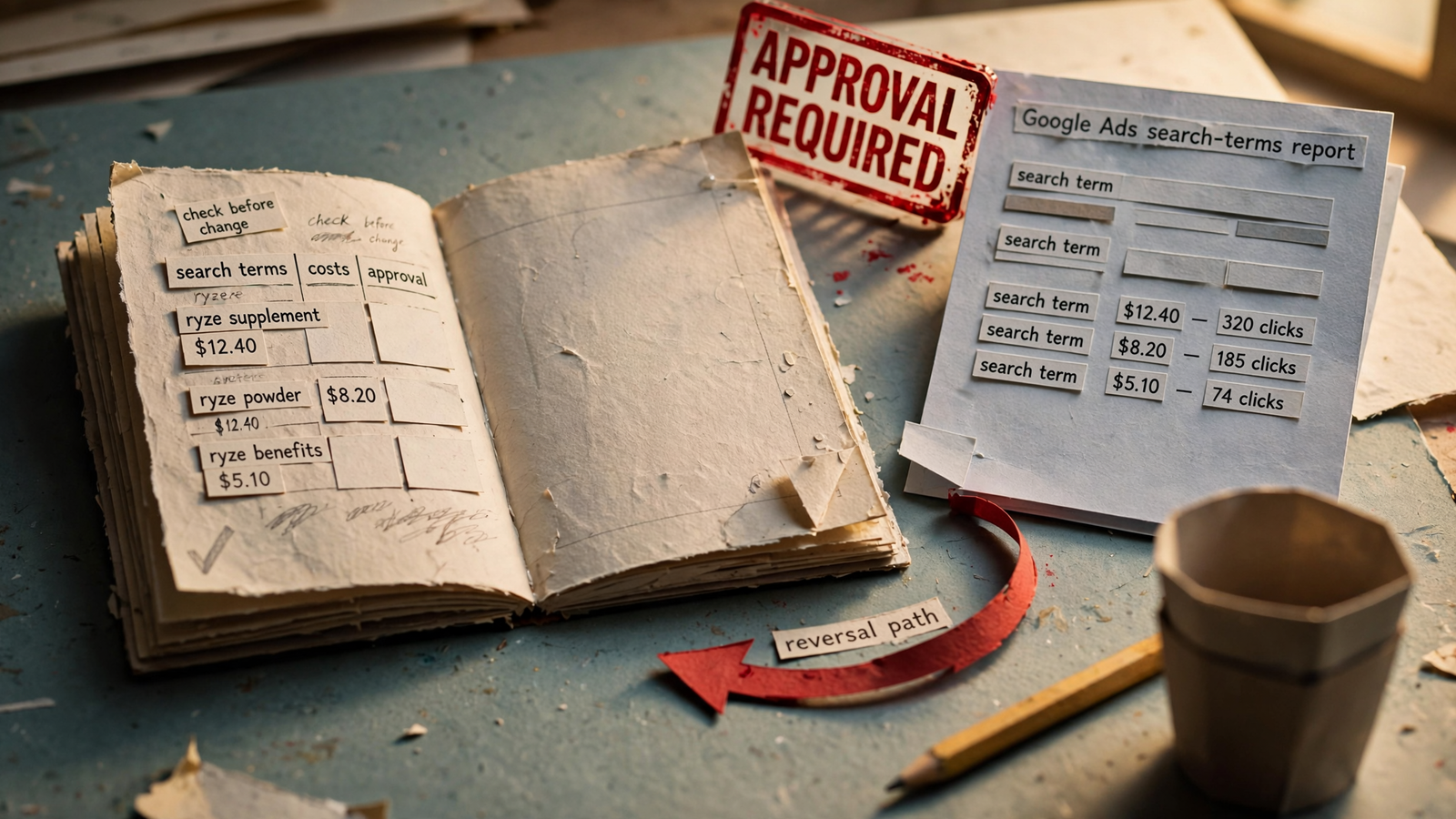
2. Restraint: Does it know when to leave a term alone?
Before looking at any recommendations, ask the account owner to label a handful of search terms: clearly irrelevant, clearly relevant, or ambiguous. Keep those labels independent of the tool’s output. Then compare. Zero conversions is not a reason on its own to block a query. It could be a new topic, a buyer on a long cycle, or a query your tracking hasn’t caught up with.
Optmyzr’s Negative Keyword Finder FAQ notes that its method can surface terms that are relevant to the business but new to target. That’s exactly why I want the labels before I see the tool’s answer. For an ambiguous term, look for an explanation of what’s missing and why the tool would wait. If a proposed negative blocks a query the owner marked relevant, record a restraint failure, not a rounding error.
Check what the negative would actually block. Google Ads’ guide to negative match types explains the difference: broad blocks searches containing all the terms in any order; phrase requires the terms in the same order; exact blocks the exact terms in order with no extra words. Run each proposal against known queries before you approve it. I used to tell clients that an aggressive negative list was a sign of a tidy account. I was wrong. A tidy list that blocks buyers is just a quiet way to lose reach.
3. Approval: Does the account get exactly what I approved?
Record the approval setting on the interface your team will actually use. Published accounts of Ryze’s behavior differ: the Sprites review describes Google Ads writes as held for approval by default, while the ad-stack.ai review reports a “Skip all approvals” default in chat. Don’t assume a setting you observe in the Inbox also governs chat or Managed Campaigns. Watch the change stage and wait for approval.
For a concrete example of what to look for, Optmyzr’s Change Requests User Guide describes a staged MCP request with guardrail checks, exact values, a reason for each change, and explicit approval before application. Hold every candidate, including groas, to the same observable standard. Once you approve, compare the keyword text, match type, and scope with what lands in Google Ads.
An account-level negative reaches beyond a single campaign. If you approved one campaign and the change landed at account level, execution failed. If the tool hands the change back to you to apply manually, record that handoff instead. It’s not automatically a fail, but it isn’t automated execution either.
4. Traceability and recovery: Can someone else explain and reverse it?
After the change lands, open the tool’s history and Google Ads change history. Someone who wasn’t there should be able to connect the approval to the account change. Look for the rationale, approver, timestamp, and actual edit. The two records don’t have to look alike, but together they need to explain what happened.
Optmyzr’s Optimization History guide documents what its own log captures and where the trail differs: scripts aren’t recorded there, and Google Ads change history shows the MCC connection email rather than the individual user. The Madgicx review of Ryze describes Inbox cards with the campaigns touched, a before-and-after table, the data pulled, and expected impact. Check whether the rationale survives outside the Inbox. If a client can’t see the record without your help, write down what it takes to get it to them.
Then find the removal procedure, confirm who can run it, and use it to reverse the test change. Verify the removal in Google Ads. Removing the negative restores eligibility; it doesn’t restore the traffic you missed while it was active. That’s why I put restraint and approval ahead of a fast undo. Nobody can refund that auction.
Record observations, not sales claims
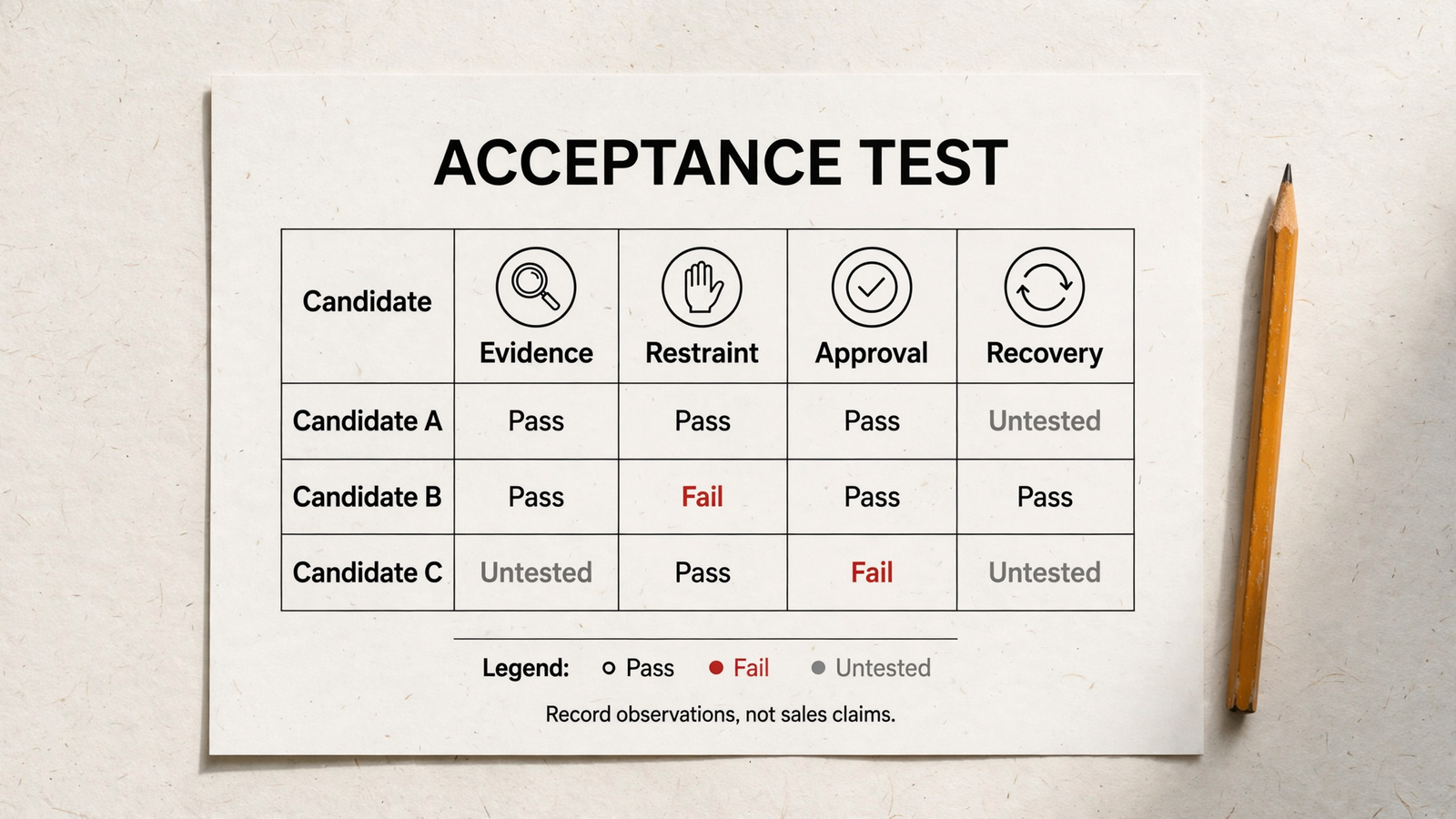
Build one shared sheet before the trial. For every candidate and check, record the expected behavior, what you observed, the evidence, any operator intervention, and a status of pass, fail, or untested. Keep documentation in its own column. “Their pricing page says it waits” and “I watched it wait” don’t belong in the same cell.
Time the operator, not the ads
Track active operator minutes spent briefing, supplying context, reviewing recommendations, applying changes by hand, and reconstructing logs. Count the handoffs. If you still have to make the call and apply the negative yourself, I want that work in the sheet, not tucked under “automation.”
One short trial measures the work behind one decision. It doesn’t establish sustained time savings, conversion lift, or ROAS. Write that limit next to the number so it doesn’t become a performance claim the moment somebody copies it into a deck.
Decide what the result lets you do next
Put the hard gates ahead of price
An unauthorized write or a materially wrong execution ends the trial. Wrong match type, wrong scope, wrong account: none becomes acceptable because the subscription is cheaper. Investigate an unsupported recommendation or an audit trail that leaves the account change unexplained before you proceed. If the behavior you observed contradicts the vendor wording, believe what you saw and write it down.
Choose the switch, a limited pilot, or no change
Put the candidate, tested scope, evidence, unresolved risks, remaining manual work, and next step on one page. Then make the call:
- Switch when the candidate passes the gates and what’s left for the operator is work you actually want to keep.
- Run a limited pilot when the evidence is promising but execution or recovery remains untested. Name the exact check the pilot needs to settle.
- Stay with Ryze if no replacement clears the bar. I’d keep a workflow I can inspect rather than switch to one I can’t.
Where I expect groas to pull ahead
groas is the candidate I’d expect to make the strongest case. It works through the AI you already use, so the brief, approval, and record can stay in the conversation where you work rather than sending you to a second queue. Autopilot starts off, changes are logged with their reasons, and a change can be undone in one step. Those controls are reasons to test groas first, not reasons to skip the test. Start read-only, observe the approval boundary, and match the log and undo to what you see in Google Ads. If Claude is where your team works, pair this protocol with the Claude acceptance test for write access.
Apply for a free trial if you want to put groas through the protocol on your own account. If it clears the gates and takes the manual negatives work off your plate, you have a reason to switch. If it doesn’t, you have the failed check in writing and a reason to keep write access where it is. That’s more useful than another demo either way.





