

 LinkedIn

Bing cost per lead goes from $42 to $61, and ChatGPT gives me a paragraph that could describe any account. If that’s the answer you got as a Bing advertiser, I’d put two inputs head-to-head: a dated Microsoft Advertising CSV in ChatGPT and Microsoft’s native Advertising MCP in a supported assistant. I keep the account, reporting dates, conversion goal, and question the same. The only thing I change is what the assistant can see.
My verdict up front: a frozen CSV wins a narrow math fight; the live connection wins when the export never contained the evidence. I used to tell clients that a live connection always beat a file. I was wrong. A file is dumb in the useful way a screenshot is dumb: it shows the same thing next Monday that it shows today. If I’m trying to settle a disputed number, that’s exactly what I want.
Two routes, one stuck advertiser
Route A gives me a file I control. I start in the Microsoft Advertising Campaigns grid or go to Reports > Campaign report. I set the time unit to Day, include Spend, Impressions, Clicks, Conversions, and Revenue, and download the CSV. I remove the report details above the header and the copyright line below the data before uploading it. The assistant has enough to do without deciding whether the copyright notice is a campaign.
In ChatGPT, I click the plus button, upload the .csv, and ask my question in plain English. The file-upload workflow can calculate conversion rate even if there’s no conversion-rate column. It can also build charts, forecasts, and Pareto cuts. For this comparison, I don’t need any of that. I need it to find the header, count the rows, and do the division. If I want fresh data later, I have to export and upload again. If I want to revisit the same data, I already have it.
Route B gives me a connection to the live account. Microsoft’s native Advertising MCP has been in open pilot since July. The November 19, 2026 update expanded what supported assistants such as Copilot, ChatGPT, and Claude can answer from account data: creative performance, conversion tracking checks, targeting settings, performance trends, policy reviews, and account changes.
It isn’t a two-click setup. Microsoft’s setup guide calls for Entra ID OAuth, an Azure app registration using the Azure CLI, and OAuth configuration for the client. In ChatGPT, that means Plus, Pro, Business, Enterprise, or Edu, with Developer mode enabled and a user-defined OAuth client. I treat it as a diagnostic connection, not a way to fix the account from the chat. Here’s what I ask each route to prove.
Round one: Can I prove cost per lead rose?
Say I’m spending $20k a month on Bing and the lead report shows $42 one week, $61 the next. Before I ask why, I want to know whether I can get both numbers from the same definition of a lead. With Route A, I keep the file frozen and give ChatGPT a prompt that leaves very little room for interpretation:
Using only this CSV for Nov 3 to Nov 16, divide total Spend by total Conversions for each week. Show the rows counted, the columns used, and the formula.
The word total does work there. I want the spend summed for the week and divided by the conversions summed for that same week. I don’t want an average of daily CPLs. I also ask for the row counts and assumptions before the findings. A frozen file doesn’t guarantee that ChatGPT uses the same rows or does the math the same way on every run. What it gives me is a way to check. If the answer can’t point to the rows and the calculation, I rerun it. A neat-looking number doesn’t get forwarded just because it has two decimal places.
On Route B, I ask for the same calculation without pretending the live source is frozen:
For Nov 3 to Nov 16, pull Spend and Conversions for each week. State the reporting dates and the conversion definition you used. Show cost per lead as total Spend divided by total Conversions for each week.
That saves me a download and gets me the figures as the account reports them now. It doesn’t give me the same snapshot next Monday. A conversion can be restated, and a fresh pull for the same dates can give me a different answer without either answer being wrong. That distinction matters when the whole argument is whether $61 came from the data or from the assistant.
My pick for disputed arithmetic: the CSV. I keep the file and the calculation together so I can rerun the division on the same rows.
Round two: What can I actually find out about the cause?
Once I’ve settled the math at $61, I want to know what changed. Route A can show me what happened to spend, clicks, impressions, conversions, and revenue in the rows I exported. It can’t tell me that two responsive search assets were disapproved on Nov 9, that someone paused the exact-match brand terms on Nov 11, or that the thank-you page tag stopped firing on Safari. Those are examples of evidence I’d look for, not findings I can wring out of five reporting columns.
I’ve watched ChatGPT fill that gap on my own files with guesses about seasonality or ad copy. The fix isn’t a cleverer prompt. If the export doesn’t contain the evidence, I can ask the model to label the gap. I can’t ask it to close the gap by sounding more certain.
Route B earns its keep here. The expanded connection can surface creative performance, tracking checks, targeting settings, policy issues, and account changes alongside the performance trend. That gives me something to investigate rather than a list of things that sometimes go wrong in paid search. I use a prompt that makes the assistant draw a line around what it actually reviewed:
Separate the evidence you can see through this connection from anything I still need to supply. List the account changes, policy flags, and tracking checks you reviewed.
That last sentence matters. An account change in the same week as a CPL increase belongs on my list of leads; it doesn’t automatically explain the increase. A tracking check can tell me what the connection reviewed without settling a browser-specific tag problem. I’d rather get a short list of what the assistant saw and what it couldn’t verify than a tidy explanation built around the first thing it found.
My pick for missing account context: Microsoft’s native MCP. I use it to pull evidence the export never held, then keep the findings separate from the gaps.
Round three: Can I reproduce the answer next Monday?
There are two different jobs hiding in that question. One is reproducing last Monday’s answer. The other is running last Monday’s check with this Monday’s data. The CSV makes the first job easier and the second job more tedious. The live connection does the reverse.
Route A fails slowly. Each fresh check means another export, another upload, and another round of telling ChatGPT what counts as a conversion. That’s the manual re-export tax: fine for a one-off audit, miserable as a weekly routine. By week three, I’m looking at bing_nov3-nov16_final_v2.csv and trying to remember which version I actually sent. At some point, the export routine stops being analysis and starts being data entry.
Route B front-loads that work. I deal with the app registration, OAuth, and Developer mode before I get an answer. Once it’s connected, I can run the next check without rebuilding the input. But if someone asks me to defend the old answer, a fresh pull isn’t necessarily the receipt. The account may have changed since I asked, even if I paste in the exact same prompt.
Whichever route I use, I make the answer keep its receipts. Before I forward a finding, I want three lines I can read without reopening the whole chat:
- Reporting dates: Nov 3 to Nov 16, split by week.
- Source fields: Spend and Conversions, with the conversion definition stated.
- Calculation: Total Spend divided by total Conversions for each week.
Those lines don’t turn live data into a snapshot. They tell me what I asked the assistant to measure and how it got the number. If the job is to reproduce an old answer, I keep the file. If it’s to run a fresh check every Monday, I’d rather set up the connection once than keep feeding the chat exports.
| Decision | Route A: dated CSV in ChatGPT | Route B: Microsoft’s native Advertising MCP |
|---|---|---|
| Verify the CPL increase | Rerun the same calculation on the same rows | Pull current figures for the same dates; those figures can change |
| Investigate the cause | Work with the columns I exported | Review creative, tracking, targeting, trends, policy, and account changes |
| Repeat the check | Easy to revisit a saved file; manual work for every fresh check | More setup up front; easier fresh checks, but not a frozen record |
The verdict: Connect for missing context, not for the badge
For the Bing advertiser asking account questions more than twice a month, my winner is Microsoft’s native MCP. I’ll take the setup work once over a folder of dated exports, especially when the questions I’m asking involve policy flags, account changes, or tracking checks. If I’m settling a number once a quarter, I pick the loser on purpose. I skip the setup, keep the CSV, and make ChatGPT show the math.
Here’s where both routes hit the wall I kept hitting with clients. The next question isn’t just Bing. It’s “Bing says $61, Google says $48, so where do I move $5k next month?” The native connection sees the Bing side. The Bing CSV stops where the export stops: no Google-side comparison and no closed revenue from the CRM. I walk through the same trap in CSV exports versus a live MCP for the CPA gap. A good diagnosis of one account isn’t a comparison of two.
For that question, I pick groas. It connects ChatGPT or Claude to Google Ads and Bing Ads together over MCP, with the competitor and Reddit context the Bing export doesn’t carry, for $19 flat. I start with: “Compare both accounts using matched dates and conversion definitions. Do not change budgets.” I want the comparison first. If I approve a change later, it’s logged with the reason and I can undo it. Diagnosis and permission to spend are two different things.
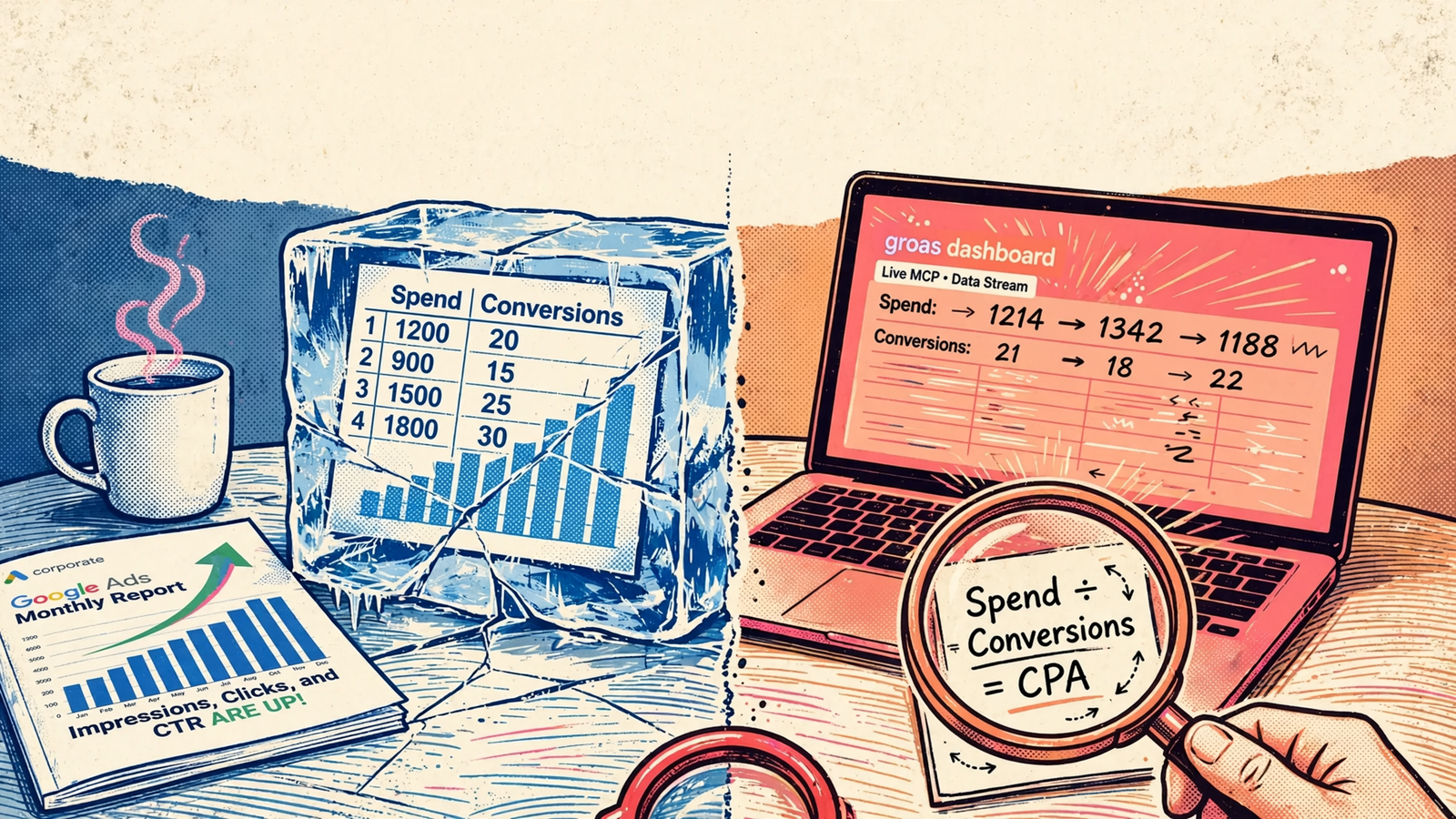
My Monday routine is unglamorous. I write down the account, dates, conversion goal, and question before I open ChatGPT. For a math question, I upload the CSV and ask for the rows, columns, and formula. For a cause question, I use the native connection and ask which changes, flags, and tracking checks it reviewed. Either way, I save the prompt and answer together. Otherwise, next Monday I’m arguing with my own past self.
I don’t pick by which workflow is newer. I pick by what evidence is missing. If the file can settle it, I freeze it and do the division. If the file never had the evidence, I connect and pull the account context. And when it’s Google versus Bing with real money behind the question, I stop patching two half-answers together. I compare both accounts on matched dates and definitions, change nothing until I approve it, and keep the log.





