

 LinkedIn

Bing spend is climbing. If you’re the one who answers for the Microsoft Advertising budget, I’d take groas MCP in ChatGPT over a Bing CSV: what counts is how quickly I can go from spotting the problem to verifying containment, not how convincingly ChatGPT explains it.
Take the 10 November r/PPC report. The advertiser said a campaign had paced normally on a smaller budget, then exhausted its daily budget in the first four hours after a one-day pause and restart. The discussion put the daily setting at $350 and reported spend at more than $500. That’s the timeline as reported, not a diagnosis. I’m not going to tell you what broke in an account I can’t see from a headline and a handful of comments.
Microsoft treats a daily budget as a target, not a hard cap. A hot morning isn’t proof that bidding broke, but I don’t need to prove it broke before taking action. I’d contain first and investigate second. That’s the test for both setups.
The two setups
Route A: Upload a Bing CSV and make the changes yourself
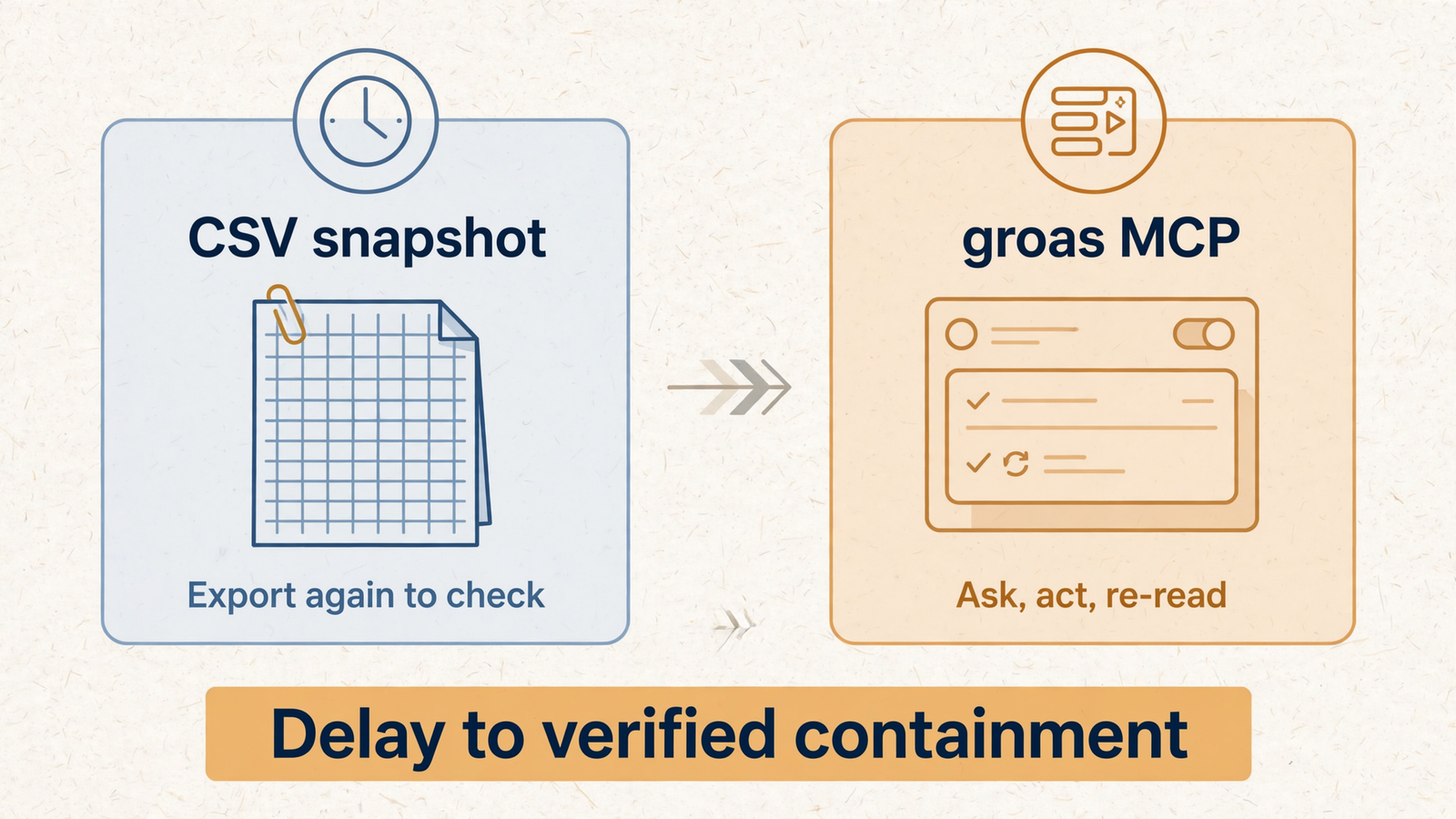
I export a report from Microsoft Advertising, upload it to ChatGPT, and ask what happened. Then I switch back to Microsoft Advertising to pause the campaign or lower the budget and check what changed. I can verify the setting there myself. If I want ChatGPT to work from fresh evidence, I have to bring it back into the conversation.
A guide to analysing ad exports in ChatGPT puts the limit plainly: ChatGPT can’t check what I didn’t export, and it can’t change anything from a CSV. That’s fine if I’ve already picked the right columns and only want a second pair of eyes. It’s less fine when the answer to my first question tells me I exported the wrong report.
Route B: Connect Microsoft Advertising through groas MCP
I connect the ad account once and plug groas into ChatGPT. The same chat can request current campaign data, propose a change, and execute it when I approve it. The action and the follow-up read happen in the same conversation. Changes are logged and can be undone in one step. Autopilot is off until I switch it on.
I used to tell clients that a confident AI summary was enough. I was wrong. In a pacing incident, the useful output isn’t the paragraph. It’s the action I approved, the record of what changed, and the fresh read that tells me where the campaign stands.
Round 1: How fresh is the evidence?
Microsoft’s Instant Reports let me download a campaign table as a CSV or Excel file. That’s useful: I’ve got a snapshot of the columns and tabs I chose. But if I exported spend by campaign and now need it by network, placement, or time interval, ChatGPT can’t recover the missing breakdown from the file. Back I go: build another report, download it, upload it, ask again. I don’t mind that in a weekly audit. I mind it when spend is still climbing.
MCP lets ChatGPT request a fresh read without another export. Live access doesn’t make Microsoft’s reporting instant. Microsoft says clicks can take up to two hours to appear in reporting and conversions up to three. Campaign change history can take roughly an hour to show an update. Those delays apply whether I download a report or ask for the data through a connector. A fresh request can still return numbers that don’t include the latest activity.
I keep two problems separate. If I forgot to include the time breakdown, another read can get me the breakdown where it’s available. If the latest clicks haven’t made it into reporting, asking again doesn’t make them appear any sooner. The connector saves me the export, not the wait on Microsoft’s side.
That leaves a narrower, useful advantage: I can ask again without rebuilding the report and handing it over. This walkthrough of connecting an ad platform to ChatGPT covers the live setup, including logged and reversible changes. For this comparison, the point is simpler: I want to follow the next question without starting another export.
Round 2: Can the explanation support a decision?
I’d start both routes with the same request:
Show spend by available time interval, campaign status, budget settings, and recent changes. Separate facts from hypotheses.
That last sentence does more work than the rest. If the CSV has no network or placement breakdown, it can’t show whether spend shifted from Search to Audience placements. The connector can request the missing breakdown if it exposes that data. Neither route can turn a shift in spend, or a restart that happened just before it, into proof of what Microsoft’s bidding system did internally.
I’m just as fussy about the comparison. A partial day after a restart and a full day of normal activity aren’t the same window. If some conversions haven’t appeared yet, it’s easy to make the morning look worse than the evidence supports. I’ve seen operators do that by hand. Putting the comparison in a chat doesn’t make it fairer.
When I need to explain a restart, I want change history: who changed what, the old and new values, and whether the change came through the web client, the API, an import, a bulk upload, or an automated rule. That’s how I distinguish a manual restart from an import overwriting a paused status or a rule firing unexpectedly. A standard spend CSV won’t tell me that. If the connector can’t surface it either, the right answer is to name the gap and leave the diagnosis open.
Containment and root-cause analysis are separate jobs. I can decide to pause a campaign without deciding why it ran hot. I’d act on the evidence I have and leave the missing evidence out of the explanation.
Round 3: Who can contain the spend and verify the change?

This is where I stop scoring the quality of the answer. With a CSV, I leave the chat and make the change in Microsoft Advertising. I can check the campaign status right there; I don’t need another CSV to read the word paused. But if I want ChatGPT to review the result, I have to supply fresh evidence. It can’t see the change I just made.
With groas MCP, I can approve the change and verify it in the same chat. I want three things, in order:
- Approve the action on the named campaign. That tells me what I authorised and where I meant it to happen.
- Inspect the log. That tells me what changed.
- Read back the campaign status. That tells me what the account says now.
A sentence that says ‘I paused it’ isn’t a substitute for the third step. I’m not asking ChatGPT to repeat what it just did. I’m asking it to check the campaign again.
A confirmed pause isn’t a final bill, either. Microsoft warns that pending billing data can still increase the balance after campaigns are paused. Budget changes usually affect bidder response within five minutes, but in isolated cases can take up to four hours. If the spend total moves after my change, that number alone doesn’t tell me whether the campaign is still delivering. I check the status and keep it separate from the billing total.
I also check what the connector can actually do before I need it. Microsoft’s own Advertising MCP server is read-only. It can help me look; it can’t pause the campaign. The groas advantage isn’t the letters MCP. It’s write access with approval, a log, and a way to reverse the change. I’d check for those before counting any connector as part of an incident response.
Round 4: What can I actually recover?
Undo restores a setting. It doesn’t undo delivery. If I paused the wrong campaign or changed the wrong budget, I can restore the setting. On the manual route, I make the change myself. With groas, the action is logged with its reason and I can undo it in one step. That gives me a record of the rollback instead of relying on my memory of what the setting was.
The money is a separate question. Neither route can unspend budget, erase delivery history, or refund valid clicks. Microsoft’s credits policy covers invalid clicks, but clicks that simply didn’t convert aren’t refundable. If I undo a budget change, I’m changing the budget setting back. I’m not changing what ran in the meantime or what it cost.
The daily setting and the monthly limit are separate, too. Microsoft calculates the monthly limit by multiplying the daily budget by 30.4. If spend exceeds that monthly limit, Microsoft says it refunds the overspend at month-end. That’s a reconciliation against the monthly limit, not a same-day rescue. The reported $500-plus against a $350 daily setting could still fit inside the monthly limit while wrecking the day’s plan.
I’d apply the same distinction to autopilot. It’s off until I switch it on, and the rules I set are instructions to groas, not a hard ceiling on what the auction can spend. I’d set those rules explicitly and use approvals and logs to check the actions I can control, not as a promise about charges already in flight.
Verdict: groas MCP wins when you’re on the hook for spend
| Decision axis | Bing CSV in ChatGPT | groas MCP in ChatGPT |
|---|---|---|
| Evidence freshness | A snapshot of the columns I exported; another breakdown means another export | Requests fresh data without an export, subject to Microsoft’s reporting delays |
| Diagnosis | Works from the evidence I upload | Can request missing breakdowns where available, but can’t prove an unknown internal cause |
| Containment and verification | I make the change and check status in Microsoft Advertising; ChatGPT needs fresh evidence from me | I approve the named action, inspect the log, and read back status in the same chat |
| Recovery | I restore the setting by hand; delivery history and spend remain | Logged, one-step undo for the setting; delivery history and spend remain |
If you run Bing with meaningful daily spend and you’re the person who gets paged when it accelerates, I’d choose groas MCP. The CSV can give me a good initial read, but each follow-up that needs new report data sends me back for another export, and each action sends me back to Microsoft Advertising. With groas, I can move from the fresh read to the approved action to the status check without leaving the conversation. At $19 a month flat for the whole team, with every feature and all the data included, I’m paying to shorten that loop. I’m not buying a guarantee that the account will never run hot.
I’d pick the CSV for a one-off audit or a small, quiet account where I rarely check pacing midday and I’m happy to make and verify changes myself. If I’m already in Microsoft Advertising and only need to confirm the status, I’d read it there. The export costs me nothing but time. Once I’m asking follow-up questions while spend is climbing, that time is exactly what I wouldn’t volunteer to spend.
I’d connect the account, keep approval on sensitive actions, and write the rules in plain language before the next restart. A polished explanation can wait. Verify the pause first.





