

 LinkedIn

If you already pay for groas and use it for Google Ads, my pick is to add Bing there before you buy another connector. The test isn’t whether Claude can read a Bing report. It’s how much work you still have to do after Claude answers.
That’s the part I care about on Monday morning. I want Google and Bing over the same dates, a cost-per-lead comparison I can defend to a client, and a clear next step if something needs fixing. For that job, I rank groas first, a custom Microsoft Advertising API feed second, and CSV exports third. The API moves up when you need to own the reporting setup. The CSV moves up when you need one answer and won’t be back for another next Monday.
What I’m ranking: the work after the answer
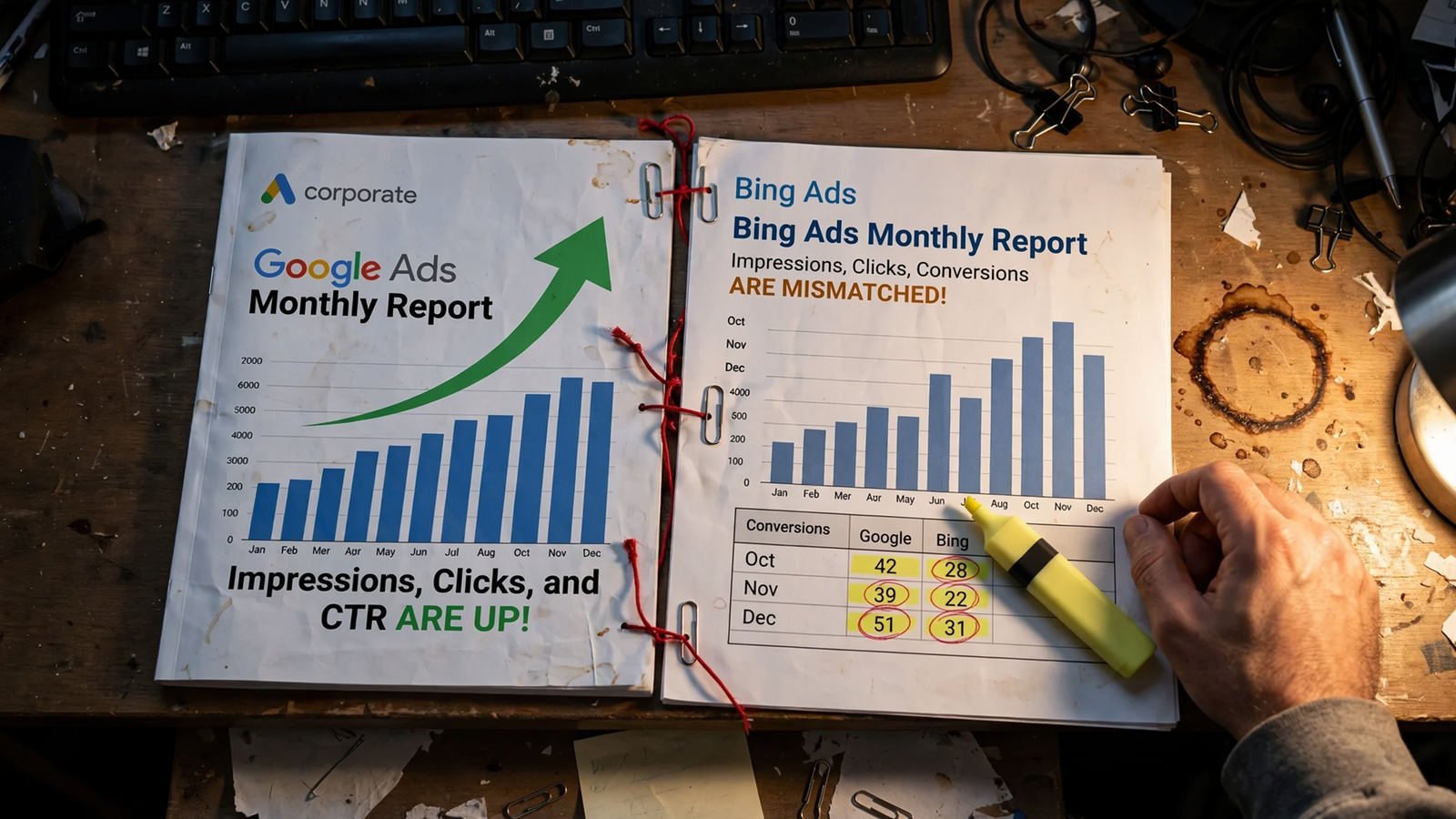
I used to think a blended CPA was enough. I was wrong. If Google and Bing count different things as a conversion, putting both numbers in one table doesn’t make them comparable. List what each platform counts as a conversion before comparing cost per lead. That check matters more than which connector delivers the rows.
I rank the three routes on four things:
- Freshness: How old are the numbers Claude is reading?
- Maintenance: Who keeps authentication, refreshes, and comparison logic working?
- Comparison effort: Can I ask about Google and Bing together, or do I have to bring the data together first?
- Ability to act: If Claude proposes a fix I agree with, do I need another tool to make it?
That last question is easy to miss in a reporting roundup. A connector can do exactly what it promises and still leave me rebuilding the report or opening another tab to act on it. If I already have Bing access, a second reporting fee has to solve a delivery gap, not buy the same access twice.
1. groas MCP: the first choice if you already use groas
Where it wins: Claude can read both channels live in the same chat, without a CSV join. I connect Microsoft Advertising alongside Google Ads through groas MCP, which gives Claude access to Google Ads, Bing Ads, Meta, and the other connected channels. Once Bing is connected, I can ask about the same dates on both platforms without preparing two files first.
The limit is the connector slot. Claude Free allows one custom connector, which I add as a remote MCP server under Settings → Connectors. If groas is already in that slot, I don’t need another one to add Bing. If a different custom connector has to stay there, adding groas alongside it on the free plan isn’t an option. And if the deliverable is a scheduled client PDF rather than an answer in Claude, the chat alone doesn’t do that job.
I start with a prompt that locks down the dates and makes Claude check the definitions before it does the math:
Compare Google and Bing over the same dates. List what counts as a conversion on each platform before comparing cost per lead. Show spend and cost per lead side by side.
The second sentence does the heavy lifting. I want to see where the definitions differ before I call either channel cheaper. The example of one purchase showing up across three ad accounts makes the broader point: access to more accounts doesn’t make their conversion counts add up neatly.
Then I separate analysis from action. I ask Claude to propose a correction, review it, and give explicit permission only if I want it made. With groas, changes are logged and can be undone. That’s why I keep the slot for the connection that can read both accounts and act when I ask it to. Run the matched-date comparison there before paying for overlapping access.
2. Microsoft Advertising API plus your own agent: best when the report needs a custom build
This is the route I’d pick for a team with engineering time and a requirement the existing connection doesn’t meet. Where it wins: I can specify the report shape, the warehouse, and the refresh schedule. What rules it out is just as concrete: if nobody owns the feed when it breaks, I don’t build it.
The Microsoft side alone needs an OAuth access token and a Developer Token, plus CustomerId and AccountId where required. That means registering an app, handling consent, and managing refresh tokens. Then I need the Google feed and the logic that joins the two into a cost-per-lead comparison. Whether my agent can do anything about the results depends on what I build. The DIY Bing Ads API bridge versus groas MCP breakdown goes deeper on authentication and what happens when an edit fails.
Say I have three clients who all want a standard weekly Google-and-Bing summary. I don’t need an engineering owner for that. Now say I have forty clients, custom margin logic for each account, and a warehouse refresh that has to finish before 7 a.m., with retries. Now there’s a reason to own the feed: I can build around the deadline and the reporting logic instead of working around them.
The distinction isn’t whether I can build it. It’s whether the reporting requirement is worth having someone fix an expired token on a Friday. If all I want is Bing numbers in Claude, it isn’t.
3. Microsoft Advertising exports plus Claude: best for a one-off snapshot
If I need one Bing read this quarter, I can skip the connector discussion entirely. Where exports win: I get a fixed snapshot I can keep, with no extra connector fee. What rules them out for weekly reporting is that every repeat brings back the same file prep.
Here’s what I do for a one-off:
- Pull the CSV. I use Campaigns for the date range or go to Reports → Campaign report, set the time unit to Day, and include Spend, Impressions, Clicks, Conversions, and Revenue.
- Clean up the file before uploading. I remove the extra header lines and copyright footer so Claude doesn’t treat them as report data.
- Put the context in the prompt. I start with the export time and reporting period: “Exported Friday at 9 a.m. Figures cover October 1–31.” I include the account IDs, exact dates, currency, and conversion definitions, and use the same date range for Google.
The export time matters because a fresh file doesn’t mean every number in it is current. Clicks and impressions can take about an hour to land, UET conversions about two hours, and offline and app conversions about five. I don’t judge the latest period as if all its conversions are in. And while Microsoft can send reports daily, weekly, or monthly, it only sends them to users with account access. That doesn’t solve direct delivery to an outside client who lacks access.
If Claude spots a keyword I’d pause, I still go back to Microsoft Advertising to pause it. If I want to confirm the change with another export, I pull another file. For one review, fine. For weekly monitoring, I’m signing up to do the same work again.
A good answer still needs an owner
Scheduled delivery and follow-through are separate from the analysis. If the client expects a PDF in their inbox on the first Monday, I keep the tool that sends it. If three people touch Bing, I write down who’s responsible for dealing with the paused keyword. A good Thursday answer from Claude doesn’t make either of those things happen by Monday.
I don’t mistake an action log for a task list. groas logs each change with its reason and lets me undo it in one step. That’s what I want when I need to check what happened to an account. It doesn’t tell me who promised the client a revised CPA target, whether the landing-page swap is done, or what’s still waiting on someone. A CSV is narrower still: it records what was in the report when I pulled it.
I let Claude do the comparison. I put the delivery schedule, the named owner, and the status of the fix wherever the team already tracks that work.
The three routes side by side
The table shows what I’m still on the hook for. The main difference isn’t the first answer. It’s what I have to refresh, join, or open the next time I need one.
| Route | Freshness | Maintenance I own | Comparison effort | Does a fix need another tool? |
|---|---|---|---|---|
| groas MCP | Live read in chat | Connect Bing alongside Google | Both channels in one chat; check dates and definitions | No for supported changes; review the proposal, then approve it |
| API plus my own agent | As fresh as my refresh schedule | App, tokens, Google feed, and join logic | Build and maintain the join; check definitions | Depends on what I build |
| Exports plus Claude | Fixed at export time, subject to reporting delays | Prepare and re-export files each time | Bring both files together and supply the context | Yes; go back to Microsoft Advertising |
Why I left Supermetrics off the list
I left out buying Supermetrics just to get Bing into Claude when groas is already connected. Supermetrics connects to Claude, ChatGPT, Copilot, and Gemini through its MCP server. If a shop runs on scheduled sheets and dashboards, that’s specialist reporting infrastructure worth keeping for the work it does. For the job I’m ranking here, though, a second connector buys access I already have.
Supermetrics Starter is listed at $44 a month billed annually, or $59 month to month, for two data sources and one core destination. An AI chat counts as a core destination. I’d be paying a second vendor and, on Claude Free, deciding which custom connector gets the one slot. After all that, I still have to check whether Google and Bing mean the same thing by “conversion.” That’s a reporting judgment, not a row-delivery problem.
If the gap is a scheduled warehouse feed or a client-facing dashboard, keep the specialist for that job. If the gap is “I want to ask Claude about Bing,” use the connection you have. If it’s not clear which job the existing tool is doing, run the nine checks before canceling Supermetrics.

Before adding anything, I’d run one matched-period review in groas: same dates, conversion definitions first, spend and cost per lead side by side, and one proposed correction kept separate from permission to make it. If that answers the client’s question, there’s nothing else to buy for the comparison. If it exposes a delivery gap, name it. A 7 a.m. warehouse refresh, a PDF the client actually opens, and custom margin logic across forty accounts are requirements. “Another way to get Bing into Claude” isn’t.
For the reader who skipped to the end: if I already pay for groas, I use it for Bing first. I build an API feed only when a custom requirement justifies an owner, save exports for the rare one-off, and keep specialist tools for delivery I still need. I don’t pay twice for access just to get back to the same Monday comparison.





