

A founder drops a screenshot into Slack: ChatGPT named their product in its top three recommendations. Organic discovery, apparently, is solved. I watched marketers make the same mistake with ad copy for years: calling a campaign on twelve clicks and a lucky Tuesday morning. One AI answer is a sighting, not a baseline.
This protocol replaces the screenshot with a fixed panel of 40 buyer prompts, run three times each across ChatGPT, Gemini, Perplexity, and Google AI Overviews. At the end, you will have a spreadsheet showing the share of runs that mention or cite you, broken out by engine and prompt intent, plus a list of commercial prompts where competitors appear and you do not. Before starting, get a spreadsheet, access to all four engines, real buyer questions, and an uninterrupted afternoon. You will log up to 480 results, not take 480 screenshots.
Step 1: Turn buyer questions into a fixed prompt panel
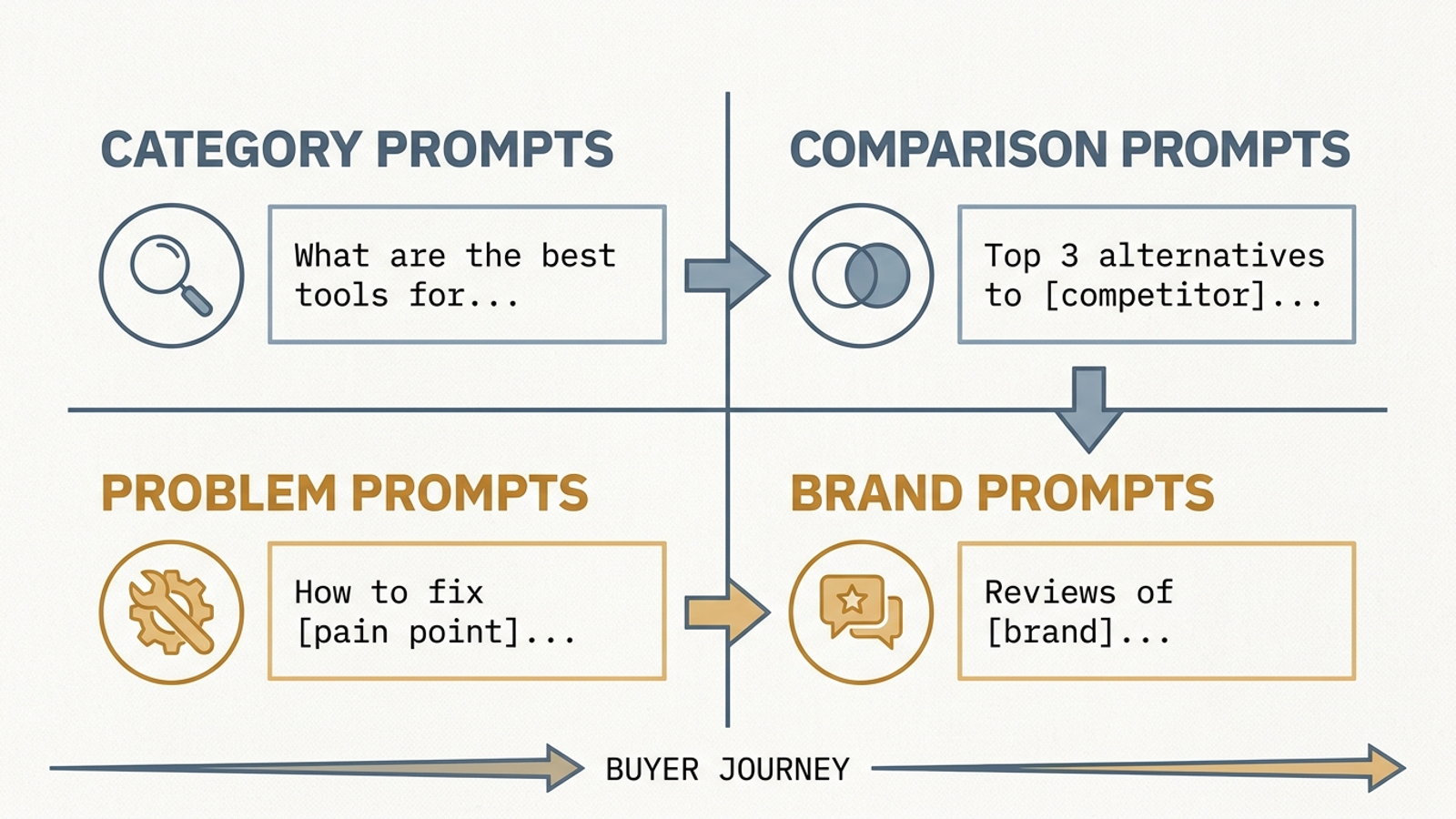
Open a blank Google Sheet or Excel workbook. Name the first tab Prompt_Panel. Build four buckets of 10 prompts each:
- Category: The buyer describes the product class and a constraint without naming a vendor. Example:
What are the best automated PPC management tools for mid-market agencies? - Comparison: The buyer weighs named competitors or asks for alternatives. Example:
Optmyzr alternatives for small marketing teams. - Problem: The buyer describes a bottleneck before choosing a product category. Example:
How do I stop Google Ads PMax from bidding on branded search queries? - Brand: The buyer evaluates your product directly. Example:
Is groas worth it for an ecommerce brand spending under $10k a month?
Pull candidate wording from sales-call transcripts, support tickets about switching or churn, and Google Search Console. In Performance → Search results, inspect longer queries and questions containing terms such as vs, alternatives, how to, and pricing. Search call transcripts for phrases such as we evaluated, what about, and can you do. Keep the buyer’s constraints: budget, team size, integrations, or the technical dealbreaker that actually shaped the question.
Do not quietly rewrite prompts into polished ad headlines. Also keep the Brand bucket separate when interpreting the results. Being named in an answer to a question that already names you is useful for checking product understanding; it is not evidence that an unbranded buyer will discover you. Apply the same caution to any comparison prompt that includes your name.
Expected result: 40 prompts you can run again next month without changing a word. Common mistake: filling the panel with plausible questions nobody has asked. If you cannot tie a prompt to a buyer conversation, ticket, or search query, replace it.
Create four columns: Prompt_ID, Category, Buyer_Intent, and Prompt_Text. Freeze row 1. Fill rows 2–41, assigning P01–P10 to Category, P11–P20 to Comparison, P21–P30 to Problem, and P31–P40 to Brand. Use this as a layout example, not as a substitute for your own buyer language:
Prompt_ID	Category	Buyer_Intent	Prompt_Text
P01	Category	Scoping	What are the best autonomous Google Ads management platforms for mid-sized agencies?
P02	Category	Scoping	Top B2B pipeline attribution software that connects directly to HubSpot and Salesforce
P11	Comparison	Bake-off	Optmyzr vs Opteo for managing lead generation accounts
P12	Comparison	Displacement	What are the best alternatives to Marin Software for enterprise search teams in 2026?
P21	Problem	Diagnostic	How do I track Google Ads conversions without third-party cookies after consent mode v2?
P22	Problem	Workflow	How can a lean marketing team manage 50 Google Ads client accounts without burning out?
P31	Brand	Validation	What is groas, how does its autonomous execution work, and what does it cost?
P32	Brand	Feature Check	Does groas handle negative keyword management automatically or does it just recommend it?
Step 2: Make a ledger you can calculate from
Create a second tab, Raw_Logs, and freeze row 1. Use these columns, in this order: Log_ID, Prompt_ID, Engine, Run_Number, AIO_Triggered, Mentioned, Cited, Cited_URL, Rank_Position, Competitors_Named, and Category.
Use 1 or 0 for Mentioned and Cited. Count a mention when the answer names your brand; count a citation only when the answer links to your domain. Enter the exact linked URL in Cited_URL. Use Rank_Position only when the answer presents an ordered vendor list: 1 for first, 2 for second, and so on. Enter 0 when you are omitted; leave it blank when no list makes a rank meaningful. Keep AIO_Triggered blank for ChatGPT, Gemini, and Perplexity. For Google, use 1 when an AI Overview appears and 0 when it does not.
Do not fold citations into mentions. An answer can name you without linking to you, and referral-click data cannot recover that unlinked recommendation. The ledger must preserve both signals.
Enter the following headers as a starting row:
Log_ID Prompt_ID Engine Run_Number AIO_Triggered Mentioned Cited Cited_URL Rank_Position Competitors_Named Category
In Raw_Logs!K2, pull each prompt’s bucket from the panel, then fill the formula down through your results:
=IFERROR(VLOOKUP(B2,Prompt_Panel!$A$2:$B$41,2,FALSE),"")
Expected result: Every logged run carries its prompt category without your typing it again. Common mistake: putting commentary such as second paragraph, fairly positive in Rank_Position or a competitor name in Cited_URL. Keep measurement fields consistent; use a separate notes column if you need one.
Step 3: Run each prompt three times per engine
Set up a testing browser profile with extensions disabled and a consistent location. Use fresh, logged-out sessions where an engine permits them; if an account is required, keep that account and its settings consistent throughout the panel. If you need a particular market location, keep it fixed for the entire test. Do not compare a United States run with a later run from somewhere else and call the difference an engine change.
For each prompt, follow the same sequence:
- Start a new conversation in ChatGPT. Submit the prompt exactly as written in
Prompt_Panel. Read the completed answer and record the brand mention, domain citation, URL, applicable vendor rank, and explicitly named competitors. - Start another new conversation and submit the same prompt. Log run 2. Do it once more for run 3. Do not type
try againin the existing thread: its earlier answer becomes context for the next one. - Repeat the three fresh runs in Gemini and Perplexity. Keep the prompt wording unchanged, even if an answer seems to misunderstand it. A misunderstanding is part of what this panel is meant to expose.
- Run the prompt three times in Google Search. For each result, first check whether an AI Overview appears. If it does, expand its source cards, inspect the answer and links, and log the result. If it does not, enter
0forAIO_Triggered,Mentioned, andCited; leaveRank_Positionblank. Start a fresh search for the next run.
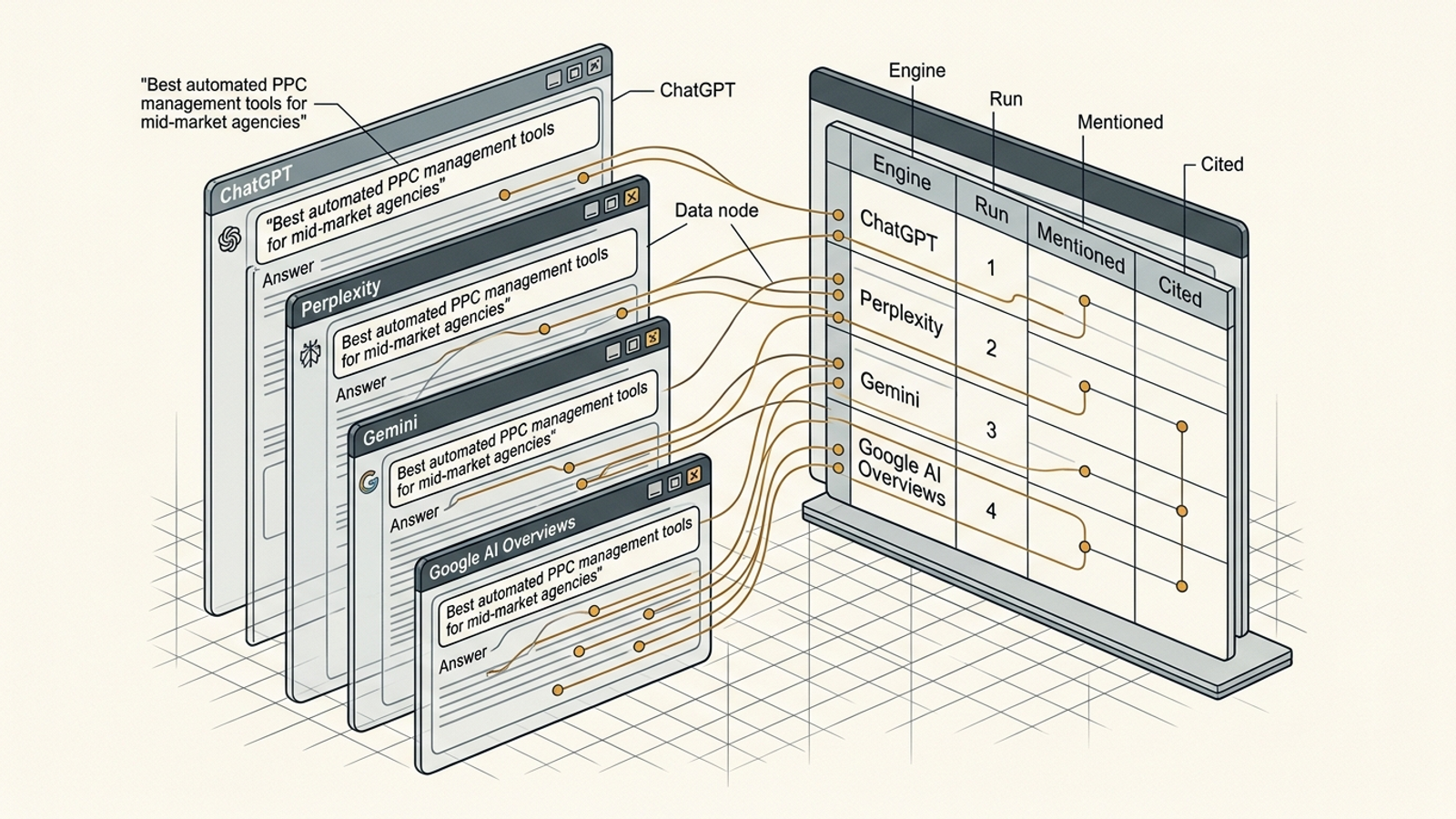
An absent AI Overview is not the same observation as an Overview that appears but omits you. Record both, or a change in how often Google displays the module can masquerade as a change in how often it names your brand.
Work through P01–P40 in the same order for every engine. Assign one row to each prompt-engine-run combination. The completed panel contains 40 × 4 × 3 = 480 rows. Log what the answer actually shows; do not credit a competitor mentioned only in a source page you opened afterward.
Expected result: Three independently initiated observations per prompt on each engine, including Google searches with no AI Overview. Common mistake: reusing one chat thread for all three runs. That tests the model’s response to its own previous answer, not three fresh answers to your prompt.
Step 4: Calculate mention and citation rates
Create a third tab, Summary. Put Engine in A1 and Category in B1. Starting in row 2, list each engine-category pair once: ChatGPT/Category, ChatGPT/Comparison, and so on until you have all 16 pairs. Use engine names that match Raw_Logs exactly. Label C1 as Mention Rate and D1 as Citation Rate.
In C2, enter this formula and fill it down:
=IFERROR(COUNTIFS(Raw_Logs!$C$2:$C$481,$A2,Raw_Logs!$K$2:$K$481,$B2,Raw_Logs!$F$2:$F$481,1)/COUNTIFS(Raw_Logs!$C$2:$C$481,$A2,Raw_Logs!$K$2:$K$481,$B2),0)
In D2, do the same for citations:
=IFERROR(COUNTIFS(Raw_Logs!$C$2:$C$481,$A2,Raw_Logs!$K$2:$K$481,$B2,Raw_Logs!$G$2:$G$481,1)/COUNTIFS(Raw_Logs!$C$2:$C$481,$A2,Raw_Logs!$K$2:$K$481,$B2),0)
Format both columns as percentages. If ChatGPT names you in 18 of the 30 Category runs, its Category mention rate is 60%. If it links to your domain in three of those runs, its Category citation rate is 10%. Those are observed rates for this panel, not permanent properties of the engine.
For Google AI Overviews, first report the rates over all 30 runs in a category. Then filter Raw_Logs to AIO_Triggered = 1 and calculate the same rates over triggered runs only. The first view answers, “How often did a buyer running this query see us in an Overview?” The second answers, “When an Overview appeared, how often were we in it?” You need both to diagnose a drop.
Finally, tally names in Competitors_Named for each engine and category. Keep that count alongside your rates rather than collapsing everything into one visibility score. Do not compare a branded validation rate with an unbranded discovery rate and call the higher number a win.

Expected result: A category-by-engine view of mentions and citations, plus a separate count of competitor appearances. Common mistake: dividing Category mentions by all 120 runs on an engine, or treating a Google search with no Overview as if an Overview omitted you.
Step 5: Pull the commercial misses before choosing a fix
In Raw_Logs, filter Mentioned to 0 and keep rows where Competitors_Named is not blank. Sort by Category, then Prompt_ID. This is your displacement list: prompts where an answer named a competitor but not you. Start with Category and Comparison prompts that match buying decisions. Keep Problem prompts visible, but do not pretend every troubleshooting answer ought to recommend a vendor.
Next, filter Cited to 1 and inspect Cited_URL. Note whether citations concentrate on a few pages or spread across documentation, commercial pages, and other resources. Inspect the missed answers and the cited pages before diagnosing the cause. An omission alone cannot tell you whether the issue is positioning, available source material, prompt wording, or ordinary answer variation.
Expected result: Specific prompts and pages to investigate, not a vague instruction to “do more AI SEO.” Common mistake: seeing a competitor in one answer and immediately rewriting your homepage. Check whether the pattern repeats first.
Step 6: Treat the next audit as a test
Write the question in your notes before you change a page: Did the change improve mentions on the prompts it was meant to address? Keep the 40 prompts, their wording, the engine list, the run count, and your logging rules fixed. Record what you changed and which prompt IDs you expect it to affect. Re-run the same panel in about 30 days.
My expectation is narrow. If you improve material an engine can use to answer a particular buyer question, mentions or citations on related prompts may rise. A product-page update aimed at a Category question need not move a Problem question, and an engine may not use the updated page at all. That is why the unchanged prompts are useful controls: they give you context for shifts that have little to do with your edit.
Measure the before-and-after mention and citation rates for the targeted prompts and their category. Check competitor appearances and, for Google, Overview trigger rates too. Do not celebrate one prompt moving from one mention in three runs to two. With only three runs per prompt, that change may be ordinary variation. A broader, repeatable shift across the affected prompts is more persuasive; no shift tells you not to credit the edit yet. Neither outcome tells you why without looking at the answers.
Expected result: A comparison you can explain without producing a lucky screenshot. Common mistake: changing the prompt panel between audits, then attributing the new rate to your content work. Keep the panel fixed; put new buyer questions on a separate list for a later baseline.
Verify the ledger, then change the first weak point
Before acting, check that Prompt_Panel has 40 IDs and Raw_Logs has 480 completed result rows. Every prompt should have three runs for each of the four engines. Spot-check a few Category lookups, citations, and Google rows with no Overview. If a rate looks surprising, open the underlying rows before turning it into a slide.
Manual logging has a ceiling. Repeat this across many product categories, markets, or client accounts and the work becomes its own reporting job. That is where groas makes more sense than another dashboard to babysit: its autonomous search execution connects ongoing visibility work to content, technical, and paid-search action, with a human strategist setting direction.
For now, let the sheet earn its keep. Change the first commercial prompt cluster where competitors repeatedly appear and you do not: inspect the answers, choose the relevant page or positioning gap, make one focused edit, and test it against the same panel. The screenshot can stay in Slack. It just does not get to be the result.