

 LinkedIn
An AI ads tool can blame auction pressure for a conversion drop without ever opening your account. I give every shortlisted option one real decline and the same read-only question. I want to see which numbers it inspected, where the evidence runs out, and what it recommends doing next. A tidy paragraph about creative fatigue isn’t evidence, and it’s certainly not a reason to cut a budget. If the numbers support checking a tag and leaving spend alone, that’s the answer I want. I’m buying a tool that knows the difference between a finding and a theory, not one that makes both sound decisive.
Give every option the same drop
-
Pick one real decline. Use the same account, date range, and comparison period for every option. Keep the test read-only, even if one tool can make changes and another can’t. You’re comparing diagnoses first, not watching to see who reaches for the budget fastest.
-
Run the same prompt. Don’t ask one option to explain the drop and another to prove your favorite theory. Give them all the same job:
Explain the largest conversion decline in this period. Separate observed facts, hypotheses, and missing evidence. Make no changes.
-
Record what each option could actually see. Compare ChatGPT with an uploaded export, a reporting connector with live read access, and ChatGPT connected through groas over MCP. Same question, different inputs. Note which data each option got, including whether it could see conversion settings or change history. That’s how you distinguish a gap in access from a check the tool could have made and didn’t.
-
Treat the export as a snapshot. A CSV can answer questions about what’s in it. If your next question needs dates or a breakdown outside the file, you need another export. A live connection can query the current data without another upload. Neither option gets credit for guessing at numbers it can’t read.
-
Score each check separately. Mark pass when the answer shows the required evidence or, where the check asks for a limit, names that limit clearly. Mark unverified when the evidence isn’t available and the tool leaves the finding open. Mark fail when it skips a check it could have made or passes off a guess as a finding. A tool can pass for telling you it can’t see the change log and still leave the cause of the drop unverified. Give it credit for the distinction, not for a diagnosis it hasn’t made.
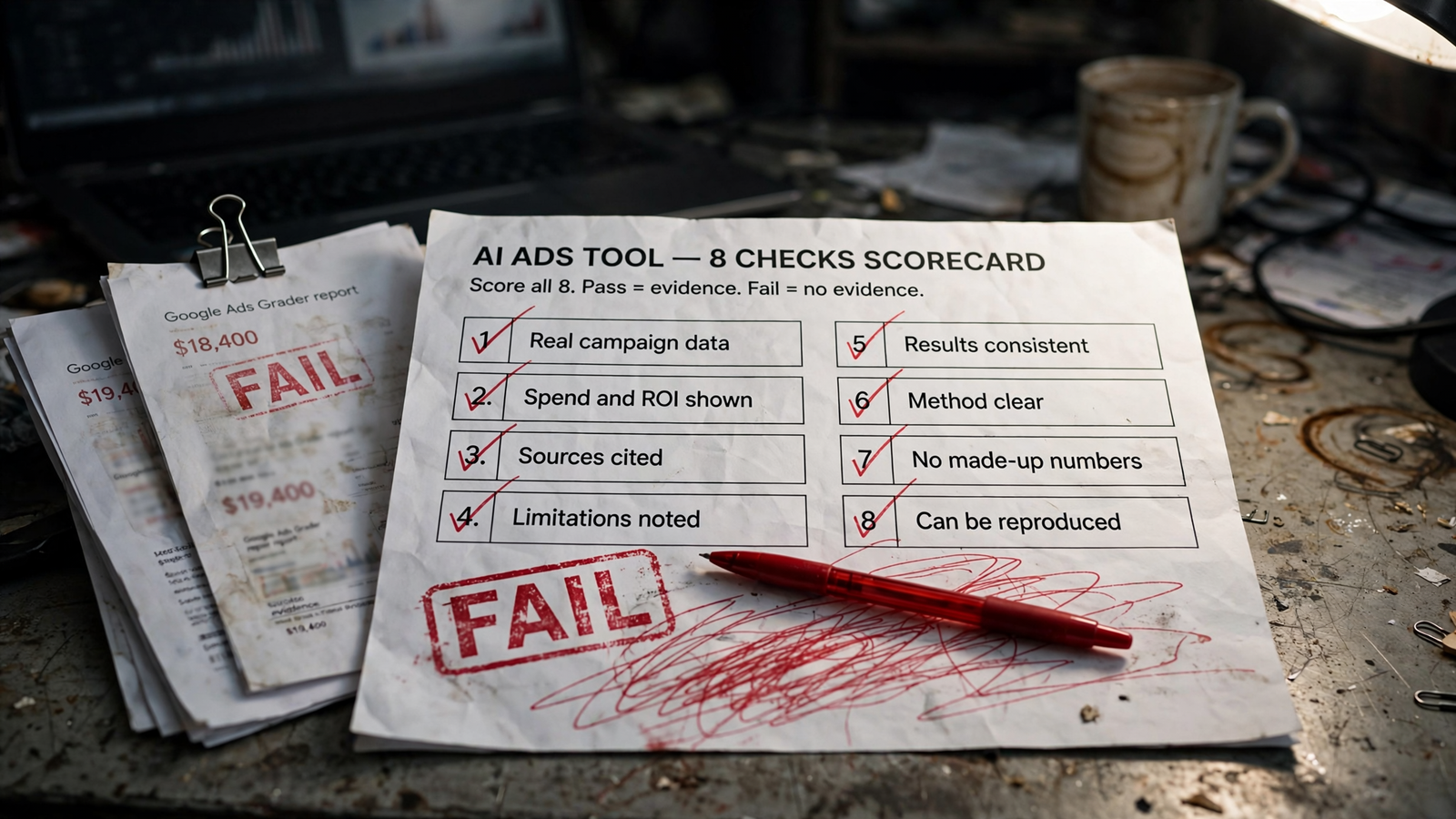
Score the answer on eight checks
-
Names the account, exact dates, and comparison period it inspected.
- Pass: It identifies the account and gives start and end dates for both the period it’s explaining and the period it’s comparing against. You should be able to pull up the same two windows without asking which one it meant.
- Fail: It says “recently” or “last week” and leaves you to work out the dates. The export may have a perfectly clear date range when you download it. The answer still needs to state what it used rather than make you infer it from the file.
-
Shows which campaigns account for the decline, with figures.
- Pass: It shows which campaigns lost conversions, how many each lost, and what happened to spend in those campaigns. If other campaigns held flat, the breakdown shows that too. The point is to narrow the investigation before anyone proposes an account-wide fix.
- Fail: It restates the account-level drop and jumps straight to a recommendation. Knowing the account lost conversions isn’t the same as knowing which campaign to investigate, let alone which one to change.
-
Names the conversion actions behind the headline number.
- Pass: It identifies the actions and tells you which are Primary and which are Secondary. In Google Ads, start at Goals > Conversions > Summary. Look for page views or other soft actions marked Primary, and for duplicate counting from GA4 imports and native tags.
- Fail: It treats the headline number as a count of leads without checking what it includes. If someone corrected a duplicate import mid-period, the reported total could fall without telling you anything about whether demand fell. If the tool can’t see the action settings, the count is still visible. What that count represents is the part it hasn’t verified.
-
Checks conversion delay before calling the decline real.
- Pass: It flags recent dates that may still be incomplete, then uses a buffer or compares periods that have both had time to fill in. Google Ads can report conversions up to 90 days after the click. In reporting that credits conversions to the click date, recent totals can rise after clicks and spend are already visible.
- Fail: It compares a half-finished week with a finished one and calls the difference a performance problem. Seeing spend for the full window doesn’t mean you have the final conversion count for that window. If the recent dates haven’t had time to fill in, “too early to call” is a better answer than a budget recommendation.

-
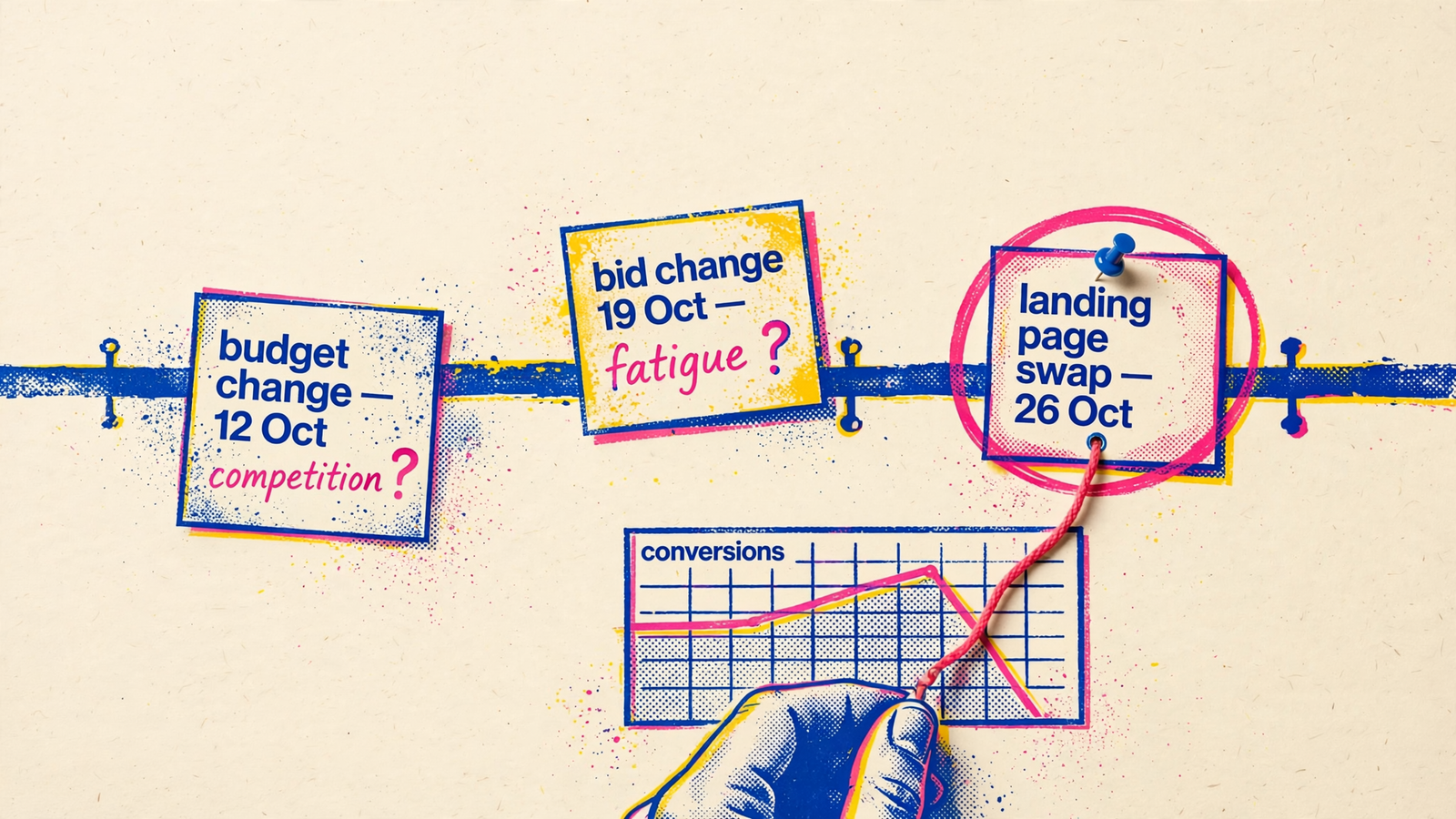
Separates logged changes from theories about the cause.
- Pass: It lines up the start of the drop with what it can see in Google Ads change history. If a budget, bid, target, keyword, campaign status, or landing page changed around then, it names the edit and the date. If no logged edit lines up, or the tool can’t see the log, it says which is true. “I checked and found nothing” and “I couldn’t check” are different answers.
- Fail: It calls auction pressure, seasonality, or creative fatigue a finding without evidence. It can make the same mistake with a real edit: a budget cap that moved just before the drop gives you something concrete to investigate. The timing alone doesn’t prove the cap caused it.
-
States what the available data can’t establish.
- Pass: It names the missing evidence instead of tacking on a generic disclaimer. Ad account data alone doesn’t confirm whether a tag fired, how consent behaved on the site, what happened to leads in the CRM, or whether those leads were worth anything to the business. “I can see fewer recorded conversions; I can’t confirm that the tag stopped firing” is a useful answer. It tells you what you know and what you’d need to check elsewhere.
- Fail: It declares tracking broken or leads worthless without the data to support either call. Score the distinction, not the confidence: the tool can pass this check by naming a boundary even when the finding on the other side stays unverified.
-
Proposes one bounded next action and says when it needs approval.
- Pass: It names what it would inspect, which data it would use, and where it would stop. That might mean checking tag and consent status on affected pages, looking at days to conversion for dates that have had time to fill in, or reviewing the change log around the start of the drop. The action should follow from the finding. If the gap is whether the tag fired, checking the tag is the next step. Cutting spend doesn’t answer that question.
- Fail: It jumps to pausing campaigns, cutting spend, or raising targets on a short dip. If tracking is still in doubt, check delay, tags, and consent first. Then look at bidding and traffic, followed by landing pages and checkout, before touching budget. Don’t change several settings at once. In this test, nothing changes at all.
-
Shows where an approved change lands, how it’s logged, and how you undo it.
- Pass: It shows where the edit would appear in the ad account, where you’d see the change and its reason, and how you’d reverse it in one step. It also tells you what it would check afterward, without treating the latest incomplete conversion totals as a verdict. Ask to see the record and the reversal, not just the recommendation that comes before them.
- Fail: It promises it can “handle the optimization” but can’t show you the record or the undo. A reporting-only connector doesn’t pass this check because it doesn’t edit campaigns. That’s an explicit limit, not a fault. An execution tool that can’t show what happens after approval doesn’t get that allowance.
Buy for the job, not the best-written answer
- Don’t advance a diagnosis that fails the basic evidence checks. If the tool can’t show the account, dates, campaigns, conversion actions, or whether recent data is incomplete, you don’t have a diagnosis you can act on. If the first four checks pass but the answer fails check 5 or 6, it can read numbers but can’t reliably tell you what they mean. Say you spend $20k a month and the model blames demand while a capped budget or a broken tag goes unchecked. You cut spend on a story. That’s how a free answer gets expensive.
- Buy reporting only if reporting is the job. If your team makes every change by hand and only needs ChatGPT to read live numbers and help diagnose the drop, buy the cheapest read-only option that passes checks 1 through 7. For a price reference, Adzviser’s reporting plan is listed at $34.99 a month on annual billing or $48.99 month to month, with unlimited accounts and queries for ChatGPT and Claude. That’s a reporting price. If you need the tool to make approved edits, you’re still paying your team to do the clicking.

- If execution is the job, make the vendor show it without touching live campaigns. Keep your account read-only. Ask for a test account or a screen share that shows where the approved edit lands, what the log entry looks like, and how to reverse it. Diagnosing that a budget cap moved on Tuesday is useful. Making an approved correction and leaving a record you can inspect is a different job. Don’t buy the second on the strength of a demo of the first.
- Choose groas when you want ChatGPT to diagnose and carry out approved changes. Connect ChatGPT to groas over MCP and the same chat can read your connected ad accounts alongside competitor ads on Google and Meta, their landing pages and funnels, Reddit customer research, AI search answers, and SEO data from Semrush and Ahrefs. groas collects that data around the clock. Every change is logged with its reason and can be undone in one step. Autopilot stays off until you switch it on under rules you set. groas Unlimited is $19 a month flat for unlimited teammates, ad accounts, and websites. Your AI assistant subscription and ad spend stay separate.
- Don’t skip check 8. It’s the one most often left out of the demo. A tool can nail the diagnosis and still leave you with an account change nobody can explain. Someone approves a well-written recommendation, the edit goes in, performance moves, and the team spends client hours reconstructing what changed, why it changed, and how to reverse it. Those are hours you’re paying for instead of investigating the drop. If diagnosis is all you need, buy read-only. If you’re buying execution, no auditable record and no demonstrated undo means no sale.


