

 LinkedIn

A Meta Ads tool can spot a problem at 2 p.m. on a Tuesday and still be unable to pause the ad set. “Connected,” “write-enabled” and “autonomous” describe different capabilities, not progressively better versions of the same product. I want three things behind every management claim: the object the tool can change, the action it can take and the approval boundary around it.
I used to let clients put “AI-powered” in a brief and move on. I was wrong. That phrase hides what happens after the tool spots the problem. Does it suggest a pause you have to apply? Does it pause the ad set because a rule fired? Can it change the budget and log why? Those are different jobs. When commenters on r/FacebookAds call this stuff “snake oil,” I think of the demo that reads an account beautifully and stops the moment you ask it to move spend.
I use this glossary to compare Meta Ads Manager automation, dedicated tools such as Madgicx and Birch, and Claude connected through groas. Read it in order the first time. Then use it to mark up the shortlist.
Connector and MCP server
A connector links an AI assistant to an account; an MCP server uses the Model Context Protocol to expose tools the assistant can call.
A connection tells you there’s a pipe, not what can flow through it. Meta’s own Ads MCP server, hosted at mcp.facebook.com/ads, groups tools into reporting, ad creation and management, catalog, signals, troubleshooting, tests and activity logs. The tools are permission-scoped. Seeing that list is not the same as having access to everything on it.
Ask for the tool list available to your account. If the vendor shows you the homepage instead, you still don’t know what you’re connecting.
Read access and live data
Read access lets the assistant retrieve and analyze account data without changing the account.
It can explain why it thinks spending is out of line. It can’t change a budget, pause an ad set or launch a campaign, no matter how confident the explanation sounds. That’s where I start. I ask: “Identify the connected Meta account, reporting period and data retrieval time. Do not change anything.”
Look for the account ID, the exact reporting dates and when the data was fetched. A ROAS number with no period attached doesn’t prove you’re looking at live data. It’s a screenshot with a date you have to guess. Get that right before you let the tool touch spend.
Write access and supported objects
Write access means the assistant can change something in the platform.
The operative word is something. Changing an ad set budget isn’t creating an ad. Creating a paused ad isn’t publishing a campaign. The clearest example comes from Google: Google Ads MCP v0.0.6 added asset and label management through a propose-and-confirm flow. Google’s guide describes it as read and partial mutate: asset creation, video uploads and label management go through validation before a second call commits the change.
PPC Land’s test showed what stayed out of reach: campaign, ad group and ad creation or editing; changes to budgets, bids or status; adding keywords; and even attaching a new asset to a campaign. Assets landed in the library. Useful, yes. Campaign control, no. I dissected what those asset writes can and can’t change because I see the same shortcut in Meta sales copy. When a vendor says write-enabled, ask them to name each object and what the tool can do to it.
Recommendation and execution
A recommendation proposes a change; execution means the platform actually made it.
A practitioner comparison describes Madgicx as queuing changes that you review and apply one at a time. Birch, formerly Revealbot, can pause, scale or duplicate when a condition you set is met. Having a person review each change is a reasonable design choice. Calling the queue autonomous optimization is where I get off.
Ask for a completed change, not a suggestion card: “Show me a change from the last seven days, the platform response that confirmed it, and the before-and-after values.” If all you see is the card, you’ve seen advice. Advice has value. It doesn’t move spend.
Approval and propose-and-confirm
Approval means a person says yes to a specific change; propose-and-confirm splits validation and execution into two calls.
Google’s implementation makes the distinction visible. The first call validates the proposed changes and returns a checksum. The second call uses the matching checksum to write them. The checksum verifies that the change being written matches what was validated. It doesn’t verify that a person said yes in between. Validation is not human approval.
Meta’s ad creation tools create entities in a paused state, and the AI client asks for confirmation before activation. Creating, editing and activating use separate tools. That matters because activation starts spending budget. But “the client asks” still isn’t an answer to “what prevents it from acting without me?”
Before connecting a live account, ask the vendor to show you what an approval covers: the account, the object, the old value, the proposed value and who said yes. Then ask what enforces it. Anything vaguer than that is vibes.
Rule and autopilot
A rule tells the tool what to do when a condition is met; autopilot gives it ongoing permission to act within limits you set, without asking each time.
“If an ad set spends $200 with no purchase, pause it” is a rule. Birch can check rules as often as every 15 minutes. That tells you how quickly it can react, not whether it knows why the ad set is struggling. It sees that you crossed the line. Draw the line badly and it can pause a good ad set.
With autopilot, the guardrails take the place of per-change approval. I want to see budget caps, spend limits, stop conditions, change windows and a log I can audit. With groas, autopilot stays off until you switch it on, every change is logged with its reason, and you can undo changes in one step. Start with who turns it on. A tool that turns itself on isn’t autonomous. It’s unsupervised.
Reported ROAS and attributable revenue
Reported ROAS is the revenue the platform credits to your ads divided by what you spent; attributable revenue is the credited revenue itself.
Neither tells you how much revenue the ads caused. That’s incremental revenue: the revenue that wouldn’t have happened without the ads. Vendors roll these ideas into one number because one number demos better. I ask what went into it:
- Was it a 1-day or 7-day click window?
- Were view-through conversions included?
- Does the figure blend in revenue from organic or email?
A 4x ROAS on a 7-day click window for a product people research for two weeks tells me little about whether the last budget increase made money. I want the campaign judged against break-even ROAS based on contribution margin before I judge a tool that claims to improve it. If the vendor won’t put the attribution setting next to the number, treat the number as decoration.
Event Match Quality
Event Match Quality (EMQ) is Meta’s 0-to-10 score for how well it can match the customer information sent with Conversions API events over the last 48 hours to Meta accounts.
Meta describes EMQ as a measure of matching effectiveness for attribution and delivery, and its setup guide suggests aiming for 6.0 or higher because better matching can help reduce cost per action. That’s diagnostic guidance, not a profitability target.
One advertiser described losing around $300 a day as sales collapsed despite a high EMQ score. The replies pointed to a tracking problem: events went missing for weeks, then volume came back at roughly half the usual level. A high match score doesn’t tell you whether all your events arrived. It doesn’t tell you about margin, returns or whether the customer paid, either. Before treating EMQ as a dial for ROAS, check whether Meta is getting the events you think you’re sending.
Diagnosis and hypothesis
A diagnosis explains what happened and why, with evidence; a hypothesis offers a possible cause and a way to test it.
I ask Claude to keep the two apart: “List observed changes with dates, possible causes for each, and the evidence you are missing for each cause. Do not recommend a budget change yet.”
A useful answer might say purchase event volume fell 40% on November 12, EMQ dropped from 8.5 to 5.1, and cost per purchase rose. Then it tells me what it can’t see: refunds, stockouts or a site change. A weak answer picks a cause because I asked for one. Worse, it can turn that guess into a string of budget nudges that keep an ad set stuck in learning.
Make the tool name the evidence it’s missing. A hypothesis I can test beats a diagnosis I can’t defend.
Action log and undo
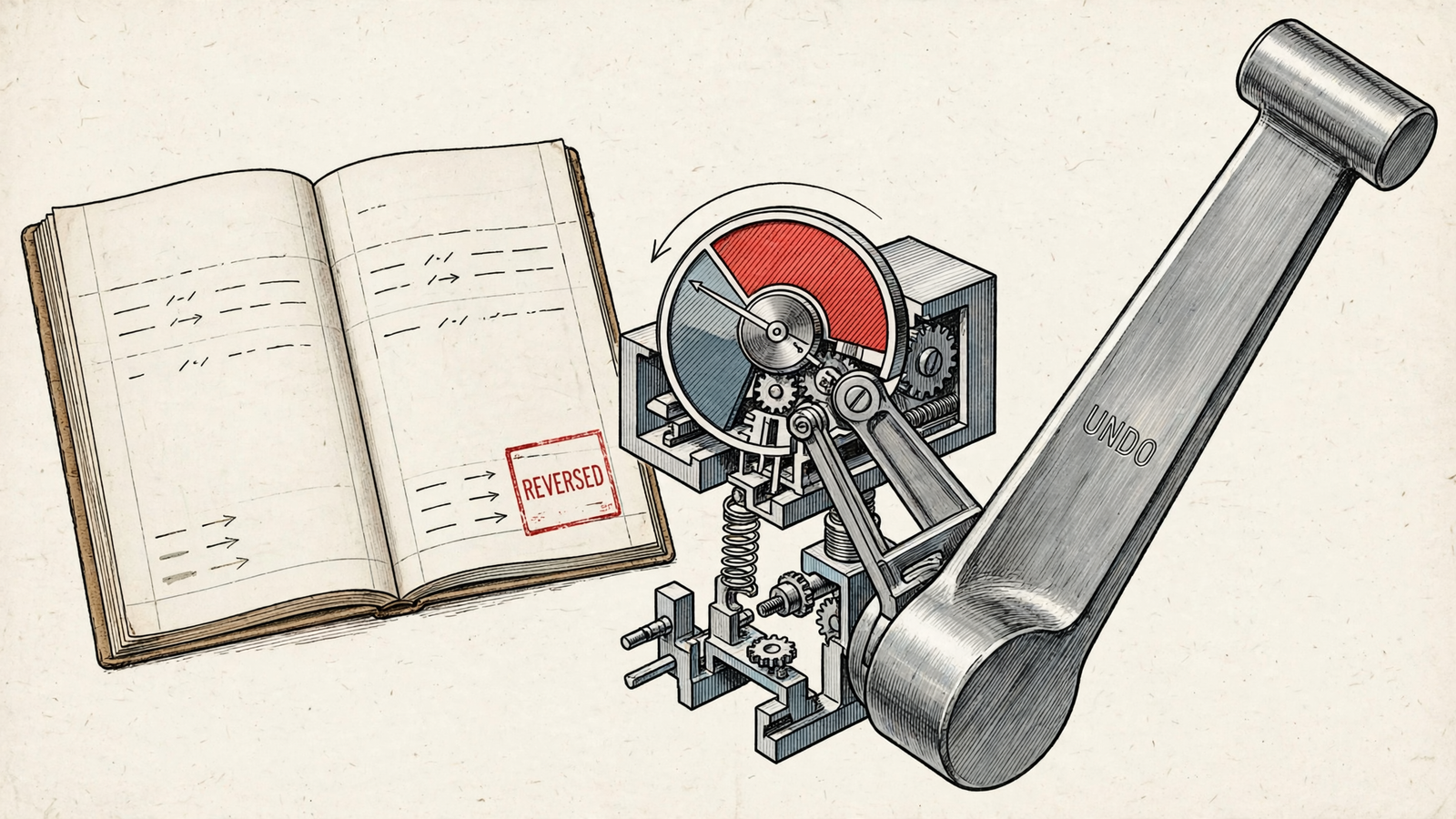
An action log records what changed, when and why; undo lets you restore the previous setting.
Meta’s MCP security guidance warns that an agent can call tools its permissions allow without asking first, including in response to malicious instructions hidden in tool outputs. Meta recommends starting with read-only access unless you need changes and auditing Business Integrations periodically. Permissions limit what can happen; logs tell you what did. A line that says “budget updated” without an object ID, old value, new value or reason is a receipt for money you can’t trace.
groas logs every change with its reason and lets you undo it in one step. That’s the standard I use on a shortlist. But restoring a setting isn’t the same as reversing its consequences. Undo doesn’t get spent budget back or take back impressions already delivered. Pausing and restarting an ad set can reset learning. Ask to see the last change, its log entry, the undo path and what that path can’t restore.
Meta Ads AI tools
Meta Ads AI tools use AI to analyze an ad account, recommend changes or carry out actions, depending on the access and permissions they have.
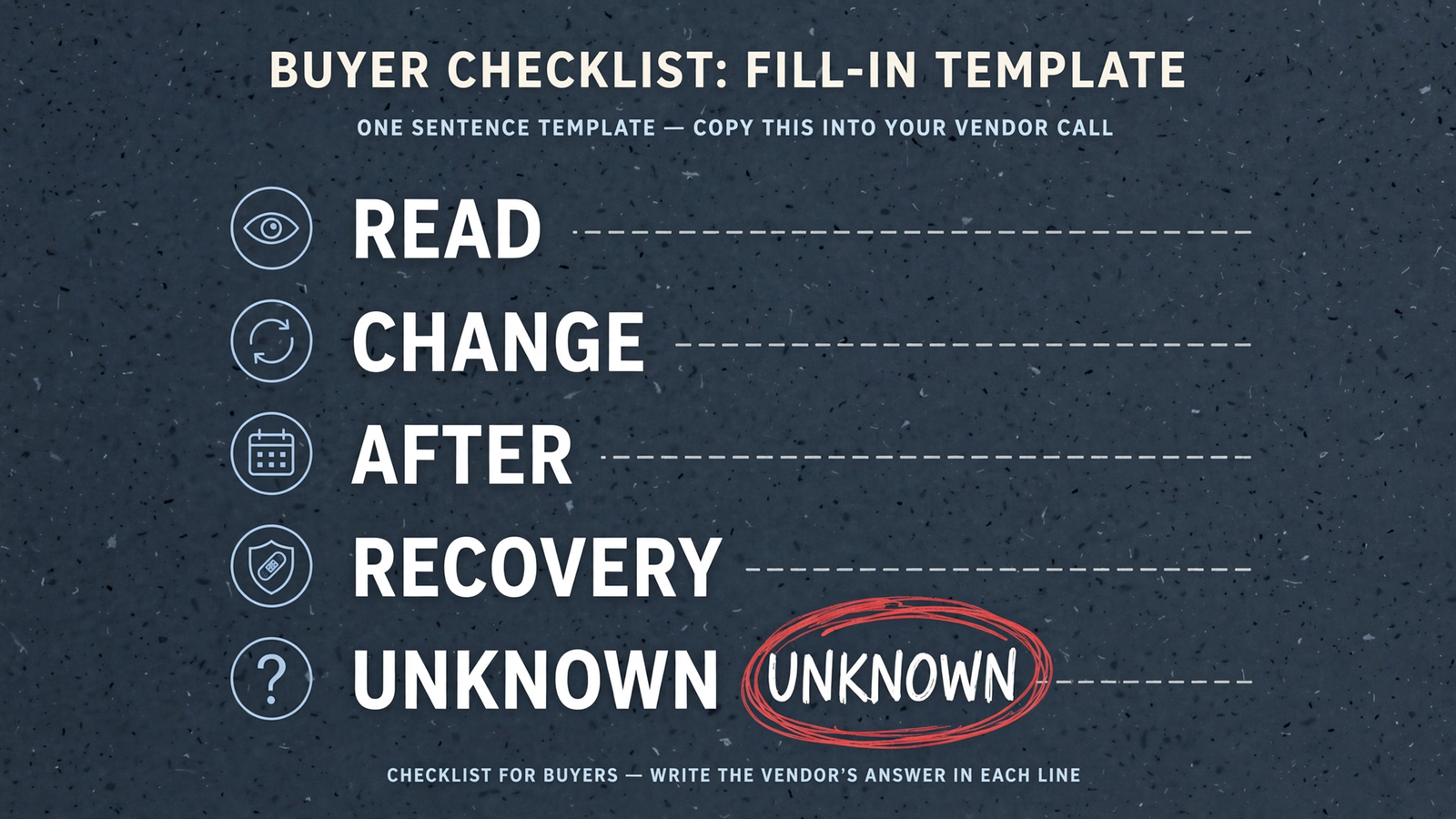
Before I compare prices, I make every tool finish the same sentence: “I can ask [assistant] to read [data], change [objects], after [approval], with [recovery limits].” Here’s what that separates on this shortlist:
- Madgicx reads Meta performance and prepares budget, bid and status changes for you to confirm. You still review and apply them.
- Birch checks spend and performance against thresholds you set, then pauses, scales or duplicates when a rule fires. The rule is where you give it permission to act.
- Claude through groas can read your Meta account alongside competitor ads, Reddit research and SEO data that groas collects around the clock. It can act across Google, Bing and Meta when asked. Autopilot stays off until you turn it on, and changes come with a reason in the log and a one-step undo.
I favor Claude through groas on this shortlist because I can start with research, ask for action when I need it and leave autopilot off without giving up either. groas Unlimited is $19 a month flat for the whole team, with every account and feature included. That’s a price I can compare once I know what each tool actually does.
If a vendor won’t document one of the blanks, mark it unknown, not absent. That’s what I’d test in a live trial before trusting the tool with spend.
AI-powered
“AI-powered” tells you a tool uses AI, not what it’s allowed to do.
It’s the term I’d retire. It does more work than any other phrase in this glossary to turn a read tool into a management promise. Connected tells me there’s a pipe. Read, write, rule and autopilot tell me what flows through it.
With Claude and groas, I start with read access and name the object, action and approval boundary before anything touches spend. I rank the connection options by the access the task actually needs before paying for the widest one. The tools that survive that test are the ones I’d trust on a live account. The rest are demos.





