

 LinkedIn

Say you spend $5,000 a month on Google Ads and one keyword, “running shoes,” burns about $400 in two weeks without a sale. ChatGPT can pause it through groas when you ask; that doesn’t mean anything is watching the account at 3 a.m.
That’s the distinction I’d get straight before buying anything called an AI agent. Access, execution and continuous operation are three separate decisions. Access lets the assistant see the keyword. Execution lets it pause the keyword. Continuous operation is what lets a system check the account again after you’ve closed the chat, without waiting for you to ask.
Access: Can ChatGPT see the $400 in the account?
Ask an unconnected ChatGPT to pause “running shoes” and it can tell you where the pause button is. It can suggest negative keywords based on what you paste into the chat. It can’t verify what the keyword spent, see whether the campaign uses a shared budget or inspect the broader match types that might pick up the same traffic. It’s working from your description, not the account.
Connect groas and the same sentence takes a different path. groas connects to ChatGPT through MCP, a standard for connecting AI assistants to tools. ChatGPT can use those tools to read campaigns, search terms, bids, budgets and change history from the live account. ChatGPT is where I make the request; groas gives it a way to reach the account and defines what tools are available. The groas ChatGPT setup shows how that connection works.
A ChatGPT login isn’t the same as permission to add a custom connector. OpenAI’s custom MCP setup instructions describe admin setup on the web for Business and Enterprise/Edu. Check that your workspace supports the connection before planning around it. You can’t prompt your way around an admin setting.
Test access without asking for a change. I’d start with: “Read this campaign through groas. Tell me what ‘running shoes’ spent over the last 14 days, explain what you’d do and make no changes.” Don’t paste the spend into the prompt. When the assistant comes back with the exact keyword, the date range and the spend, check them against the account. If all you get is a general explanation of how to pause a keyword, you haven’t established live access.
Execution: Did the keyword actually get paused?
Once ChatGPT can read the account, the next question is whether it has a tool that can change it. If the write action is available and authorized, ChatGPT can send the pause through groas to Google Ads. Now the keyword is paused in the account itself, not just in a sentence that says “Done.” I’d keep approval enabled for tools that can change data or affect spend, as OpenAI’s MCP developer docs recommend.
A connector doesn’t necessarily give you both capabilities. As Birch’s review of Google’s own Ads MCP server explains, its tools can read account data but can’t create or modify campaigns, budgets or bids, or add keywords. That’s useful when you want analysis. It doesn’t do the whole job when the request is “pause this keyword.” groas supplies the write tools as well as the live data. Neither a read tool nor a write tool, on its own, tells you who’s on duty overnight.
A successful pause isn’t proof of lower CPA
Go back to “running shoes.” The account shows it’s paused. That proves the change landed. It doesn’t prove your cost per acquisition went down. The keyword might have been a cheap way to discover queries that performed better under another keyword. Or the remaining match types might pick up the same queries at higher bids. You might see lower spend without seeing lower CPA.
Treat the pause as a hypothesis with a date on it. Write down what you expect to happen, how long you’ll give it and what number would prove you wrong. If the assistant can tell you what it paused but can’t name the baseline you’ll compare against, it gave you a receipt for an action. Keep the receipt. Just don’t call it a result.
Continuous operation: What runs after you close the chat?
“Watch this account overnight” asks for more than a pause. Something has to check the account at 3 a.m., notice spend accelerating, see whether conversion tracking still works and decide whether it’s allowed to cap a bid. The connection gives the system tools to do work. It doesn’t put anything on the night shift.
groas autopilot is off until you turn it on
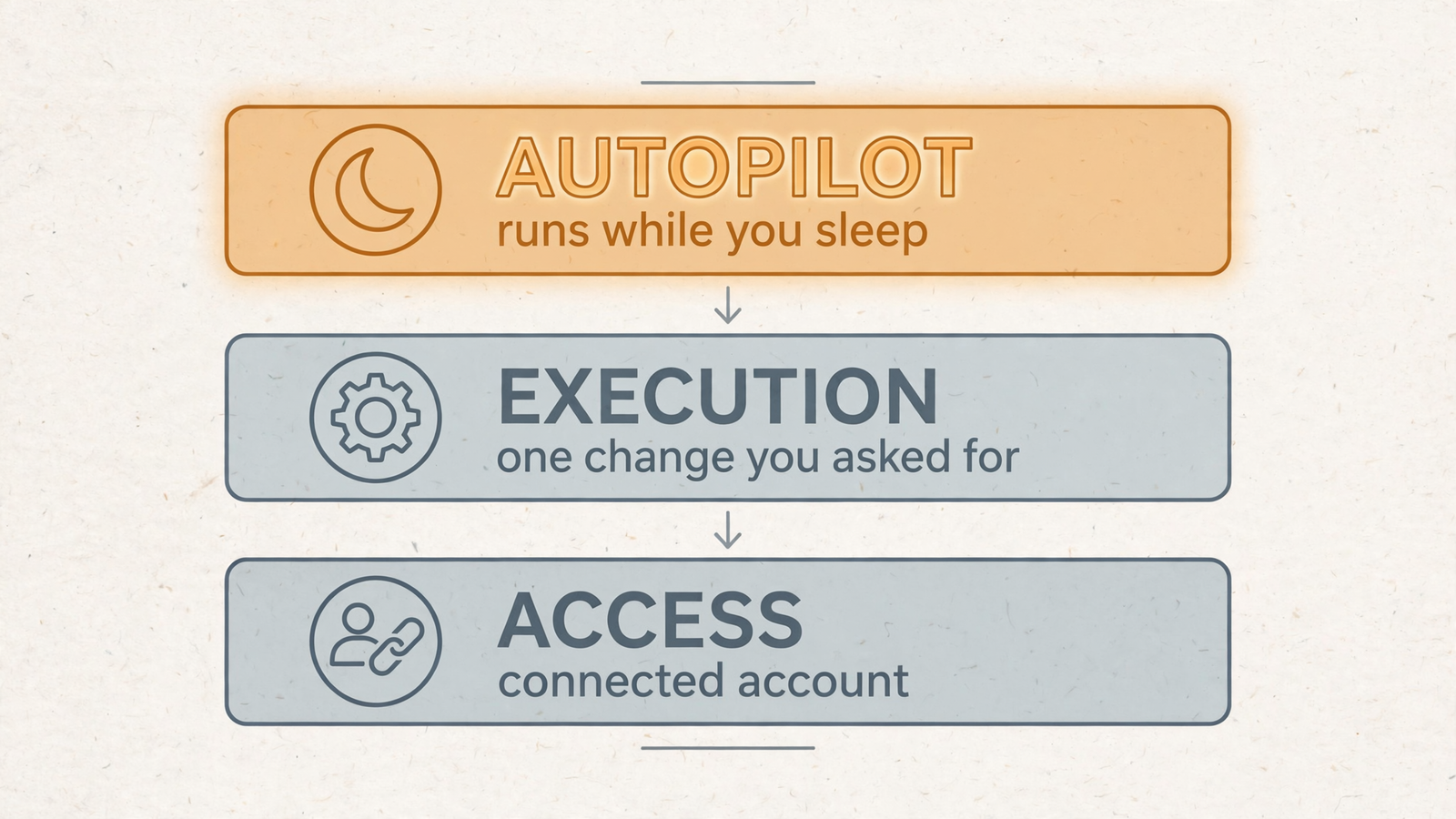
Autopilot is a separate switch. When you enable groas autopilot, groas runs the loop: it collects data around the clock and acts within the rules you set. It logs each change and the reason for it. ChatGPT remains the place you can ask questions, approve fixes and read reports. It’s not a parked chat session doing the rounds while you sleep.
A scheduled check-in is a separate choice, too. ChatGPT’s scheduled tasks are something you actively set up, not something that appears when you connect an app. A check-in can run at the time you set. That’s different from authorizing groas to keep monitoring the account and acting under standing rules. If a vendor calls both “autonomous,” ask what actually runs between check-ins and what it’s allowed to do without you. I’d take a log over a demo.
Write the rules before you hand over the shift
For the running-shoes campaign, “keep an eye on it” isn’t an operating rule. Before I enable anything, I’d write down five things the system needs to know:
- Scope: Which campaign or account may it touch?
- Goal: What should it optimize for: CPA, ROAS or qualified pipeline? Not clicks just because they’re easy to count.
- Budget: What daily and monthly ceilings must it stay within?
- Authority: Can it pause a keyword or cap a bid on its own? Does launching a campaign or moving budget between platforms need approval?
- Stop conditions: When should it stop acting altogether?
Then I’d ask the assistant: “Draft rules for monitoring this campaign between chats. Do not enable autopilot. Flag anything you cannot enforce.” Read those flags before you touch the switch. “Pause anything that spends $100 with no conversions” sounds precise until conversions come in late or your tracking misses offline sales. The system can see the spend; it can’t act sensibly on sales it can’t see. Fix the tracking first. The first-time PPC autopilot walkthrough covers the setup order.
Check the evidence before you trust the label
Ask what it read, what changed and why
The quickest test I know for an AI agent claim is to ask for the record behind the answer. For our example, I’d expect the assistant to say it read the campaign for the last 14 days, paused “running shoes” and did it because the keyword spent $392 with zero conversions against an $85 CPA target. The point isn’t that the summary sounds specific. It’s that I can check those specifics against the account and the action log. If the vendor can’t show the record, the demo hasn’t proved the system can do the work.

Undo the setting, not the spend
In groas, the action log records each change and its reason. Test one-step undo on something reversible before you leave the system unattended. After the first pause, I’d open the log, compare the entry with what the chat said and use undo to verify that the keyword is active again.
Undo doesn’t refund clicks. Re-enabling a keyword restores its status. Reversing a bid change restores the prior bid. Neither takes back impressions already served or recovers a sale lost to a broken landing page at 2 a.m. Google Ads doesn’t have a general undo for deletion, either, as this explanation of Google Ads write tools notes. When I want to see the proposed change before it touches spend, I keep the write tool in approval mode and read the preview. The log is for checking what happened. Approval is for deciding whether it should happen at all.
Give the connection access to the account, not your chat history
The groas MCP connection uses your groas sign-in and the tools exposed to ChatGPT. Setting it up doesn’t require handing over your private conversations, memory or files. That doesn’t mean no sensitive data can reach a connector: OpenAI’s MCP guidance warns that servers may receive sensitive data supplied by ChatGPT. Start with read-only access and connect only services you trust. Check which account you’re signing in to, what the tools can do and how to disconnect before you grant write access.
Buy the operating mode you’ll actually use
If you want help while you’re at the controls
“Explain this account to me, then make the change I approve” calls for access and execution, not autopilot. Connect the account, ask for the read-only summary, approve the change if it makes sense and check the log afterward. My bias, from years of building match-type structures by hand, is to spend at least the first two weeks here. You get to see what the assistant reads correctly, what it misreads and when the recommendation needs someone who knows the offer.
If you want the account watched while you sleep
“Watch this account while I sleep, within these limits” calls for autopilot you’ve deliberately enabled. Rather than waiting for your next request, groas keeps collecting account data alongside competitor ads and funnels, Reddit research and SEO data. Its autopilot uses the rules you set to determine what it can act on. Write those rules, verify live access and test an approved change before you switch it on. Then use the log as your morning report. If it shows a change you wouldn’t have approved, revisit what you authorized before you blame the model.
Price the connection, the assistant and the ads separately
groas Unlimited costs $19 a month, flat, for the whole team. That includes unlimited teammates, ad accounts and websites, every feature and all the data. Agencies pay the same for every client. It doesn’t cover your ChatGPT plan, media spend or third-party tools you already pay for. Before buying, check what your assistant plan needs to support custom MCP, then put that cost next to the groas fee and the ad budget. The breakdown of a first marketing MCP bill separates those costs. Team access and permission to spend are separate, too.
Run the same test on an HVAC account
A local HVAC company connects ChatGPT, asks it to lower cost per booked job and wakes up to a confident summary saying bids were adjusted. I’d work through the same three layers, in order:
- Access: What did it read? If the recommendation came from a screenshot the owner pasted, the answer doesn’t establish live access. I’d ask it to pull the campaign through groas and verify what it returns against the account.
- Execution: What changed? I’d look for the bid change and its reason in the log, then check it in the account. If there’s no record, I wouldn’t take the summary as evidence. One approved change in the chat can prove the write path works without proving anything ran overnight.
- Continuous operation: What was running while the owner slept? If autopilot was off, the connection wasn’t watching on its own. If the owner wants that shift covered, I’d check that booked jobs are tracked properly, write down the budget ceiling and approval requirements, and only then enable autopilot.
The HVAC owner who wants help adjusting one bid doesn’t need to hand over the night shift. The owner who wants overnight management needs more than a chat that can say “Done.” Buy the operating mode you need, and verify who’s on duty before you leave them with the budget.





