

 LinkedIn

Say I’m spending $20k a month on Google Ads and ask ChatGPT, connected through groas, where the waste is. Thirty seconds later, I have a tidy list of losing search terms with real spend next to every one, and the diagnosis can still be wrong.
I learned that distinction doing search-term audits by hand at 1 a.m., staring at a report total that didn’t match the campaign total. I assumed I’d pulled it wrong. I hadn’t.
A live connection solves access, not completeness. Google decides what the report can show. groas retrieves records from it. ChatGPT decides what those records mean. If the answer doesn’t tell me where each layer ends and the next one starts, I don’t let it touch the account.
The search-term report isn’t the bill
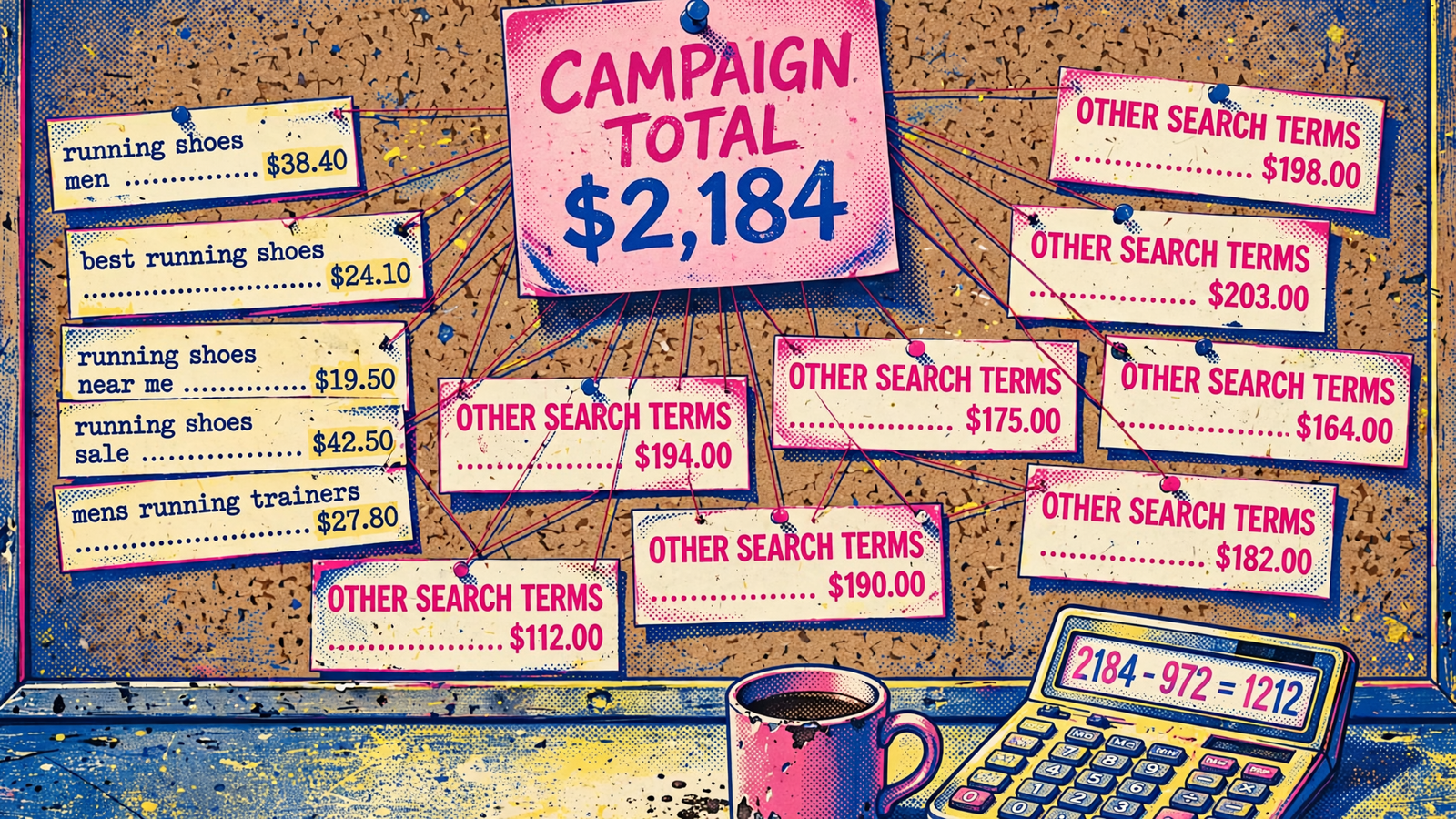
Start with one fact: the search-term report doesn’t attach a query to every dollar I spend. Google has omitted low-volume queries from the report since September 2020. Spend on those queries can show up in an Other search terms row, but I can’t expand it to see what people typed. The clicks are billed; the queries stay hidden.
One B2B campaign makes the arithmetic easy to see. It spent $647.88 across eleven days in June. The visible query rows accounted for $207.27. That left $440.61, tied to 225 of the campaign’s 299 clicks, in Other search terms. A sibling campaign had 37% of its spend hidden the same way. I can subtract the visible cost from the campaign total or read the Other search terms row directly. In that B2B campaign, both routes tell me how much I can’t inspect. Neither tells me what anyone typed.
Conner Crowe’s Q3 2026 data puts some scale on the gap. Across the 11 accounts with complete pulls, a median 52% of account spend had queries listed in the search-term report. In a separate set of 25 accounts, a median 30.7% of listed spend went to searches with two or more clicks and zero conversions. Different subsets, different denominators. I don’t combine those medians or use either as a benchmark for my $20k account.
The word complete is doing work there. Crowe excluded pulls that hit a 1,000-row cap or lacked a completeness check from the 52% figure. A complete pull can still leave queries hidden. An incomplete pull can leave out rows that Google would have shown. The first is a limit of the report. The second is a limit of what I retrieved. I want to know which kind of missing I’m looking at before I read a verdict on waste.
What a live connection changes, layer by layer
My request travels from ChatGPT through groas to Google. I read the evidence in the other direction: what Google reports, what groas retrieved, and what ChatGPT inferred. Each layer answers a different question.
Google sets the reporting boundary
The standard Google Ads API search-term view aggregates rows at the ad-group level and doesn’t include Performance Max data. Performance Max search data lives in a separate view. Display, Video, and App campaigns don’t report search terms. If my $20k goes to Search and Performance Max, I can’t compare the standard Search view with the whole account and call everything left over hidden Search queries. The subtraction still works. The label doesn’t. I check which campaign types the report covers before I interpret the gap.
groas gives ChatGPT live account tools
A pasted CSV shows ChatGPT the rows I chose to export. Through groas, ChatGPT can query live account spend, campaign totals, and search-term rows over MCP or with an API key. I can ask for both sides of the comparison without exporting a new file. If I realize the first comparison mixed campaign scopes, I can ask for matching pulls instead of going back to build another export.
That’s why I’d use the $19-a-month groas connection for the whole team rather than a free upload for this job. It also gives the assistant tools to act within limits I set: changes are logged and undoable, and autopilot stays off until I enable it. For the setup, I’d start with ChatGPT Is Guessing About Your Ads. Make It Read the Numbers.
ChatGPT turns the request into a pull and an answer
“Where’s the waste?” doesn’t tell ChatGPT the dates, the campaigns, or what I count as waste. If I leave those blank, it can pick a plausible scope and write up the result in the same confident voice whether it checked the whole slice or just part of it. A large pasted export can also be truncated without a warning in the answer.
A polished explanation doesn’t tell me what got checked. For that I need the report name, the scope, and the row count. The connection lets me ask for that evidence. It doesn’t make a vague question precise on my behalf.
Sort the gap before deciding what to fix
When totals don’t reconcile, I ask three questions in order. Each answer points to a different fix.
- Does Google expose it in this report? If the cost is in Other search terms, pulling the same report again won’t reveal the queries. If the campaign type uses a different view, I check that view. In either case, I need to understand the reporting boundary before I blame the pull.
- Did the two pulls actually match, and did they finish? October 1–31 in Pacific time isn’t the same as the last 30 days in UTC with brand filtered out. I match dates, currency, time zone, campaign scope, and filters. Then I check whether the search-term pull stopped at a row cap or left pages unread. Once the scope matches, I treat a partial visible total as a floor, not a final coverage figure.
- Did ChatGPT infer more than the rows support? A list of terms with zero recorded conversions doesn’t explain the leftover spend. If the assistant calls that remainder waste and recommends negatives, it has supplied an explanation the report didn’t. I send it back for the evidence, not a better-written recommendation.
The order matters. If I skip straight to intent, I can spend the whole review debating whether a query deserves a negative without knowing how much of the account that list represents.
Ask for two comparable totals, not a verdict
I start with this prompt, not a request for a list of negatives:
Using my connected accounts, show total spend and spend tied to visible search terms for identical dates and campaign scope. Name the source reports and state the currency, time zone, filters, row count, and any retrieval limits. Show the difference separately and label it unclassified, not wasted. Do not make changes.
The difference is what I haven’t tied to a visible query, not what I’ve proved was wasted. If the second total sits well below the first, I check whether the Other search terms row explains part of it, whether the comparison includes campaigns outside the search-term view, and whether the pull stopped early. Finding an Other search terms row doesn’t settle the question if the report also left out Performance Max. I don’t assume the whole gap has one cause.
That leaves me with a smaller, defensible question for the $20k account: of the spend I can tie to an actual query, which terms deserve a closer look? I can make a term-level judgment only where I have a term to judge.
Zero recorded conversions earns a review, not a block
Spend can show up in full today while conversions arrive later. Depending on the conversion window, a conversion can arrive up to 90 days after the click. Google recommends ending the report at least 30 days back for more complete conversion data. A term with two clicks and no conversions in a July-through-September pull can still convert in October. I used to call that term waste. I was wrong. It was a candidate.
The clock isn’t the only thing I check. A misfiring tag can make conversions disappear from the report. A landing page that breaks on mobile can stop the visitor from converting in the first place. Both can leave me looking at the same zero, and neither tells me the query was wrong for the business. I check recency, the tag, and the landing page before I blame intent.
Then I look at spend relative to target CPA. One practitioner framework I use as a starting point puts the threshold around half my target CPA for a clearly irrelevant query and a full target CPA when intent is unclear. I skip terms that converted in the last 90 days. Two clicks in a $20k account don’t tell me whether a term meets either threshold. The account budget isn’t the term’s spend. For the rest of the checks, see Before ChatGPT Adds a Negative Keyword: 9 Checks to Avoid Blocking Buyers.

Make the answer show where the evidence stops
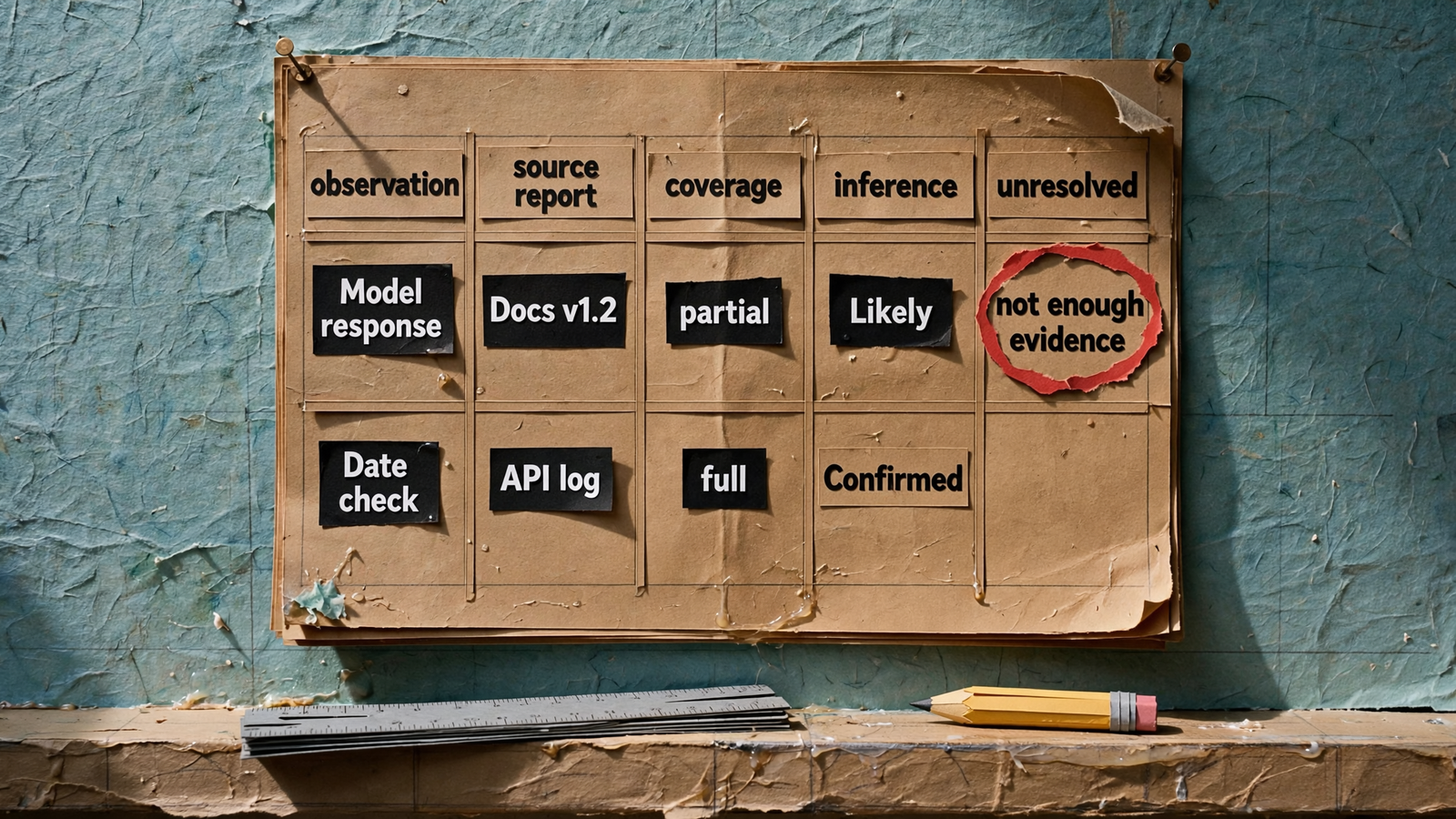
I ask ChatGPT to put each finding in a five-column table. Here’s an illustrative row for the $20k audit:
| Observation | Source report | Coverage | Inference | Unresolved question |
|---|---|---|---|---|
| $3,120 in spend on visible terms with zero recorded conversions | Search-term report | Visible query rows cover 48% of account spend | Candidates for review, not confirmed waste | Could conversion lag or tracking explain the zeros? |
The 48% describes all the visible query rows, not just the zero-conversion terms. The $3,120 comes from a subset of those rows. Keeping the figures in separate cells stops me from reading “$3,120 to review” as “$3,120 to cut” or treating that subset as representative of the spend I can’t see.
If I can’t fill in the source and coverage cells, I don’t have a recommendation. Even when I can, I require approval for edits and leave autopilot off unless I explicitly enable it. This table also fits into the wider 10-point Google Ads audit.
The next month, ROAS drops. What can I actually conclude?
Now say return on ad spend dips the following month. I ask ChatGPT what broke. It matches the dates and campaign scope, states the time zone and row count, and shows $9,400 of $18,000 with queries attached. In the visible slice, three terms have spend and no recorded conversions in the last fourteen days.
I don’t have a list of three negatives. I have two separate problems to investigate:
- $8,600 is unclassified at the query level. I check whether the Other search terms row accounts for some of it, whether the Performance Max view covers campaigns the standard report leaves out, and whether the retrieval hit a limit. Those checks can explain what’s missing from the spend comparison. They don’t, by themselves, explain why ROAS fell.
- Three visible terms are candidates for review. Fourteen days sits inside the period Google warns may be incomplete. I check tagging and the landing page, then weigh each term’s spend and intent against the CPA threshold. Those checks can change my judgment about the three terms. They can’t put a query next to the $8,600.
If those checks don’t explain the drop, the answer is “not enough evidence,” and I leave the account alone. The live connection did its job: it gave me real numbers. The audit does its job when it shows me which numbers I can act on and which ones I can’t. Access was the easy part. Completeness is the job.





