

 LinkedIn
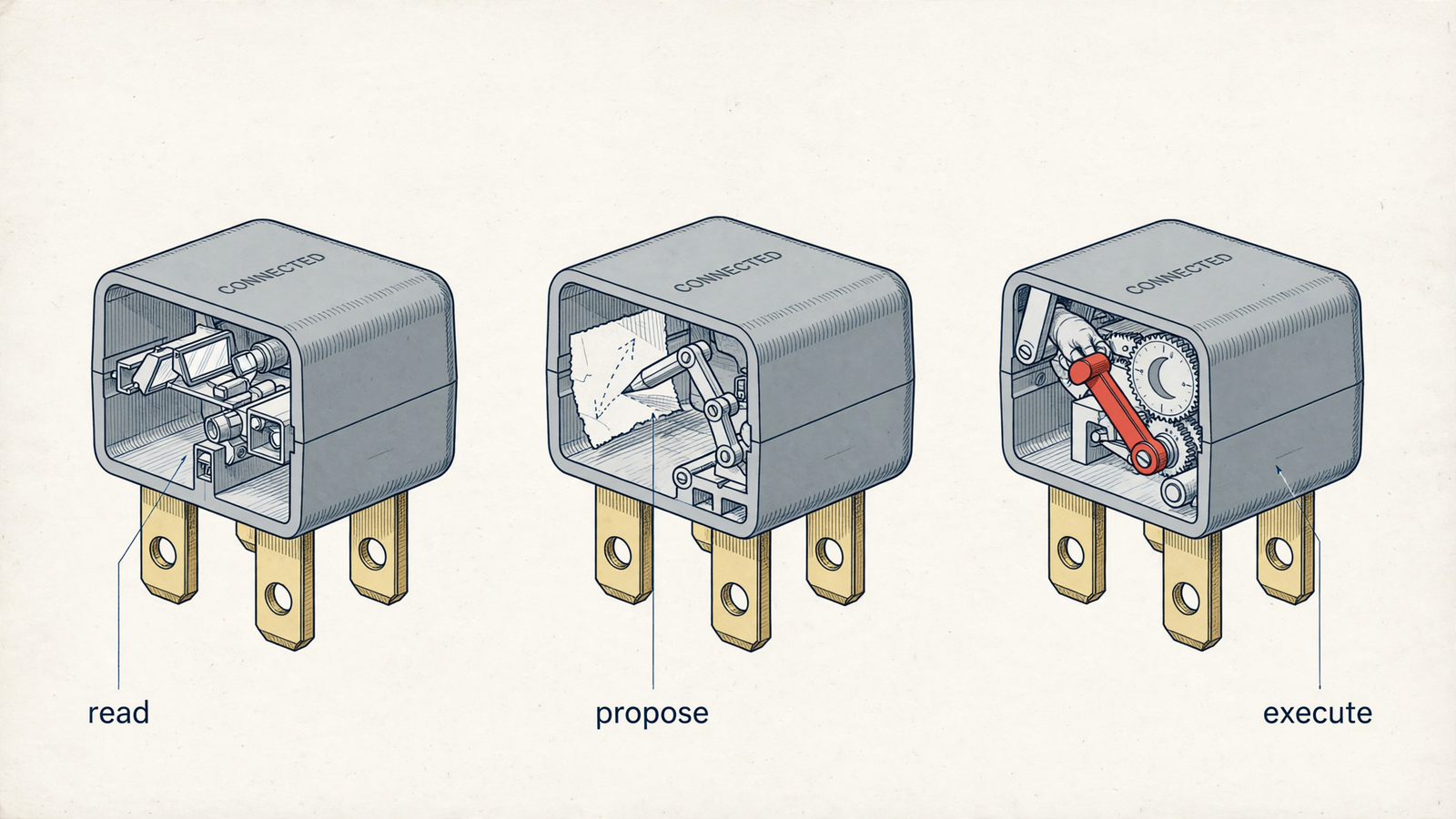
A ChatGPT connector that can show me yesterday’s Google Ads spend and one that can pause the campaign are two different purchases. A system that can pause it while I’m asleep is a third, and all three can show up in a sales deck as “connected”.
I used to treat connected as the finish line. If the assistant could see the account, I assumed the hard part was done. I was wrong. Now I use one example to find out what I’m buying: I ask ChatGPT how yesterday’s Google Ads performed. It reads the account, proposes a bid or budget change, then waits for my approval before anything moves. Read, propose, execute only when authorised. If the system can also act between conversations, I want to know what standing rules authorise it to do that.
That’s the order I’d take into a sales call: first establish what connects to what, then what can change, then who’s in charge when nobody’s in the chat.
Host and client
The host is the AI application I work in, like ChatGPT or Claude, and the client is the component inside it that talks to a server.
When a deck says “the client can run your ads”, it skips the part I’m paying for: a server has to expose a tool that can actually do the work. In my Google Ads example, ChatGPT is the host, the client handles the connection to groas, and neither is the ad account. The MCP architecture documentation treats host, client and server as separate participants. So do I when I’m working out what a vendor wants me to install and what I’ll need to disconnect later.
Ask before buying: Which host does this work in, and can I disconnect it without touching my ad accounts?
App or connector
An app or connector is a packaged connection to an external service, not a list of what that connection can do.
OpenAI’s plugin documentation makes a useful distinction: an app connects ChatGPT to an external service, while a plugin can package apps and skills or contain only skills, with no external connection at all. I’ve seen buyers read a directory listing as a feature list. It isn’t one. The listing doesn’t tell me whether the package can pause a campaign, edit a bid or even pull yesterday’s spend.
Ask before buying: Can I see the tool list for this exact app, rather than the category it sits in?
MCP
MCP, short for Model Context Protocol, is the shared language that lets an assistant discover and call tools from a server.
“We work over MCP” tells me how the assistant talks to the server. It doesn’t tell me what happens when it gets there. The same protocol can carry a reporting tool that reads a budget or a write tool that changes it. In the MCP tools specification, a tool is a named operation the model can invoke. Look for the operation, not the protocol badge. The badge is plumbing. I don’t buy plumbing and expect it to manage bids.
Ask before buying: What tools does the MCP server expose, and which are read-only?
MCP server
An MCP server is the program that exposes the tools an assistant can request to get data or act on an account.
In groas’s shorthand, my AI is the brain and groas is the hands and the data. The hands are what I want to inspect. When I ask about yesterday’s spend, does the server query Google Ads or return a stored report? When I approve a change, does it have a tool that applies it, or does it stop at a preview? I also want to know who runs the thing. A hosted server I sign in to through OAuth is a different commitment from one I have to run, patch and supply with API tokens myself.
Ask before buying: Who hosts the server, what credentials does it hold, and what happens to my accounts if I disconnect it?
Tool
A tool is one named operation, with a defined input and output, that the assistant can ask the server to run.
“Get yesterday’s spend by campaign” is one tool. “Pause this campaign” is another. “Create a campaign” is a third. The MCP tools specification says a person should be able to deny a tool invocation. I care a lot more about seeing that control on a campaign creation than on a spend report.
Google’s open-source Ads MCP, for example, exposes tools for querying, metadata and accessible accounts, but it can’t modify bids, pause campaigns or create assets. Useful if I want reporting. Not a fit if I want the assistant to make the change. “Connects to Google Ads” fits on both product pages, which is precisely the problem.
Ask before buying: Can I see every tool by name, with each marked read, propose or execute?
API key
An API key is a credential a service accepts for a supported integration, not another name for MCP.
I check the setup path for the host I’ll actually use. groas’s ChatGPT setup uses a sign-in window and has no field for an API key. Other hosts accept a pasted key, and some agents need it stored in an environment variable. “Supports API keys” doesn’t tell me whether the connector works in my host. It does tell me to check where the key lives, what whoever holds it can do and how I’d revoke it.
Ask before buying: In my host, do I sign in, paste a key or both, and can I rotate the key without rebuilding the connection?
Read access
Read access lets the assistant retrieve account data without giving it permission to change the account.
In my example, a read answers “How did yesterday go?” and stops there. That’s useful. It can also look so complete in the chat window that I forget to check what happens next. A marketing-app roundup contrasts Google’s reporting-oriented Ads MCP with Meta tools that can draft edits but don’t put them live until publish. Those are different stopping points. A report can show me a campaign bleeding money all week. A draft can show me what I might do about it. Neither stops the spend.
Ask before buying: Which tools only describe the account, which can draft a change, and which can apply it?
Write access
Write access lets a tool make a supported change to an account or website, such as editing a bid, pausing a campaign or changing a page.
I want to see the exact edit before it lands: “Lower target CPA from $40 to $32 on this campaign, effective now.” Then I can approve it or say no. Some connectors separate that preview from the tool that executes it. A Microsoft Ads walkthrough offers another useful default: start new campaigns paused. Neither detail is exciting until the assistant has misunderstood which campaign I meant.
With groas, ChatGPT asks me to confirm each change, and groas logs the change and provides undo. A preview is not execution. I want the vendor to show me both, not wave at a draft and call it write access.
Ask before buying: What do I see before each write executes, and what state does a new campaign start in?
Permissions and approvals
Permissions describe what the system allows; approvals describe what I agree to let happen.
I check three layers in ChatGPT because one setting can look like it answers for all three:
- When ChatGPT asks. App permission settings change when ChatGPT prompts me, not what access the app has.
- What the workspace allows. Admin controls govern who can use an app, whether read or write actions are enabled, and when the assistant prompts.
- What I approve in the conversation. Custom MCP write actions require confirmation by default, and a remembered approval applies only within that conversation.
A tool can be able to edit, my workspace can allow it, and I can still be asked before the edit lands. The reverse is worth checking too: I can remove a prompt without granting the app any new access. Same tool. One fewer chance to catch the wrong campaign.
Ask before buying: What’s enabled, when do I get asked, and does an approval in this conversation carry into the next one?
Data freshness
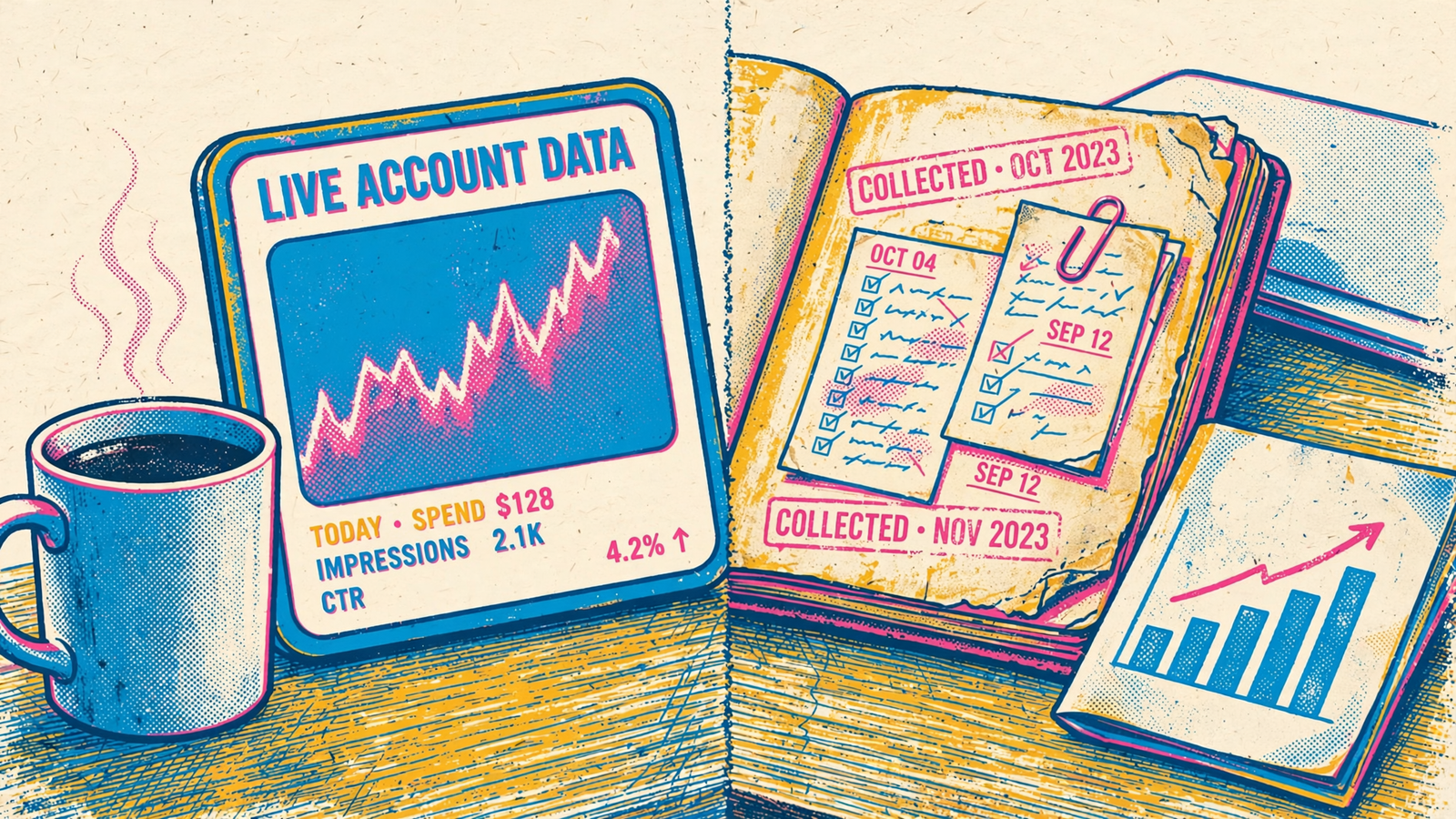
Data freshness tells me how current the answer is, whether it comes from a live account query or from market data collected separately.
A live Google Ads read pulls yesterday’s spend from my account when I ask. A Semrush or Ahrefs figure for a competitor’s traffic is an estimate. Both can sit in the same answer and look equally official. They aren’t interchangeable. A roundup of marketing apps also notes that those SEO tools are read-only and metered in API units, with historical pulls priced separately. That’s a different proposition from getting the market data as part of the purchase.
groas collects competitor ads and landing pages, Reddit discussions and AI answers around the clock. I want that context alongside the account numbers, not in place of them. “Collected around the clock” still doesn’t tell me how old the particular item in front of me is.
Ask before buying: For each source, is this a live read from my account or separately collected market data, and how old is it?
Autopilot
Autopilot means the system keeps working between conversations under rules I set in advance.
A connector that answers when I ask is a tool I operate. Autopilot is a standing instruction: watch these accounts, act when these conditions are met, stay within these budget and bid limits, and report what changed. Being able to execute an approved edit in a chat is not the same thing. I’m not there to approve each action when the system runs unattended, so the rules have to do work the prompt used to do.
groas’s autopilot stays off until I turn it on. When enabled, it runs within the goals, budget, channels and voice I set. That default matters. Without visible rules, a budget ceiling and a switch I control, I don’t call it unattended operation. I call it unattended spending.
Ask before buying: What are the standing rules, what are the hard limits, and how do I switch it off?
Action log and undo
An action log records what changed, when and why; undo reverses the change where the platform allows it.
This is the one I won’t buy without. If an afternoon goes sideways, I want to see what actually ran, not what the assistant proposed. A Microsoft Ads walkthrough describes keeping an audit of report calls and executed changes. groas logs every change and offers one-step undo, subject to what the platform lets me reverse.
I can undo a supported change. I can’t claw back spend already served, and I can’t rewrite the report I’ve already sent my boss. The log tells me what happened and why. It doesn’t tell me whether I picked the right goal in the first place.
Ask before buying: When is the change logged, does the entry give the reason, and which changes can’t I undo?

The prompt I’d run before signing
Summarise our connected platforms, available read and write tools, data sources and approval requirements. Mark anything you cannot verify.
I’d run this against any vendor, including groas. A good answer names the tools and their limits. It says which tools read, propose or execute, which data comes straight from my account, which data was collected separately, and when I’ll be asked to approve an action. A weak answer repeats the label. I use the response to decide what to verify, not as permission to hand over a budget.
What I’d forward to the person signing the purchase order
groas Unlimited is $19 a month, flat, for the whole team: unlimited teammates, ad accounts and websites, every feature and all the data, with agencies paying the same for every client. My AI does the reasoning; groas supplies the hands and the data. That covers Google Ads, Microsoft Ads, Meta Ads, ChatGPT Ads, SEO and AI search, plus the competitor ads and funnels, Reddit discussions, AI answers and SEO data groas collects.
I still have three jobs: set the goals, budgets and rules; check the reads against the account before I trust the assistant with more; and own the outcome when an approved change performs badly. I can delegate the edit. I can’t delegate having picked the target.
What connecting an account doesn’t share
Ad account access is not access to my private chats, assistant memory or workspace files. Connecting the account doesn’t by itself hand those things to groas. The groas privacy explainer draws that line. I expect a vendor to be able to tell me, in one sentence, what the connection exposes and what it doesn’t.
The word I’d retire from every sales deck in this category is “connected”. Not MCP, which names a protocol. Not autopilot, which I can define and switch off. Connected is how a read-only reporting add-on and a system that can run the account overnight end up sharing a headline.
Replace it with the tool list. Tell me what can read, what can propose, what can execute with my approval and what can run under standing rules. Show me the log and what I can undo. Then tell me what can happen to my account tomorrow morning if I never open ChatGPT. That’s the purchase.





