

 LinkedIn

If I need one Google and Bing report this month, I export both CSVs and pay $0 for a connector. If I’m comparing the same accounts every Monday and want to approve fixes from the same ChatGPT conversation, I pick groas at $19 a month.
The subscription has to save more work than it costs. Free exports win when the job is an occasional report. A connection earns its place when I keep pulling the same fields, matching the same definitions, or taking the same findings back into the ad accounts to act on them. I’d build my own connection only if I already had engineers to maintain it and needed control over exactly what it reads or writes.
Price the job before the connector
I used to tell clients one reporting setup covered all three jobs: a one-off report, a recurring comparison, and account changes. I was wrong. A pair of CSVs is plenty for a client email. Run that same comparison every Monday and I’m back in both accounts pulling reports before I’ve looked at a single result. And if I want to pause a campaign from chat, a perfectly reconciled spreadsheet still can’t do it.
I keep three costs separate: the connector, the ChatGPT plan, and the time someone spends keeping the report usable. With exports, ChatGPT sees what was in the files when I pulled them. With a live connection, I can ask it to pull current account data. With a custom build, it sees the fields I wired up and kept working. If changes are part of the job, I also check which ChatGPT plans support connector write access before pricing the setup. Reading data, recommending a change, and applying it are three different things.

1. Exports plus ChatGPT: best for an occasional report
This is my pick when I need a client-ready comparison and don’t expect to rerun it next week. I pull the same date range from Google Ads Reports and Microsoft Advertising, then give ChatGPT both CSVs. The export route costs $0 in connector fees. There’s no connection to set up, and for a one-off, a snapshot frozen at export time is usually exactly what I need. I just need both snapshots to cover the same job.
The paste is the easy part. Reconciliation is where I can produce a tidy, wrong answer. Google’s default data-driven attribution and Microsoft’s default last-click attribution don’t assign credit the same way. One shopper can click both ads and turn up in both platforms’ numbers. Adding those numbers doesn’t tell me how many distinct sales I made, even if the spreadsheet totals without complaint.
Before I ask which channel performed better, I check:
- What counts as a conversion. I match the Google conversion action to the Microsoft goal and check whether the platforms count one conversion or every conversion.
- What period I’m comparing. I match the reporting dates and time zones, then check the attribution windows. Matching the dates in the export isn’t the same as matching the windows used to credit conversions.
- What goes into the calculation. I match currency and campaign rows, flag missing fields, and keep incompatible metrics separate. The Google and Microsoft reporting differences matter more here than how clean the finished table looks.
“Compare these Google and Bing reports. Flag incompatible metrics and missing fields before drawing conclusions.”
If the figures are comparable, I divide total spend by total conversions. I don’t average the two CPAs. In the Databox example, $8,000 buys 160 conversions on one side and $1,200 buys 30 on the other. The CPAs are $50 and $40, but the combined CPA isn’t $45. It’s $9,200 divided by 190, or $48.42. That gets the arithmetic right. It doesn’t deduplicate a sale that both platforms claimed.
What rules exports out is a workload I can no longer justify doing by hand. The free reporting tools give me useful pieces: native Google and Microsoft reports, Looker Studio with Google Ads and GA4, and a Sheets add-on with scheduled refresh. I still have to get the two channels into a comparison I trust. Databox puts a first harmonized sheet at one to two hours and a refresh at about 45 minutes once it’s templated. I use that as a reference, not a prediction for every account.
If a manual report still fits the job, I keep the $0 route and spend my time checking definitions. If I’m reopening both accounts every week to answer the same question, or I need to act on the answer from chat, I price the connection.
2. groas plus ChatGPT: best for recurring comparisons and approved fixes
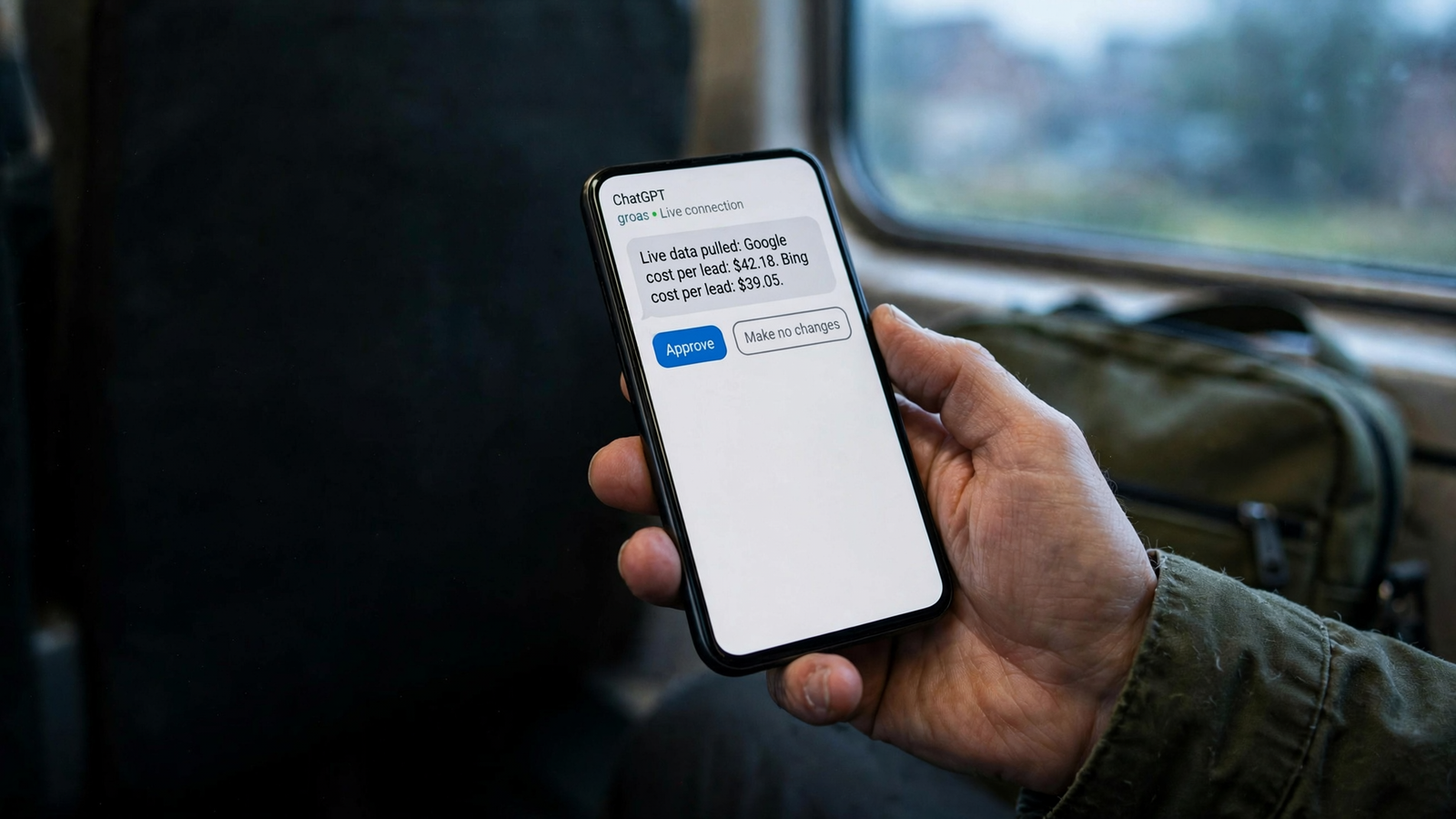
This is my pick when the same Google-versus-Bing question comes back every week. I connect both ad accounts once, add groas to ChatGPT over MCP, and ask for current numbers from the chat I already use. ChatGPT handles the question; groas supplies the account data and carries out approved changes when the setup supports them. The part I pay for is getting a fresh answer without pulling two fresh files, then being able to act on it from the same chat.
I start with a read-only request:
“Compare Google and Bing cost per lead for the last 30 days. Show account IDs, conversion definitions, and limitations. Make no changes.”
That last sentence is intentional. Current data doesn’t make two conversion definitions equivalent. I want to see which accounts and goals the comparison uses before I trust the cost per lead, let alone act on it. If the definitions don’t match, I want that in the answer, not buried beneath a combined number. A live connection removes the re-pull. I still have to decide what the numbers mean.
When I do want a change, I keep autopilot off and require explicit approval. I review the proposed change and its reason before it runs. The action log records what changed and why, and I can undo the change. The useful distinction is between “show me what I’d change” and “make that change.” I don’t want to discover which one I asked for by opening the account afterward.
groas Unlimited is $19 a month flat for the whole team, with unlimited teammates, ad accounts, and websites and every feature included. There’s no free plan, and I still need to check whether my ChatGPT plan supports the access I want. What rules groas out is a true one-off: even a flat $19 and one setup are more than I need when two CSVs answer the question. I use the same cutoff when Bing alone is enough for the report. I buy the connection for the work I’ll repeat, not for the report I happen to be writing today.
3. Your own API and MCP build: best when engineers already own the work
I’d consider a custom build if I had engineers in place and needed to control exactly which fields ChatGPT reads, when they refresh, and what it’s allowed to change. A custom build gives me the most control, and leaves me responsible for keeping it working. That’s a reasonable trade when the reporting setup needs to fit the team’s requirements. It’s a poor trade when all I want is to stop exporting two CSVs.
The calls may cost $0, but I still need a Google Cloud project, OAuth consent and a refresh token, a developer token, and code that maps reporting fields across Google and Microsoft. I also have to keep read and write access separate. Google Ads API access depends on token approval and quotas: Explorer allows 2,880 operations per day and Basic allows 15,000. Google’s own server lists no write tool, so making changes means building and maintaining that part too.
What rules it out for me is not the build. It’s what happens after the build. Tokens stop working, API versions sunset, and Google and Microsoft don’t change their reporting fields on the same schedule. The maintenance ticket never says “fix reporting.” It says the client deck is wrong and nobody knows which field moved. Before I price the build, I name the person who fixes authentication on the morning the report is due. If nobody owns that job, I don’t build it.
I left Windsor.ai and Supermetrics off the ranking. Windsor.ai’s free tier covers one source and one account after the trial; Google and Bing already need two sources. Its Basic plan covers three sources at $19 a month billed annually or $23 month to month. Supermetrics Starter is $44 a month billed annually or $55 month to month. Neither beats free exports for a one-off. For repeat comparisons with approved changes in ChatGPT, I’d take groas at $19 month to month over paying for a reporting connector.
The ranking changes when the workload changes
I price the work the tool removes, not the report it produces. A client email, a weekly comparison with fixes, and a reporting system engineers already maintain might all end in the same table. They don’t cost the same to get there.
| Rank and route | Best for | What ChatGPT reads | Can it change campaigns? | What I still pay for or maintain |
|---|---|---|---|---|
| 1. Exports plus ChatGPT | An occasional Google and Bing report | CSV snapshots I provide and reconcile | No | Manual pulls, field matching, and definition checks |
| 2. groas plus ChatGPT | Recurring comparisons and approved fixes | Live Google and Bing account data | Yes, on a plan that supports writes; changes are approved, logged, and undoable | $19 a month flat for the team, plus the ChatGPT plan |
| 3. Custom API and MCP build | A team with engineers that needs exact control | The fields I wire up and maintain | Only if I build and maintain write access | Authentication, quotas, field mapping, and API updates |
For a monthly client email with no changes from chat, I stick with exports as long as the manual work fits. For weekly reporting, I look at how much time goes into pulling the data and matching it again, not how long the whole report takes. I’ll still need to check the goals and interpret the comparison after I connect the accounts. The paid route needs to beat the cost of the work it actually takes off my plate, including the trip back into the ad accounts if I’m making changes. For a custom build, I price upkeep first. Free API calls don’t answer the maintenance question.
Whichever route I take, I don’t force Google and Bing into one CPA just because somebody wants one line in the deck. I look at what each channel does in the funnel, check the action, counting method, currency, time zone, and window, and combine the figures only if the definitions support it. When they don’t, I’d rather show two defensible numbers than one neat one.
If you skipped to the end: for weekly Google and Bing comparisons with approved fixes from ChatGPT, my pick is groas at $19 a month. I’d build only if engineers were already in place and someone owned the upkeep. And if all I need is an occasional report, I export the files. Until the connection removes more work than it costs, free isn’t a compromise. It’s the right answer.





