

 LinkedIn

Most bad AI marketing answers come from missing context, not missing data. Give Claude access to an ad account without telling it what you sell, what counts as winning or what it may change, and you still get textbook advice. Just better-connected textbook advice.
A Claude Project supplies the missing brief. groas supplies the account access and data. The goal is to stop spending the first half of every chat teaching Claude what your business is.
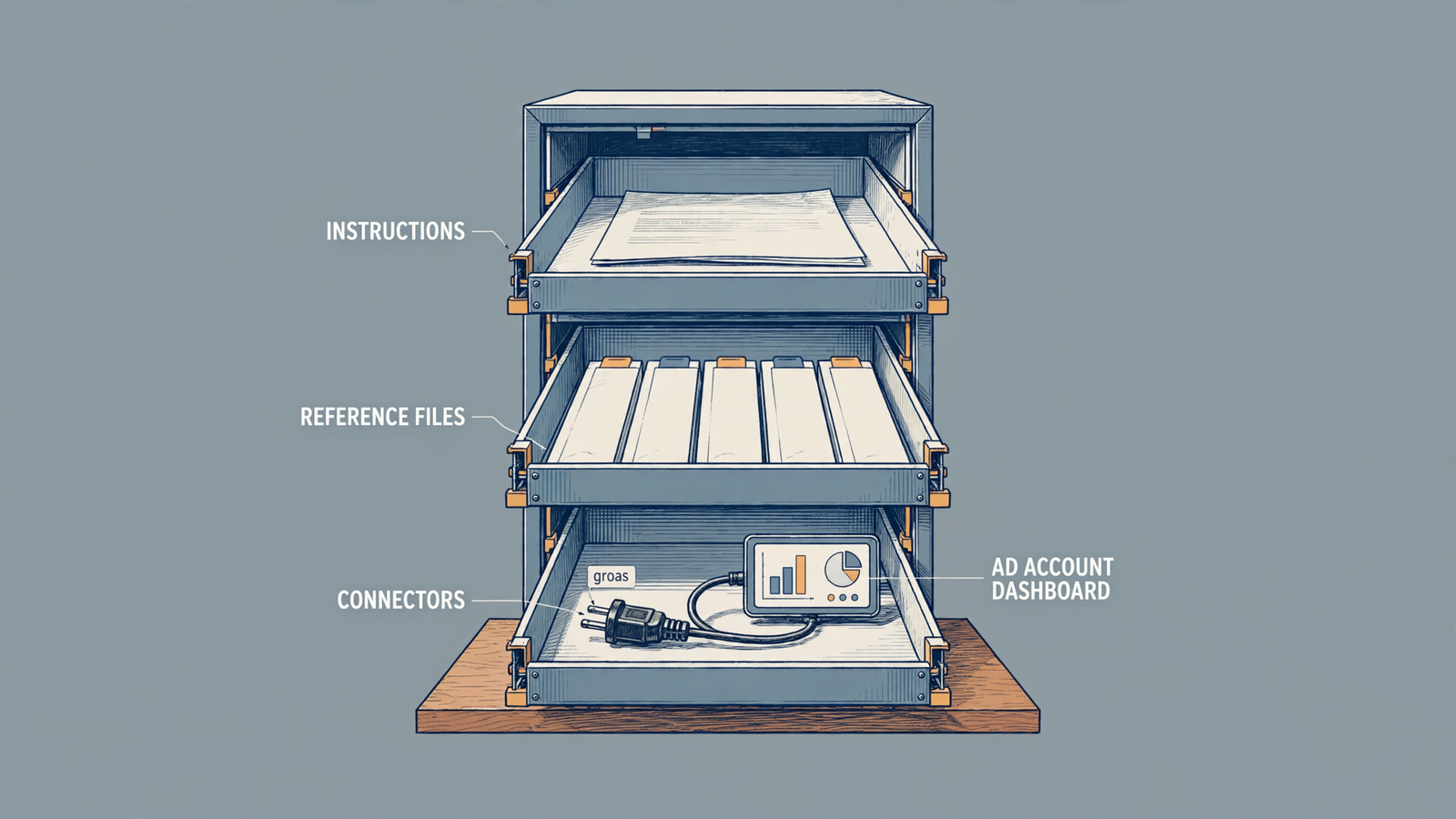
By the end of this tutorial, you will have a Marketing - [Your Brand] Project with:
- Standing instructions for brand facts, targets and change rules.
- Five to seven current reference files.
- groas enabled for account access.
- Approval settings for tools that make changes.
- Three test prompts to check that the setup works.
Before starting, have a Claude account, about 20 minutes, your brand materials and access to groas. If groas is already connected over MCP, skip the account-level connection in Step 1. Otherwise, use the groas Claude setup as you go.
Why the Project matters before the first prompt
A blank chat has to establish three things before it can give useful marketing advice: who buys, what they buy and what number counts as winning. Leave those out and Claude either asks you to supply them or fills the gaps. Neither is a good reason to repeat the same brief every morning.
A Project holds standing instructions plus reference files Claude can draw on across chats. Instructions set the rules. Files supply the offers, examples and proof. This is the practical point behind context beats prompts: improving the brief helps every task that follows, not just the prompt you happen to be writing.
Keep the division clear. groas gives Claude access to your Google Ads, Meta Ads, SEO and AI search work, plus competitor and Reddit data. The Project tells Claude how to interpret that information for your business. An account report can show CPA. It cannot, by itself, tell Claude which CPA you can afford.
Treat the Project as a standing brief, not a storage cupboard.

Step 1: Create one brand Project and enable groas
Keep each brand’s offers, targets and permissions together. Do not build one mega Project for every client. The recommendation to use one Project per brand is practical: the wrong price or audience is worse than a missing one because it arrives looking plausible.
If you run three brands, make three Projects. If one brand has separate B2B and ecommerce lines with different offers and targets, split those too.
- Open
Projectsin Claude’s left sidebar, then click+ New project. - Name it
Marketing - [Your Brand]. Replace the bracketed text now, not after you have created three indistinguishable folders. - If groas is not connected, open
Customize > Connectors > + Add > Add custom connector. Name the connectorgroasand paste this URL:
https://mcp.groas.ai/mcp
- Click
Add, leave the detected sign-in options as they are, then clickConnectand sign in. Follow the groas setup walkthrough if your interface uses theSettings > Connectors > Add connectorpath instead. - Open a new chat inside the Project. Click
+ > Connectorsand enablegroas. Leave unrelated connectors off for this setup.
Do not enable three overlapping platform connectors just because they are available. If you are still choosing a connection approach, use the all-in-one versus per-platform connector comparison before adding more moving parts.
Expected result: groas appears among the chat’s enabled connectors. Ask Claude to list the connected accounts without changing anything:
Using groas, list the ad accounts available to this chat.
Do not make any changes.
Common mistake: connecting groas at account level and assuming it is active in every chat. Check the connector selection inside the Project chat. Access to account data and access to your brand brief are separate parts of the setup; you need both.
Do not request account changes yet. Set the rules first.
Step 2: Add the brief and set change permissions
Open the Project, click ... beside its name, then select Edit instructions. Paste the template below and replace every bracketed field. Keep the finished brief under 600 words.
Instructions hold decisions and constraints. Files hold supporting material. Pasting your entire website here does not make the important rules easier to follow.
The useful part of the Brand Brain approach is its discipline: identify the source of truth, state the audience and channel, prohibit invented proof, and require sign-off where it matters.
You are the marketing operator for [Brand]. Use this Project's
knowledge as the source of truth for brand facts. Use groas for
current account data. Treat other connected documents as reference.

BRAND FACTS
We sell: [up to 3 offers, one line each with price]
We serve: [who buys, in their words]
Voice: [3 always-say phrases, 3 never-say phrases]
Banned words: leverage, seamless, revolutionary, unlock, game-changing

GOALS AND NUMBERS
Primary metric: [metric, target and channel; e.g. Google Search CPA under $42]
Secondary metric: [e.g. booked calls, not form fills]
Never optimize toward: clicks, CTR, raw leads

CHANGE RULES FOR groas MCP
1. Read-only by default. Pull spend, CPA/ROAS and search terms
   before suggesting account changes.
2. Draft every change first. No bid, budget, keyword or ad change
   goes live without my typed approval.
3. Label assumptions. If a recommendation needs a number you do
   not have, write NEEDS CHECK and stop that recommendation.
4. Never invent testimonials, discounts, results or features.
5. If an offer is not in offers-pricing.csv, it does not exist.

BEFORE YOU DRAFT, STATE:
Audience: / Channel: / Objective: / Assumption:
Make the metric line specific. Improve performance is not a target. Google Search CPA under $42 is. If you use different targets by channel, label each one rather than leaving Claude to decide which applies.
Next, configure tool permissions. A written “ask first” rule is not a substitute for a permission setting. Open Settings > Connectors > groas > Tools and inspect what each tool does before choosing its permission:
- Set tools that only search, list, read or report to
Always allowif you are comfortable with that access. - Set tools that change bids, budgets, keywords, ads or campaign status to
Ask each time. - Set deletion and bulk-sharing tools to
Blockwhere present.
Use tool descriptions, not just names, to distinguish reading from writing. The connector permission documentation describes the Always allow, Ask each time and Block choices. The same draft-first pattern appears in the Meta Ads setup for Claude.
Expected result: the Project contains your actual targets and explicit approval rules, while write tools require confirmation.
Common mistake: treating instructions as a technical lock. Use both layers: the brief tells Claude what you want; permissions control tool access. Verify both before asking for a budget recommendation.
Step 3: Upload five to seven useful reference files
Inside the Project, open Knowledge > Add content. Start with the five files below. Add more only when they supply something the working set lacks.
| File | What to include |
|---|---|
voice-one-pager.md | Always-say and never-say phrases, with examples. |
offers-pricing.csv | Current product names, prices and offer URLs. |
best-3-ads.txt | Three winning ads, with spend and CPA noted. |
landing-pages.txt | Current hero copy and relevant character limits. |
reviews-30.csv | Recent customer quotes in customers’ own words. |
Upload the material Claude should imitate or rely on, not everything you have ever produced. Plain-English offers, tone rules and real proof are more useful here than a brand deck full of adjectives. That is the working principle in this marketing Project setup.
Keep the examples selective. The Brand Brain guide recommends five to ten strong examples, not the full archive. Old promotions and losing ads are still context. They are just context you do not want steering the next draft.
After uploading, ask Claude to identify the file supporting each offer, price or customer claim it uses. If it cannot, check whether the material is missing, unclear or simply not being used. Do not accept a confident answer as proof that the right file was consulted.
Expected result: Claude can locate your current offer, cite its source file and use your examples without inventing supporting claims.
Common mistake: uploading an archive and calling it knowledge. Retire expired offers when they end. Do not leave a dead promotion beside the current price and expect the model to read your mind.
If you still need the Google Ads connection this workflow assumes, complete the Google Ads to Claude walkthrough before testing account analysis.
Curate like you are hiring, not archiving.

Step 4: Run three tests before trusting the setup
Run these prompts inside the Project, in order. Record failures before editing the instructions, then fix the brief and repeat the tests. The useful loop is run, inspect, revise, repeat, not “the answer sounded professional.”
Each test checks a different layer: account context, brand context and change control.
1. Check that Claude uses your actual target
Using groas, pull spend, CPA and ROAS by campaign for the last
14 days. Use the primary metric and channel in this Project's
instructions. Identify the campaign furthest from that target.
State the target, actual result and gap in the metric's own units.
Explain the data behind your choice. Do not change anything.
Pass: Claude pulls account numbers, names the relevant target and compares campaigns against it. A CPA gap belongs in dollars; a ROAS gap does not. The explanation distinguishes what the data shows from what remains an assumption.
Fail: it recommends restructuring campaigns without pulling numbers, chooses the wrong channel or treats clicks as the objective. Check the metric line and connector access before rewriting the prompt into a small novel.
2. Check that Claude uses the offer and voice files
Replace the bracketed URL with an actual offer URL from your file, then run:
Draft one responsive search ad for [offer URL from offers-pricing.csv].
Follow the Project's voice rules and the relevant character limits.
Name the source files used for the offer, price and supporting claims.
Do not invent discounts, testimonials, results or features.
Pass: the draft follows your voice rules, avoids banned words, meets the supplied limits and identifies the relevant files. Any offer or proof in the copy exists in those files.
Fail: it invents a discount, testimonial or feature, or cannot show where a claim came from. Check the files and the prohibition in Step 2. Keep the rule blunt: if the offer is not in offers-pricing.csv, it does not exist.
3. Check that recommendations stay drafts
Draft the budget change you would recommend for the campaign
identified in test one. Do not apply it or call a write tool.
Show the exact proposed change and the reason for it.
If the available data does not support a change, say so.
Mark missing information NEEDS CHECK and wait for my approval.
Pass: Claude shows a proposed change, or explains why it cannot support one, and applies nothing. Missing information stays visible rather than becoming an invented justification.
Fail: it attempts to apply the change or treats approval as optional. Stop and inspect both the instructions and write-tool permissions from Step 2. Do not assume the wording alone fixes the problem.
A polished draft is not the standard. A briefed session uses your files, your targets and your approval rules.
Keep the brief current, not bigger
A Project goes stale the same way an ad account does: one neglected detail at a time. Review the working set once a month and update it whenever an offer or price changes.
Use this maintenance checklist:
- Open
Knowledgeand remove material for offers you no longer sell. - Update
offers-pricing.csvwhen a price changes. - Replace an example in
best-3-ads.txtwhen a new winner earns its place by CPA, not CTR. - Check that landing-page copy and limits still match the task.
- Reread ignored instructions. Rewrite unclear rules and remove redundant ones; do not delete a necessary approval rule because Claude failed to follow it.
Do not solve every bad answer by uploading another document. First identify the missing decision: audience, offer, target, proof or permission. Fix that part of the brief.
Final check: start a fresh chat, then sharpen the target
Three mistakes undo this setup: mixing brands in one Project, burying current offers in an archive and leaving write tools on Always allow. Fix those before blaming the prompt.
Open a fresh chat inside the Project, confirm groas is enabled, and run:
What metric and target decide whether my ads win?
Which words or claims must you avoid?
What are you never allowed to change without my approval?
Name the Project instructions or files behind your answers.
Do not make any changes.
Claude should return your actual target, restrictions and approval rule. If it gives generic marketing advice, check that you are in the right Project, that the instructions are saved and that the files are available. Then rerun the three tests. Do not mistake a good answer in one long chat for a working standing brief.
Once the tests pass, the first thing to sharpen is the primary metric line. Replace any provisional example with the real target. If you need CPA under $42, write that exact figure, with its channel, and rerun test one.
That is when the Project stops being a folder of marketing documents and becomes a brief you do not have to give again.


