

 LinkedIn

Connect Claude to Meta Ads and you can make a retargeting decision from actual spend, purchases, and cost per acquisition (CPA). The first mistake is asking which audience to scale before checking what Claude can see or whether “Highly Engaged” has ever translated into purchases at a CPA you can live with.
I’ve done the lazy version myself: paste in a screenshot, ask a vague question, get a confident answer about an audience with a promising name. The bill is real even when the diagnosis isn’t. With groas plugged into Claude, I can have Claude read the account, compare spend with purchases, and propose a change for me to approve. That’s more useful than a screenshot, but only if I make Claude show its work.
That distinction matters now that Meta has reportedly replaced seven video-view thresholds with three groups: All, Engaged, and Highly Engaged Video Viewers. Highly Engaged is a viewing label, not purchase intent. I verify the account first, check what the labels actually mean in that account, and then ask what the purchases say. In that order.
What does Claude need before it can diagnose my Meta ads?
I think of the setup as three separate pieces. Claude reads the numbers and reasons through a plan. groas connects Claude to the live ad account and supplies competitor and market data Claude can’t fetch on its own. The Meta account is the thing being read and, if I approve a change later, the thing being changed. Without the account connection, Claude can explain what usually goes wrong. It can’t tell me what went wrong in my account.
I used to tell clients a screenshot was enough for an audit. I was wrong. A screenshot shows the numbers somebody chose to put in front of me. It doesn’t let me go back and check whether those numbers belong to the right account or compare audiences under the same reporting settings.
groas Unlimited is $19 a month, flat, for unlimited teammates, ad accounts, and websites. But the subscription isn’t the account connection. If I haven’t connected the Meta account I want to analyze, I skip the performance prompts. There’s nothing to diagnose yet.
How do I connect Claude and prove it has the right account?
I start in Claude, not Meta. The connection takes about a minute and doesn’t need code. I keep the first pass read-only whether the account spends $2k or $20k a month. A bigger budget is not a reason to rush the checks.
- Add groas in Claude. Open Customize → Connectors, click + Add, then choose Add custom connector. Name it
groas, pastehttps://mcp.groas.ai/mcpas the URL, and continue. Leave the detected sign-in options as they are. Click Add, then Connect, and sign in to groas. - Connect the Meta account in groas. If I manage several accounts, I start with the one I actually want to review. When I ask Claude to read it, I specify the account ID rather than relying on the account name.
- Run a verification prompt before asking for advice. I use: “Return the account ID, currency, timezone, and reporting dates. Make no changes.” I check all four against the account I meant to open.
A successful sign-in doesn’t prove Claude has the right account. If the ID, currency, timezone, or dates are wrong, I stop there. I don’t ask Claude to explain a CPA I haven’t verified belongs to me.
What if Claude’s numbers don’t match Ads Manager?
I separate two problems that look alike in a Claude response: it can’t read the right account, or it can read the account but is reporting it differently. If Claude returns no account or the wrong ID, I fix access before touching the analysis. If it returns the right ID but the spend looks off, I check the report settings before deciding the connection is broken.
For every read, I have Claude state the date range, attribution window, and timezone. Then I line those up with Ads Manager. Attribution differences and lag in today’s data can explain a gap that looks like a campaign problem. I’d rather catch that in the report than try to fix it with a budget change.
I also tell Claude what to do with missing data: name the metric or definition it can’t verify and tell me what to check manually in Ads Manager. An empty field is useful if it tells me where to look next. A plausible number in its place is worse than no answer. No verification, no diagnosis.
What happened to the seven video-view thresholds?
Meta used to let me build video audiences at seven thresholds: 3 seconds, 10 seconds, 15 seconds, 25%, 50%, 75%, and 95%. The report on the switch doesn’t give an effective date. I still have to pick individual videos, but the three reported groups don’t give me the same precision:
- All Video Viewers: Watched at least 3 seconds.
- Engaged Video Viewers: Watched a meaningful portion.
- Highly Engaged Video Viewers: Watched most or all.
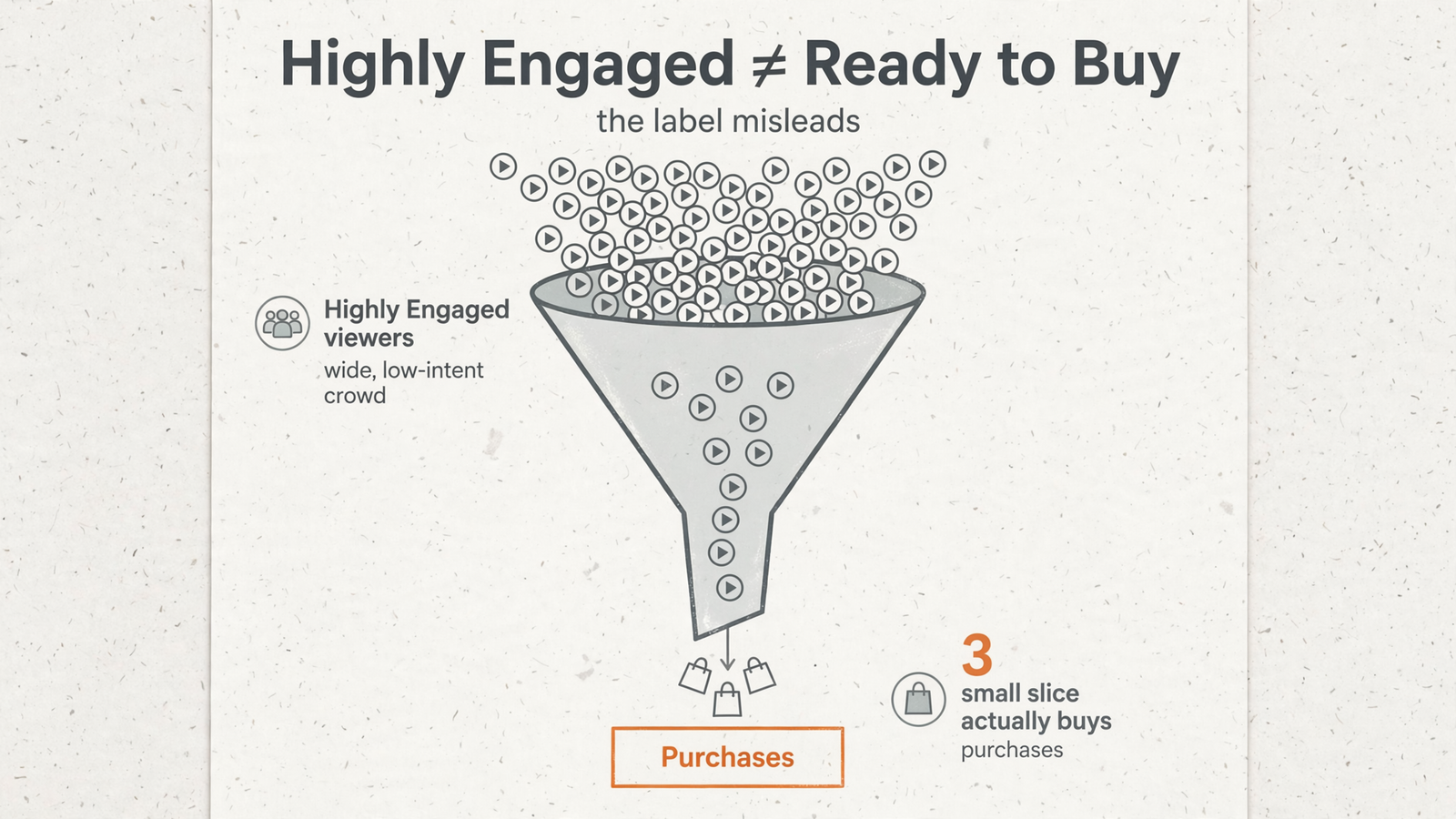
The temptation is to turn those last two descriptions back into numbers. One practitioner guide assigns specific thresholds, but that precision isn’t in the reported definitions. A breakdown of the new groups calls the distinction a mystery. I don’t ask Claude to settle it by picking the answer that sounds most official.
Instead I ask: “Show the available audience definitions and sources. Mark anything you cannot verify.” Then I check what’s actually in the account. An old audience built at 75% or 95% may still sit beside the new groups. Don’t treat a new label as a substitute for an old threshold. If Claude can’t verify the cutoff, I leave it unknown and move on to the purchase data.
Does “Highly Engaged” actually buy anything?
Watching 75% of a video tells me how much video someone watched. It doesn’t tell me why. Meta’s video engagement objective finds people likely to watch, not necessarily click or buy. Autoplay and incentivized placements such as Audience Network Rewarded Video can add views without adding much reason to believe those viewers want the product. A clickbait hook can do the same job. It’s good at getting the action it asks for. That’s the problem.
I ask Claude for a comparison, not a verdict based on the audience names:
“Using the same date range, attribution window, and timezone, compare All, Engaged, and Highly Engaged on spend, reach, frequency, link clicks, purchases, and CPA. Flag overlap and small samples.”
I read spend and purchases together. Reach, frequency, and link clicks help describe what happened on the way to a purchase; they don’t replace one. If Claude flags a small sample or overlap, I don’t let a tidy CPA column make the comparison look more decisive than it is.
I also separate purchases the report credits from purchases the ads caused. Retargeting can reach someone who’s already decided to buy. Last-click reporting can hand video retargeting the whole order when first-touch reporting would credit prospecting. Neither assignment tells me on its own whether that customer would have bought anyway. That’s why I look at new customers and blended marketing efficiency (MER), not just the return on ad spend Ads Manager credits to retargeting.
If Highly Engaged can’t show purchases at a CPA I can live with, it’s an audience to test, not an audience to trust with more budget.
What should Claude propose, and what should I skip?
I don’t ask Claude what it would do with the whole account. That prompt gets me a wish list. I want one decision about one audience, the purchase evidence behind it, and the exact objects involved. If the evidence is thin, “no change” is a valid proposal. I make Claude say what it would need to see before making a different call. Otherwise a small sample has a way of becoming a large budget.
“Propose one action for this video audience: retain it, test it with a capped budget, exclude it, or change creative. Name the exact campaign, ad set, and audience IDs and the spend limit. If the purchase data doesn’t support an action, recommend no change and say what evidence is missing.”
I skip two things: trying to rebuild the old thresholds by hand and setting up a separate remarketing ad set just because I have enough video views to fill one. I’d rather build from the deepest action available: a click beats a view, a landing page view beats a click, and add-to-cart and purchase go further still. If the account has almost no purchases, I skip the video-audience analysis and start with clicks and landing page views. If Highly Engaged can’t beat a click-based audience on CPA, it stays a test.
How do I approve one change and check that it landed?
I approve one change, then read it back. Before I say yes, I check the action, the exact object IDs, and the spend limit against the proposal. I don’t put a deletion in the same category as a budget edit. If I can’t undo an audience deletion, I don’t treat it as a routine test.
This is the middle level in Ask, Approve, Autopilot: How Much Control Should AI Have Over Your Ads?: Claude proposes, I approve, groas logs the action. I leave autopilot off unless I’ve deliberately switched it on and set the rules. If I can’t name the exact object and the spend limit, I’m not ready to approve.

After approval, I ask Claude to show the resulting state of the affected campaign, ad set, and audience. Then I check the groas action log for what changed and why. If the numbers look odd the next day, I check the date range and attribution window again before blaming the edit. Reporting lag didn’t go away because I clicked approve.
My rule for video audiences is one change per week, judged on purchases and CPA, not on how good the label sounds. If I’m considering wider access, I use the Best Meta Ads MCP for Claude: 10 Checks Before You Connect checklist before opening it up.
What’s the workflow I can reuse, and where do I start today?
- Identify the account. Confirm the ID, currency, timezone, and reporting dates. Make no changes.
- Match the reporting settings. Use the same date range, attribution window, and timezone as Ads Manager.
- Make uncertainty visible. Ask for the audience definitions and their sources. Mark anything Claude can’t verify instead of guessing.
- Ask for one bounded decision. Require exact object IDs, a spend limit, and purchase evidence. No change is an answer.
- Approve and check. Approve explicitly, read back the resulting state, and review the groas action log.
A working connection has a smell. Claude names the account ID without being asked twice, the spend lines up with Ads Manager once reporting lag is accounted for, and it writes cannot verify next to an audience definition it can’t pull. A broken workflow does the opposite: it explains Highly Engaged in confident detail, recommends a budget increase, and never mentions attribution. I fix that workflow before it spends anything.
Start today with the read-only account check. Plug groas into Claude, connect the Meta account, and ask for the account ID, currency, timezone, and reporting dates. End the prompt with “Make no changes.” Save the performance question for when those four answers match.





