

 LinkedIn

Connect Bing Ads to ChatGPT and ask what happened yesterday. You’ll get an answer, not someone to watch the account tonight. I keep seeing seasonal plans lump three things together: a live connection that gives ChatGPT access, a chat instruction that tells it what to do now, and an enabled autopilot that runs in the background. With groas, ChatGPT gets the hands and data to work with the account, but autopilot stays off until you switch it on. If the plan doesn’t say which jobs happen on request and which run without you, next season starts with a gap dressed up as coverage.
Myth 1: “Once ChatGPT can read Bing, it’s watching Bing”
This one survives because the demo feels like monitoring. You connect the account, ask what happened yesterday and get a clean summary in seconds. It looks like someone’s been paying attention. What you’ve actually seen is a good answer to a question you just asked.
Microsoft’s own MCP tools are read-only and “never modify account data. They only return information from Microsoft Advertising.” Read-only tells you what the tools can do to the account. The use cases Microsoft describes tell you when they do the work: pull a performance summary for a selected date range, analyze a campaign or look for anomalies when asked. An answer can cover yesterday without anyone having checked the account yesterday.
A snapshot is not a shift log. Ask for the current account state and use the answer for what it is. If you want something watching between questions, set that up separately. I’ve laid out the difference in ChatGPT Can Analyse Your Bing Ads. It Won’t Keep Watching Them.
Myth 2: “‘Keep an eye on this’ in chat turns on autopilot”
People brief a chat the way they’d brief a junior. The chat says it’ll keep an eye on things, and the planner writes it down as coverage. Very reassuring. Still off.
With groas, you have to switch on autopilot explicitly. A chat instruction can give the assistant a job to do now. It doesn’t authorize an ongoing job, and it doesn’t flip the switch. Once autopilot is enabled, it runs under the rules you set, logs each change with its reason and lets you undo any change in one step. That’s a different arrangement from asking a question and getting an answer.
Before you mark a task as covered, check the configuration in groas itself. Then check what you’ve actually allowed to run without you. Those are two different checks: Is it on? and What can it do? The First-Time Setup Runbook goes into the constraints and which decisions stay human.
Myth 3: “We copied the Google campaign, so Bing is ready for next season”
A copy looks finished because the structure arrives intact. Keywords, ad groups, ads, budgets. It looks like a campaign you know. The import doesn’t know whether the offer still runs next season or whether you meant to spend that much on Bing.
Microsoft’s Google import help makes a useful distinction: Quick import uses defaults; Customize import gives you a chance to change budgets, campaign status, bids, bid strategies and UET association before anything runs. Microsoft still calls out bids and budgets, targeting, negative keywords and videos for review after import. The Priority Pixels import breakdown gets more specific: automated rules, IP exclusions, generated assets and video files don’t carry over, and unsupported locations can map to a parent region. That last one is how a campaign you thought was local ends up serving farther afield.
Import the structure. Review the decisions. I’d put the review in an on-demand request, not in the background autopilot brief:
Prepare a Bing copy of this Google Search campaign. Flag unsupported settings and stale offer dates, URLs, locations and budgets. Show me what’s unresolved before creating or launching anything.
If the answer is a list of open questions, that’s the honest output. I’d rather settle the location, offer and budget while I’m still planning than discover in peak week that a familiar-looking campaign is running with unfamiliar settings.

Myth 4: “‘Maximize leads’ is a complete autopilot brief”
It sounds complete because it names a goal. The trouble starts when the account has to decide what a lead is. Microsoft’s bid-strategy help says Maximize Conversions needs conversion tracking through UET with an active conversion goal, or offline conversions. It recommends at least 30 conversions before you evaluate performance. The bid-strategy API docs say the strategy stops optimizing bids below 30 conversions in a 30-day period, respects budget limits and lets you set a separate maximum CPC.
Those are details about Microsoft’s bidding strategy, not decisions groas autopilot can infer from two words. Name the conversion and write down the limits before you hand over any work:
- Which conversion counts as a lead?
- What’s the budget ceiling?
- What maximum CPC or target applies?
- Which changes need your approval first?
I’d ask the assistant to list the missing rules rather than fill them in. If you haven’t settled which conversion counts, “maximize” is the least interesting word in the brief. Get that decision wrong and the account can work hard toward exactly the wrong thing while you’re not looking.
Myth 5: “The account is quiet. We’ll check it when the season starts”
A quiet dashboard doesn’t tell you whether the account is ready or just inactive. An ad group left paused keeps everything underneath it paused. An expired end date shows up as expired, not broken. A Google Ads import can overwrite campaign status, so the copy you’re counting on for launch can arrive switched off. None of that takes much detective work, but someone has to look. The Priority Pixels troubleshooting guide lays out those blockers, and budget deserves its own look: Microsoft converts the daily amount to a monthly limit using daily budget × 30.4, so the same daily figure can pace differently across the two systems.
Readiness and in-season tuning are different jobs. Microsoft’s 2026 seasonal checklist separates foundation work in July and August from peak capture in November and December. The foundation work is where you validate UET, goals, conversion values, feeds and campaign mix. You also want to confirm automated bidding and Google Import settings are stable before peak, not while you’re trying to work out why a campaign isn’t spending.
I’d schedule the readiness review before launch and make the chat request specific:
Read the connected Microsoft Advertising account and flag campaign status, budget, destination and reporting issues that could block this launch. Separate verified findings from items that need a manual check.
That last sentence does the work. A verified finding gives you something to fix. A manual check gives you something to assign. Neither is a reason to mark the whole account ready and come back in November.

Myth 6: “If we can undo it, an unattended mistake costs nothing”
This is the myth I find hardest to kill because it contains a real feature. groas logs every change with its reason and lets you undo it in one step. I’d take that over having to piece together what changed and why. But undo reverses the setting, not the spend or the time. It doesn’t recover impressions already bought or the days the wrong configuration was running.
Microsoft’s bidding timeline puts a number on the time cost: one to two weeks of learning, then two to four weeks to run. Changing budgets or goals can restart learning. Catch the mistake in a day and it’s been running for a day. Let it run through a four-week window and undo doesn’t give you that window back. The practitioners in this automation discussion make the same point from the other side: the tool works toward the goal and metrics you hand it. If the structure or tracking is wrong, the chat isn’t going to make the goal right.
Put the rules in the plan before you switch anything on
I mean that literally. Put the jobs in a table. The live connection provides access; the chat instruction gives the assistant an on-demand job; enabled autopilot owns only the background work you assign it. Human approval is a rule about who gets to say go, not another way of running the account.
That’s why I’d keep readiness checks and copy validation on demand. For overnight tuning, I’d give autopilot only the work I want running overnight: budget shifts within a ceiling, bid changes within a CPC cap or negative-keyword additions under a written rule. A first launch, a new conversion goal or an increase past the budget ceiling still needs a person. Search Engine Land’s workflow shows how explicit the split can be even when the job is only to flag issues: give the agent one job, set thresholds for target CPA, budget and minimum spend, require evidence, then schedule it. The prompt ends: “Do not make campaign changes. List any missing data needed.” Asking and scheduling are separate steps. Scheduling and permission to make changes are separate decisions.
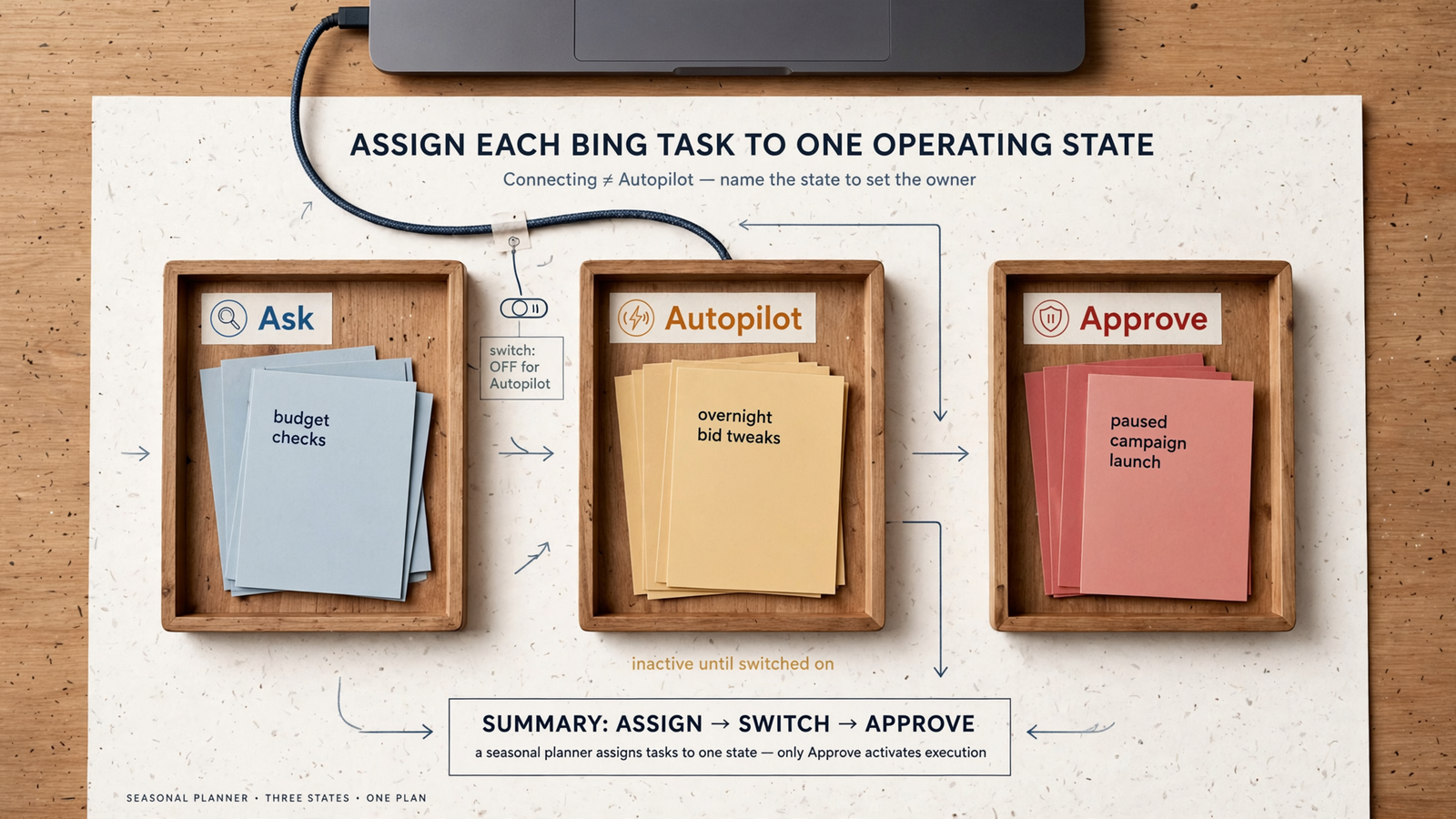
| Task | Who or what owns it | Rule to write down |
|---|---|---|
| Seasonal readiness check | On-demand request in ChatGPT | Use the connected Microsoft Advertising account; separate verified findings from manual checks. |
| Copy a Google campaign into Bing | On-demand request; human approval before launch | Flag unsupported settings and stale dates, URLs, locations and budgets. |
| Adjust budgets and bids overnight | groas autopilot, explicitly switched on | Specify the conversion goal, budget ceiling, maximum CPC and daily change limits. |
| Launch a campaign or change a conversion goal | Human approval | Nothing goes live until someone reviews the unresolved decisions. |
| Pause or scale in season | Human approval unless a written autopilot rule covers it | Name the action threshold, who gets notified and when changes are reviewed. |
The table only means something if the account is actually connected. If you’re using Microsoft’s own MCP tools, follow the Microsoft MCP setup guide to authorize the account through OAuth. Don’t assume a chat can see it because you’ve been talking about it.
For the budget meeting, I’d skip the speculative hours-saved slide. groas Unlimited is $19 a month, flat, for the whole team, with unlimited teammates, ad accounts and websites and every feature included. Put that price beside the change log, one-step undo and an owner for each job. I’d take that over a percentage-of-spend fee for routine account work.
I used to tell clients the connection was the hard part. I was wrong. Writing down what can run without you, what needs a person and when someone will check the log is the work. Until you switch on autopilot and give it those rules, ChatGPT is a fast way to read an account nobody is watching. After you switch it on, undo is a safety net. It isn’t a strategy. Plan accordingly.





