

 LinkedIn

I want Claude to build the Performance Max campaign I approved, not the one Google fills in around it. The first mistake is asking Claude to create the campaign before I’ve said which defaults it can accept, which it must override and which it has to stop and verify.
On 4 December 2026, that mistake gets an easy test. Google says new Performance Max campaigns will have landing-page image extraction enabled by default, even if Dynamic Image Extensions are disabled at account level. Existing campaigns keep their current settings. So if I switch dynamic images off for the account and say nothing about extraction when I create a new campaign, the new campaign can do exactly what I thought I’d ruled out.
My rule: an account-level switch is not a campaign-creation instruction. I put the choice in the brief, check that Claude’s connected tools can carry it out, and read back what Google saved before I let the campaign spend.
What changes on 4 December, and what stays put?
Before 4 December, a new Performance Max campaign with no explicit image-extraction setting inherits the account-level Dynamic Image Extensions setting. From 4 December, new campaigns default to OPTED_IN across the API, the Google Ads interface and Google Ads Editor. If the account-level switch is off, that’s no longer enough to keep extraction off in a new campaign.
Existing campaigns don’t get flipped. An explicit setting stays put, and a campaign relying on the old inheritance isn’t rewritten. I split the audit into two columns: for older campaigns, check whether extraction is explicitly set or inherited; for campaigns created under the new default, check for an explicit OPTED_OUT wherever that was the intent. An account-wide “off” isn’t an answer for both columns.
Google can use extracted images across Search, YouTube, Display, Discover, Gmail and Maps. That puts usage rights in the brief, not on the tidy-up list: confirm that you can reuse the landing-page images in commercial advertising before you opt in. Extraction is also separate from image enhancement, text customisation, final URL expansion and video automation. Approving one doesn’t approve the others. Practitioner coverage of the change makes the same practical point: put the opt-out in the reusable campaign template, where it won’t depend on someone remembering it.
1. What goes in the brief before Claude touches the account?
I write the spec before I let Claude call a tool. “Build a Performance Max campaign” bundles the objective, the configuration, permission to generate or pull assets, and permission to serve into one sentence. Those are different decisions. Google’s Performance Max creation docs describe a build with multiple resources: budget, campaign, asset groups, assets, and campaign assets when brand guidelines are on. A campaign record on its own isn’t a campaign ready to serve.
I use five lines. Every line gets an instruction or a default I’ve explicitly accepted. If a required choice is still open, the build waits.
- Account and objective: Give the exact Google Ads customer ID, the objective and the conversion actions bidding should optimise towards. “More conversions” isn’t an answer. Purchases at a target CPA or qualified leads only: those are answers.
- Money: Set the daily budget, bid strategy and any target CPA or target ROAS. If the brief borrows from an existing campaign, name it. “Like the old one” is not a campaign identifier.
- Assets and destinations: List final URLs, asset groups, business name, headlines, and the images and video you have rights to use. If Google can generate or extract additional assets, make that permission explicit.
- Image extraction: Specify
GENERATE_IMAGE_EXTRACTIONasOPTED_INorOPTED_OUT. “Don’t use my website photos” tells Claude what I want. The explicit value gives it something to map to a tool input and check later. - Authority: Say whether Claude may create the campaign paused. Permission to enable it comes later. These are two approvals, not two ways of saying yes.
Google’s REST example creates a paused campaign with extraction set to OPTED_OUT. The API puts that choice in the campaign’s asset_automation_settings, pairing AssetAutomationType.GENERATE_IMAGE_EXTRACTION with AssetAutomationStatus.OPTED_IN or OPTED_OUT. That’s the pattern I want: make the choice at creation, then check it while the campaign is still paused.
Skip customising the rest of the automation menu on this first build. The asset automation docs list the defaults for image enhancement, text asset automation, final URL expansion and enhanced YouTube video generation alongside extraction. I don’t need to override them all. I do need to see which ones the campaign will inherit before I agree to keep them.
2. Can the connected tools carry out the brief?
Claude doesn’t create campaigns on its own. It calls the tools I’ve connected. Google’s own Ads MCP server, for example, can read data and make some changes, but it can’t create a campaign or configure asset automation. For this build, I start with groas connected over MCP and check what the available tools actually expose rather than assuming the connector can set every field I name.
Map every required setting to an available groas tool input or readable campaign field. Mark anything unsupported or unverifiable. Do not create the campaign yet.
Ask for three columns: the requirement, the exact tool input or readable field, and whether it’s settable at creation, readable only, or unsupported. Give GENERATE_IMAGE_EXTRACTION: OPTED_OUT its own row if that’s your choice. A field Claude can read afterwards is useful for verification. It isn’t proof Claude can set it in the first place.
Don’t invent a groas parameter name. If the available tool exposes asset_automation_settings as type-and-status pairs, map the option there. If it doesn’t, ask Claude to name what it can’t do. Repeating “please opt out” more firmly doesn’t add a field to the connector.
If Claude can’t control or verify a mandatory setting, stop. One fallback is to verify that you can set it in the Google Ads interface, create the campaign paused there, then use groas for readback, asset checks and ongoing management where the tools support them. It’s slower than a clean tool call. It’s faster than finding out after launch that the instruction never made it to Google. Google’s official MCP repo uses the same propose-and-confirm pattern, even though its tools don’t cover this creation step: no confirmation, no commit.
3. What exactly am I approving?
Once the mapping passes, I ask for a preview, not a build.
Show the account, daily budget, bid strategy, conversion goals, asset groups, supplied assets, destination settings, image-extraction choice and intended campaign status. List the platform defaults you’ll retain. Wait for approval.
Read the preview against the five-line spec. Is the customer ID the one you meant? Is the budget daily, not monthly? Are these the conversion actions you want bidding to chase? Check the asset groups, final URLs and supplied images, not just the campaign name. Then find the extraction value: OPTED_OUT if you don’t want website images pulled in, OPTED_IN if you do. If the retained defaults are missing from the preview, the preview isn’t finished.
Approve creation, not serving. I use “Create this campaign, paused.” The later instruction is “Enable it.” Keep them separate in the chat and in the record. “Looks good, launch it” skips the check that matters most: whether Google saved what Claude proposed. For a second pass on the preview, I’d run through the 10 approval checks for AI-built Google Ads campaigns.
4. What did Google actually save?
Create the campaign once, paused. Then read it back from the account rather than treating the create response as the verdict. Google’s campaign creation guidance shows how to query the created campaign for its ID, name, status, channel type, bidding strategy, budget and network settings. The preview tells me what Claude meant to do. The saved configuration tells me what happened.
For image extraction, Google’s developer notice gives this GAQL audit query:
SELECT campaign.id, campaign.name, campaign.asset_automation_settings
FROM campaign
WHERE advertising_channel_type = 'PERFORMANCE_MAX'
Find the campaign by ID and check its GENERATE_IMAGE_EXTRACTION entry. An explicit OPTED_OUT confirms the opt-out. A missing entry tells you there’s no explicit campaign setting in the result. It does not tell you extraction is off. Check the groas action log alongside the readback: groas logs each change with its reason and lets you undo it in one step. The log records the action; the account confirms the setting.
If creation times out or returns an error you can’t interpret, look for the campaign by name and check recent creations before you retry. A murky response isn’t evidence that nothing happened. Retrying blind can leave you with two campaigns to check when you only wanted one.
If the extraction value needs fixing, there’s one update trap: asset_automation_settings is a repeated field, and an update replaces the whole array. Retrieve the current array first, change the extraction entry and send the other entries back with it. Otherwise, settings such as text asset automation can be cleared in the same update. Ask Claude for that retrieval-and-reinclude step explicitly, then read the result back again.
5. Is the campaign ready to serve?
Creation proves the campaign exists. It doesn’t prove it’s ready to spend. Before I give the second approval, I check the saved daily budget, the conversion goals bidding will use, the final URLs and the extraction setting. If anything differs from the approved preview, fix it while the campaign is paused and read it back again. Only then do I authorise serving.
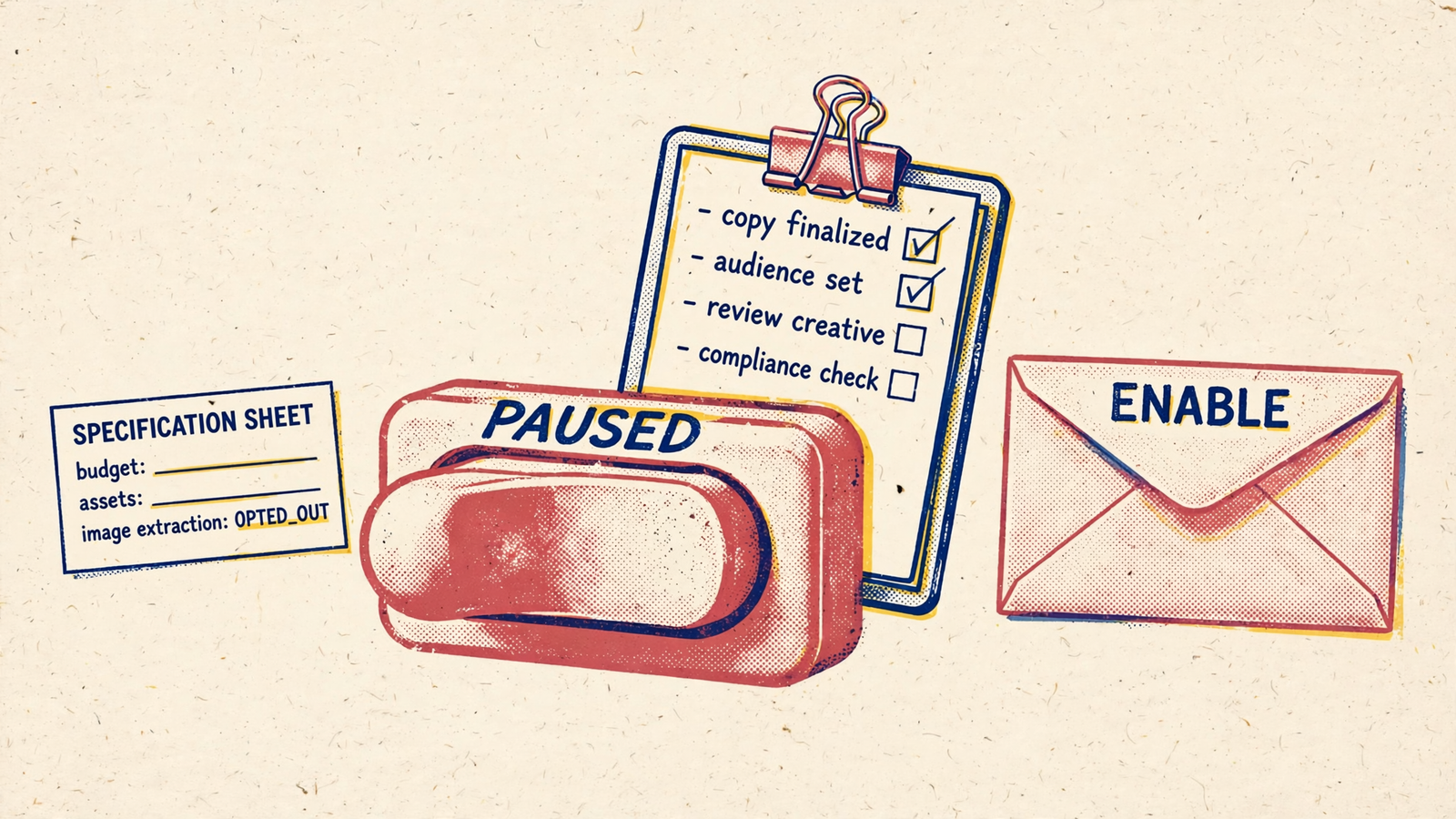
Leave autopilot off unless you separately decide to turn it on. Building through Claude and groas is a defined task. Autopilot is a standing instruction to keep making changes. Decide what it may change, what budget and CPA guardrails it must stay inside, and how you’ll review the logged changes. The order I use is build, verify, activate, then automate under rules I’ve chosen.
6. What do I keep for the next build?
I save a short creation record next to the groas action log. Keep the intended settings separate from the verified settings. If the record only says what I asked for, I still have to reconstruct what happened from the chat.
- Intended settings: The five-line spec, including defaults I deliberately accepted.
- Verified settings: What the readback showed, including the explicit extraction value.
- Unresolved fields: Anything I couldn’t verify or control. A mandatory item here still blocks activation.
- Approvals: The separate create-paused and enable decisions, with their dates.
- Campaign ID: The identifier I’ll use for the next readback.
- Date: When I made the record.
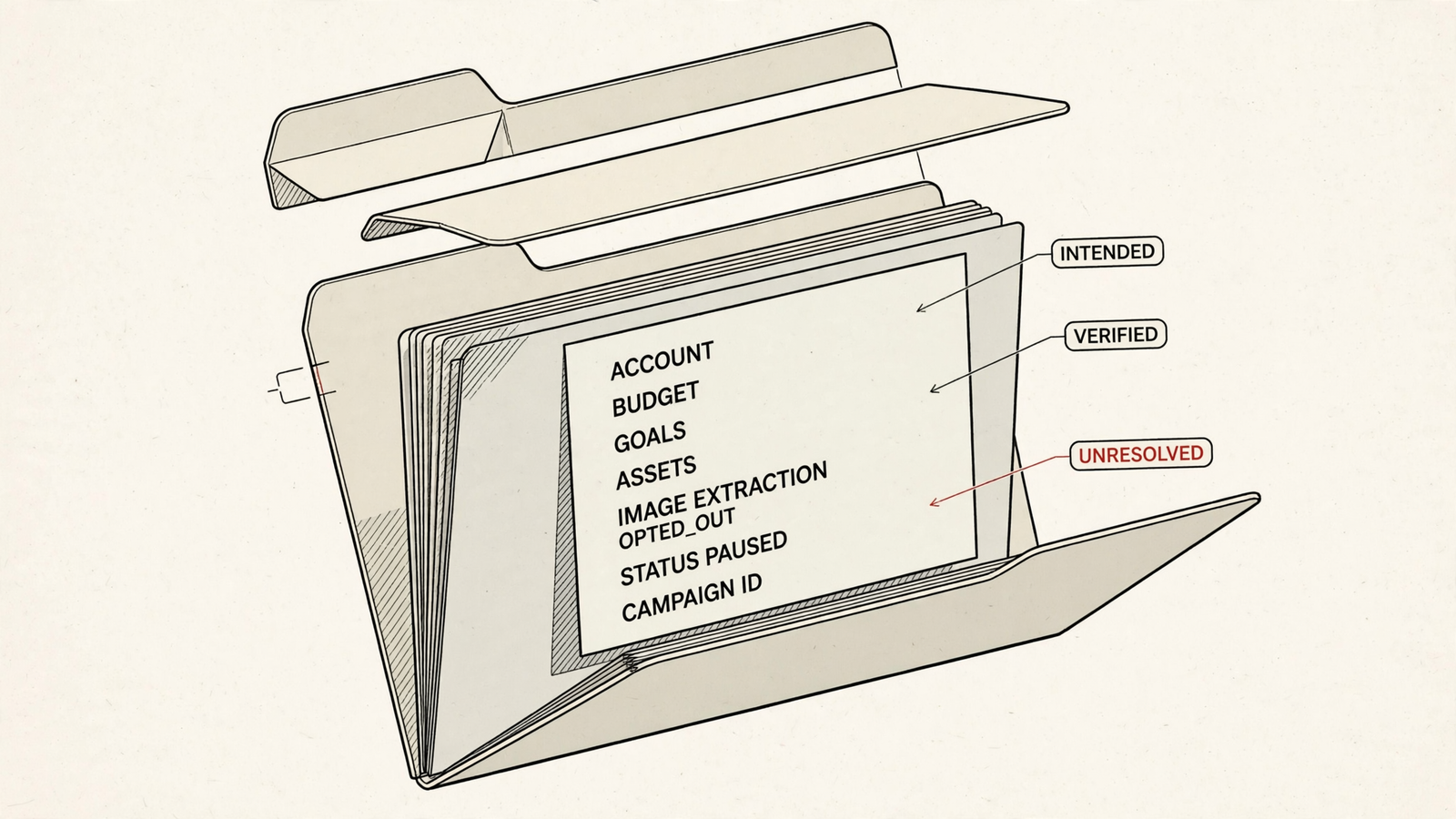
Next time, copy the template, change the account and budget, and leave the image-extraction line where it is. If another default changes, compare the saved settings with the spec instead of digging through chat history. If a setting turns up that nobody remembers choosing, the record tells you whether it was intended, verified or left unresolved, and when you saw it.
The first thing to do today isn’t to write a cleverer prompt. Write the five-line spec for the next campaign you already plan to build. Put OPTED_OUT or OPTED_IN on the image-extraction line, then run the tool-mapping prompt before any creation instruction. If the mapping passes, create once, read back and activate on purpose. If a mandatory setting isn’t supported, you’ve found out while fixing it is still cheap. That’s the difference between automating Performance Max and being automated by it.





