

 LinkedIn

Google’s official Google Ads MCP server and groas both connect Claude to Google Ads. For advertisers choosing between them, the decisive difference is who owns authentication, access approval and maintenance when Claude cannot see the account—not whose demo answers fastest.
You can self-host Google’s official Google Ads MCP server for free, or connect Claude to groas without operating the connector yourself. The first route gives you infrastructure to control. The second gives you infrastructure someone else maintains.
One advertiser described the unglamorous part in an r/googleads thread: MCP and API access denied, with a 403 and a rejected application between him and his own spend data. That is one account, not a self-hosting failure rate. But it captures the work buyers forget to price. Before Claude says anything useful about CPA, the account permissions, API approval and connector all have to work.
That is the comparison I care about. Not the demo. The first failed connection after it.
The contenders: own the connection or hand off its operation
Google’s official server is the self-hosted option. It is open source and free under Apache-2.0. Version 0.0.6 has seven tools: three reads and four writes. The reads cover accessible customers, GAQL search and resource metadata. The writes cover assets and labels through a propose-and-confirm workflow.
That last distinction matters. “Writes” does not mean full campaign control. This version cannot pause campaigns, change bids or budgets, or add keywords. Pinning 0.0.6 also avoids a logging bug in 0.0.5. For the wider field, I cover the distinction in Best Google Ads MCP Servers: Reporters vs Teammates.
groas is the managed option. You connect it to Claude through MCP at https://mcp.groas.ai/mcp, sign in, and let Claude read live Google Ads data and act where you allow it.
The scope goes beyond account reporting. groas also supplies competitor ads on Google and Meta, their hooks and offers, landing pages and funnels, Reddit customer language, AI answer tracking, and Semrush and Ahrefs SEO data, collected around the clock.
Autopilot stays off until you switch it on. Every change is logged with its reason, and any change can be undone in one step. You do not operate the connector. You own the rules.
Round 1: Who gets Claude through the access gates?
With the self-hosted server, I would budget for four layers of setup. Claude reads nothing useful from the production account until the relevant access and connection requirements are satisfied.
- Google Ads permissions. The Google login needs access to the account. MCC routing also needs the right
login_customer_id; otherwise, a request can returnUSER_PERMISSION_DENIED(failure breakdown). - API access approval. You own the Cloud project and OAuth client, along with the approval needed for production access. A project without that approval can return
CLOUD_PROJECT_NOT_APPROVED_FOR_PRODUCTION. - Quotas and access restrictions. The API access levels determine which accounts and operations the project can use, and how much it can do. A connector running successfully does not remove those limits.
- The Claude connection. For Claude Desktop or Code, you run the server locally through
pipxwith Python 3.10+. For Claude on the web, the deployment involves Cloud Run, OAuth configuration, redirect URIs, a JWT key and storage configuration. Google warns against deploying it unauthenticated.
None of that is mysterious engineering. It is still engineering, and somebody has to own it. “The server is free” does not tell me who fills in the application, checks the customer ID or fixes a redirect URI.
With groas, you still need permission on the ad account you connect. What you do not need is your own Cloud project, OAuth client registration or API quota-tier application. You connect your accounts once, then add groas to your AI without code.
Claude’s plan limits and organizational permissions still apply. On Team and Enterprise, an Owner adds the connector before members connect; the connector setup process remains part of getting started. Managed infrastructure does not mean bypassing account authorization.
groas wins this round because it removes infrastructure dependencies from the advertiser’s setup list. You authorize the account. You do not build the route to it.
Round 2: Who handles the first denied request?
When a self-hosted connection fails, you are the on-call engineer. The useful question is not “Why is Claude broken?” It is “Which layer refused the request?”
The errors point to different work:
CLOUD_PROJECT_NOT_APPROVED_FOR_PRODUCTIONpoints to production-access approval. Retrying the same request does not supply that approval.USER_PERMISSION_DENIEDpoints you toward the OAuth login’s account access, the customer ID and, where relevant, MCC routing throughlogin_customer_id.- A connector deployment problem sends you back to the server configuration rather than the campaign report.
The failure breakdown is useful because these are different problems with different fixes. Treating every 403 as a reason to grant more access is how a setup problem becomes a security problem.
There is another responsibility behind the connection: the OAuth scope provides full adwords access, not a read-only login scope. The credentials file on your machine or Cloud Run instance needs protection accordingly. The v0.0.6 write gate uses a confirmation code the AI is instructed to wait for. I would not confuse that confirmation workflow with read-only credentials.
My rule is straightforward: fix identity, approval and account routing before trying again. Do not troubleshoot a failed read by attempting writes or widening permissions indiscriminately.
With groas, the underlying connector triage moves off your desk. You start by checking that the right Google Ads account is connected in groas and that Claude’s connector shows connected. Then run a narrow read. You are not debugging your own JWT key, redirect URIs or storage backend, because you did not deploy them.
Self-hosting makes the connector failure yours to diagnose; groas makes the connector groas’s responsibility. You still check your account permissions. You stop being the infrastructure help desk.

Round 3: Who maintains the connection after setup?
Getting the first report is not the end of operating a connector. It is the start of having one in production.
Pinning 0.0.6 avoids the 0.0.5 logging bug. It does not freeze the dependencies around the server. Python requirements, packaging, OAuth handling, the Cloud Run runtime, JWT rotation and quota behavior all belong on the maintenance list when you operate the connector locally or in your own Cloud Run service.
An open-source bridge connects to a live Ads API. That means someone needs to:
- Read release notes and decide when to upgrade.
- Test the version against the customer IDs the workflow uses.
- Redeploy and check the relevant Claude configuration.
- Confirm the read still works before resuming write workflows.
There is a practical distinction between local and web setups, too: a server configured in claude_desktop_config.json does not automatically appear in Claude on the web. “It works on my desktop” is a status report, not a deployment strategy.
With groas, groas maintains the connector. Your work stays with goals, budgets and rules. Changes made through groas have a reason recorded in the log and can be undone in one step.
Those controls serve a different purpose from connector maintenance. A working connection does not make every advertising decision sensible. You still decide what Claude may change, and autopilot stays off until you enable it.
Self-hosting gives you a second job as release manager. groas leaves that job with groas. Pick the former only if maintaining the connection is work you actually want to own.

Round 4: What does “free” cost to operate?
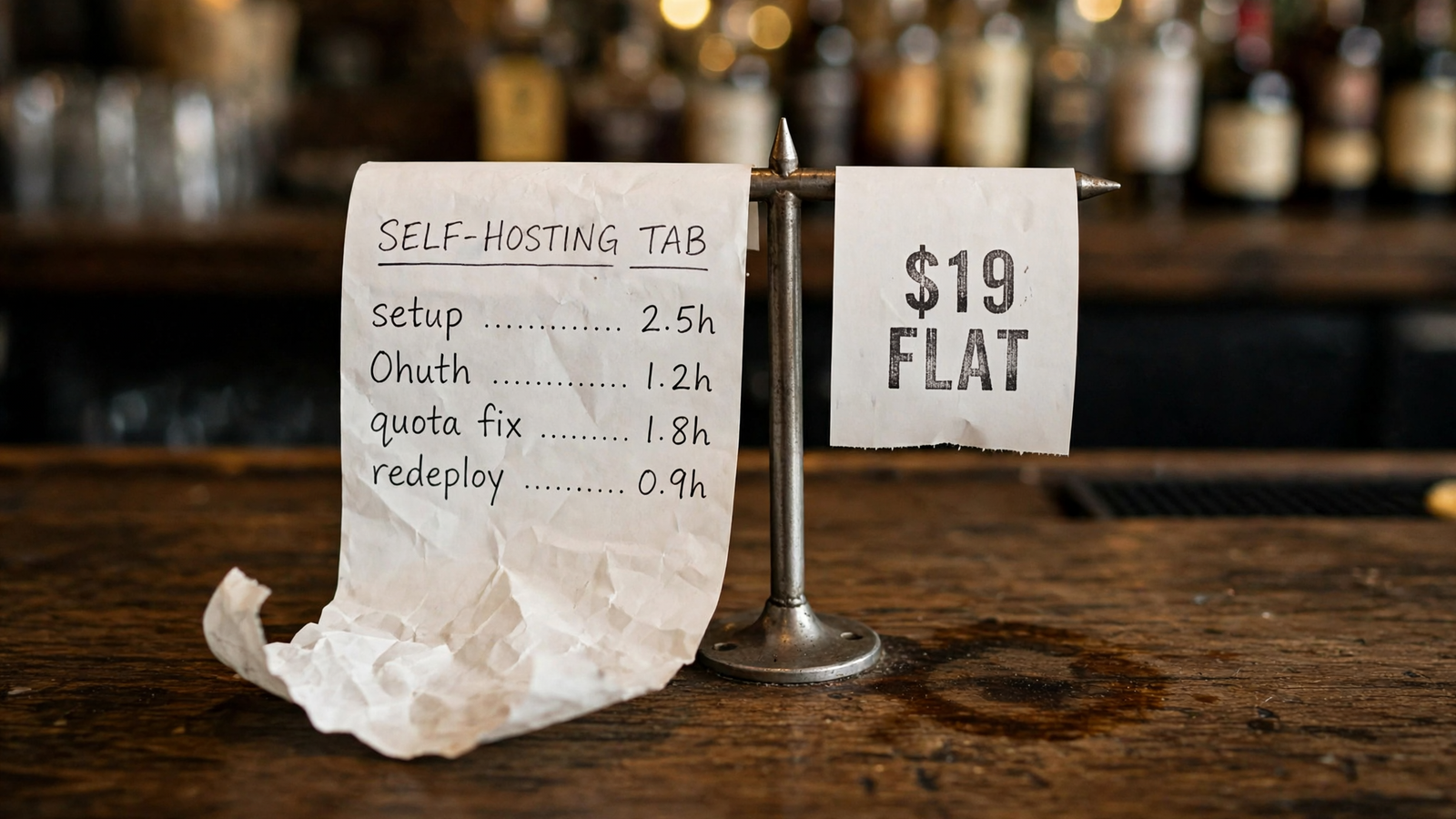
Self-hosting is free the way a puppy is free.
The server code costs $0 under Apache-2.0, and API calls carry no Google fee. Hosting can sit on a free tier, with your AI plan on top (cost breakdown). The missing line item is your time.
I would put two entries beside that $0:
- Setup time: getting Python,
pipx, OAuth, the deployment and Claude talking to the right production account. - Upkeep time: tracking releases, rotating secrets and fixing the next permission, quota or deployment problem.
Use your own hours and your own value for them. If you spend two hours a month chasing access, compare the cost of those hours with the managed fee. Ad spend alone does not settle that calculation, and “free software” does not make the hours disappear.
groas Unlimited costs $19 a month, flat. That includes every feature, unlimited teammates, ad accounts and websites in one workspace, plus the competitor, Reddit and SEO data. There are no seat charges and no percentage of ad spend. You still pay for Claude under your Anthropic plan, just as you do with the self-hosted route.
The choice is $0 software plus infrastructure work, or $19 a month with connector maintenance included. For an advertiser trying to manage campaigns rather than a software deployment, groas is the stronger operating proposition.
The comparison at a glance
The recurring difference is ownership, not installation speed. Here is what stays on your desk after the demo.
| Decision axis | Self-host Google’s server | groas in Claude |
|---|---|---|
| Access setup | You manage the Cloud project, OAuth setup, API approval and applicable quotas | You authorize the ad account; groas operates the managed connection |
| First denied request | You investigate account permissions, project approval, routing and deployment | You check account permissions and connection status; groas owns the connector infrastructure |
| Ongoing maintenance | You track releases, protect credentials, test and redeploy | groas maintains the connector; you retain goals, budgets and rules |
| Operating cost | $0 code, plus any hosting costs, your Claude plan and your setup and upkeep time | $19 flat per month for the team, plus your Claude plan |
Run the same read-only test before allowing changes
Before approving a write workflow on either route, I would start with the same request:
Read account [ID] for [date range]. Return spend and conversions by campaign, identify the conversion actions used, and make no changes.
This asks for a bounded read from a specific account rather than a vague “analyze my ads.” It also asks Claude to identify the conversion actions behind the totals. That gives you something concrete to compare with the Google Ads interface.
If the response returns the expected campaign figures and conversion actions without changes, you have evidence that the read path works for that account and request. You have not proved that every account is accessible, that every quota will accommodate your workflow, or that the connection will work forever.
More importantly, a clean read does not prove tracking is correct, budgets are safe to change or writes will behave as intended. It proves Claude can see the requested data today. That is the first gate, not blanket permission.
Before allowing an asset, label, bid or budget workflow supported by your chosen route, require:
- The specific account ID and permitted actions in writing.
- A passing read on that account.
- An action log you can audit.
- A recovery plan you have tested.
No passing read, no writes. That rule belongs on both sides of this comparison. A managed connector removes infrastructure work; it does not remove your responsibility to define the work Claude may do.
Verdict: groas wins for advertisers who do not want to own the connector
If the job is running ads through Claude rather than maintaining the connection, I would pick groas. For $19 flat, it combines live account access with competitor ads and funnels, Reddit language and SEO data. Changes are logged and reversible, and you do not maintain your own connector deployment or apply for its production-access tier.
Google’s self-hosted server gives you GAQL reads and asset and label writes, but those writes stop short of campaign pauses, bids, budgets and keywords. You also take responsibility for getting the infrastructure approved, connected and maintained. For most marketers, that is extra work before the advertising work starts.
Pick Google’s server anyway if the connector itself is infrastructure you want to control. You already have a Cloud project process, want version pins and OAuth handling under your control, and accept that the next 403, quota limit or release note is your ticket to resolve.
For everyone else, I would start with the read-only test in groas, confirm that spend and conversion actions match the interface, then permit narrowly scoped changes. Control is worth owning only when you plan to use it.


