

 LinkedIn

If you run Google and Bing ads for clients, I’d pick between native reports from Google Ads and Microsoft Advertising and groas in Claude on one test: can another operator rebuild your comparison in February? I don’t care which one makes December’s numbers look better on a slide.
I spent years doing it the native way. Export account performance, export campaign performance, stack the files in a sheet, then argue with myself about which campaign deserves another test. The sheet looked tidy. It couldn’t tell anyone why I’d picked one campaign over another without me there to explain it. That’s the difference between a recap and a baseline. A recap tells the client what you saw. A baseline lets the next operator check what you saw and decide whether they agree.
The assignment: leave next season a baseline, not a slide deck
Say you run four Google accounts and three Microsoft accounts for two clients. Last season ran November 1 through December 31. The business outcomes were booked jobs and signed contracts, not clicks. The handoff has to say which campaigns earned another test and what evidence put them on the list.
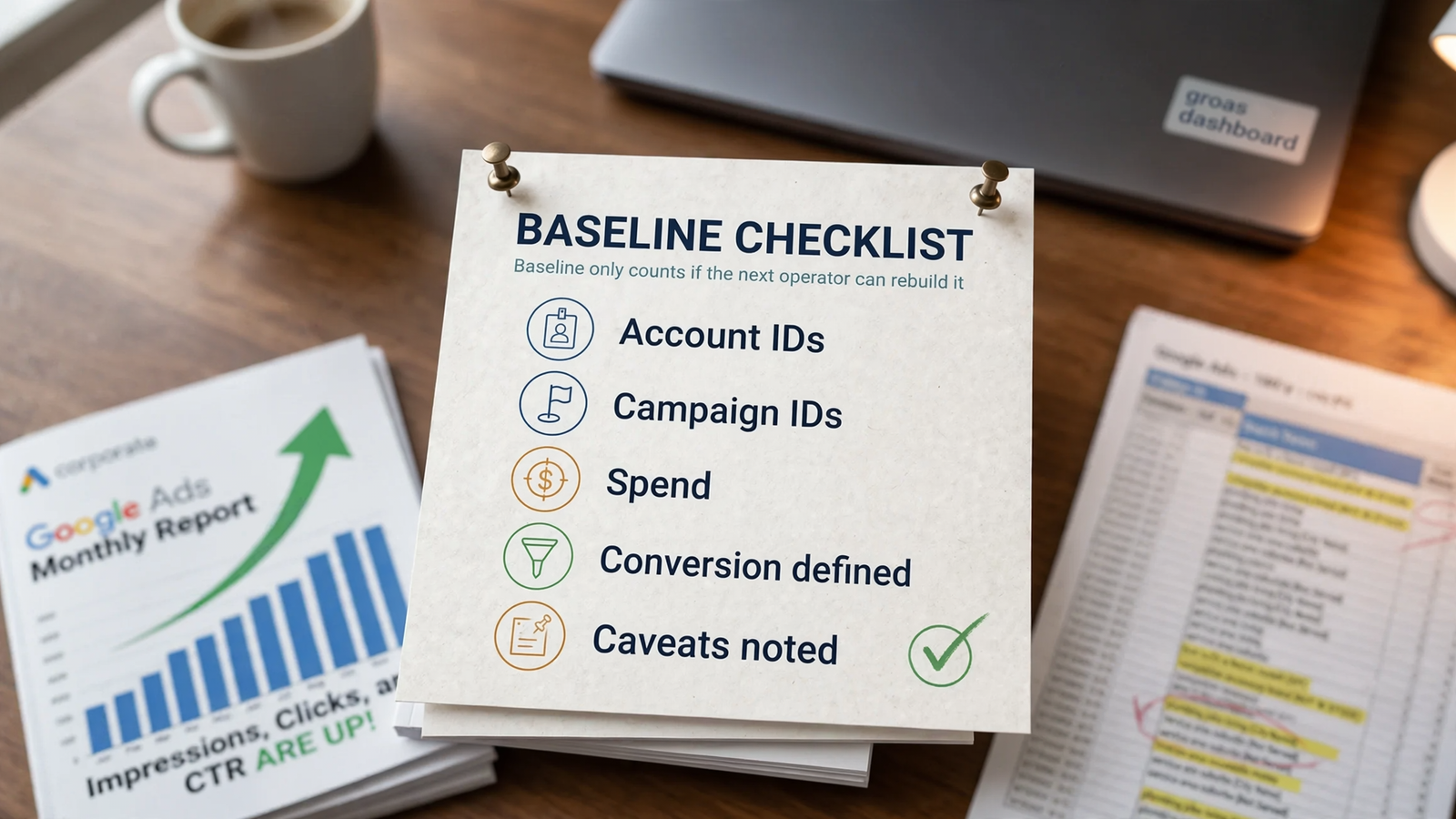
I start with one page per client: account IDs, campaign IDs, spend, the conversion each campaign was judged on, and the caveats that change how I read the result. A campaign name is fine for the client call. I want the ID when I have to find the row again. And I want the conversion definition next to the number, not in a note three tabs away.
That’s the assignment for both contenders. If the next operator can’t find those five things without calling me, the handoff isn’t done.
1. Reproducibility: can someone trace the number and the decision?
Native reports are good at identity. I get the account ID, the campaign ID, the date range I asked for, and what each platform says it recorded. When a client asks in March what spent what in November, the native export is my reconciliation reference. I don’t use a chat to settle a disagreement with the platform’s own total.
What the export doesn’t tell me is why I judged two campaigns together, or why I left one out. Those choices live in the sheet if I wrote them down. If I didn’t, they live in my head. A clean CSV can prove I pulled the right campaign without telling the next operator a thing about why I put it on the retest list.
With Google Ads and Microsoft Advertising connected to groas, Claude can read spend, campaign IDs, and performance across both in one chat. I still save the comparison spec outside that chat. It names the accounts, the seasonal window, and the business outcome. It also lists the eight fields I want every table to carry: spend, campaign ID, conversion definition, attribution model, lookback window, counting method, currency, and date basis.
That spec is my control. I can rerun the same comparison and get the same rows judged by the same rules, without assuming the reported numbers will never move. Before I retire an export routine, I run the setup through the nine checks for replacing a reporting tool. IDs, definitions, and repeatability first. Formatting last.
2. Refresh effort: what do I have to rebuild every time?
The Microsoft-side routine is familiar: open Reporting, pull Account Performance and Campaign Performance for the period, add Keyword and Search Query reports, export the CSVs, then line them up with Google’s. That’s the manual reporting workflow. For one account, fine. Across five to ten, I’m spending time rebuilding the comparison before I get to make a decision.
A manager account helps me get to the accounts and see topline spend. It doesn’t make the conversions comparable. That’s where the MCC stops saving me work: I still need the same core fields and the same rules about what belongs together, every time I pull the numbers.
With groas in Claude, I rerun the comparison, not the spreadsheet assembly. I connect the accounts once and add groas to Claude over MCP. The no-code Claude setup takes about a minute. The important part is saving the request, not remembering how I worded it last time. Here’s the one I’d keep with the spec:
Compare these Google and Microsoft accounts for the specified seasonal window. Show campaign IDs, conversion definitions, currency and attribution caveats. Separate unmatched campaigns. Make no changes.
I want the comparison before I want a recommendation. Otherwise, I’m checking the recommendation and trying to work out what Claude compared at the same time. That’s not much of a saving.
3. Exception handling: what happens when the campaigns don’t match?
Put two native exports next to each other and they look ready to compare. They might cover different days because the accounts use different time zones, or report spend in different currencies. Microsoft can report conversions against the click date rather than the conversion date. Different attribution models and lookback windows give me more reasons to check the definitions before I read anything into a gap.
Campaign names don’t help much here. An imported Google conversion goal isn’t a clone of that goal in Microsoft. “Brand Search” can mean different intent and a different counted action on either side of the sheet. I used to tell clients Bing was just cheaper Google. I was wrong. A lower CPA didn’t settle it when I was looking at a narrower conversion definition, a shorter window, or a different way of assigning credit.
With native reports, I have to make those exceptions visible myself. In Claude, I ask for an unknowns column next to every CPA and ROAS. If Claude can’t confirm the conversion definition, currency, or campaign match, I want unknown. Not zero. Not a plausible explanation. I ask it to flag currency and time zone mismatches it can identify and give unmatched campaigns their own section.
The point isn’t to make the columns agree. It’s to make it obvious where they don’t. I keep each CPL tied to its own definition rather than blending Google and Bing CPLs into one number. If I can’t defend the match, I don’t use it to rank the campaigns.
4. Coverage and cost: am I paying for an export or a recurring job?
Native exports are free. If finance needs a fixed number from one account for a fixed period, I’ll pull the CSV, check the IDs and dates, and file it. I don’t need a second tool to read a total I can already see.
groas Unlimited is $19 flat a month for unlimited teammates, accounts, and sites. I score that for the operator who owns five or more accounts and hands the work to someone else in January. The price doesn’t go up when I add a client. And I’m not paying $19 to avoid clicking Export. I’m paying to run the same comparison across connected accounts without rebuilding the joins and caveats each time.
That’s the cost comparison I’d make. If the deliverable is a CSV, free wins. If it’s a comparison I have to refresh and hand off across clients, the export is only the start of the work.
5. Approval: how far is it from a finding to a decision?
A native report gives me the campaign ID. I can copy it into a retest list, explain my reasoning, and go back into the platform when the change is approved. Nothing wrong with that. It’s just another place to retype an ID and another place for the reason to get separated from the action.
In Claude, I ask for an evidence-linked decision brief, not a summary. Three parts, in this order:
- What earned another test. Put the campaign ID and the numbers behind the call next to each other.
- What stays unresolved. Carry the unknowns over from the comparison rather than explaining them away.
- What I propose to change. Tie every pause, budget shift, or retest to a campaign ID and leave it waiting for approval.
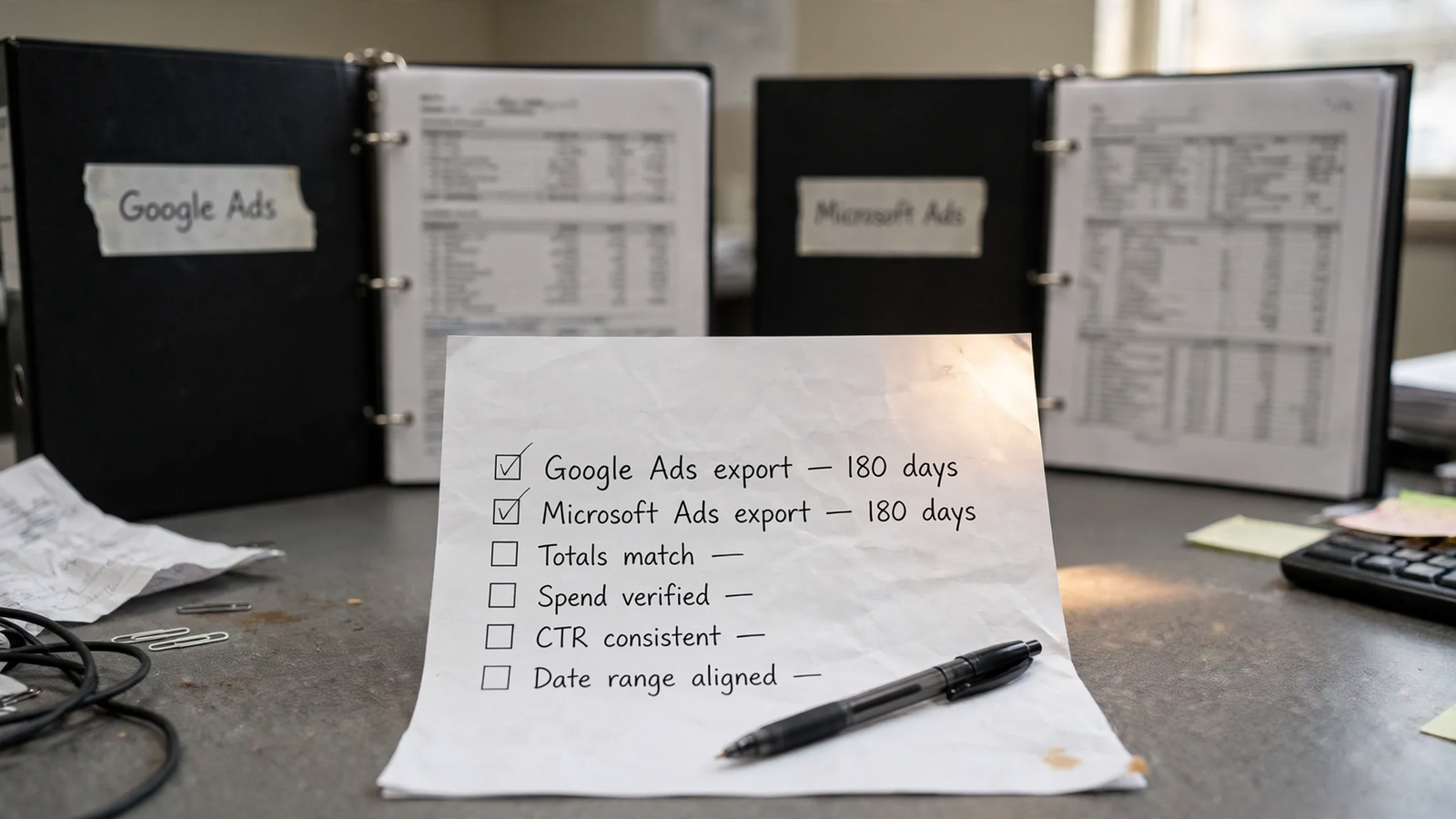
Before I approve anything, I verify the key spend and conversion totals against the native CSVs. If a total disagrees, I use the export for reconciliation and note the reason for the gap if I can establish it: time zone, currency, click date versus conversion date, or lookback window. If I can’t explain the gap, it stays unresolved. Claude does the joining. The native report does the proving.
I keep autopilot off until I’ve deliberately configured it. Claude can draft the action; I approve it by campaign ID before anything moves. Changes made through groas are logged and undoable. The brief is ready when another operator can approve or reject each proposal without calling me to translate the sheet.
The head-to-head scorecard
I’m scoring this for the operator with five or more accounts and a January handoff, not for someone checking one account on a Tuesday.
| Axis | Native reports | groas in Claude |
|---|---|---|
| Reproducibility | Platform record of IDs, dates, and totals; comparison rules need a separate record | Saved spec and prompt rebuild the comparison; the brief records the decision |
| Refresh effort | Re-export and rejoin the CSVs | Rerun the saved prompt across connected accounts |
| Exception handling | Flag currency, time zone, and campaign mismatches by hand | Ask Claude to flag mismatches, separate unmatched campaigns, and show unknowns |
| Coverage and cost | Free exports; manager access doesn’t make conversions comparable | $19 flat per month for unlimited accounts, teammates, and sites |
| Finding to approved change | Carry IDs and reasons from the report into the platform workflow | Draft actions with IDs and reasons in the brief; approve before execution |
Verdict: groas in Claude wins the recurring job
For the operator who owns next season’s comparison, I pick groas in Claude. I kept native-export sheets for years and still needed a 30-minute call to explain what the numbers meant. A saved spec, prompt, and brief put the IDs, conversion definitions, and unresolved questions where the next operator can find them. They can rerun the comparison in February and see why I put a campaign on the list, even if they wouldn’t have made the same call.
I’d pick native reports alone for a fixed export: one account, one finance audit, one reconciliation where the platform total is the answer. Pull the CSV, check the IDs and dates, file it. But for recurring Google–Bing comparisons across clients, I keep the native exports as evidence and use groas in Claude to do the job I have to repeat.
The one-page setup I’d hand over
- Save the spec outside the chat. Connect Google Ads and Microsoft Advertising to groas, add groas to Claude as a custom connector, then write down the account IDs, the November 1 through December 31 window, the business outcome, and the eight fields every table needs. Say I’m spending $20k a month across five accounts. That page is what makes February repeatable, not the chat history.
- Run the comparison and file the brief. Require the unknowns column. Record what earned another test, what stays unresolved, and what I’d change by campaign ID. Check the headline spend and conversion totals against the native CSVs. Note any gap beside the number rather than leaving the next operator to discover it.
- Give the rerun an owner. Name one person who owns the spec, one folder for the brief and native CSVs, and one date in January when the comparison gets rerun.
In one thread about managing multiple client ad accounts, the recurring complaint was scattered reports with no single owner. That matches what I saw whenever a baseline lived in someone’s personal drive. Without an owner, even a repeatable setup turns into another lost sheet.





