

 LinkedIn

Your Google Ads CPA jumps 40% in a week, and your boss wants to know what changed. If you run the account and have to defend one more line item to a boss or client, here’s my verdict on Google Smart Bidding versus Claude + groas: keep Google in the auction, and add Claude + groas if you need help finding the problem and making the campaign-level changes you approve.
I spent years watching Smart Bidding do what Google says it does: set a bid for each auction using signals an outside tool doesn’t have at that moment. I also spent years doing what Google never said the bidder would do. Read the search terms on a Monday. Work out why a Performance Max campaign was spending money in places I wouldn’t have picked. Find the conversion goal someone broke three weeks ago. The bidder kept bidding. I still had to find out what happened.
That second pile is what I’d take into the budget meeting. groas Unlimited costs $19 a month flat for unlimited accounts and teammates. The case for it isn’t that Claude can outbid Google. It’s that Claude can read the live account through groas, propose a change, and carry it out once I approve it. Here’s how I split the work.
1. Auction-time bids: Google keeps the job

Smart Bidding sets the bid at auction time. Google can weigh combinations of signals including device, location, time of day, language, and the actual search query. Those signals come together inside the auction. An outside assistant reading a report later doesn’t get the same view and can’t use it to set that bid.
I used to think the useful debate was manual versus automated bidding. The question I spend more time on now is what I’m asking the bidder to chase. If the goal counts form fills instead of qualified pipeline, or offline conversion value never reaches Google, the bidder works with what it gets. Claude doesn’t make those numbers more trustworthy by reading them faster. It can pull the live conversion settings and show me where they diverge from the outcome I care about. I’ve written more about checking what Smart Bidding is being asked to chase.
Before I touch a target, I check whether I’m paying Google to chase the right thing.
2. A CPA jump: Claude investigates before I change anything
I ask Claude to separate what changed from what might have caused the jump. I start with 30 days of spend, conversions, and conversion value by week. Then I have Claude check the campaign’s goals, budget, status, and recent change history through groas. That’s a better starting point than the CSV I exported last Tuesday: I can compare what the campaign is doing now with what happened before the jump.
Performance Max is a good test of that distinction. It can run across Search, YouTube, Gmail, Maps, Display, and Discover from one campaign, but it doesn’t tell me much about why it allocated spend the way it did. Claude can’t see inside that decision either. It can show me a goal change, a drop in conversion volume, or a budget edit that lines up with the jump. The fact that two things happened in the same week is evidence about timing. It’s not proof that one caused the other.

I don’t give Claude the same mandate I gave the bidder. “Optimize this campaign” is how I get churn when what I wanted was an explanation. I give it one business problem and a stopping point:
“Investigate this campaign’s CPA increase. Check conversion goals, reporting lag, search terms and recent changes. Separate evidence from hypotheses. Do not edit.”
“Do not edit” is there because a daily swing in CPA isn’t an instruction to act. Reporting lag is a good example. A campaign that looks worse today may still be collecting conversions from spend three days ago. I’ve had clients look at a same-day CPA number and want to rewrite the account. My job was to point at the lag and wait. It’s easier to defend that wait when I can show what the account says and what it’s too early to call.
3. Search terms: Claude drafts the negatives, I approve them
Broad match and AI Max can bring in more queries. They don’t make the business call about whether a term is off-brand or simply hasn’t converted yet. Claude can sort the report; I decide what gets blocked. Finding an obvious mismatch in 24 hours rather than seven days is useful. Blocking a term faster isn’t a win if it belongs in the campaign.
I ask Claude to group the last 14 days of search terms by theme, flag terms with spend and zero conversions, and propose negatives for review. I want related terms together because negatives don’t expand the way positive keywords do: adding job doesn’t block jobs, and adding free doesn’t block freebies. Plurals and misspellings deserve a look, not an automatic veto.
Then I ask for the proposed change, what it would do, and why I should leave bidding alone. An illustrative answer: 12 proposed phrase negatives accounted for $640 in spend with no conversions in 14 days. Adding them would block searches containing those phrases without changing the target CPA. That gives me something to review. Are those phrases clearly wrong for the business? Would the negatives also catch searches I want? Has enough time passed for conversions to come in?
Claude drafts the list. I approve what belongs on it. The bidding strategy stays put.
4. Campaigns, budgets, and assets: give Claude a brief with a stopping point
Claude + groas can do campaign work without taking over the bid. I can ask Claude to build a campaign from a brief, set the approved budget, draft headlines and descriptions for review, or add structured snippets. Smart Bidding can then handle auction-time bids inside the campaign. Those are two different jobs even when they affect the same spend.
I scope the request the way I would for a junior operator: name the campaign, give the exact budget and the start and end conditions, and say where to stop. If I want a draft asset set, I don’t ask for a launch. If I want one budget change, I don’t give it an open brief to move money around the account. The scope of the instruction is part of the control.
Before I approve a change, I want three things:
- The exact change Claude proposes.
- What that change will do in the account.
- Why the bidding strategy should stay as it is.
That last point keeps a straightforward campaign edit from turning into a second job nobody asked for. If the answer to the second point is “improve performance,” send it back. That’s a sales line, not a mechanism.

5. Control and accountability: an undo button isn’t a refund
A bidding target is a standing instruction. Set target CPA at $85 and it guides bids until I change it. My instruction to Claude can be narrower: this campaign only, last 14 days only, propose negatives only, don’t edit. That’s why I start with read-only access and move to approved changes. A report leaves me to make the edit myself. An assistant that can act saves me that step, but only where I’ve approved it.
groas logs changes with their reasons and offers one-step undo. That gives me something to show a client besides the current setting. I can point to what changed and why we thought it was a good idea. But undo reverses the setting, not the spend. If I approve a budget shift on Monday and it buys junk placements for two days, undo on Wednesday puts the budget back. It doesn’t get the money back. The log helps me settle what happened, spot the same mistake across campaigns, and make the next approval smarter. It doesn’t make the first approval free.
Autopilot is off until I turn it on. I’d leave it off longer than most buyers expect. Start read-only. Move to approved changes for search terms and assets. Only then consider autopilot for work I can put clear rules around:
- Cap budget moves for the week.
- Require my sign-off for goal changes.
- Set a pause rule for a drop in conversion volume.
- Leave brand campaigns alone.
I’m happy to hand off a pacing check or a Monday search-term sweep. I’m not handing over “optimize the account” as a standing order. Around-the-clock execution isn’t much of a selling point if it’s the same mistake around the clock.
The head-to-head in one table
| Decision | Google Smart Bidding | Claude + groas | Who owns it |
|---|---|---|---|
| Bid in a single auction | Sets it using signals available inside the auction | Can’t see that same set of signals at auction time or set the bid | |
| Investigate a CPA jump | Keeps bidding; doesn’t diagnose the jump | Reads live results, settings, and recent changes | Claude investigates |
| Review search terms | Doesn’t decide which terms are wrong for the business | Groups terms and proposes negatives | Claude proposes; I approve |
| Build a campaign or change a budget or assets | Bids inside the campaign | Carries out campaign-level work I’ve scoped and approved | Claude + groas does the build; Google bids |
| Account for a change | Uses the bidding settings it’s given | Logs the change and its reason; can reverse the setting | groas keeps the record |
My buying verdict: add groas when the work no longer fits in an hour
Who should stick with Smart Bidding alone
If I’m running one or two campaigns, the conversion goals are clean, I have time to read search terms weekly, and I can explain a CPA jump within an hour of noticing it, I’d keep Smart Bidding and skip the extra tool. I’ve seen buyers connect an assistant, ask it for a dashboard summary, and never give it a job that takes work off their plate. That’s not an AI problem. It’s a job design problem. If the account work fits in an hour a week and I don’t mind doing it, I’ll keep the hour and the money.
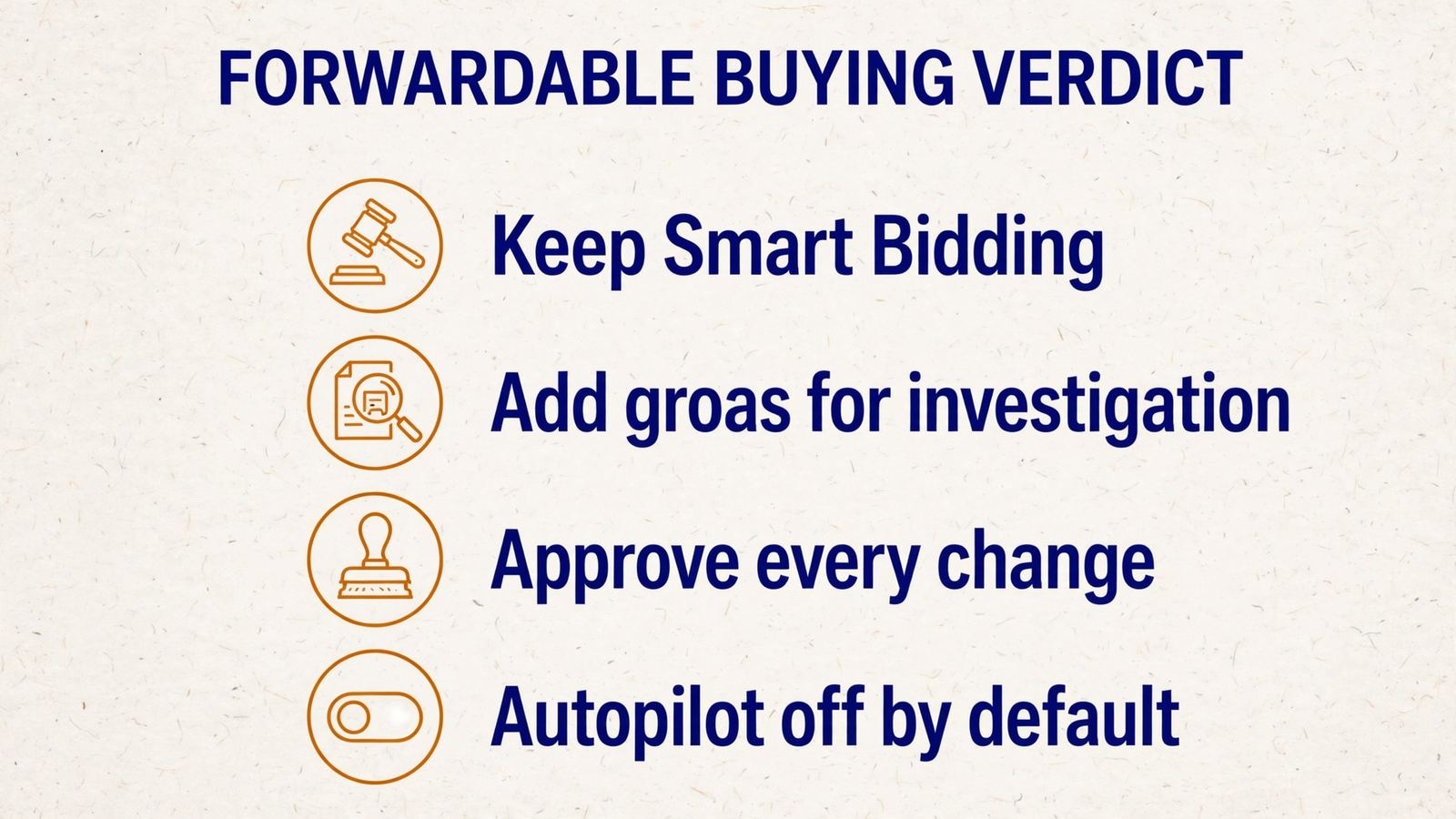
Who should add Claude + groas
Three or more campaigns, Performance Max spend I can’t explain, search terms I get to every other week when they need a daily look, a CPA jump I first see in a monthly report: that’s when I add Claude + groas. I’d connect Claude through groas over MCP, start read-only, and give it one real account problem. At $19 a month flat with unlimited accounts, I can defend the line item by pointing to concrete work: the investigation I didn’t have to assemble, the negatives I could review as a list, the campaign that didn’t have to wait for me to build it, and the change I can explain from the log.
I wouldn’t defend it with a CPA shootout. The two systems aren’t bidding against each other, so naming the one with the lower CPA tells me nothing about which job it did better. I’d judge groas on how quickly I can investigate a jump, which wasted queries I can block with approval, and how many builds stop waiting on my calendar.
My verdict: if you answer for CPA and the account work no longer fits in that weekly hour, keep Smart Bidding and add Claude + groas. Google keeps the auction. I keep approval. And the Monday search-term sweep stops being something I do at midnight.





