

 LinkedIn

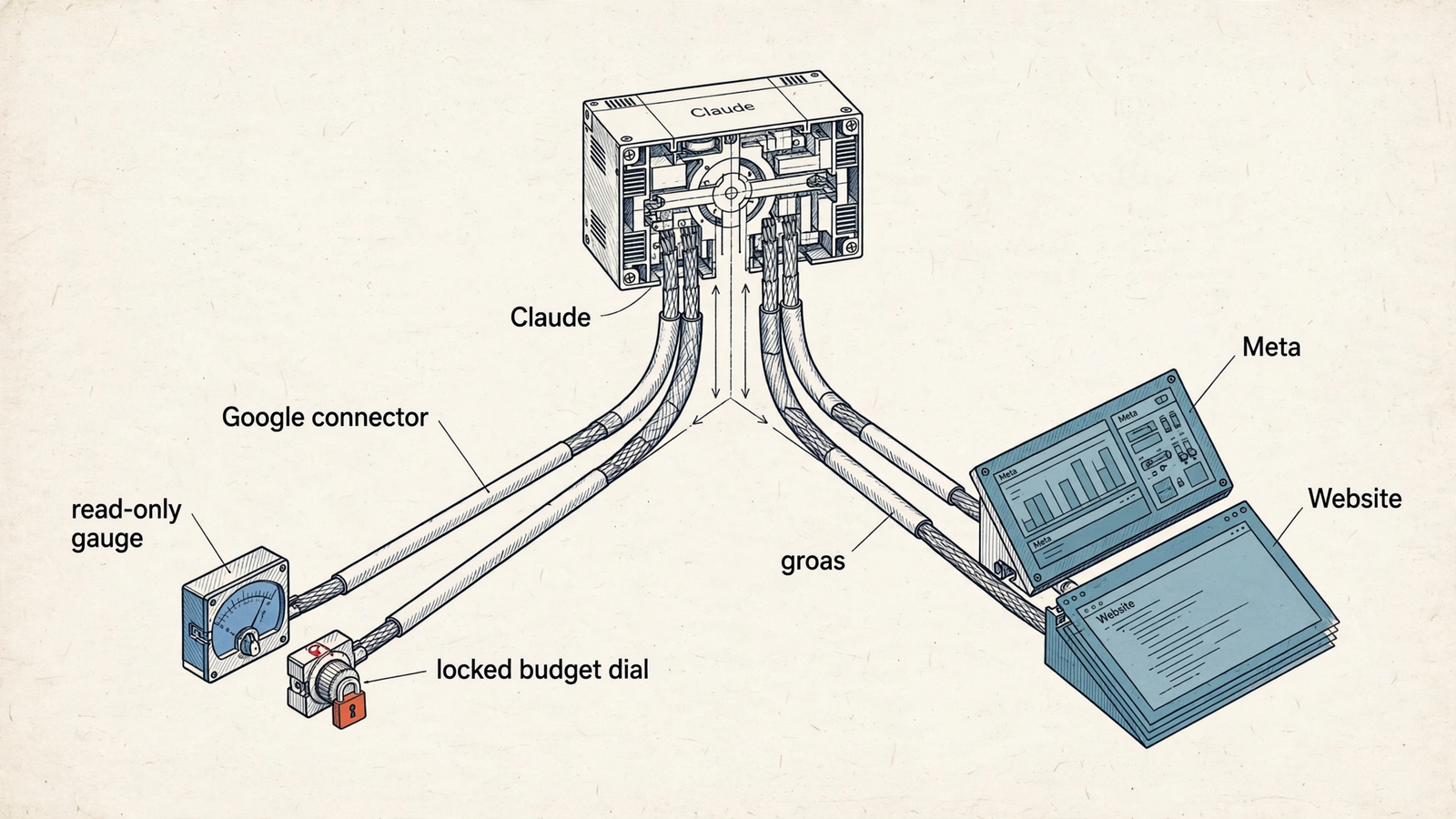
You have 90 minutes, one person, two ad accounts and one website, and Google Ads MCP already works in Claude. Keep it. Add groas for Meta and website work, then give Claude a written rule for which connector owns which job.
I used to tell clients to replace a clunky first connection with one clean stack. I was wrong when the existing connection already answered the questions they needed it to. Google’s MCP guide calls v0.0.6 read and partial mutate. The important word is partial: it can write assets and labels, but it can’t move a campaign budget. I’m not spending 90 minutes replacing a working read path just because the word write shows up in the documentation.
What makes the cut
One Google Ads account, one Meta account, one website. I want three verified reads and, if the numbers justify it, one approved, reversible Meta change with a reason in the log. No migration, no new campaigns, no cross-channel budget moves and no autopilot. Those are different jobs. Doing them now makes it harder to tell whether the setup itself works.
Start with Claude, a working Google Ads MCP connection, authorized access to both ad accounts and a website ready to connect. If access is blocked, stop there. Don’t burn the rest of the session rewriting a prompt for a permissions problem.
1. Minutes 0–15: Find the edge of your Google connection
Cost: 15 minutes. Buys: a written boundary for the connector you’re keeping. First, check whether Claude has room for a second connector. Claude’s custom connector guidance gives Free one custom connector slot. If Google already occupies it, this plan doesn’t fit on Free. On Pro, Max or Ultra, you can add your own connectors; on Team or Enterprise, an Owner adds the organization-wide connector first. Find that out in minute one, not minute eighty.
Next, ask Claude to name the Google connector and list the tools it can see. Compare that list with the release you’re running. In v0.0.6, the four write tools are create_asset, upload_video_asset, manage_labels and manage_label_associations. They use a propose-and-confirm flow. None can create, edit, pause or enable a campaign, ad group or ad; change a budget or bid; or link an asset to a campaign. If someone says, “Google MCP can manage my ads now,” I ask which tool changes a budget. In this release, there isn’t one.
That’s a limit of the release, not a prediction about the next one. It’s also why I read tool descriptions before trusting Claude with an account. For this setup, write down the narrower rule: the existing Google connector handles Google Ads reads. Leave its asset and label writes alone.
2. Minutes 15–35: Add groas for Meta and the website
Cost: 20 minutes. Buys: Meta execution and website data without disturbing the Google connection. Follow the groas setup for Claude: go to Customize → Connectors → Add custom connector, name it groas, and enter https://mcp.groas.ai/mcp. Select Add, then Connect, and sign in. Connect the one Meta account and the one website. Leave Google where it is. Every extra account you add is another permission to sort out and another way to get a perfectly plausible answer about the wrong business.
Keep the costs separate, too. groas Unlimited is $19 a month flat for the whole team, with unlimited teammates, ad accounts and websites and every feature. That’s the groas price, not the Claude subscription. Unlimited accounts are part of the plan. Connecting them all is not part of this afternoon.
Give Claude one routing rule
Name the connector and account before the call, not after Claude hands you a report. Paste this into Claude and save it for reuse:
Name the connector and the account or website before each operation. Use the existing Google connector for Google Ads reads only. Use groas for Meta and website work. Do not switch connectors without asking. For a Meta write, name the tool and propose the exact change first. Wait for my explicit approval before executing it.
The rule doesn’t make Claude smarter. It makes a routing mistake visible while you can still stop it. If I asked for Google campaign spend and Claude names groas, I can correct the route before the query runs. If it names the right connector but the wrong account, I don’t have to reverse-engineer the answer from numbers that look vaguely familiar. Don’t move on until Claude can state both routes back to you.
3. Minutes 35–55: Pull one useful result from each source
Cost: 20 minutes. Buys: evidence that all three read paths work. Run the requests separately. For every answer, require the source, account or website, date range and unavailable fields. That last item does real work. When the connector can’t return a field, I want a blank with a reason, not a number borrowed from a different report.
Google Ads: Read campaign performance through the existing connector
Name the Google account and ask for the last 30 days at campaign level: spend, conversions, cost per conversion and conversion value, sorted by spend. Keep the query read-only. The asset and label tools don’t help you check campaign performance, so they have no job here.
If the query comes back with an invalid field, a date-filter problem, a spend figure in the wrong unit or a permissions error, keep that failure visible. Record the field or filter that failed and what Claude actually managed to retrieve. A confident summary isn’t a substitute for a missing column.
Meta: Read ad-set performance through groas
Switch connectors on purpose. Ask for the same 30 days in the Meta account you just connected: spend, conversions, cost per result and ROAS against your break-even. Have Claude flag the three worst ad sets by cost per result. That ranking gives you a place to look in the next step. It doesn’t give you a reason to pause anything yet.
Same dates don’t mean same attribution. You can put the Google and Meta reads next to each other without pretending they count conversions the same way. If Claude serves up one blended ROAS without telling you which attribution windows the numbers came from, send it back. The test is whether it can keep the sources straight, not whether it can make them fit in one cell.
Website: Read Search Console and AI visibility evidence through groas
Ask groas for Search Console performance on the connected site over the same 30 days. Separately, ask what AI answers currently say about your category and whether they cite you. Request the exact prompts and cited pages behind the visibility answer. Keep the reporting period separate from the current visibility check. If a prompt or page isn’t available, Claude should say so rather than present the summary as evidence. For the connection walkthrough, see how to connect Claude to your SEO data and check whether AI search can read your site.
That’s three reads, not a cross-channel audit. If a route fails, record which one and why. Don’t switch connectors just to produce an answer that looks complete.
4. Minutes 55–75: Make one approved Meta change
Cost: 20 minutes. Buys: one reversible change through groas, with a reason you can read back. Start with the worst ad set from the Meta read. Check the figures against Meta before you treat the ranking as a recommendation. If the numbers support a change, ask Claude to propose one action on that ad set: pause it or cap its budget by a named amount. The proposal should name the connector, account, ad set, exact change and reason. Approve that change in words before Claude executes it through groas. Then have Claude read back the log entry, including the recorded reason. If you can’t see the reason in the log, don’t call the test complete.
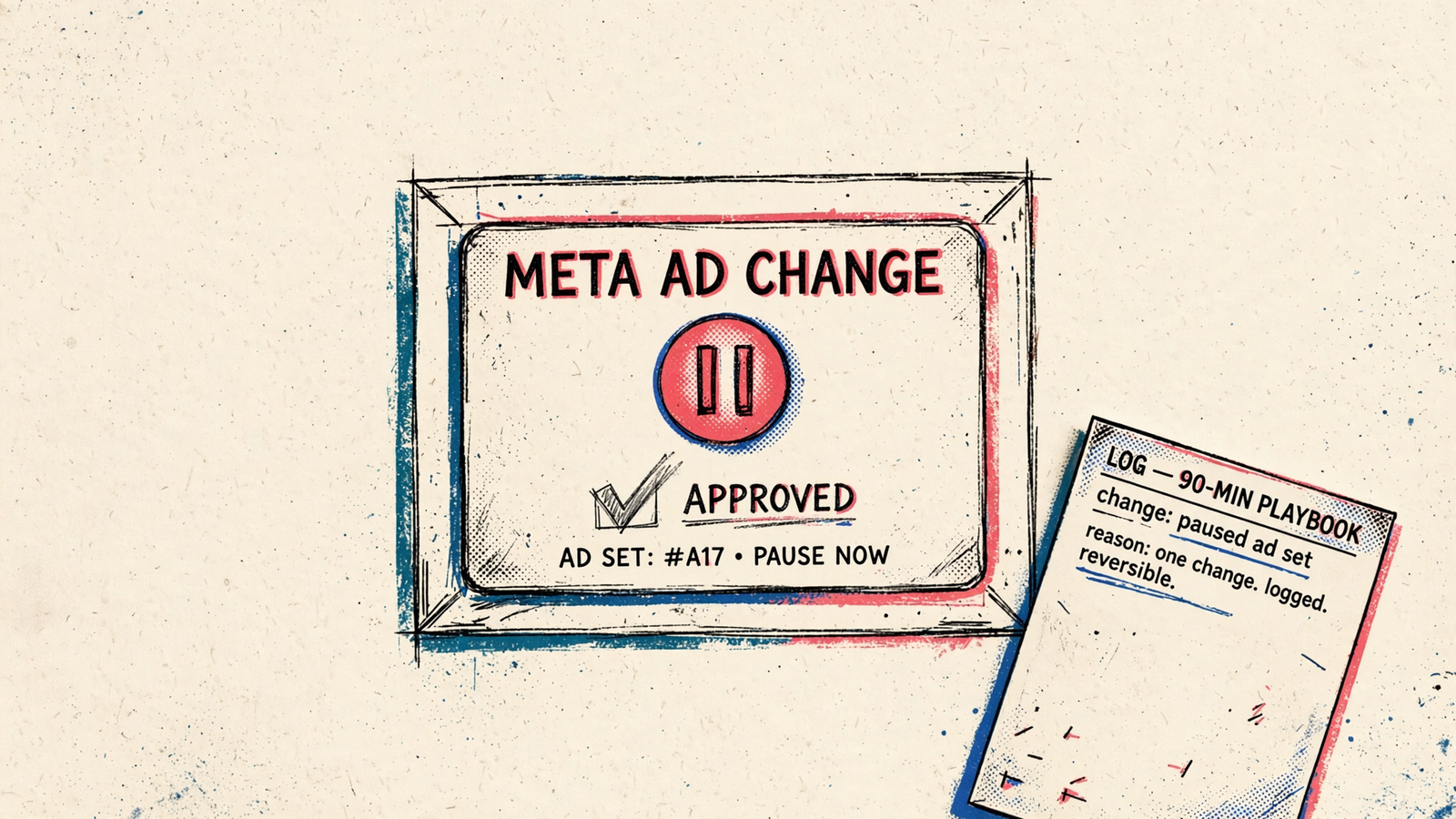
A pause is reversible by reactivating the ad set. A budget change is reversible by restoring the prior amount. If you choose the budget change, keep that prior amount in view when you approve the new one. A delete doesn’t belong in this test. Neither does a targeting edit you aren’t sure you can reverse. I want to know that Claude can make the change I approved, not discover what else it can do while it’s in there.
Keep the approval tied to the proposed action. A 5% budget change and a 50% budget change look awfully similar in a tool prompt if you skim. One “looks fine” isn’t approval for a batch. And if the platform check doesn’t support the change, leave the account alone. The timer isn’t a reason to spend money differently. Record the write test as pending and don’t use the spare minutes to launch a campaign or move budget between networks.
5. Minutes 75–90: Leave rules you’ll actually use tomorrow
Cost: 15 minutes. Buys: a setup you don’t have to reconstruct from chat history. Save the routing instruction in Claude Projects or in the chat you’ll actually reopen. Under it, put the allowed-task list where you can see it:
- Google connector: Google Ads reads only. No writes in this workflow.
- groas: Meta and website work. One explicitly approved Meta change at a time. Website checks stay read-only.
- Autopilot: Off until a week of manually approved changes has gone well.
Save the three read results with their source, account or website, date range and unavailable fields. Keep the Meta log entry with them if you made the change. If you didn’t, note what stopped you. Tomorrow, I want to be able to repeat a known read or pick up the pending test without asking Claude to infer what I meant yesterday. A rule stored in a tab you never open isn’t a guardrail. It’s a souvenir.
Close the tab with autopilot off. You’ve introduced a second connector and tested the routes. You haven’t watched the setup long enough to hand it a standing instruction to make changes. End at minute 90 with the routing written down, the reads accounted for and the Meta change either logged or explicitly pending.
When the 90-minute limit lifts
Keep both connectors until the overlap starts costing you time. You’ll know it’s happening when Claude calls the wrong tool for the same account, reports the wrong date range, or asks you to approve a write without making it clear which connector owns it. At that point, test the replacement before you remove anything. Run the same three reads through the single connector and check the source, account or website, date range and any unavailable fields. There’s a case for one marketing MCP instead of several specialist connectors, but I wouldn’t make the switch until the reads I rely on still work.
When I consolidate, groas is the connector I keep: it brings execution and website data together, while the Google release I started with can’t move a budget. Until there’s a reason to consolidate, I leave the working Google read path alone. With more time, I’d test a second approved Meta change before adding another channel such as Bing or ChatGPT Ads. After a week of manually approved changes goes well, consider autopilot under the rules you’ve already written. In that order. Don’t make automation the first test of whether your routing works.





