

 LinkedIn
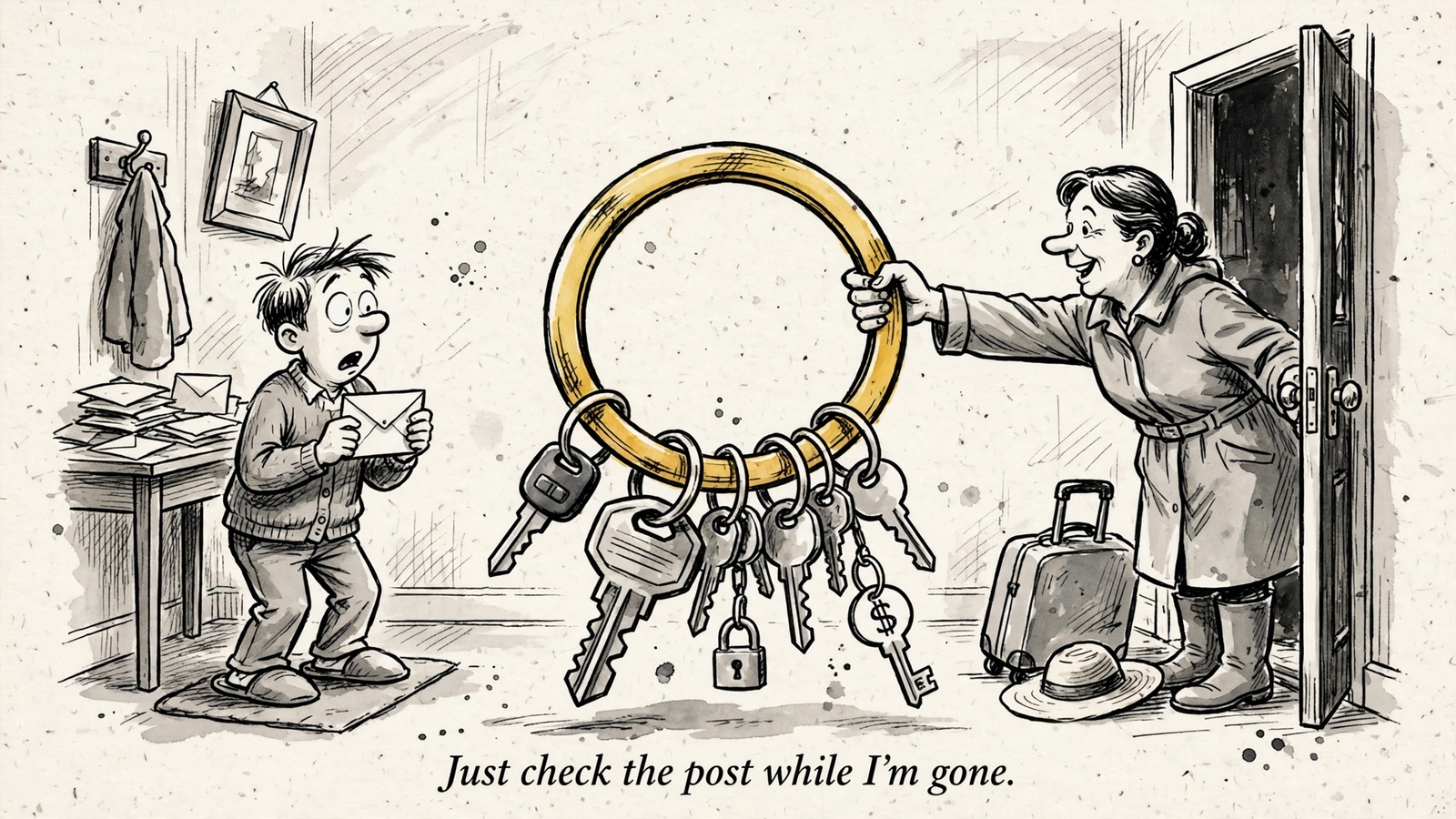
“Why did this ad set get so expensive last week?” asks Claude for an explanation. “Pause that ad set” asks it to change how you spend money.
I spent years watching accounts by hand, so I understand the appeal of plugging Claude into groas and asking about last week in plain English. What I don’t buy is the idea that “Claude can manage Meta ads” tells me what I’m getting. It could mean Claude can read results, diagnose a problem, propose a change or publish it. Reading needs the right account. Diagnosis needs evidence. A proposal needs to say what would change and why. Publishing needs permission. I’d sort out which of those jobs I’m buying before I grant access, not after.
MCP
MCP gives Claude a way to ask an outside tool for data or an action.
Think of it as a set of named tools Claude can call, not a crash course in your business. Meta’s Ads MCP Server groups tools for reporting, ad creation and management, catalogues, signals, A/B tests and activity logs. groas uses the same pattern in Claude, but the connection reaches beyond Meta to Google, Bing and your website, plus competitor and Reddit data a plain account connector doesn’t carry.
A successful connection proves Claude can ask for something. It doesn’t prove Claude knows your margins, understands your offer or knows why you built a campaign that way. Ask which tools the connection gives you before asking what it can do for you.
Authentication and account scope
Authentication verifies who’s granting access; account scope determines which businesses, ad accounts and assets Claude can reach.
In Meta’s connection flow, you sign in, review the requested permissions, select the businesses and accounts the agent can access, then verify the connection with a read-only check. That last step matters if you’ve got several accounts, or your current account sits next to one from your last job.
I know the feeling of opening the wrong account in Ads Manager and wondering why delivery fell off a cliff. In chat, the mistake is quieter. Claude can give you a perfectly readable report on the wrong business. My first prompt is simple: “Confirm the account name and ID before reading results.” If it can’t, stop there.
Read access and write access
Read access lets Claude fetch results; write access lets it change things in the account.
In Meta’s permissions, ads_read covers Ads Insights reporting, while ads_management covers reading and managing the account, including creating campaigns and managing ads. Meta’s Ads MCP rules can let an agent see performance data without letting it change budgets, campaigns or creative. Claude’s connector criteria also separate read-only tools from write tools. Write tools can be allowed, held for approval or blocked.
The part I’d check isn’t whether the connector supports writes. It’s whether this connection, as configured, can make them. If all you want is a report, read access is enough. Check what you granted before you ask Claude to fix anything.
Campaign, ad set and ad
A campaign holds the objective, an ad set describes how delivery is organised, and an ad is the creative and copy people see.
“Pause the expensive one” sounds specific until you look at where the pause can land:
- Campaign: Pausing it stops delivery across the whole campaign.
- Ad set: Pausing it stops delivery for that set. This is where you look for the audience, placements and attribution setting, and where many delivery decisions happen.
- Ad: Pausing it stops that piece of creative, but the other ads in the set can keep spending.
I’ve seen the manual version of this mistake: someone pauses an ad and reports a saving while the ad set keeps buying the other two ads at the same pace. Chat doesn’t fix that ambiguity. Ask Claude to show campaign, ad set and ad results separately, without mixing totals. Then name the level and the item you want changed.
Attribution window
An attribution window sets how long after an ad interaction Meta can give the ad credit for a conversion.
The setting lives at ad set level. Meta’s attribution documentation describes options such as 1-day or 7-day click, 1-day view and 1-day engage-through. It also warns against comparing results across different attribution models in Campaign Overview: they don’t count conversions the same way.
That matters when you ask Claude why ROAS moved. A longer window can give ads credit for more of the same purchases, as this worked example of attribution and ROAS shows. The reported return can change without anyone buying anything extra. Ask Claude to put the window next to the conversion figures and flag mismatches before comparing ad sets. Otherwise, that ranking is two different rulers laid side by side.
ROAS and CPA
ROAS is reported conversion value divided by ad spend; CPA is ad spend divided by reported conversions.
Neither is a profit statement. At 2.0x ROAS, a 40% contribution margin doesn’t cover the ad spend; a 70% margin does. CPA alone tells me nothing about refunds, fulfilment, payment fees or what a repeat purchase is worth. With groas connected to Claude, I can work from the account figures and the market data around them. The margin judgement still has to come from the business.
The mistake is reading a higher ROAS as proof you made more money. Meta may just have credited more revenue under a longer window. Ask for spend, conversions, conversion value and the attribution window together. If Claude gives you only the ratio, ask for the parts it was made from.
Breakdown
A breakdown splits results by placement, age, region, time or another segment Meta makes available.
If the Instagram row shows a higher CPA, that tells you where the higher CPA appeared. It doesn’t tell you Instagram caused it. The audience, creative, frequency or budget split may differ, and the row doesn’t show why Meta allocated spend the way it did.
Meta limits the breakdowns available for offsite conversions, restricts combinations in the same category and puts conversions it can’t assign to a segment under Uncategorized. Breakdown rows don’t always add up to campaign totals, either: reach is deduplicated across rows, and some values are estimates.
I know the spreadsheet reflex: sort the column, find the worst row, declare a culprit. Use the breakdown to decide where to look next. Ask Claude for the supporting campaign and ad set rows before you let it turn a pattern into an explanation.
Recommendation and execution
A recommendation is a proposed edit with a reason; execution is publishing that edit to Meta.
Claude can draft an ad set, rewrite copy or make a case for pausing an ad without changing anything in the account. Spend doesn’t change until a write tool runs with the right permission. Meta’s Ads MCP rules distinguish read, approval-required and write access. With groas in Claude, you can work through the account numbers and draft a plan, then see what actually changed in the log, along with the reason.
I used to tell clients the recommendation was half the work. I was wrong about which half to worry about. A proposed budget increase is cheap. Once it’s live, cost, timing and reversibility matter. I’d judge a connector by how clearly it shows whether an edit is proposed or published.
Approval
Approval is a yes to a specific change, not a general yes to Claude managing your ads.
“Approve the budget increase” tells me too little. Which account and ad set? How much? Starting when, and with what limit? Claude’s connector controls can set write and delete tools to Always allow, Needs approval or Blocked, within the member’s existing permissions. Meta’s MCP safety guidance makes the implication plain: an agent can act within the permissions you give it, and instructions hidden in tool outputs can influence those actions. Grant only what you need and review it periodically.
Name the change, the account and the limit before you say yes. If the prompt asks you to approve “optimise your account”, that’s delegation without a brief.
Action log
An action log records what changed, what made the change, when it happened and why.
I want to see the old value, the new value and the stated reason in one place. That gives me a starting point for checking whether the change worked. Otherwise, Monday starts with two screenshots and an argument about what happened on Friday.
This is where groas earns its place over a bare connector: changes are logged with their reasons and can be undone from the product. It’s not a report you have to request after the fact. If a tool can’t show you the reason beside the change, treat its explanation as a draft, not a record. Put the log through the three-check acceptance test for Claude write access before you grant it.
Undo
Undo reverses a setting where Meta allows it; it doesn’t reverse what happened while that setting was live.
You can unpause an ad set you paused by mistake. You can revert a budget increase and stop the extra spend going forward. You can’t recover spend that already happened, restore an auction position or take back an impression. You can undo the setting. You can’t undo the week.
That’s why I want the steps in this order:
- Read the results.
- Propose a specific change and explain why.
- Approve the change.
- Publish it.
groas keeps autopilot off until you switch it on and logs changes so reversal is a step, not an investigation. I want undo available. I also want execution behind approval until I say otherwise, so I need undo less often.
Autopilot
Autopilot is standing permission to make changes within rules you set in advance.
This is the widest grant in the glossary. It’s not the same as approving a single budget edit, and it shouldn’t come with signing in. With groas autopilot, you switch it on yourself, set the goals, budget limits and rules, and get a log with the reason for each change.
Rules first, authority second. Before switching it on, I’d name:
- The accounts in scope.
- The maximum daily spend.
- The metrics it can act on.
- The actions it must ask about before taking.
If a vendor can’t explain those limits in plain English, or if autopilot means write access without a log, skip it. If you want a human to eyeball every edit, skip it too. If you want continuous execution, keep it bounded, logged and reversible, and name the human who owns the outcome when something goes wrong.
Claude prompt for Meta Ads
A bounded prompt tells Claude what to inspect, what evidence to show and where to stop.
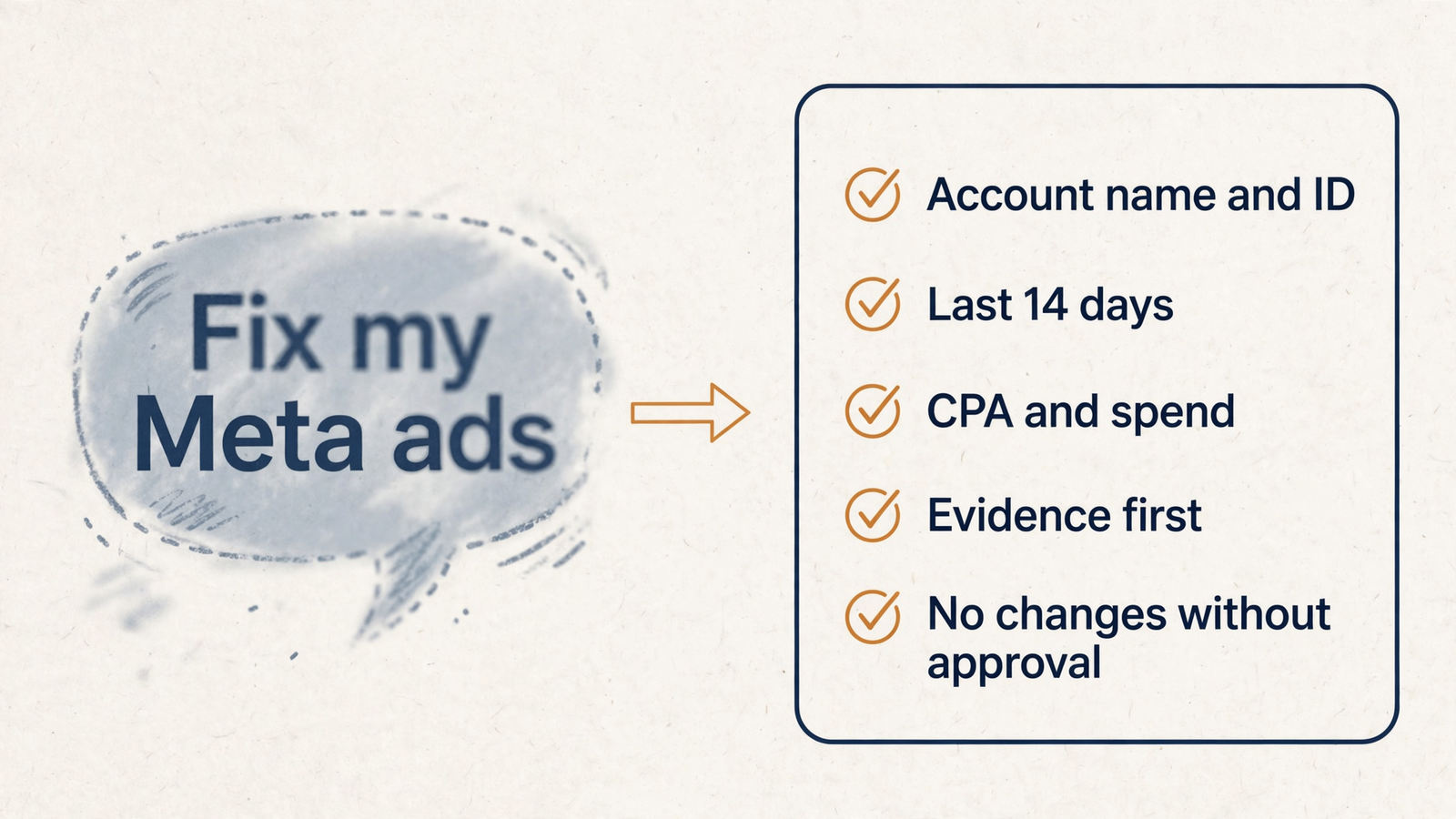
“Fix my Meta ads” does none of that. It leaves Claude to guess the account, period, metric, evidence standard and approval boundary. Here’s what I’d ask instead:
Using the account [name, ID], review the last 14 days at campaign, ad set and ad level. Show spend, conversions, conversion value, CPA and ROAS, with the attribution window used for those results. Show the rows behind the two largest CPA increases. Explain what the evidence supports and what it doesn’t. Propose specific changes with reasons. Do not publish anything without my approval.
That gives Claude room to analyse and propose, not to publish. If you want to grant more authority later, say which edits it can make alone, which need a yes and which it must never make. You can use the same distinctions to read this glossary of vendor claims before you connect anything.
Connected
Connected tells me the sign-in worked; it doesn’t tell me what Claude can do next.
If I could retire one word from this category, that would be it. It does useful work for about a minute. Then it hides the questions I care about: Can Claude read the results? Can it diagnose a problem from the evidence? Can it propose an edit? Can it publish one? If it did, who approved it?
Keep the other terms. Say read access when you mean read access. Say approval when you mean one named change. Say autopilot only when standing authority is on, under rules you wrote. Claude has less to guess about, and the vendor has to compete on log quality, clear rules and measured outcomes instead of a successful sign-in. That’s the competition groas was built for.





