

 LinkedIn

For one Google Ads audit in Claude, I’d start with a $0 CSV upload. For four audits in the same month, I’d price groas: the full $19 monthly connection cost lands on one audit, but it works out to $4.75 per audit across four.
That’s the range for the listed connection prices, not the total. CSVs cost $0 to upload. Google doesn’t charge for API access at the levels discussed here, but a DIY connection is quote-required once you count the build and upkeep. groas costs $19 for the month. On all three routes, the total also includes Claude access and usage, the time it takes to get the right data into Claude, and the time it takes to check what comes back. Fixing what the audit finds is a separate bill.
I’m pricing the same job three ways: one account, one date range, a conversion-action review, a search-term waste review and a prioritised findings document. No account changes. A tidy summary without supporting records doesn’t count. Neither does a cheap connection that can’t get the data.
The cost breakdown: what’s listed and what isn’t
| Cost line | CSVs to Claude | DIY Google Ads API | Claude + groas | Source or cost driver |
|---|---|---|---|---|
| Listed: connection | $0 to upload exports | No API charge at Explorer, Basic or Standard; build and upkeep are separate | $19/month, flat, not per audit | Google Ads API access levels; groas |
| Listed: assistant access | Claude Free is $0 with limits; Pro is $20/month when billed monthly | Same Claude pricing | Same Claude pricing; Free allows one custom connector | Claude pricing; Anthropic’s connector help |
| Hidden: one-off setup | No account connection to build | Quote-required: implementation, credentials and initial queries | Connect accounts once; groas describes the Claude setup as about a minute | BTO’s route comparison; groas’s Claude setup |
| Hidden: recurring work | Select and prepare fresh exports; rerun missing reports | Maintain queries, credentials and rate limits; pay for hosting where applicable | Request the audit and review the findings without re-exporting reports | Report coverage, account size and who maintains the connection |
| Hidden: verification per audit | Recompute totals and check cited rows | Check API figures against the account UI or exports | Check the cited account records | OpenPPC’s approach to checking figures |
| Separate: remediation | Not included | Not included | Not included | What needs testing, reconciling or fixing |
The line I’d circle is verification per audit. A connection can remove setup or preparation work. It can’t make a finding true. If a vendor quotes the connector and calls it the diagnosis, the rest of the price hasn’t gone away. It’s just on your side of the invoice.
What counts as an audit on all three routes
I use the same prompt to hold the scope still:
Audit conversion actions and search-term spend for this account and date range. Cite the supporting records and list checks you cannot complete.
I want four things back:
- The records behind each finding.
- Findings ranked by the spend at risk or the damage to the conversion signal.
- Checks the audit couldn’t complete.
- A clear statement that nothing in the account changed.
I use the 10-point audit framework for context, but I’m not pricing all ten points here. The scope stays on conversion actions and search terms. Account records can show which actions exist and which reported terms consumed spend. They don’t, by themselves, prove that website events fire correctly or that conversion totals reconcile to the CRM. Mark those findings as unverified, not as savings waiting to be collected.
OpenPPC found that 4 of 11 numbers in an AI-written audit didn’t hold up against the export in its sample test. Its approach is to compute the figures in code and trace them back to CSV rows. Whether code does that work or you do it by hand, budget for the check. If Claude can’t point to the record, the finding isn’t finished.
Route 1: $0 to upload, fresh exports every time
This is where I’d start for a one-off. Export the conversion actions and the search-terms report with cost, impressions and conversions. Keep the account name and date range in the files, then upload them to Claude with the prompt above. BTO recommends trying a roughly 10-minute search-terms upload before paying for a connection. I’d use those ten minutes to test whether the workflow is useful, not to sign off on the account.
A CSV is a dated snapshot, and it can’t touch the account. That’s a feature here. Claude can’t pause a keyword or change a bid through a file upload. The trade-off is that every fresh audit starts with fresh exports. Pick the wrong columns and you get to run the report again. Get the columns right and you still have to check the arithmetic. Claude Free also has usage limits, and a large file or a long chat can run into them before the work is done.
There are gaps no amount of CSV tidying will close. The search-terms report omits low-volume terms for privacy. The exports alone can’t confirm that a form event fires twice or that offline leads are missing from the import. A UK audit guide puts hourly work at £100–£200 and says a first full SME audit takes a day or more by hand. That’s a different scope, not a price for this job. The point is that reading the exports faster doesn’t do the reconciliation. Start with CSVs, then see whether the next audit justifies a connection.
Route 2: no API fee, but someone owns the connection
Google’s own MCP servers for Google Ads are free and open source. BTO’s comparison lists what that still leaves you with: Python, a Google Cloud project and an Explorer-access developer token. It also notes that the connector has no write tool. Fine for an audit. Not the same thing as a connection someone has already set up and agreed to maintain.
The Google Ads API access rules matter because test access isn’t production access, and production tiers come with different limits and approval requirements. Before pricing a build, confirm the access you actually hold. Then get a price for the implementation, authentication and credential management, hosting where applicable, and maintenance. No API fee is not a quote for any of that work. Claude still sits on top.
I used to think the hard part was writing the GAQL. It isn’t. It’s keeping the token, scopes, quotas and queries straight in month four, when nobody remembers why the script was built. The r/PPC discussion about API-connected audits gets to the point: authentication and rate limits take work, and account access alone still doesn’t give the model your CRM outcomes or the context behind past decisions. An r/Google_Ads discussion about Claude and Codex skills makes the other half of the point: a skill isn’t a substitute for account data.
If you already have someone who owns the connection, price what this audit adds to their workload. If the audit is the job and the API is the obstacle, I’d rather pay for a managed connection than commission one.
Route 3: $19 a month without building the connection
groas connects to Claude over MCP in about a minute, with no code. The $19 is for the month, not for one audit, and it covers unlimited teammates, ad accounts and websites on the groas side. Add whatever Claude access or usage the job requires. If you’re on Claude Free, groas occupies your one custom connector slot. Check that before paying for a connection you don’t have room to use.
What I’m paying groas to remove is the API administration from Route 2 and the repeated exports from Route 1. It also collects competitor ads, landing pages and funnels, Reddit research, AI search answers and SEO data. Competitor ads and landing pages can add context about the offers in the market. The evidence for a search-term waste finding still comes from the account, not from a rival’s landing page.
Keep the audit read-only in scope: ask for findings, inspect the cited records and approve any later changes separately. The subscription doesn’t verify website events, reconcile the CRM or fix a conversion action that double-counts. What it buys is account data in Claude without an API build or a fresh set of exports. If you’re choosing between building and buying, the free MCP versus $19 hosted comparison breaks out setup, hosting, maintenance and break-even.
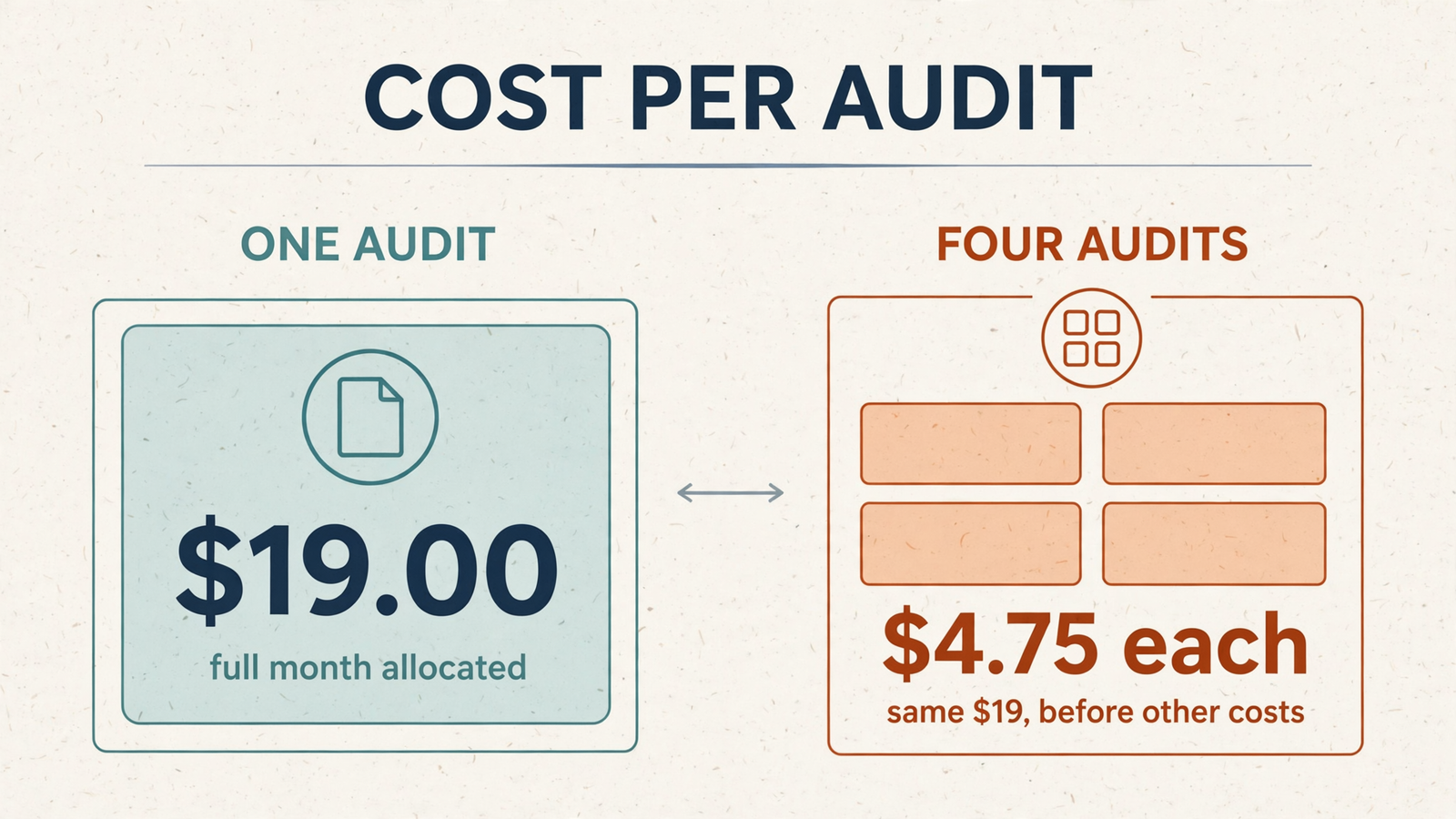
One audit versus four: where $19 breaks even
Cost per audit = allocated fixed costs + incremental usage costs + labour. Allocate the monthly subscription across the audits you actually run, not the ones you hope to run. Count Claude plan costs where they’re incremental. For DIY, keep the one-off build separate from recurring maintenance, but don’t leave either out. Price your preparation, verification and review hours at what your time is worth.
- One audit in the month: the full $19 groas connection cost goes on that audit.
- Four audits in the same month: the same $19 works out to $4.75 each, before Claude usage and labour.
- At an assumed $50 per hour: $19 buys 22.8 minutes of your time.
That last number is a threshold, not a promised saving. Holding Claude costs and verification time equal, groas pays for its connection in time alone if it saves more than 22.8 minutes across the four audits, after allowing for setup. If it saves less, CSVs are cheaper on those assumptions. And if the exports don’t contain the evidence you need, don’t call them cheaper for the same job. They haven’t done the same job.
The subscription doesn’t get cheaper when you run four audits. Each audit carries less of it. CSVs work the other way: the connection stays at $0, but you do the export work again. Put your own preparation time against that threshold before deciding which price is lower.
Price tracking checks and fixes separately
The audit I’m pricing stops at the findings document. Testing the website, reconciling backend records and implementing fixes are separate jobs. Checking that Claude got a spend total right isn’t the same as checking whether Google’s conversion total agrees with your store, CRM or call records. And confirming a broken tag isn’t the same as fixing it.
Orr Consulting lists a Google-Ads-only audit starting at $3,500 and calls out reconciliation against CRM, store and call records as valuable work. A separate audit cost guide puts independent flat-fee audits at a few hundred to a few thousand dollars for a prioritised findings document and walkthrough, and stresses conversion-tracking integrity. Those are prices for differently scoped audit services, not quotes for fixing whatever Claude flags. Get the tracking investigation and any implementation itemised rather than assuming either comes with the findings.
Buy for the audit you’re actually running
For one audit this week, I’d try the CSV. It can’t touch the account, and it tells you quickly whether Claude can support its findings with the records you have. If the exports are thin, check whether the missing data is accessible through a connected route before buying one. A different connection won’t turn a website or CRM check into an account-data check.
For repeated or multi-account audits, I’d pick groas over building a connection just for this job. Connect once, rerun the audit against account data and spend your time checking the findings instead of exporting reports or tending credentials. The test isn’t whether $19 sounds cheap. It’s whether the work it removes is worth more than $19 across the audits you actually run.
The cheapest mistake is thinking the first free export is the whole diagnosis and catching the gap before you act. The most expensive one is acting on a finding you haven’t verified. Price the audit, verify the evidence, then pay for the fix. In that order.





