

 LinkedIn
The artefact: Opteo’s Algorithm Settings announcement
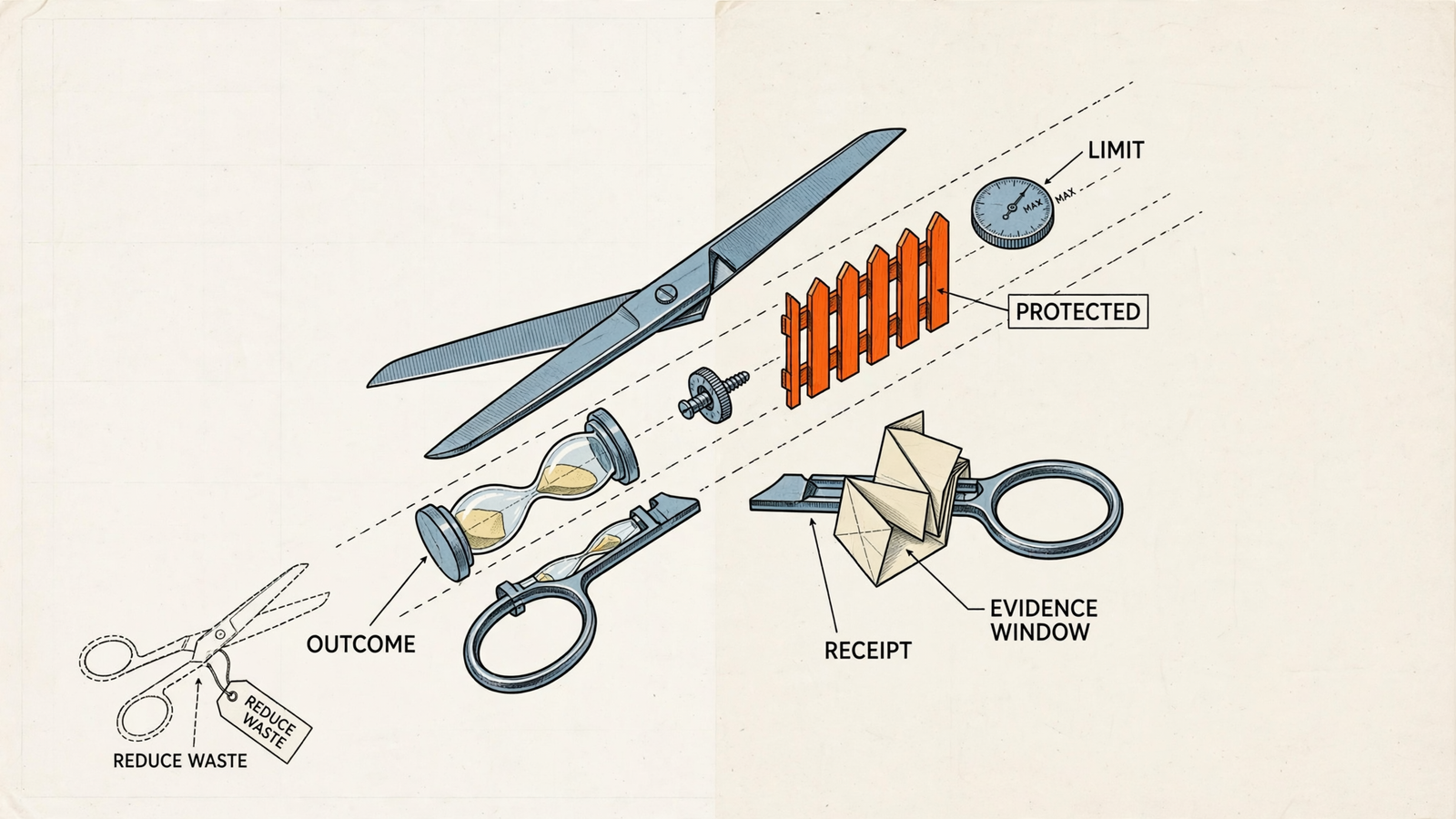
“Reduce waste” is an objective, not an operating instruction. It doesn’t tell Claude whether your brand terms are off limits, how much evidence it needs before proposing a cut, or how far it can move a bid. I chose Opteo’s Algorithm Settings announcement for this teardown because it puts those decisions on screen. If you already use Claude through groas, the settings are a useful checklist for what to specify before you let anything touch your Google Ads account.
The announcement starts with three Primary Outcomes and a Populate Algorithm step. Choose an outcome, and Opteo uses strategy, account and performance data to fill in settings and explain its reasoning. The sentence I’d underline is in the settings overview: the settings “only change which Improvements Opteo suggests, never anything in the ad account itself.” They’re shared by the team, but they apply per ad account. The first thing I’d borrow is that separation: tell Claude what to look for before you tell it what it can do.
Three outcomes, three different calls
Opteo asks you to pick a primary outcome:
- Reduce wasted spend. Look for coverage you can narrow, search terms you can exclude and activity you can pause.
- Maintain spend efficiency. Protect CPA and ROAS even if that caps volume.
- Scale up conversions. Be willing to spend more, cover a wider set of queries and give the account room to learn.
Those choices look tidy on a changelog. In an account, they pull against each other. The wider set of queries you’d tolerate while scaling might be the first thing you’d trim if cutting waste came first. I’d name the primary outcome rather than ask Claude to satisfy all three and leave it to decide which one loses.
The aggressiveness settings are where the labels earn their keep. Cautious means 10–25% bid changes, higher evidence thresholds and longer date ranges. Balanced sits around 30% with standard ranges. Aggressive means 35–50% bid changes, lower evidence thresholds and shorter ranges. Opteo defaults to Maintain Spend Efficiency with Balanced aggressiveness. I’d borrow the restraint, not copy the percentage. A 50% bid change on three conversions in seven days isn’t bold management. It’s guessing with a larger font. If you can’t put a number on “aggressive”, it’s a mood, not an instruction.
Populated settings tell you where a rule came from
Each section tells you where its settings came from: system defaults, the outcome and aggressiveness you selected, or manual entry. Save the settings and Opteo regenerates its suggestions immediately. I like being able to see which settings someone chose and which ones were filled in. Those aren’t the same thing when you’re deciding what to trust.
The limit I’d mark in the margin: there’s no conversion-lag setting. If conversions take a while to land, tell Claude that before it judges recent performance. And while Populate Algorithm can propose protected segments and terms, it never removes them. It can draft an exception. You still have to decide whether it belongs there.
Before Claude calls anything waste, make it read the account
I used to tell clients to “find the waste” in the first week. I was wrong, or at least sloppy. Waste against which goal, over what window, at what threshold? Take a search term that spends $400 in 14 days without a conversion. With a three-day sales cycle, I’d put it on the review list. With a 45-day sales cycle, I’ve barely opened the envelope. Opteo’s minimum date ranges and performance thresholds make that distinction concrete. Set the window before you judge the spend.
Read first, propose second
I’d start with a read-only pass through groas. Ask Claude to pull the campaign goals as they’re actually configured, not as they appear in a strategy deck. Have it list the conversion actions attached to each campaign, distinguish primary from secondary actions and report recent performance over the window you care about. Otherwise, you risk getting a tidy case for optimising around a secondary page view or judging a B2B campaign with a 60-day conversion lag on seven days of data.
Claude connects to groas over MCP and can query the accounts you’ve connected. That means the read and the write don’t have to happen in the same chat. Read first, propose second, act only on an explicit yes. It’s much easier to correct the conversion action Claude is counting when nothing has changed yet.
Make Claude name what it doesn’t know
I also want a list of what the account can’t tell Claude: margin by product line, which campaigns defend the brand rather than prospect, whether a service area is staffed and why a landing page changed. Spend and clicks won’t answer those questions. A practitioner guide to Claude and MCP recommends allowlisting customer IDs, capping budget and bid moves, pausing rather than removing, and logging the approver and before-and-after values. I’d put a rule ahead of all of those: no proposal until I’ve supplied the missing context or explicitly said to proceed without it.
Protected terms: decide what the savings can’t touch
Opteo’s Protected Segments and Terms are the part of the announcement I’d copy most readily. Protected segments cover age, gender, income, devices, networks and locations. Protected terms start with brand terms, and Opteo won’t recommend adding protected terms as negatives. It doesn’t remove negatives or exclusions already in the account. Protection is a fence around future suggestions, not a cleanup of past decisions.

Put the exceptions in writing
I’ve watched a brand campaign look like an easy saving in the report right up until the client asked why their own name was suddenly expensive to buy back from a competitor. A location or device segment can look poor this month and still carry your highest-value customers over a longer window. I’d name what I’m protecting: brand terms and variants, the service or product line I’m willing to keep buying through a bad month, and any location or audience segment I’ve committed to defend. A negative-keyword automation checklist gets the order right: check the protected list regardless of recent performance, and update it as products change.
Ask for conflicts before exclusions
Here’s the instruction I’d give Claude:
List proposed exclusions and identify any that conflict with these protected categories. Do not apply them.
For a proposed negative, I want the term, match type, scope and reason before I approve it, as notfair’s analysis recommends. I’d also have Claude flag negatives that would block an active keyword or converting search term, distinguish campaign from ad group scope and pick the narrowest match type that addresses the waste. If Claude can’t name the scope and match type, the exclusion isn’t ready for approval.
Bid limits and thresholds: say when and how far
Opteo sets bid limits and performance thresholds by improvement type. A threshold tells you when there’s enough evidence to make a suggestion: this much spend, over this many days, with this few conversions. A bid limit tells you how far the suggested change can go. I’d keep both. Enough evidence to consider a change isn’t permission to make it. Google’s MCP server documentation gives a concrete example of a stronger check than prompt wording: change tools default to a dry run that returns the proposed edits and a checksum tied to the account and payload before a commit.

Keep the target separate from write permission
A CPA or ROAS target tells Claude what good looks like. Write permission answers different questions: which campaigns are off limits, how much evidence is enough, how large a move can be and whether this run is read-only. The practitioner guide’s 20% cap per bid or budget move and Opteo’s roughly 30% Balanced bid setting are reference points, not interchangeable rules. One is a proposed cap on what gets changed; the other shapes what Opteo suggests. Write down your own limit separately from the target.
Get the receipt before the change
For a bid or budget proposal, I’d ask Claude to show three things:
- What would change: the affected campaign, ad group or keyword IDs.
- Why now: the evidence window in days and the conversions counted in it.
- By how much: the current value, the proposed value and the percentage difference.
If a proposal exceeds my limit, Claude should flag it and stop, not treat the CPA target as permission to go ahead. The same goes for an evidence window that can’t tell me what I need to know. Seven days of data is a poor basis for a bid move if conversions take 30 days to land. I’d rather see that problem on the receipt than discover it in the changelog.
Changelogs: check what landed against what you approved
Opteo’s changelog shows before-and-after values for the changes it covers, including changes to Algorithm Settings. It has filters and CSV export. It also leaves out changes made directly in the ad platform, changes Opteo’s Agent makes there, and changes on the Targets page. I’d keep the before-and-after record without mistaking it for a complete history of the account. Know which changes your log can show before you rely on it.

Compare the reason and scope, not just the action
When Claude makes an approved change through groas, I’d compare the proposal with the log. Did the scope match? Did Claude use the approved match type? Is the reason in the log the one I signed off on? A useful audit trail records the term, timing, reason, approver and scope. If Claude proposed an ad group exclusion and the log shows an account-level one, I’d stop there. A mismatch is a stop signal, not a rounding error.
Undo restores a setting, not the money
Through groas, every change is logged with its reason and can be undone in one step. Autopilot stays off until you switch it on. That matters when an approved change turns out to be wrong, but undo doesn’t return the money the setting spent while it was in place. Reversibility is about configuration. Recovery is about cash. I wouldn’t let a vendor sell me one as the other.
The verdict: borrow Opteo’s settings, put them to work in groas
I’d keep the named outcome, the aggressiveness expressed in percentages and evidence windows, the protected list, the thresholds by improvement type and the before-and-after log. I wouldn’t stop at configuring suggestions. That’s the limit Opteo sets for this feature, and it’s clear about it. Claude through groas is the better fit when I want a review first and the option to carry approved rules into execution later. The comparison of chat and groas autopilot lays out where permission and budget control sit in each. I’d start in chat, with no changes authorised.
The review-only request I’d send
Read the campaign goals, conversion actions and last 30 days of performance through groas. Do not change anything. Use [primary outcome] for this review. Tell me which conversion actions you’re counting as primary and what business context you’re missing. If you’re missing context, stop and ask before proposing changes.
Once I’ve answered or explicitly told you to proceed, list up to 10 waste candidates. For each, show the affected campaign and ad group IDs, the evidence window, spend, conversions and the proposed change. For exclusions, include scope and match type. For bid or budget moves, show the current and proposed values and the percentage change. Flag anything that exceeds [my intervention limit] or touches [brand terms], [my core service term] or [my protected location]. Stop there. No changes.
If Claude can’t fill that in, it hasn’t made a case for changing the account. If it can, I have something worth arguing with: a proposal I can check against the account before money moves.
Put only approved rules into autopilot
I’d move only supported rules that survive review into groas autopilot, and only after approving them by name. I’d sign off on the exact rule, the exact limit and the exact protected list. Everything else stays in chat, where I can still change my mind before the account changes. That’s the part of Opteo’s artefact I’d keep: the discipline of writing down the decisions a target can’t make for you. “Reduce waste” is the goal. The exceptions, the thresholds and the limits are the strategy.





