

 LinkedIn

Optmyzr’s 10% bid cap can stop one bad move. It can’t, on its own, stop seven allowed moves from nearly doubling a bid. I chose Optmyzr’s September 15, 2026 announcement on AI-agent guardrails and approvals for this teardown because it gives me a concrete rule to take apart instead of asking me to trust a prompt.
A limit on each proposed change is not a limit on cumulative business exposure. That’s the distinction I’d want settled before giving an agent write access to Google Ads. The announcement describes a policy check, a human review step, and a record of the decision. Each does a different job. None tells me how much I can recover if the change turns out to be wrong.
I’m grading the published example, not reporting a product test. Where the announcement stops, I’ll say so. That matters when a missing answer is the difference between a control I’d rely on and a question I’d take into a demo.
The artefact: three layers, three different jobs
The announcement starts with grounding: what the agent can see before it proposes anything. Then comes the policy layer, which checks the proposed change. Finally, a person reviews the change, leaving what the piece calls “a record of why”. That’s a useful order. The agent needs enough context to make a proposal before there’s anything to check or approve.
MarTech Signal’s summary flags the piece as sponsored content that ends in a product pitch. That doesn’t make the mechanism wrong. It does tell me how to read it: the example shows how the layers are meant to work together, not how every edge case behaves in the product. I’d start by asking which part of the workflow can actually stop a write.
Dissection 1: the 10% rule can stop a single proposed change
The rule is “No bid increase above 10% in a single move”. In the example, the rule lives on the account, outside the AI’s instructions. A proposed 20% increase hits the same check whether it comes from a hallucination, a hidden instruction in a document, a junior’s decimal error, or the owner at 11 pm. The proposal doesn’t get through on its own. An override, where allowed, has to be deliberate and named.
That’s why I rate this higher than telling the agent to be careful. A prompt tells the agent how I want it to behave. A rule outside the prompt can reject what the agent proposes. The wording of the request doesn’t get to rewrite the check.
Two details matter before I give the example more credit than it earns:
- 10% is an example, not a universal default. The Optmyzr Help Centre says Policy Guardrails are available on Premium and Enterprise plans. A default set comes preconfigured, but policies can be switched on or off and thresholds edited. Only the parent user can add or edit policies. Some violations are flagged for explicit approval; others have to be fixed or removed before the change can be applied.
- “Bid increase” doesn’t identify the setting. A manual CPC bid, a portfolio target, and a campaign-level tROAS don’t expose the same control. The announcement doesn’t claim the same check applies across every bidding strategy.
If a demo shows me a percentage, I want the exact setting it governs and what happens when a proposal crosses the line. A cap I can’t map to a setting is a poster, not a control.
Dissection 2: seven compliant moves can nearly double a bid
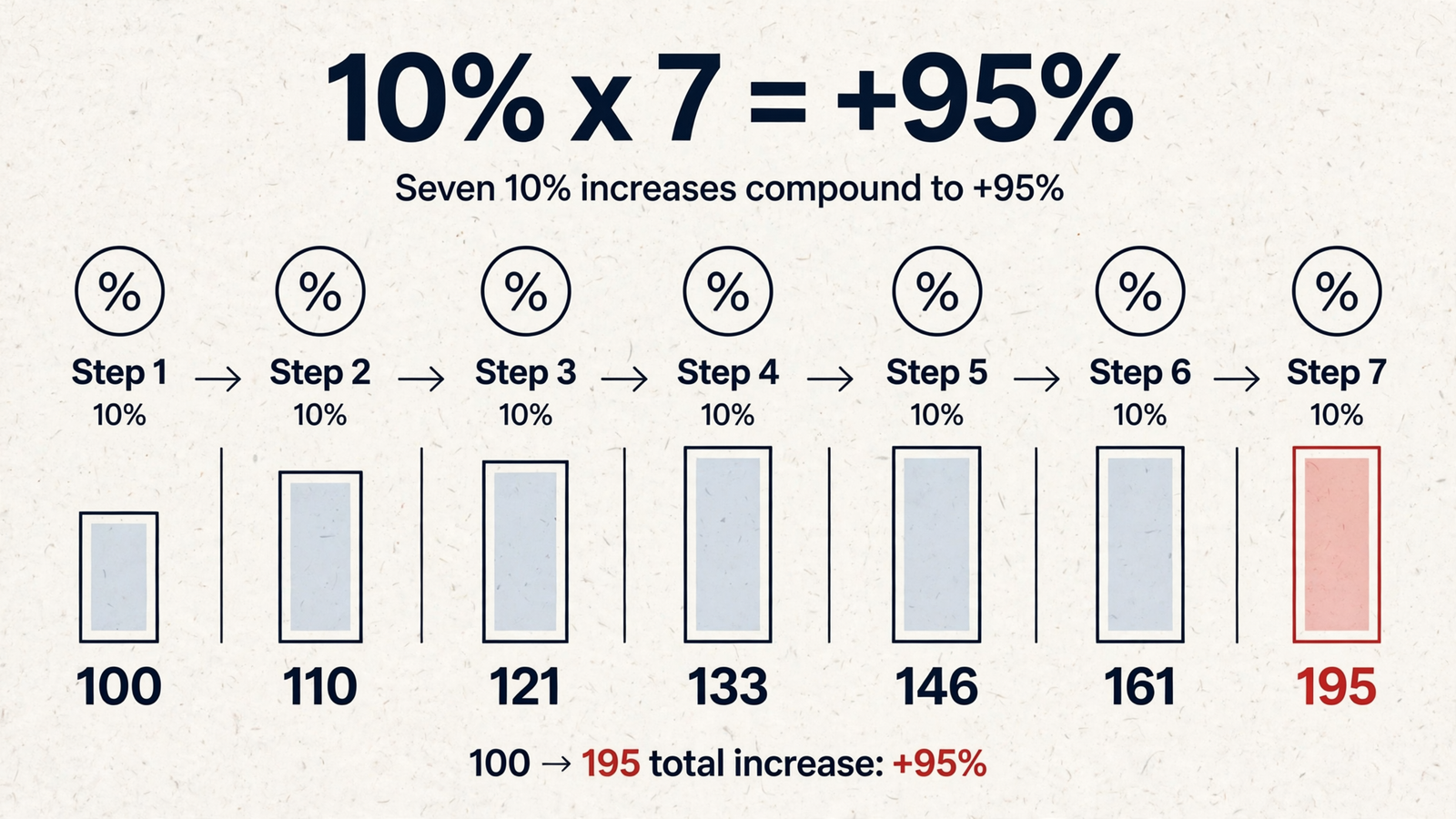
Now take the rule literally. This is hypothetical arithmetic, not a claim about Optmyzr’s implementation. Say the policy limits a bid increase to 10% in a single move and says nothing about a time window. I raise the bid by 10% on Monday. It passes. I raise the new bid by 10% on Tuesday. It passes too. After seven increases, the multiplier is 1.1⁷: the bid is roughly 95% above where it started. Every move complied.
The rule checks each step, not how far I’ve travelled. The 95% is a change in the bid, not a forecast of spend. It shows why I wouldn’t use a per-action threshold as the cumulative exposure figure in an approval document. The threshold answers whether this move is too large. It doesn’t answer how far a series of moves can take the account.
The published example doesn’t establish how Optmyzr handles that sequence. That’s not proof the product lacks a cumulative control. It means I still need to ask what can change across a day or a week, what the limit applies to, and whether the system enforces it. If I need a cumulative ceiling to sign off on write access, I get the answer in writing. I don’t put “10% guardrail” in that box and move on.
Dissection 3: approval puts a person in charge, not better data on the screen
The review sequence is strongest when it shows exactly what the person is being asked to approve:
- The agent proposes a change and stops.
- The policy layer evaluates each row and attaches a verdict.
- A person opens the review.
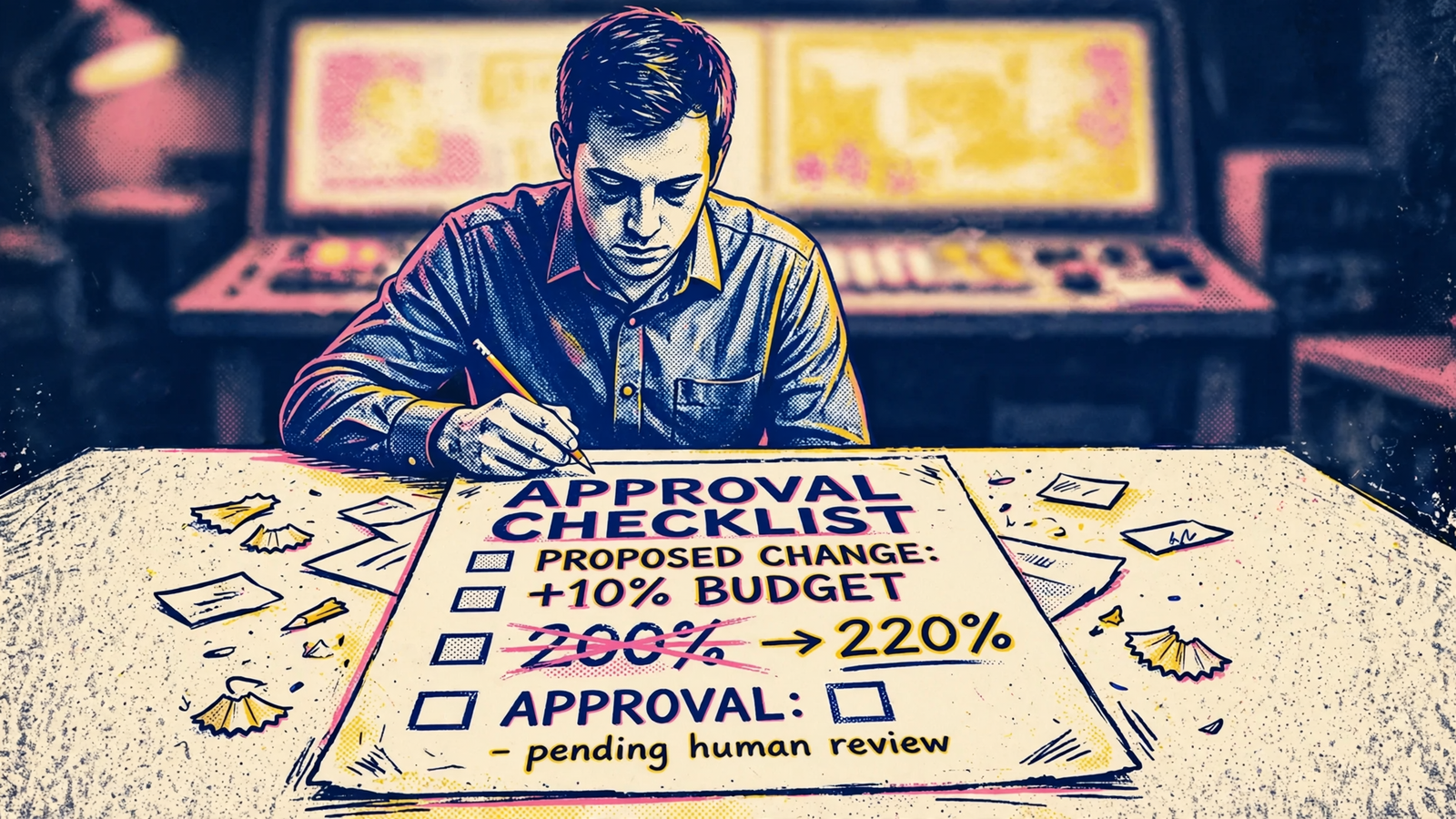
- The reviewer previews the exact change: in the example, the target ROAS for “Brand Campaign” goes from 200% to 220%.
- The reviewer confirms the change.
That preview is more useful than a summary that says the agent wants to optimise bidding. I can see the campaign, the setting, and the values on both sides of the decision. The Optmyzr Help Centre also makes the boundary explicit for change requests: a person with Apply access must review and apply them. The AI assistant, MCP call, or automation can’t apply them directly.
That’s an answer to who gets to act. It isn’t an answer to whether the action is right. Vallaeys makes the distinction himself in a podcast anecdote about his San Jose Sharks season tickets: an agent listed them far below cost because it lacked context about lounge access and food. In Google Ads, the missing context might be soft conversion data, an offer that changed last quarter, or a landing page the client swapped without telling anyone. The 200% and 220% can both be perfectly clear while the case for moving between them is weak.
Approval identifies who makes the call. It doesn’t improve the evidence behind it. I want the reviewer to see the exact change and have a reason to believe it fits the business. Those are two separate checks.
The same distinction applies to the next approval. One clean review screen shows me one decision, not the accumulated effect of the decisions before it. I’d ask to see how the daily or weekly ceiling is enforced, not whether the prompt tells the agent to watch it.
Dissection 4: the log explains the change; undo restores the setting
The announcement’s final claim is the audit trail. A policy check can prevent an action; an audit trail explains what happened. A record of what a person approved is useful, but I wouldn’t assume that it includes what the system blocked or the reviewer rejected. A log of successful writes leaves out precisely the attempts I’d want to see when judging how well the controls work.
Here’s what I’d ask to see in the trail, rather than infer from the label full audit trail:
- The agent’s identity and version, and the user who delegated the work.
- The policy checks and their outcomes, including blocked attempts.
- The reviewer’s approval or denial.
- What actually happened and whether the change was rolled back.
Then I’d ask a separate question: what can I recover? The Optmyzr Help Centre says remove actions can’t be rolled back and that unsupported platform, entity, and action combinations are refused outright. Even when I can restore a setting, the bigger distinction still holds. If a bad bid runs for six hours, putting the old bid back doesn’t refund those six hours or erase the bidding effects from that period.
Undoing a setting isn’t undoing the spend. I’d give recovery its own line in the sign-off: what I can restore, and what restoring it leaves behind.
What I’d ask Claude to do with groas
For a Claude + groas connection, I’d start with one proposal I can inspect before anything changes:
Read the current settings and change history for this Google Ads campaign. Propose one change, show the before-and-after values and expected exposure, and wait for approval. Do not enable autopilot.
The fresh read is there so the proposal starts with the account, not a number from a chat summary. Asking for one change keeps the review focused on a single move. The before-and-after values make it inspectable, just as they do in Optmyzr’s tROAS example. Asking for expected exposure puts the business consequence on the screen beside the setting. Then I ask the agent to stop.
That request specifies the workflow; it doesn’t enforce it. “Propose one change” isn’t a cumulative ceiling, and “wait for approval” isn’t proof the system will block an unapproved write. “Do not enable autopilot” tells the agent to leave the default alone. Before relying on the setup, I’d run the four marketing MCP safety tests.
I’d pick groas for this Claude workflow because I can make the request in plain English, run under rules I set, and get a change log that records the reason and a one-step undo. Autopilot stays off until I switch it on. That’s not a claim that groas implements Optmyzr’s exact account-level check. I’d still ask where a limit is enforced and what it covers. And I’d keep the approval and the log somewhere I can retrieve them later: chat history is not an audit trail.
groas Unlimited is $19 a month flat for unlimited teammates, accounts, and sites. If I’d rather hand over the work than assemble the workflow, the senior team runs Done For You from $5,000 a month. Either way, the sign-off still needs to say which controls I’m relying on.
Verdict: keep the rule the AI can’t rewrite
Optmyzr’s example earns its keep because it gives me a specific action, a threshold, and a check outside the prompt. The exact-value preview makes approval concrete. The decision record gives me something to inspect after the fact. I’d keep all three, but I wouldn’t credit any of them with doing the others’ jobs. The example doesn’t establish a cumulative ceiling, prove that a reviewer made the right call, or show how to recover spend after a rollback.
For an internal sign-off, I’d keep a short evidence pack instead of a vendor slide:
- The exact thresholds and the settings they govern.
- The before-and-after previews for the first five approved changes.
- A log that shows blocked and rejected attempts, not just successful writes.
- The answers on daily and weekly ceilings and on what rollback can actually restore. If there’s no ceiling, I’d write that down too.
My full Optmyzr review takes the broader comparison from a different angle. From this announcement, the one thing I’d keep unchanged in any workflow I run is a rule that lives on the account, separate from the AI, so the AI can’t change it. Everything else is negotiable. That one isn’t.





