

 LinkedIn
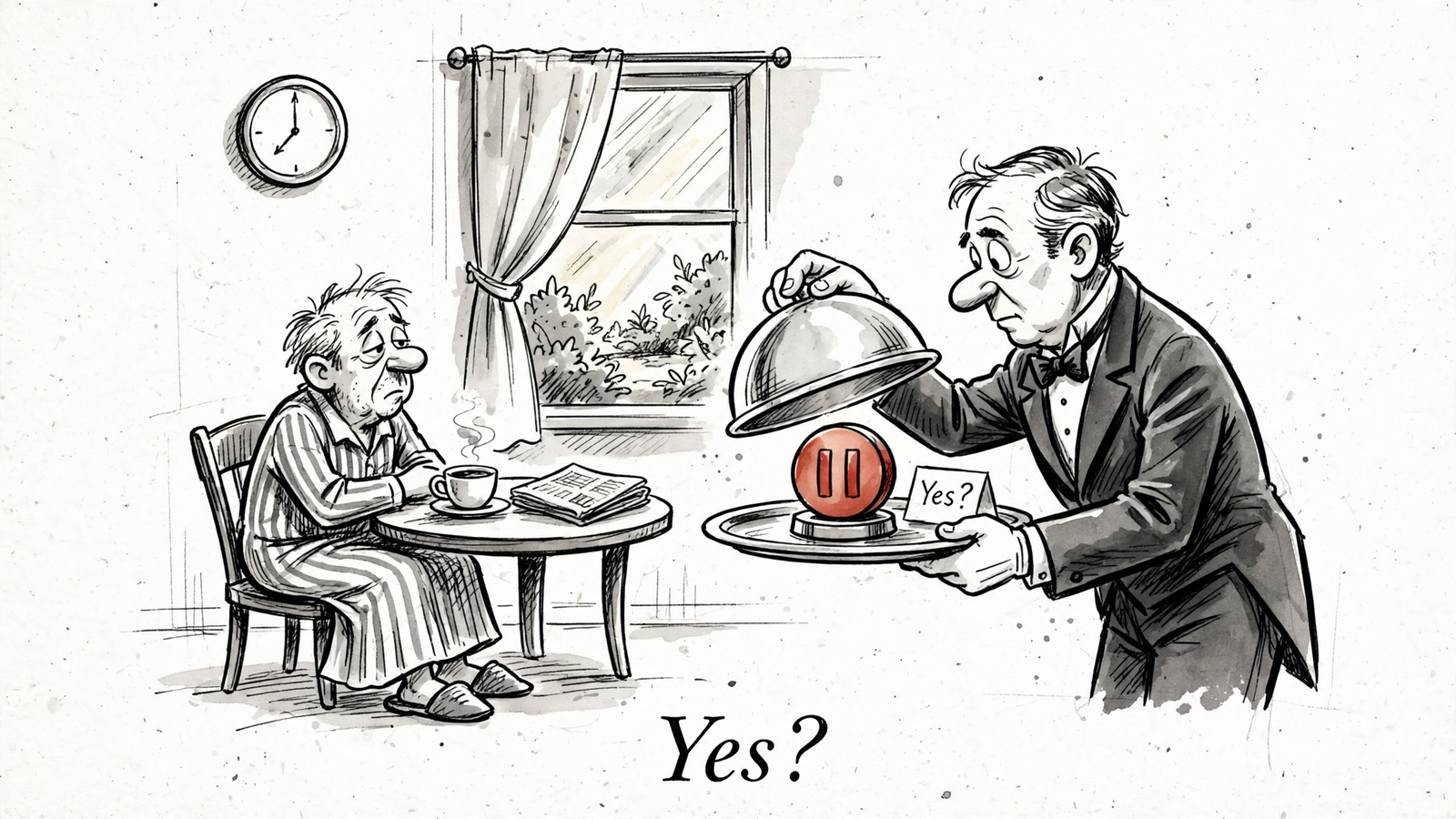
A live ChatGPT Ads campaign does not need a daily strategy deck. It needs three checks: is it spending, is it pacing, should anything pause? Claude connected to groas can run that check in one prompt, then make the change after a yes.
By the end of this tutorial, you will have a saved daily prompt that reads campaign, ad group and ad results, flags budget pacing, and proposes pauses, resumes or budget changes for approval. I keep the routine simple: read first, decide second, change last.
Before starting, have these ready:
- Claude connected to groas over MCP.
- Your ChatGPT Ads account connected in groas.
- The account and campaign names you want to check.
- Working conversion tracking before using any conversion-based pause rule.
If the connection is not ready, follow the companion ChatGPT Ads setup guide, then return here for the daily routine.
Keep the daily job small
Once a campaign is live, the routine check should stay small. Say the budget is $50/day. I want a short read of delivery, pacing and results, followed by a clear proposal if something needs attention. A new dashboard and a weekly meeting do not make that decision better.
The useful distinction is between checking the account and changing the account. Claude can collect the numbers through groas without turning every weak result into an immediate pause. That separation matters most when the account has little data.

If groas is not already available in Claude, use Customize > Connectors > Add custom connector, enter the remote MCP URL below, and sign in to groas:
https://mcp.groas.ai/mcp
Claude Free allows one custom connector, which is enough for this routine.
Keep groas autopilot off for this manual approval workflow. Claude proposes; you confirm; groas logs the change so it can be undone. A prompt saying always ask me first is an instruction, not a substitute for controlling tool access. I check permissions before handing over write actions.
Step 1: Read campaign results before proposing anything
Open a fresh Claude chat with groas connected. Replace the bracketed account name and paste this:
Using groas, show ChatGPT Ads for [account name] for yesterday and, separately, the last 7 days.
Use the ad account timezone and show the exact date ranges.

By campaign, show:
status, daily budget, spend, impressions, clicks, CPC, conversions, CPA.

Break the top-spend campaign into ad groups, then ads:
spend, CPC, conversions per ad group and ad.

Flag any ad group with spend > $20 and 0 conversions in the last 7 days.
Propose nothing yet. Read-only.
Expected result: campaign results for both date ranges, followed by ad group and ad detail for the top-spending campaign. The numbers should come from groas, not from Claude remembering an earlier conversation. A flagged row is something to inspect, not permission to pause it.
Common mistake: reading yesterday alone on a $25/day campaign. One day tells me whether money moved. Seven days gives me more context before calling an ad group a loser. Neither window makes a fixed $20 threshold universally sensible; that number is a starting flag for this walkthrough.
Check the dates before reading the verdict. If Claude combines both windows into one unlabeled table, ask it to separate them. Otherwise, a seven-day spend figure can quietly become the basis for a one-day conclusion.
No table, no change.
Step 2: Check pacing against the budget week
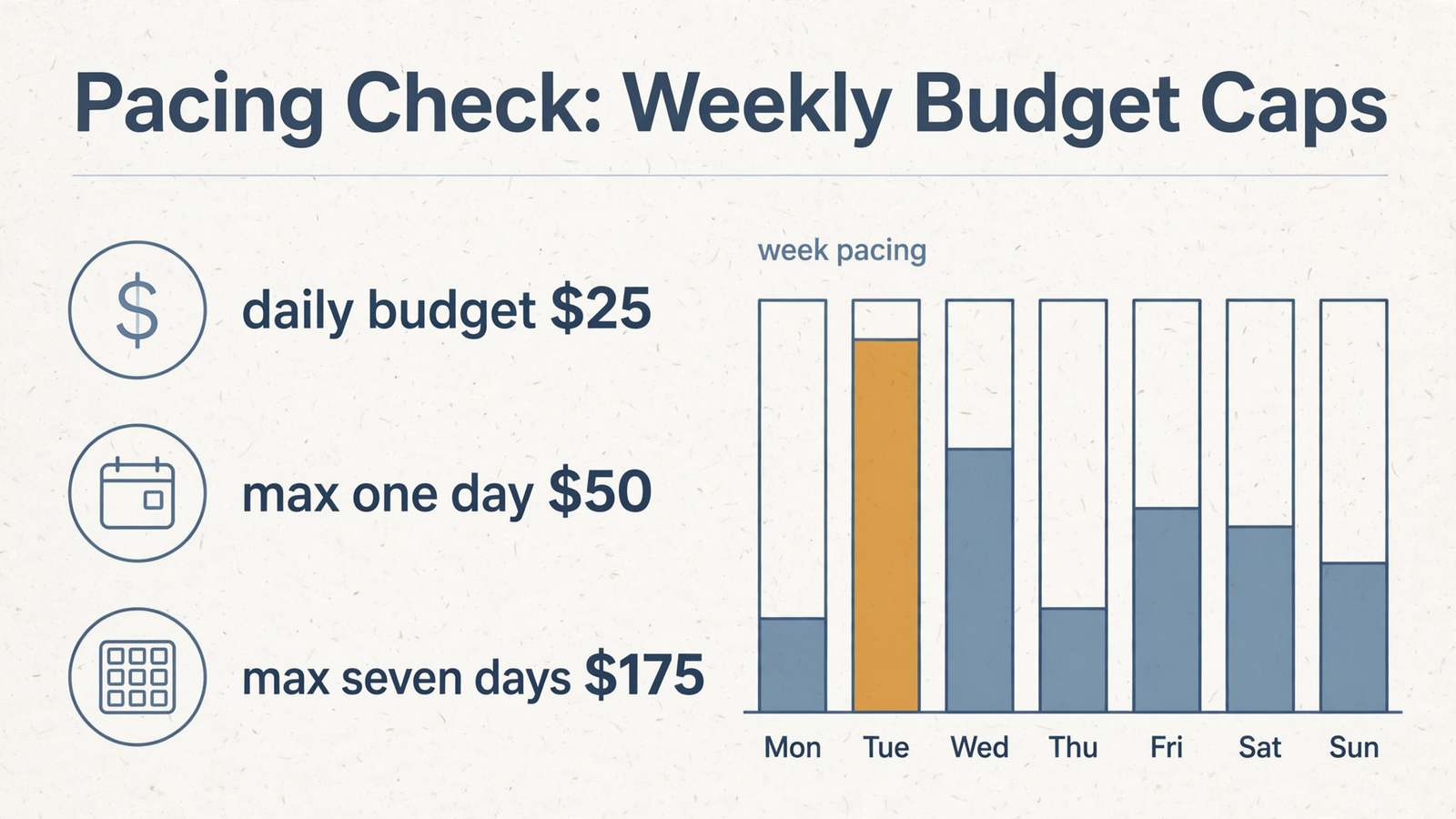
Treat the daily budget as an average, not a hard daily cap. ChatGPT Ads budgets run over a Sunday-to-Saturday week in the ad account timezone. Maximum daily spend is 2x the daily budget, while the weekly maximum is 7x the daily budget.
That allows a busy Tuesday and a quieter Thursday without the week necessarily going off target. Judge yesterday’s spend against the daily ceiling and the week’s spend against the weekly allowance. They answer different questions.
Paste this next:
Using groas, check pacing for [campaign name]. Read-only.

Show:
- Ad account timezone and current daily budget.
- Spend yesterday.
- Spend from Sunday through the end of yesterday.
- Number of completed days in that period.
- Expected spend through yesterday = daily budget * completed days.
- Projected full-week spend at that completed-day pace.
- Today's spend separately.

Flag if yesterday > 2x daily budget.
Flag if projected full-week spend > 7x daily budget.
If the budget changed this week, identify that before interpreting the projection.
Do not change anything.
Expected result: actual versus expected spend through the same cutoff, a full-week projection, and a short pacing verdict. Keeping today separate avoids comparing a partial day with a full day’s allowance.
Common mistake: treating a projection as either a bill or a guaranteed outcome. It is a pace check. A recent budget change also makes a projection based only on the current budget less useful, which is why the prompt asks Claude to surface it.
Budget changes need a second check. Raising the budget during the day makes that day’s ceiling 2x the highest budget active that day. Raising $25 to $50 therefore raises the ceiling to $100. Making the change after lunch does not remove that rule.
Check the week before reacting to one expensive day.
Step 3: Propose a pause or resume, then approve it
Choose the specific ad group or ad from Step 1. Replace $X with the spend threshold you intend to use. Do not leave the threshold for Claude to guess.
Using groas, propose pausing [ad group or ad name] in [campaign name].

Reason to check: spend > $X with 0 conversions in the last 7 days.
Show the exact target, date range, current status, spend and conversions.
Do not pause the parent campaign.

Do not act until I reply yes to this proposal.
After approval, pause only the named target.
Confirm the resulting status and the logged change.
Expected result: Claude identifies the target, shows the evidence and waits. Review the proposed scope. Only then reply yes. After the action, expect the new status and a record of the change.
Common mistake: pausing the whole campaign because one ad group is the problem. Pause the smallest appropriate unit and leave the rest running. The exact target matters more than a confident paragraph explaining why performance looks weak.
For a resume, use the same sequence in reverse:
Using groas, propose resuming [ad group or ad name] in [campaign name].
Show its exact current status and the proposed new status.
The fix behind the pause is: [describe the completed fix].

Do not act until I reply yes to this proposal.
After approval, resume only the named target.
Confirm the resulting status and the logged change.
I resume when the reason for the pause has changed: new creative, a fixed landing page or a tighter bid. Resuming the same loser because another week has arrived is not a test plan. It is a calendar event.
Undo can reverse a setting. It cannot recover money already spent. Proposal first, yes second, change third.
Step 4: Check bids before changing the daily budget
Read pacing first. Then propose one budget change with an explicit starting value and destination.
Two constraints matter here. The US minimum daily campaign budget is $25. With fixed bidding, the daily budget must also stay at or above the highest effective per-event bid across non-archived ad groups. If the proposed budget falls below that bid, lower the bid before lowering the budget.
Paste this with the actual amounts:
Using groas, propose changing the daily budget for [campaign name]
from $[current] to $[new].

Show:
- Current daily budget.
- Highest effective per-event bid across non-archived ad groups.
- Yesterday's spend.
- Last 7 days' conversions and CPA.
- Whether the proposed budget meets the $25 US minimum.
- Any effect on today's spending ceiling.

If the new budget is below the highest effective bid,
propose a bid change first and stop for approval.
Do not treat approval of a bid change as approval of the budget change.

Otherwise, show the budget proposal and wait for my yes.
After approval, apply only the approved change.
Confirm the new value and the logged change.
Expected result: either a budget proposal ready for review or a clear explanation of the constraint blocking it. If a bid must change first, approve and verify that action separately, then request the budget proposal again.
Common mistake: trying to cut the budget from $50 to $25 while a $30 fixed bid remains in a non-archived ad group. Do not archive an ad group just to force the cut through. Check the bid and decide deliberately.
For an increase, read the same-day ceiling before approving. I do not treat an afternoon change as protection against extra spend. The highest-budget rule still applies.
Across five campaigns, make five specific proposals rather than asking Claude to trim the losers. A tidy phrase is not a change specification. Bids first, budget second; approve each action on its own.
Check every answer in the same order
I read Claude’s answers in this order: dates, numbers, proposed action, logged result. Confident prose comes last. It is the cheapest part to produce.
Use this checklist before approving anything:
- Dates: confirm yesterday and the last seven days use the ad account timezone. For pacing, confirm the Sunday-to-Saturday week and the cutoff used in the calculation.
- Numbers: require spend, clicks, CPC, conversions and CPA from groas. If a metric is missing, do not let an explanation quietly stand in for it.
- Exact target: confirm the account, campaign, ad group or ad. Similar names are a reason to slow down, not let Claude choose.
- Status: ask for the exact state before and after.
ENABLED,PAUSEDandARCHIVEDare not interchangeable. “Turned off” is not specific enough. - Approval: check that the proposal contains only the action you intend to authorize. A yes to a pause is not a yes to a budget change mentioned underneath it.
- Verification: require both the logged change and a fresh read of the resulting setting. A log records the action; the read checks the current state.
Keep tool access narrow, too. In Claude, block tools you do not need and reserve Always allow for servers you trust. MCP tools can read, create, modify or delete. Access deserves attention before convenience does.
If Claude offers advice without the requested data, return to Step 1. Verify the evidence before approving the action.
Save one daily prompt
Save the following as a pinned note or a Claude Project instruction. Start one chat per day and fill in the brackets. This combines the reads and proposals; it does not authorize changes.
If conversion tracking is not working, skip conversion-based pause proposals. Zero recorded conversions tells me nothing useful about an ad’s performance when no conversion can fire.
Using groas for [account name], run the ChatGPT Ads daily check for [date].
Use the ad account timezone. Read and propose only.

1. Results:
Show yesterday and the last 7 days separately by campaign:
status, daily budget, spend, impressions, clicks, CPC, conversions, CPA.
Then show ad group and ad results for the top-spend campaign.

2. Pacing:
Show the daily budget, spend Sunday through yesterday,
completed days, expected spend to that cutoff,
and projected full-week spend. Show today's spend separately.
Flag overpacing and identify any budget changes affecting the calculation.

3. Proposals:
If conversion tracking is working, flag ad groups with more than
$20 spend and 0 conversions in the last 7 days for review.
Do not treat the flag as an instruction to pause.
If a budget change from $X to $Y is requested, check the minimum
budget, highest effective bid and today's spending ceiling first.
Show each proposed action separately with its exact target and reason.

4. Approval:
Wait for my yes to a specific proposal.
Apply only that approved action.
Confirm the resulting status or budget and the logged change.
Do not make additional changes.
Expected result: one daily read, followed by specific proposals only where needed. If nothing needs changing, stop there. Finding work for an agent is not the objective.
Verify the change, then replace the starter threshold
After an approved action, re-query the thing that changed:
Using groas, show the current status and daily budget for [campaign name].
Also show the current status of [ad group or ad name, if changed].
Show the logged change for the action I just approved.
Read-only.
Expected result: the approved budget or exact status appears in the fresh read, with the corresponding change record. If an ad group was paused, checking only the parent campaign is not enough; that campaign may correctly remain ENABLED.
Common mistake: accepting “done” as verification. Check the same target again tomorrow. Review spend against the applicable budget rules and confirm the paused target has no new spend attributable to delivery after the pause.
Once this loop runs clean for two weeks, the first thing I change is the pause threshold. Replace the flat $20 flag with a rule tied to the account’s target CPA, such as proposing a pause above 1.5x target CPA with zero conversions in seven days. Keep approval in place.
Make the threshold reflect the economics, not the tutorial. That is when daily management stops being babysitting and starts being budget control.


