

 LinkedIn

Set up your AI Overviews tracker to tell you which pages are worth fixing and which to leave alone. The first mistake is counting Google showed no overview as Google showed one and left us out.
In a write-up on r/GrowthHacking, someone checked 12 core category queries. Google showed AI Overviews on 11 and cited their company in none. Their pages still ranked in the blue links underneath, and the rank tracker stayed green. The 11 overviews were worth investigating. The search without one wasn’t a citation loss. A single visibility score makes those two outcomes look identical.
Google says AI Overviews only appear when its systems determine they add something to classic Search, so they “often don’t trigger”. I use Claude with groas to organize the evidence, but the rule comes before the tool: log what Google actually showed before deciding what to change.
1. What should count as a missed citation?
Every usable check goes into one of three buckets. The first tells you whether Google showed an overview. The other two tell you what happened when it did. As Kollavo’s citation-analysis guide puts it, always state the denominator. Activation rate is the share of usable checks that showed an overview. Citation rate is the share of overview-present checks that cited you. They answer different questions. Keep both.
No overview appeared
No overview means there was nothing to be cited in. It doesn’t mean the query never triggers one. Ahrefs’ 146-million-SERP study found overviews on 57.9% of question queries versus 15.5% of non-questions. Even the same query can behave differently on the next pass: PacketStream checked 15 US queries twice, 20 minutes apart, and saw overviews on three the first time and five the second.
Record no overview when you have a result page and the box isn’t there. If you don’t have the result page or enough evidence to tell what it showed, record unknown. Don’t rewrite a page over either row.
An overview appeared without your site
Check who got the link and whether the answer names you anyway. Relevant Audience’s tracking guide separates presence, citation, and mention. The box can appear, name your brand in the answer, and link to a competitor. A tracker that only checks the source list misses the mention; one that only checks the answer text misses who got the link.
If the answer doesn’t name or cite you, open the cited pages. A competitor’s explainer can make the source list even when your guide ranks above it in the blue links. That’s a reason to compare the passages, not to assume your rankings need work.
Your site was cited
A citation isn’t a recommendation. The overview can link to your page as a source and still recommend someone else. In PacketStream’s checks, its domain was cited in all four countries but named in the answer text in only two. I’d record whether the domain was linked, whether the brand was named, and whether the answer recommended it. Those fields aren’t interchangeable.
Keep the exact query, too. In an r/SEO discussion about citation tracking, one practitioner reported that a page cited for “supabase error 42501 row level security fix” disappeared from the sources when they added “policy.” Don’t tidy up a buyer’s phrasing before you track it.
2. How do I connect Claude and check what data I have?
MCP is the connection between Claude and tools like groas. Start with a read-only check. Before asking Claude for a rate, find out what it can actually show you for your queries.
- In Claude, open Customize → Connectors and choose + Add → Add custom connector.
- Name it
groasand pastehttps://mcp.groas.ai/mcp. Leave the detected sign-in options as they are and click Add. - Click Connect and sign in.
Claude’s free plan allows one custom connector. On Team and Enterprise, an Owner adds it first under Organization settings → Connectors. The Claude + groas setup page shows the steps with screenshots.
Once connected, ask for the evidence before asking for analysis:
Show the Google AI Overview answers and source URLs available for these queries. Mark unavailable observations as
unknown. Only markno overviewif the result page shows that none appeared.
If a row comes back unknown, you can check the Google result yourself and add what you see. Until then, it isn’t a loss or a confirmed absence. Keep this log separate from ChatGPT, Gemini, and Perplexity. Mixing those answers into a Google citation rate gets you right back to a number you can’t diagnose.
3. Which queries should I track first?
Use what buyers already type, not the terms your team wishes they’d type. I’ve watched teams debate which ten keywords represent the category, then track head terms that produce mostly no-overview rows. Skip that meeting. Bring your Search Console queries into Claude and ask it to group them:
Group these Search Console queries by the buyer question behind each one. Label each group informational or product-selection. Keep the exact query text alongside each group.
Start with the queries you have. For ongoing tracking, Relevant Audience recommends a fixed panel of 30 to 50 queries and monthly reporting. Hold the panel steady for a quarter. If you change the list between checks, you can’t tell whether the market moved or you just asked different questions.
Why keep informational and product-selection queries apart?
The two groups point to different page edits. “How does employee scheduling software handle overtime?” calls for an explanation. “Best employee scheduling software for restaurants” is a selection question. A gap there may call for a clearer comparison, more direct pricing information, or third-party corroboration. A blended citation rate won’t tell you which work to do.
Record the country, observation date, and location Google shows on the results page. Treat a US check and a French check as separate observations. Otherwise, a change of office can look like a change in visibility.
4. What goes in a baseline I can inspect later?
One row is one observation. If you check the same query again, give it a new row. Here’s what I keep:
- The check: date, exact query, country, and reported location.
- What appeared: overview status, full answer text, complete source list, and a screenshot. The screenshot settles arguments six weeks later.
- What happened to the brand: cited URL, brand named, and whether the answer recommends it. Count a domain once per answer even if two of its URLs appear. Keep competitor URLs so you can open the pages that did get cited.
- Where the links sat:
link_orderandorganic_position, two useful fields from Queryrev’s schema. The first records your place among the overview’s sources. The second records your best classic result on the same page. Side by side, they show whether the overview cited a page that also ranked well, not why it cited it.
Use Search Console to find the queries worth checking. Use the log to see who got cited and what the answer actually said. An impression isn’t a source list.
Have Claude calculate activation across usable checks and citation rate across checks with an overview. Report unknowns separately rather than letting them into either denominator. Run queries more than once and stick to the same surface. One result is useful evidence for that check. It isn’t a baseline by itself.
5. How do I turn one missing citation into a page edit?
Pick a row where an overview appeared, a competitor got cited, and you didn’t. Skip the no-overview rows. Then ask Claude to compare your page with the sources you logged:
Compare the cited pages with ours for this query. Identify the unanswered buyer question, not merely missing keywords.
Say you sell employee scheduling software. The cited page answers what happens to overtime when an employee swaps a shift midweek, and it does it in a four-row table. Your page has a feature list and a demo form. The keyword sits on both pages. The answer sits on one.
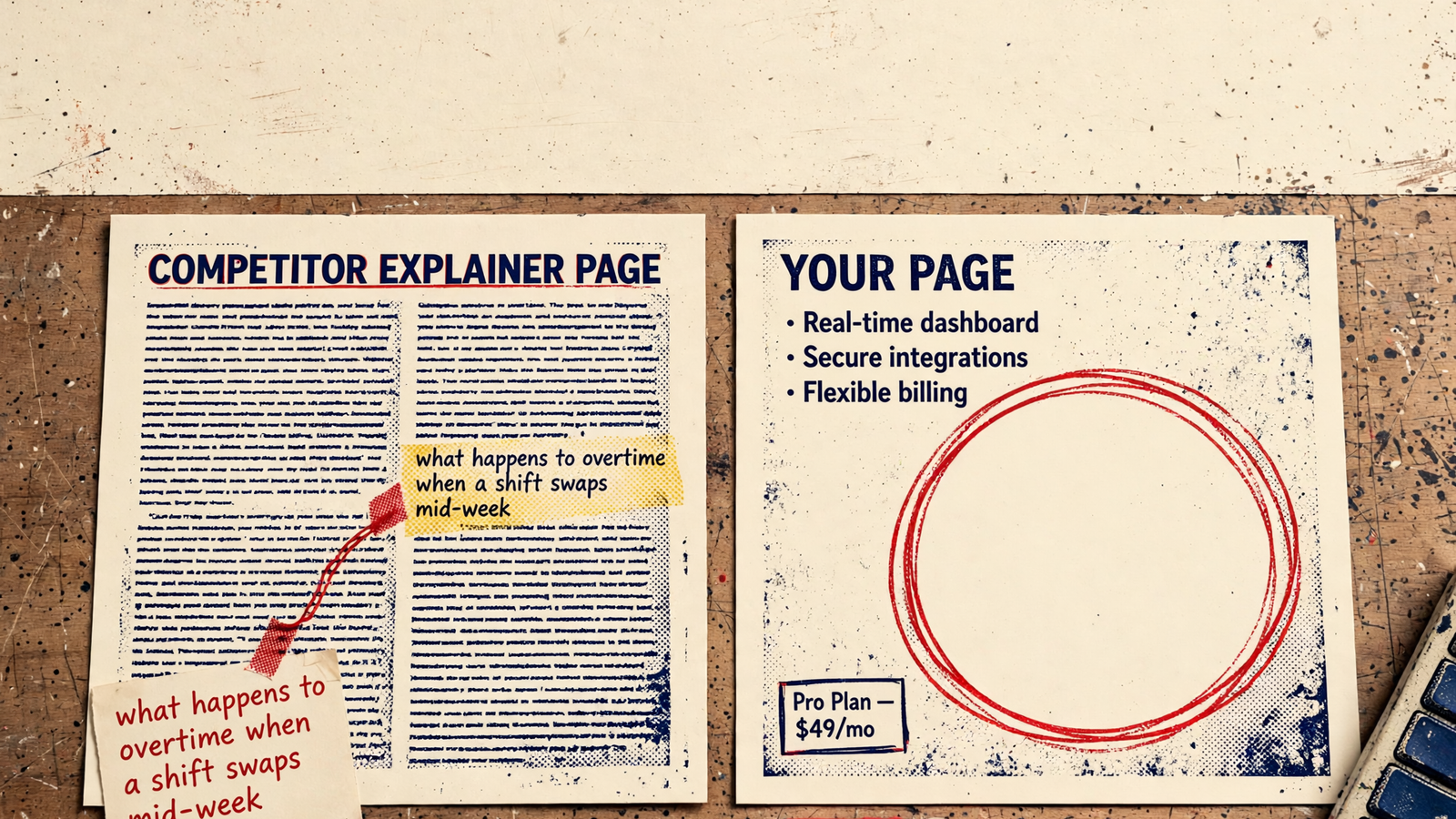
Fix the page you have before commissioning another for the same intent. Put the buyer’s question in a subheading. Answer it in the first sentence underneath. Add the table or numbers that make the answer useful. Before rewriting, check that search crawlers can read the page. A copy edit won’t fix an access problem.
Have Claude draft the section, then read it like an editor. Does it answer the question in the first two lines? Does it use the buyer’s wording? Does the list, table, or number help, or is it there to make the edit look bigger? Approve the copy before it goes live. The machine can draft. You own the answer.
6. What counts as a change after 30 days?
Re-run the same panel after 30 days: same queries, same country, same surface, same logged-out conditions. Compare activation, citation among overview-present rows, and recommendation among cited rows. Write the report in three columns: what changed, what didn’t, and what’s still unknown.
If the citation rate moves for the query you fixed and holds steady elsewhere, that’s a signal, not proof. Two consecutive months moving in the same direction across a fixed panel are worth paying attention to. Anything less, keep collecting. There’s a reason to report monthly rather than weekly: on a surface this variable, the extra report can give you more noise without giving you a better decision.
I end the recheck with a sentence like this: “We changed X on date Y. Citation rate for that query moved from A to B across N checks. We can’t separate our change from Google’s own variation.” Leave that last sentence in.
7. What does $19 a month buy me?
groas Unlimited costs $19 a month for the whole team: unlimited teammates, ad accounts, and websites, plus every feature and the data groas collects. That includes how AI answers talk about you and whom they cite, competitor ads and funnels, Reddit research, and SEO data from Semrush and Ahrefs. There’s no percentage-of-spend fee. If you move beyond read-only work, decide who can approve changes before the first MCP bill comes due. Changes groas makes are logged with a reason and can be undone in one step.

What the $19 doesn’t buy is a citation guarantee. Google decides whether an overview appears and which sources it cites. I’d skip a dashboard that hands me one visibility score and use the log to decide which buyer question a page still needs to answer. If you also want to track ChatGPT, Gemini, and other surfaces, build those logs separately.
8. What’s the first thing I should do today?
Open Claude and connect groas under Customize → Connectors → + Add → Add custom connector. Paste https://mcp.groas.ai/mcp and sign in. Bring in your last 90 days of Search Console queries, then paste this:
Group these queries by the buyer question behind each one. Label each group informational or product-selection. Pick the ten product-selection queries with the most impressions and show the Google AI Overview answers and source URLs available for each. Mark unavailable observations as
unknown.
Ten queries are enough to start, not enough to declare a trend. Look for one confirmed overview that cited someone else. Open that source next to your page and find the question it answers better. Leave the no-overview rows alone.


