

 LinkedIn

Seven days to Black Friday, one existing Google Ads account, and no automatic bid boosts. If this is your first time connecting ChatGPT to Google Ads, I would give it a narrower job: make it defend a conversion-rate forecast before you even consider a seasonality adjustment.
I’ve watched the holiday panic bid-up burn money too many times to count. The calendar tells me when the sale starts. It doesn’t tell me how many more clicks will turn into purchases. Until I have an answer I can defend, the bids stay put.
ChatGPT does the reasoning; groas supplies the account data and execution tools over MCP. Connect your account and website once, add groas to ChatGPT, and ask for what you need in plain English. The price is $19 a month flat. Autopilot stays off unless you switch it on. Leave it off for this playbook. Every change is logged with its reason and can be undone in one step.
I use three sessions: an hour on Day 1, an hour on Day 3, and 30 minutes on Day 7. That buys an account baseline, a yes-or-no decision with written limits, and an approved edit list. What I cut is the usual holiday package: higher bids, higher budgets and looser targets, all at once because somebody put Black Friday on a slide.
1. Day 1: Spend an hour finding out what the account buys
The first hour buys a baseline, not a tactic. With groas connected, I start with this:
Read this account through groas. Explain the conversion goals, bidding strategies, budgets and recent results in plain English. List missing information. Do not change anything.
I used to skip this step because it felt slow. I was wrong. I’ve seen holiday plans built around a conversion action that counted page views as purchases. No bid logic survives that. I want ChatGPT to tell me what the account counts as a conversion, what each one costs and what value comes back for the spend. CPA is spend divided by conversions. ROAS is conversion value divided by spend. The arithmetic is easy. Knowing what went into it is the work.
Save spend, CPA and ROAS for the last 14 ordinary days, with any tracking gaps beside the numbers. If ChatGPT can’t explain what the account is counting, don’t let it turn a tidy-looking report into a bidding recommendation. Fix tracking before touching bids.

I use the last 20 minutes of the hour to separate expensive clicks from clicks that are more likely to convert:
Compare available prior promotional periods with ordinary periods. Show CPC, conversion rate, conversion value and reporting limitations separately.
More advertisers bidding can make Black Friday clicks cost more. Shoppers arriving ready to buy can also make more of those clicks convert. Only the second belongs in a seasonality adjustment. It tells Google to expect a short-term change in conversion rate. Google recommends it for events lasting one to seven days and says it may not work as well beyond 14. It doesn’t directly change budgets or traffic, and a higher CPC is not a reason to use it.
If ChatGPT can’t find a comparable promo with clean tracking and a measurable lift, that missing history is the answer. Cut the borrowed lift percentage from somebody else’s blog post. No comparable lift means no defensible forecast. No forecast means no adjustment.
2. Day 3: Make the forecast earn a yes
The first half of Day 3 buys a decision with evidence attached. I ask ChatGPT to make the case against the default of doing nothing:
Using our promotion dates, offer and available account history, state what evidence supports an unusual conversion-rate change. Name the comparable promotion and show the lift. If the evidence is insufficient, recommend no adjustment.
I want the dates, the offer and the change in conversion rate on the same page. If the case amounts to “CPC went up last year” or “Black Friday is a big shopping day,” it’s a no. Neither tells me how much more often a click is likely to convert in this account during this promotion.
There’s a reason I make the adjustment earn its place. Optmyzr compared 5,886 accounts over Black Friday and Cyber Monday in 2024 with their pre-holiday baselines. CPC rose 34% in accounts using adjustments versus 17% without them. ROAS fell 15.7% in the first group and rose 5.7% in the second. Revenue grew 39.9% versus 33.8%. That’s about six points more revenue growth alongside a 21-point gap in ROAS change. Across the three years in the analysis, CPC rose about twice as fast in accounts using adjustments each year. The conversion-rate lift among advertisers who left the setting alone shrank from 17.5% in 2022 to 7.5% in 2024.
That’s a comparison between groups, not a controlled test. Advertisers who use adjustments may also push for volume in other ways. I wouldn’t use those numbers to claim the adjustment caused the ROAS drop, and I wouldn’t use the hands-off group’s lift as a forecast for my account. The useful lesson is narrower: the holiday alone doesn’t make the case.
Andrew Lolk checks whether a campaign is already capped by budget before changing bids. He watched someone take an adjustment from 20% to 300% on Black Friday evening and get no movement because the campaign was budget-capped. The bid signal had no room to act. If the forecast survives but the budget is already binding, don’t respond by making the forecast bigger. Write down what’s actually limiting the campaign.
3. Day 3, second half: Put a dollar figure on the risk
The rest of the hour buys written limits, not permission to spend. I use this prompt whether the adjustment is a yes or a no:
Draft a plan listing current budgets, proposed changes, account-level spending exposure, review times, approval requirements and stop conditions. Treat Google Ads average daily budgets as averages, not hard daily caps.
Read the result like someone who has been burned. For most campaigns, Google Ads can spend up to twice the average daily budget on a given day, with a monthly spending limit of 30.4 times that average. A $200 average daily budget can produce a $380 Black Friday. If the plan calls $200 the most you can spend that day, send it back. State the exposure in dollars and write down the spend or CPA figures that trigger a review. A review trigger in your plan is not a cap in Google Ads.
Before I put an edit on the list, I run two checks:
- Does the campaign qualify? For a seasonality adjustment, Search, Standard Shopping and Display need Target CPA or Target ROAS. Performance Max is covered across bidding strategies. Cut any proposal to apply the adjustment to a Manual CPC campaign.
- Does the edit match the job? If you want more volume, a lower Target ROAS is a separate lever, not evidence of a conversion-rate lift. If the forecast does justify an adjustment, keep it at or below your last comparable lift and apply it only to campaigns that share the promotion. The guide to tCPA and tROAS is the reference I use when those two targets get muddled.
Cut the bundle that changes a target, a budget and a forecast together. If all three move, the account log can tell you what changed. It can’t tell you which change did the work. Write the limits before you approve the edits, not after the first expensive day.
4. Day 7: Approve specific edits, not an instruction to optimize
The last 30 minutes buy control. I have ChatGPT show me the list before it touches the account:
Show the proposed edits with their current values, proposed values and reasons. Wait for my explicit approval. Then execute only the supported edits I approved through groas, verify the resulting settings and return the action log.
This is where the connection matters. Google’s open-source MCP server is read-only. It can answer reporting questions, but it can’t make the edit you just approved. With groas connected, ChatGPT can read the live account, make supported changes after approval and return the log. I check it the way I’d check a junior’s work: old value, new value, why. If a proposed edit doesn’t have a before and after, it doesn’t ship.
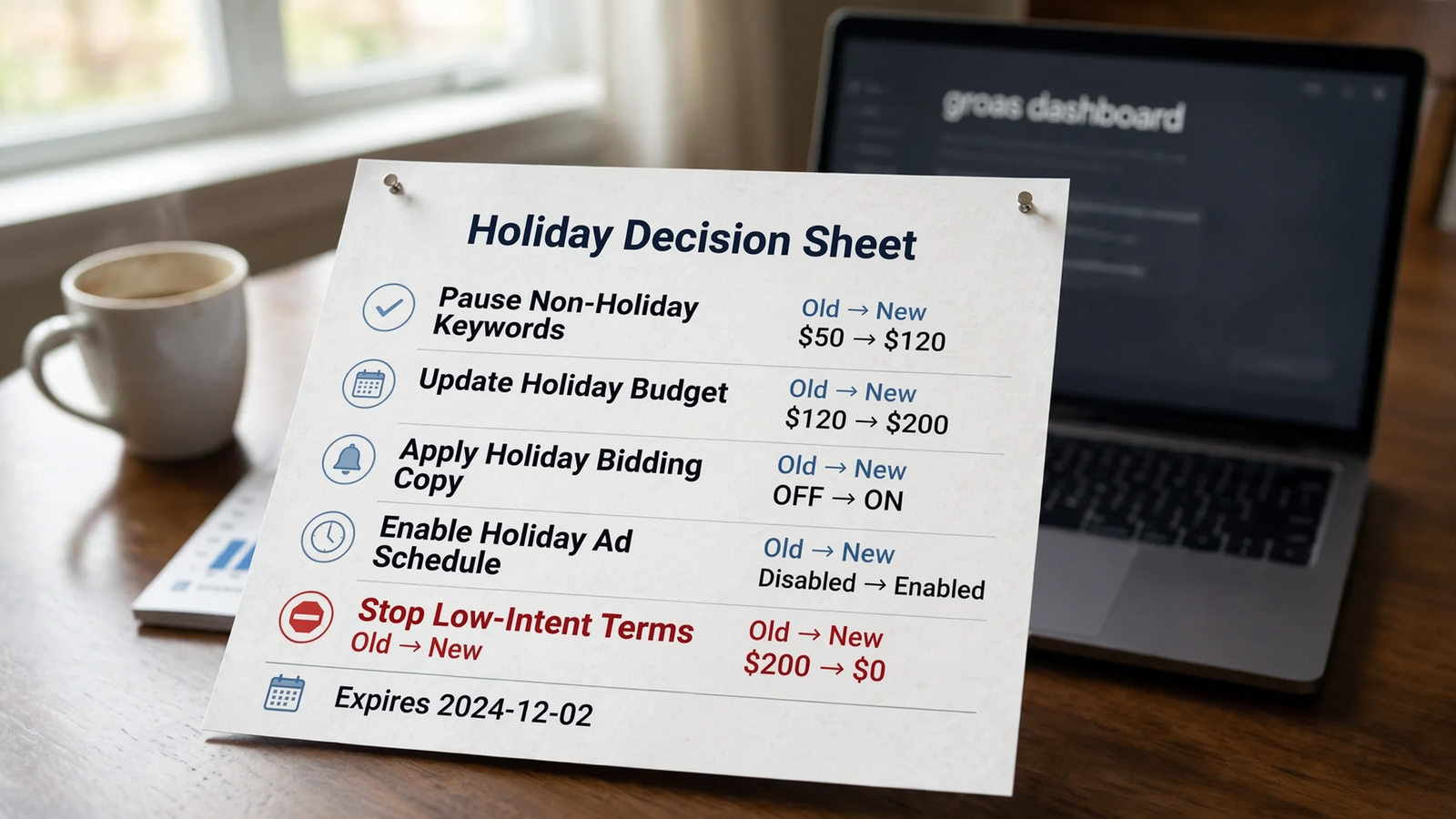
Cut “optimize for the holidays.” It isn’t an edit, and it doesn’t belong on an approval list. If the connector doesn’t support a setting, leave it untouched and record it as manual work. Use the first-time Google Ads setup runbook for anything you still need to connect or fix before you consider automation. Autopilot stays off.
Set the end time in the same session. A seasonality adjustment expires when the event ends, so there’s no negative adjustment to add afterward. Put someone on the hook to verify that it expired and to remove any other temporary setting that doesn’t come off on its own. If you’re working from a manager account, an event won’t carry over to accounts linked later. Leave any late addition outside this week’s plan. You have one account to get right.
5. Day 7, before you close the tab: Save the one-page plan
No extra session and no deck. The last thing I want from those 30 minutes is one page I can defend on Monday. It should be short enough to use when a number goes sideways and specific enough that nobody has to guess what was approved.
- Baseline and exposure: Spend, CPA and ROAS for the last 14 ordinary days, with tracking gaps noted. Show spending exposure in dollars without treating an average daily budget as a hard cap.
- Forecast or no adjustment: One expected conversion-rate change, with the dates and offer behind it. If there’s no defensible number, write “no adjustment.” Don’t leave the decision blank.
- Approved edits: Old value, new value and reason for each change. Keep unsupported settings on the manual-work list, not in the execution instruction.
- Intervention triggers: Two stop conditions and two review times. Write down the spend or CPA number that makes you stop and review rather than asking ChatGPT to decide what “too high” means in the moment.
- Expiry: When each temporary setting comes off, who removes it if needed and who verifies that it’s gone.
When the constraint lifts, do the boring work first. Verify that the adjustment expired, remove any other temporary settings and confirm bidding is back where it started. Keep the groas action log with the sheet and compare the promotion with the baseline you saved on Day 1. If tracking broke, keep that separate: data exclusion is for broken tracking, not another way of saying demand was soft. I’m not looking for a promised ROAS lift. I’m looking for a decision I can trace, reverse and judge before I let the next promotion change how the account bids.





