

 LinkedIn

A faster monthly report is still the wrong job for Claude. I’d rather have a Google and Bing decision queue that tells me what can’t wait, what needs more evidence, and which accounts I can leave alone.
I used to bill hours assembling those decks. CSVs from Google, CSVs from Microsoft, screenshots pasted into slides so the client could see we looked. Most pages changed nothing. Say you run 12 accounts at $20k a month each. Ten are pacing fine and converting inside their normal range. The other two are burning spend without conversions or watching conversions fall off a cliff. What the deck calls “full visibility,” I call ten biographies nobody needed and two emergencies buried on page 14.
A faster deck still gives every account a turn
The standard fix is to pull Google, Meta, and LinkedIn into scheduled client decks so the hours once spent copying and pasting can go to optimization. That’s the pitch in this roundup of 16 PPC reporting tools. It solves assembly. It doesn’t solve review. I still have one summary per account, and I still have to read past the accounts that need nothing to find the ones that need me.
At 24 accounts, giving each one the same weekly look stops working. One solo operator’s review-by-exception routine splits the work instead: 15 to 20 minutes a day to sort accounts by spend pace, conversion range, and tracking, with fixed slots for the work that needs a closer look. Reports still go out on schedule, in the same layout. The human part shrinks to two sentences: what happened and what’s next.
That’s the useful distinction in the reporting cadence argument: let the calendar decide when the report goes out, not when an exception gets attention. The client can still get the monthly deck. The account that’s off pace doesn’t have to wait for it. And if pacing and performance are inside range, I say so plainly and stop writing.
Before next season, decide what deserves an interruption
I connect Claude to groas over MCP and start with the accounts, not the deck template. The planning prompt I use before a busy stretch is boring on purpose:
Using the connected Google and Microsoft Advertising accounts, draft account-specific exception rules for CPA, spend without conversions, conversion declines, and budget pacing. Show the evidence behind each threshold. Do not change anything.
Draft the rules before the accounts break them. I’m asking Claude to read both channels and propose what should interrupt me. I’m not asking it to pause a campaign or move a budget. groas gives Claude a way to act later and gives me a log to check afterward. Neither belongs in this first pass. For starter wording, I’d use these seven Google and Bing exception reports before buying another dashboard.
Keep Google and Bing targets separate
A shared pause rule assumes the two platforms count the same thing in the same way. They don’t. Google Analytics goals can feed Google Ads reporting, while Microsoft has its own UET tag and conversion goals. The tracking comparison is useful for understanding why I check the setup before I trust the side-by-side.
Importing goals doesn’t settle it, either. The limits on Google Ads goal imports matter: eligible destination-URL goals created directly in Google Ads can carry over, but Analytics and Search Ads 360 goals, custom-event goals, and Smart Goals don’t. Attribution, reporting windows, time zones, and counting can differ even where the import works.
Check what each channel counts before comparing what it costs. I have Claude list the conversion definitions, reporting periods, and available evidence separately. If Bing looks cheaper in a short window, that’s a reason to check the window and the definitions, not a reason to move the budget.
Give Claude three piles, not 12 biographies
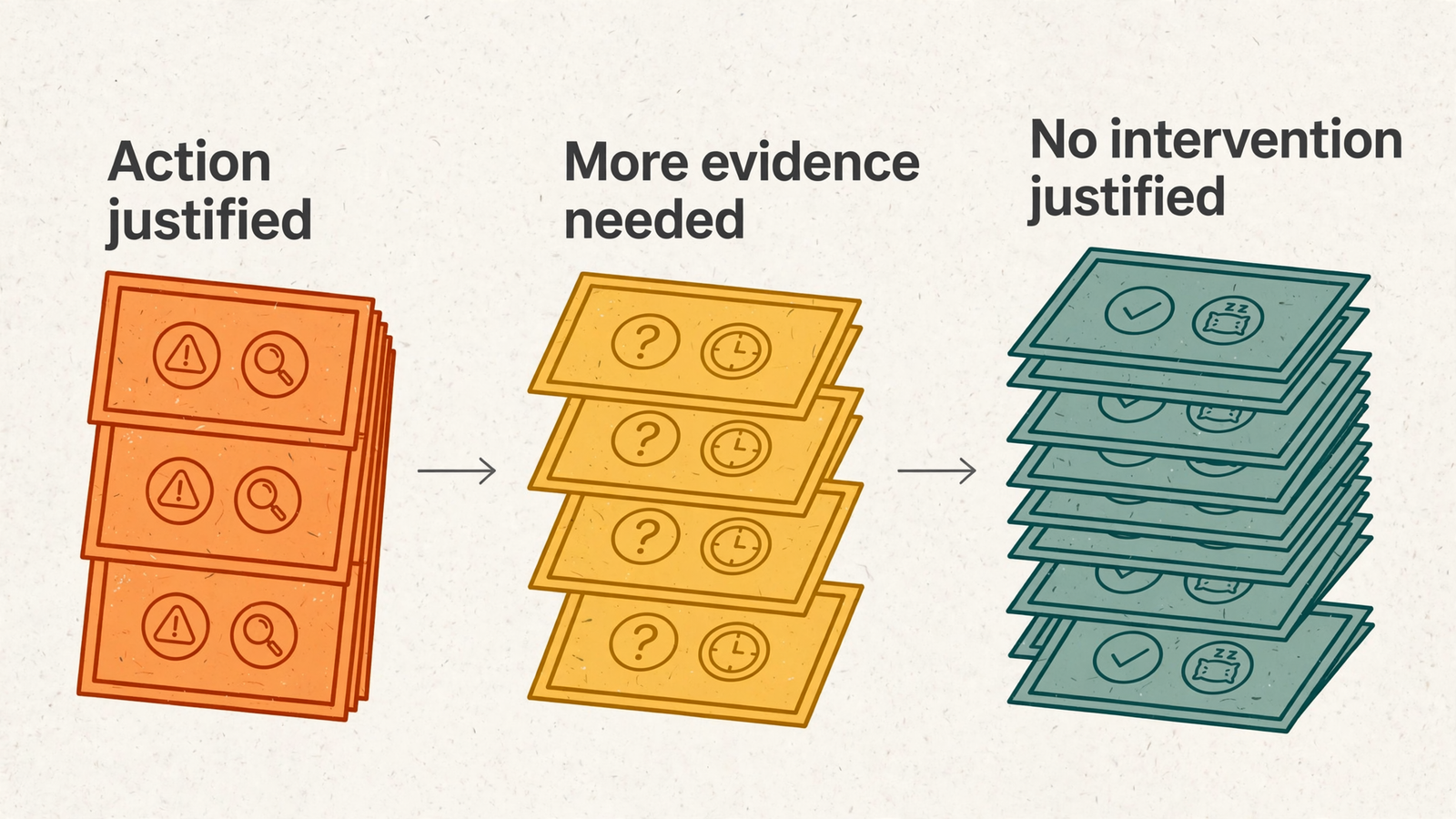
The decision queue replaces the per-account summary with three outputs. Each one tells me what to do next, including when the right move is to do nothing:
- Action justified. The account crossed a threshold I set in advance, and the evidence supports a specific change. Put the change in front of me today.
- More evidence needed. Something moved, but I don’t have enough to act on it. Name what’s missing and what would settle it.
- No intervention justified. Pacing and performance sit inside range. Say so in one line. I don’t need to open the account to admire it.
That third pile is what the monthly deck refuses to build. A budget pacing view that surfaces projected misses makes the point: compare spend to date with the monthly limit, project where it’ll land, and leave everything else quiet. The queue does the same job with a judgment attached. A projected miss gets my attention. A change I can’t justify yet doesn’t get my approval.
The distinction matters when accounts, spreadsheets, and client messages live in different places, as they do in this discussion about managing scattered client accounts. If I insist on assembling a complete story for every account, the exceptions wait while I collect evidence that the quiet accounts are still quiet. One line is enough for those accounts. Spend the review time on the ones that might need it.
Make every proposed action inspectable
I don’t approve a change just because Claude put it at the top of the queue. An action item needs four things:
- The account and campaign IDs.
- The evidence that triggered the rule.
- The exact proposed change.
- The reason to act instead of leaving it alone.
If Claude can’t produce all four, the item goes in more evidence needed, not in my budget. And the thresholds need to be mine, tested against my accounts. I’m not importing somebody else’s tolerance for a bad week along with their spreadsheet.
Take the pause-rule example for underperforming keywords and ad groups: twice the target CPA in spend, zero conversions, and at least 100 clicks. The click requirement is the part I care about. At a 3% conversion rate, getting zero conversions in 30 clicks happens about 40% of the time. At 100 clicks, it happens under 5% of the time. The guide also treats spend below one target CPA as too thin to act on. The lesson isn’t to copy the numbers. It’s to make the rule explain why the evidence is worth acting on.
The same guide checks margin because a keyword can hit target CPA and still lose money on a low-margin product mix. Likewise, a rising CPA after spend increased tells me what happened in what order. It doesn’t prove the spend caused the rise. I check the baseline and the margin before I let a tidy explanation turn into a budget change.
Approval is not an execution instruction
I use separate prompts. First I approve one exact edit; then I ask Claude to apply it. I name the account, the campaign, and what should change. After Claude applies it through groas, I read the log: what changed, why, and whether I can reverse it. Autopilot stays off until I’ve defined the rules it would run under. That’s the part the hands-off ownership guide gets right.
That separation is the point of running Claude through groas MCP. I can revise a proposed rule without touching the account. I can undo a budget edit, but that doesn’t undo spend that’s already gone out. When I ran the monthly deck factory, producing the report felt enough like doing the work that it was easy to blur what I’d noticed, what I’d decided, and what I’d actually changed.
The queue makes the handoffs explicit: sort the accounts, inspect the evidence, make the approved edit, check the record. The same sequence is what makes the 45-minute triage routine for 20 accounts useful. A shorter review doesn’t buy me anything if it leaves me guessing what got changed.
The log is not the owner
Claude can tell me which account needs a call. It can’t make the call for me. The groas log can show that a budget moved from $400 to $320 a day at 9:14, record why, and let me undo it in one click. Useful. It doesn’t tell me who promised the client a landing page rewrite, who’s waiting on the developer to fix the thank-you page tag, or who follows up when the test needs another week. I learned that doing multi-client work: the spreadsheet wasn’t the bottleneck. The bottleneck was three people assuming someone else had replied.
The queue holds the evidence. The task system holds the owner and the date. If a Bing campaign has four conversions in nine days and Claude says it needs more evidence, I give someone the follow-up and set a date to check again. Another paragraph in next week’s deck won’t do either job. If eight accounts need no intervention, they get one line each. No screenshots. No biography.
Set the rules before peak weeks set them for you
Say one Google account is pacing 30% ahead by Tuesday and a Bing account stops firing purchase tags after a site edit on Wednesday. A Friday summary that gives all 12 accounts equal weight catches both problems late. By then the Google account has already overspent, and the Bing account has been bidding without the purchase signal since Wednesday. The problem is timing, not effort. The deck describes what happened. The queue tells me what can’t wait until Friday.
Before the calendar fills up, I write down three numbers for each account:
- The CPA that forces a pause.
- The spend without a conversion that forces a look.
- The daily pace that forces a budget check.
I give those numbers to Claude with read access through groas and ask for the evidence against each one. I keep autopilot off until those thresholds survive two weeks of real traffic. Then I cut every report section nobody acted on last month. If a paragraph didn’t change a bid, a budget, or a task owner, it was decoration. I don’t need a better template for decoration.
Monday morning is the test. I open Claude, ask for the queue across both channels, and work the action pile. I leave the evidence pile with owners and dates. I close the quiet pile without opening a single account.
Keep the biography ritual and Claude will happily help you keep it. The summaries will arrive faster and the prose on page 14 will be better. Meanwhile, spend will drift between reports, Bing will look cheaper because the conversions were counted differently, and low-margin orders will hit CPA targets while losing money. I used to sell that package as thoroughness. I was wrong. The cost of burying an exception isn’t another hour in slides. It’s the spend that goes out before anyone acts.





