

 LinkedIn

A Claude demo is the wrong way to buy marketing infrastructure. I’d buy the setup that lets me fire Claude without reconnecting my ad accounts, rewriting my rules, or losing the record of what changed.
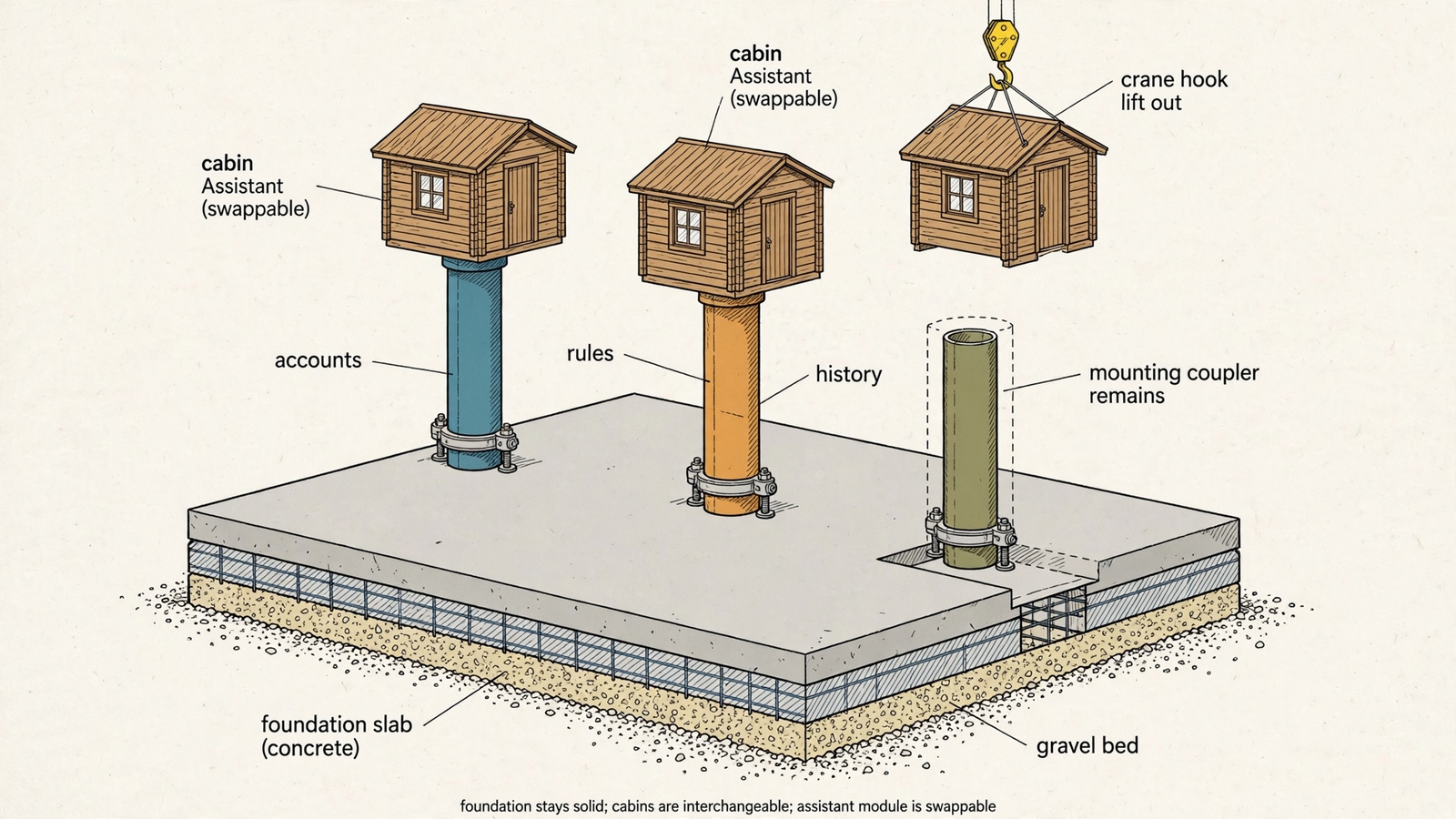
I’ve watched too many advertisers build a workflow around one assistant behaving well on one afternoon. The assistant is the replaceable part. The accounts, the rules for touching them, and the change history should outlast it. If moving the conversation to ChatGPT, Cursor, or Gemini means rebuilding all three, I didn’t buy infrastructure. I rented a good demo.
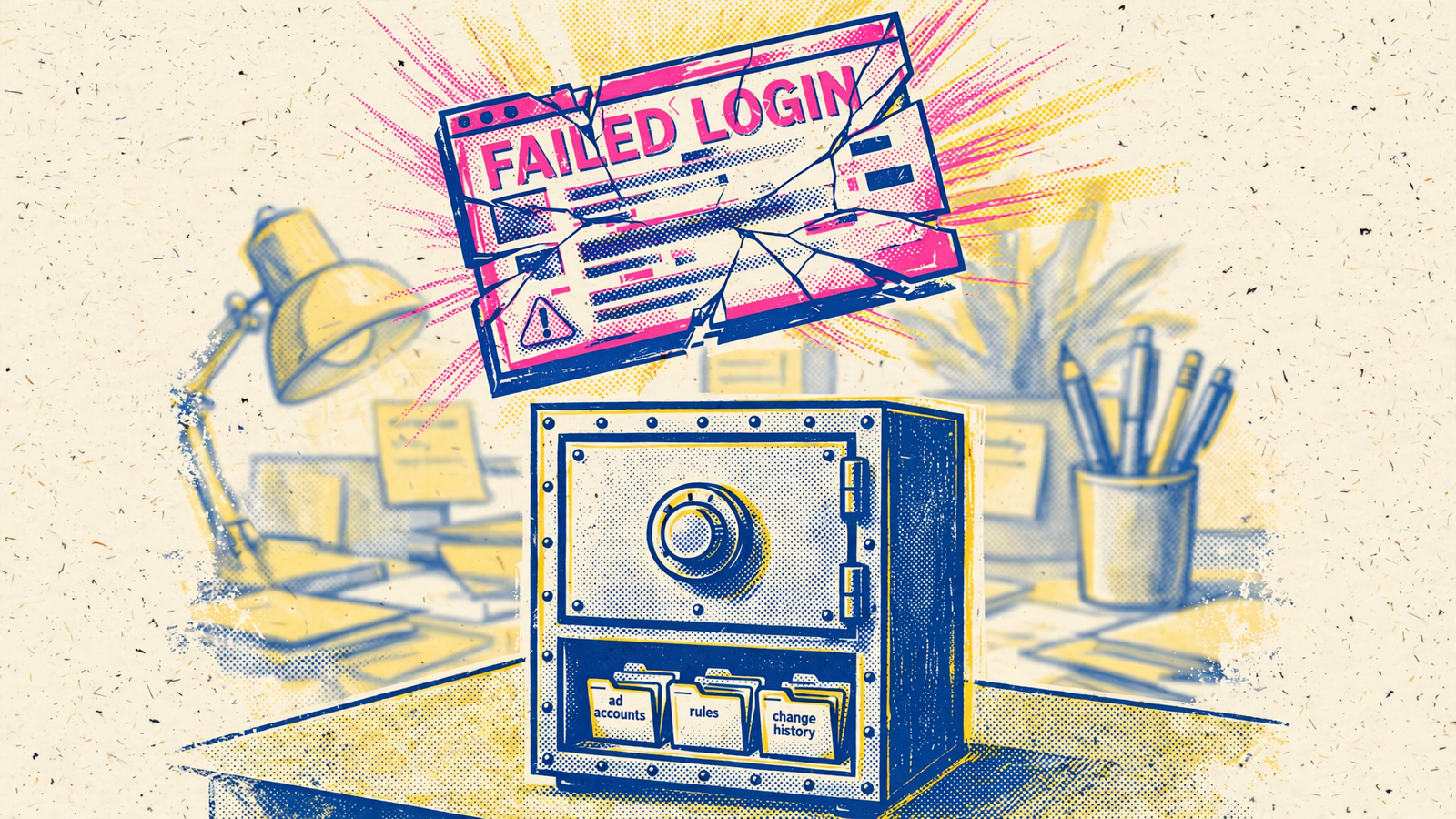
Take the Meta connection failure reported in October. The reporter tried the same Facebook profile in three setups:
- Existing Claude Pro account, Claude app: Adding
https://mcp.facebook.com/adsfailed during client registration, before the Facebook login screen even appeared. - Fresh Claude account: The connection worked.
- Same Claude Pro account, Claude Code instead of the Claude app: 98 tools showed up.
The reporter suspected a stale connector record from a May attempt, when the URL appeared in uppercase and Claude said it couldn’t register with Meta’s login service. That explanation was never confirmed. The issue closed as a duplicate, not as resolved.
It reminded me of running Google Ads when one saved payment profile could block a whole manager account. The exact cause mattered to whoever had to fix it. The buying lesson didn’t depend on knowing it. Meta’s Ads MCP could connect in one setup and fail before login in another. I used to tell clients that a working connection meant we’d solved the problem. I was wrong. A working connection tells me where I can work today. It doesn’t tell me what I get to keep if I have to work somewhere else tomorrow.
Connector count tells me what fits, not what survives
The standard best MCP servers for marketing roundup scores tools by channel coverage. Official server for Google Ads, official server for Meta, one more for analytics. It’s a fantasy lineup for people who already spend too much time in spreadsheets. The count is easy to compare. It doesn’t tell me where the connections, rules, and history live when I change assistants.
There’s one reason to count slots. On Claude Free, there’s one custom connector slot, and Meta’s server uses it. Directory entries don’t count toward it. If I’m buying for that plan, one server versus five matters. But say I’m spending $20k a month across Google and Meta. Once I know the connectors fit my plan, the count has done its job. Now I look at what each one can actually do:
- Google’s official MCP is read-only. It can show me accounts and campaign data through GAQL. It can’t pause a campaign, change a bid, or build an asset.
- Meta’s MCP reads and writes. It can create and edit campaigns, so I need to know how approvals work before I let it make changes.
On a comparison chart, that’s two connectors. In an account, one can show me what happened and the other can change what happens next. If Claude stops cooperating halfway through the work, I need to know whether ChatGPT can pick up the rules and the history, not just whether it has a Meta connector too. I count connectors to check whether they fit the plan. I buy on what survives the handover.
Keep the accounts and rules below the chat
The fix isn’t another connector. It’s putting the durable parts somewhere the assistant doesn’t own. With groas, I connect the ad accounts and website once. Those connections and the operating rules live in groas, not in Claude. Autopilot stays off until I turn it on. Every change groas makes is logged with its reason and can be undone in one step. If the chat window breaks, I may lose the conversation. I don’t lose the accounts, the limits, or the record of what changed last Tuesday.
Claude, ChatGPT, Cursor, or Gemini does the reasoning. I connect the assistant to groas over MCP at https://mcp.groas.ai/mcp or with an API key, then give it the job in plain English. That split matches the way paid search actually fails. Logins expire. Plans change. A chat that worked yesterday stops working today. The spend keeps running, so the part that remembers what I did to it can’t live inside the chat.
Here’s the bit the portability pitch usually skips: groas doesn’t keep my chats or move them for me. Assistant memory stays with the vendor. What I taught ChatGPT isn’t there when I open Claude. Transcripts and attachments stay where I put them, and Claude Projects docs and ChatGPT scheduled tasks don’t come along either. I start with a blank conversation, not a blank ad account. That’s a useful distinction when the work involves a budget.
I’d rather have a fresh assistant read the stored cap than ask it to infer one from three months of chat. That means knowing which instructions I saved as rules and which ones I merely typed into a conversation. The fact that the first assistant can repeat a cap doesn’t tell me where it got the number. The second assistant has to find it without the thread. Before committing to a tool, I’d run the Claude exit checklist and see what the next assistant can retrieve without my help. If it only exists in one thread, it was never infrastructure.
Make the next assistant prove what it knows
For the first five minutes, I treat a fresh assistant as if it knows nothing about my spend. I don’t ask it to optimize anything. I start with an inventory:
Identify the connected accounts, retrieve the relevant stored rules and recent changes, and state what you can read or change. Make no changes.
I want account names, the actual budget limits, and recent entries from the change log. “I’ll respect your budget” isn’t a budget limit. “I can help manage your campaigns” doesn’t tell me whether the assistant can pause one. Until it can tell me which account it’s looking at, what rules apply, and what changed recently, it has no business touching a bid.
Then I confirm the account it’s allowed to act in and make it propose the change before it writes anything. The log is evidence, not instructions. A record that says I made a change last Tuesday tells the assistant what happened. It doesn’t authorize it to do it again. If I’m doing the work in Cursor, the Cursor rules file for groas MCP work gives me the same guardrails in copyable form: narrow scope, proposal first, every change reviewed. A new assistant earns permission to make changes. It doesn’t inherit it.
A portable connection still needs a fresh test
MCP is an open standard governed under the Linux Foundation since December 2025, with support across Claude, ChatGPT, Cursor, and VS Code. That lets groas expose the same accounts and tools across clients. It doesn’t make those clients behave the same way. Sign-in flows, feature support, and write confirmations vary. Even moving a server entry can mean translating between clients that use different configuration formats.

I check the new client even if I’m pasting in the same server URL. Can I sign in? Does the plan let me connect what I need? Where does the client ask me to approve a write? Signing in to a new client isn’t the same as signing back in to every ad platform. Neither is learning where the approval prompt lives. The account connections can stay intact while I sort that out. I’m checking how the new assistant gets to the work, not rebuilding the work so it has something to get to. I keep the infrastructure and retest the interface.
Price the rebuild, not just the subscription
I’ve rebuilt accounts by hand for clients who changed agencies. Reconnecting an account is the obvious chore. The expensive part is figuring out which negative keywords and audience exclusions were doing useful work, and why someone changed a setting that now looks wrong in isolation. A login gets me back into the account. It doesn’t tell me why the account is set up that way.
That’s the comparison I care about when a roundup asks whether to buy one all-in-one server or wire up separate platform connectors. A stack of individual connectors can give me channel coverage and still leave me dealing with each client’s registration state, one connection at a time. The Claude report is what that looks like before the work even starts. I’d rather keep the accounts, rules, and history in groas and verify that the replacement assistant can reach them. I’m buying continuity, not a bigger lineup of connectors.
groas Unlimited is $19 a month flat for the whole team, with unlimited teammates, ad accounts, and websites. The cost of switching isn’t zero: I still need to connect the new client, check its approvals, and restate whatever context I left in chat. But I’m not reconnecting the underlying accounts or reconstructing the change history for the new assistant. That’s why I made my November 2027 bet: buyers will pick the marketing connection before the assistant, because the assistant market moves faster than any media plan should.
The 10-minute handover test I run before I pay
If a vendor says its setup is portable, I want to see it with the first chat closed. I use an account with a stored budget rule and a recent logged change I can recognize. That gives me something to check besides whether the second assistant sounds confident. I keep writes off until the second assistant shows me what survived.
- Establish a baseline. In the first assistant, I list the connected accounts, confirm the stored budget cap, and pull up a recent change from the log. I note the account, the exact cap, and the change with its recorded reason. Nothing gets edited.
- Switch assistants, not accounts. I disconnect the chat, not the ad accounts. I open a second assistant I haven’t used for this client and connect it to the same infrastructure.
- Ask for the same inventory. I have the second assistant name the accounts, find the cap, and retrieve the recent change. I compare what comes back with what I wrote down. Finding the account but missing the stored cap isn’t a pass. I don’t paste in the old chat or supply the missing number to get a match.
- Verify one scoped write. Only after the inventory matches do I ask the second assistant to propose one small change in the account I confirmed. I approve it explicitly, then check that the change appears in the log with its reason and that I can undo it.
If the second assistant reads the accounts, rule, and history from the same place, I’ve seen a handover. If it asks me to reauthenticate every platform and retype the guardrails, I’ve seen another demo. I’d rather find that out before I pay than when a plan limit changes or a registration breaks. Skip the test and the first real handover becomes a rebuild under deadline, with spend still running. That’s the price of buying a chat window I can’t afford to close.





