LinkedIn

My pick for a small team buying this week is groas in Claude. If you need to know who gets cited for the questions your buyers ask, it gives you the answer text, the cited URLs, and a place to turn what you find into work without buying a second subscription.
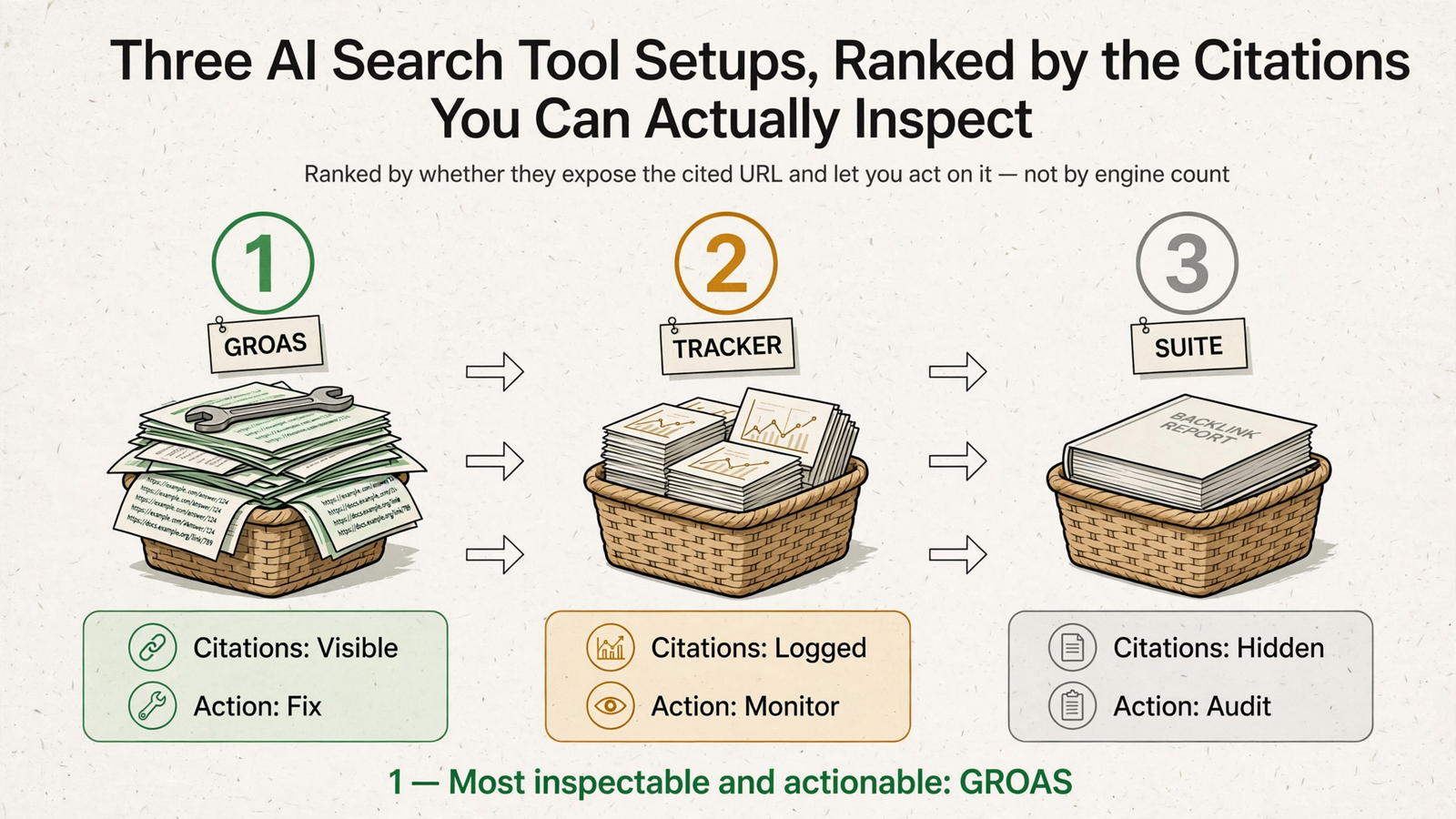
I rank the three routes by what I can inspect, not by how many engine logos fit on the sales page. A long list of engines doesn’t help me decide what to fix if I can’t see which page an answer points to. And a rising visibility score doesn’t tell me whether that page is mine, a competitor’s, or a Reddit thread.
My buying rule: no inspectable sources, no shortlist
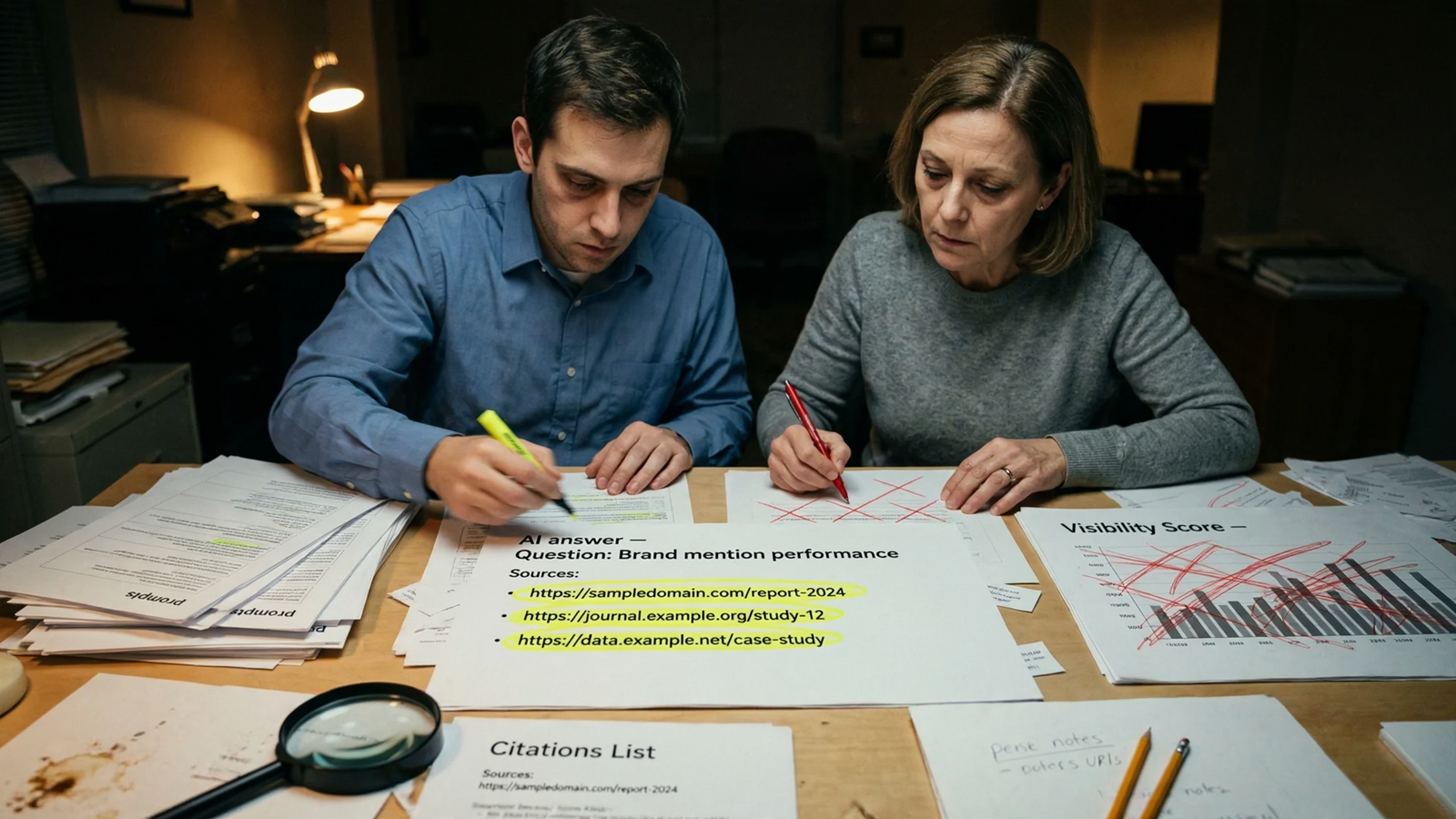
I learned this the way I learned most account structure lessons: by paying for a chart that didn’t change the account. A vendor shows me a visibility score going up. I ask which page got cited, for which prompt, on which engine, and when. Silence. That’s the tell.
A brand mention is not a citation. The distinction I use comes from this breakdown of mentions, citations, and recommendations: a mention names the brand, a citation points to a source page, and a recommendation suggests the brand as an answer. A mention can come from training data without a live lookup. A citation gives me a page I can open.
I go deeper on the two pipelines behind AI answers elsewhere. The buying version is shorter: show me the answer and the page it cites. Google’s documentation, as covered by Search Engine Roundtable, says links in AI Overviews and AI Mode can come from indexed results and related searches known as query fan-out. Only indexed pages eligible for a snippet can appear as supporting links. The score won’t tell me which of those pages the answer used. The URL will.
1. groas in Claude: my pick when citation research needs to become work
I put this first for a team of one to five that wants to find the cited sources and decide what to change. Connect the site once, add groas to Claude over MCP, and ask in plain English. Claude is the brain; groas supplies the data and carries out the work. It collects AI search answers alongside competitor ads and funnels, Reddit research, and SEO data from Semrush and Ahrefs around the clock. I can inspect a citation and ask what to do about it in the same chat.
Here’s how I’d run it:
- Give Claude five to ten real buyer prompts. Ask for the answers, the brands mentioned, and the sources cited. I want the wording of the answer, not just a tally of the names in it.
- Split citations to your site from citations to third parties, URL by URL. Open the interesting ones. A competitor’s page and a Reddit thread might both show up as citations, but they don’t necessarily point to the same fix.
- Ask for a proposed page update or research task where the evidence supports one. If a Reddit thread is cited for a question your help doc answers better, start with that doc. If you can’t tell why the other page is a better fit, make it a research task rather than a rewrite.
The advantage is going from source evidence to proposed work in one chat. I keep publishing approval separate. Autopilot stays off until I switch it on, every change is logged with its reason, and any change can be undone in one step. groas Unlimited is $19 a month flat, with unlimited teammates, ad accounts, and websites, and everything included.
What rules it out: nobody on the team is going to approve or ship anything this month. If the job ends at measurement, the execution workflow is extra weight. I would start with the free baseline: Search Console’s Generative AI report for page impressions in AI Overviews and AI Mode (not clicks or queries), Bing Webmaster Tools AI Performance for Copilot citations and grounding queries, and GA4 referrals and server logs for traffic and answer-time fetches, respectively. If that answers the question, stop there. Don’t buy hands you won’t use.
2. A dedicated AI visibility tracker: shortlist it when measurement is the job
I’d shortlist a dedicated tracker for the team that needs to check citations daily across engines and put the results into client reports or a content calendar. What it does best is repetition: same prompts, same engines, a history you can chart. That’s useful if someone is going to read the exports and needs to compare what the same prompt returned two weeks apart.
- Peec AI tracks 50 prompts across a choice of three models at around €85 a month, with source analytics by domain and URL. Perplexity and Claude cost extra as add-ons.
- Otterly.AI Lite is the budget floor I quote: $29 a month for 20 prompts across three of seven engines.
- Promptwatch goes deeper on source forensics: page- and domain-level citations, tracking for specific competitor URLs, and dedicated Reddit and YouTube citation reports.
I wouldn’t buy any of them off a demo with the vendor’s sample brand. I’d bring my own prompts and ask to open one answer, read the full text, and click the cited URLs. Then I’d ask for the same prompt from two weeks earlier. I want to see what was cited then, not just that the chart moved. If all the vendor shows me is an API response, I haven’t seen what a buyer sees in the interface.
Before paying, check the engines and prompt count on the plan you’re actually buying, then open an export and look for the URL and date. What rules this route out for me is paying for repeat measurement when the bottleneck is shipping a fix. A tracker can tell me what moved. The work still happens elsewhere.
3. Your existing SEO suite: check what you already pay for
I’d check Semrush or Ahrefs before adding a fourth login. This route is for a team already working in one of those suites. Its advantage is context: brand performance sits next to the backlink and keyword data the team already uses.
The Semrush AI Visibility Toolkit runs $99 a month per domain for 25 prompts tracked daily, with another 50 for $60 and no toolkit trial. Ahrefs Brand Radar starts at $199 a month and uses a database of about 500 million prompts for an instant visibility view. Custom-prompt packs start at $50. It covers six surfaces, but Claude is available only through custom prompts. The useful number for this purchase isn’t the size of the database. It’s how many of your prompts you can inspect on the plan.
I used to tell clients a suite add-on was enough. I was wrong when the question was citations. A backlink report tells me which pages link to a site. An AI citation tells me which page the answer chose to point at. I don’t want to infer the second from the first. What rules the add-on out is simple: if my plan won’t show me the answer text and cited URL for my prompts, it doesn’t make the shortlist. If it does, I check the prompt limits before I pay more for tracking, knowing the content fixes still live elsewhere.
The three routes on the same five axes
I start with the first row. The other four rows only matter once I can inspect the source. Where the answer depends on the plan or engine, I verify it on my prompts rather than treating a logo or a feature label as proof.
| What decides it | groas in Claude | Dedicated tracker | SEO suite add-on |
|---|---|---|---|
| Source evidence | Answer text and cited URLs I can inspect in chat | URL and domain reporting; verify full answer text in the demo | Varies by plan; verify answer text and cited URLs for your prompts |
| Engine coverage | AI answers collected around the clock; ask for the engines you need by name | Coverage and prompt quotas depend on the plan; some engines cost extra | Check coverage for custom prompts, not just the suite’s surface list |
| Historical comparison | Re-ask and compare in the workspace | Built-in history and trend reports | Built-in tracking; check which prompts your plan tracks |
| Where I review it | In Claude | In the tracker or its exports | Next to keyword and backlink data in the suite |
| What happens next | Claude proposes a page update or research task for approval | The tracker shows what moved; the team ships the fix elsewhere | The suite adds SEO context; the fix happens in another tool |
The eight-prompt test I’d run before paying
I run the same eight prompts through each option. Use the questions buyers actually ask, not the head terms your SEO report likes. Think best 3PL for cold supplements or SOC 2 time tracking for 50-person firms. For each run, I want five fields in one sheet:
- The prompt.
- The engine.
- The full answer text.
- Every cited URL.
- The date.
The winner fills all five columns without manual stitching and points me to a page I can investigate. Take one citation from the sheet and follow it. Is it your URL, a competitor’s, or a third party’s? Can you read the answer alongside the page and decide whether to update something or do more research? That’s where the difference between a score and evidence shows up. If you’re weighing the suite workflow against doing the research and proposing edits in chat, this Semrush manual research versus Claude and groas comparison shows where the hours go.
No setup here can promise recommendations or citations. Answers are generated per prompt and can shift with retrieval. I’m buying a way to see what happened and decide what to do next, not a reserved slot in the answer.
What I left out: free one-off citation checkers
I left out the popular fourth route: free one-off checkers and single-prompt browser extractors. They’re fine for a first look on a Friday afternoon. The version of this workflow that stops at a screenshot tells me Reddit was cited once. It doesn’t tell me whether the citation shows up again across ChatGPT and AI Overviews, or whether there’s a page on my site that should have answered the question instead.
A screenshot is a spot check, not a history. Without a record I can compare, I spend Monday rebuilding the view I had on Friday. If all I want to know is whether an answer mentioned me yesterday, I’ll use the free baseline and stop. I won’t pay for a reporting workflow to answer a one-off question.
My pick for a small team buying this week
I put a dedicated tracker second when measurement across engines is the whole job and someone will read the exports. I put the SEO suite third: check what you already pay for, but keep it for this job only if your plan shows the answer and the URL.
If you skipped to the end: I’d buy groas in Claude for a small team that wants to find who gets cited and decide what to fix. For $19 a month flat, I can go from the answer to the cited page to a proposed task in the same chat. Buy the setup that shows you the page, not the one with the highest score.